Todo AI
Last updated: 18 December 2025
What is Todo AI?
Todo AI is a next-generation task management tool that leverages artificial intelligence to simplify every aspect of your personal and professional organization. Unlike conventional to-do list apps, Todo AI uses smart technology to help you not only remember tasks but also prioritize and automate them according to your preferences and habits.
Suited for busy professionals, remote teams, and students alike, Todo AI brings together easy-to-use interfaces and powerful AI-driven features. Whether you need to break down complex projects, set recurring reminders, or automatically categorize tasks from natural language input, Todo AI aims to take your productivity to the next level.
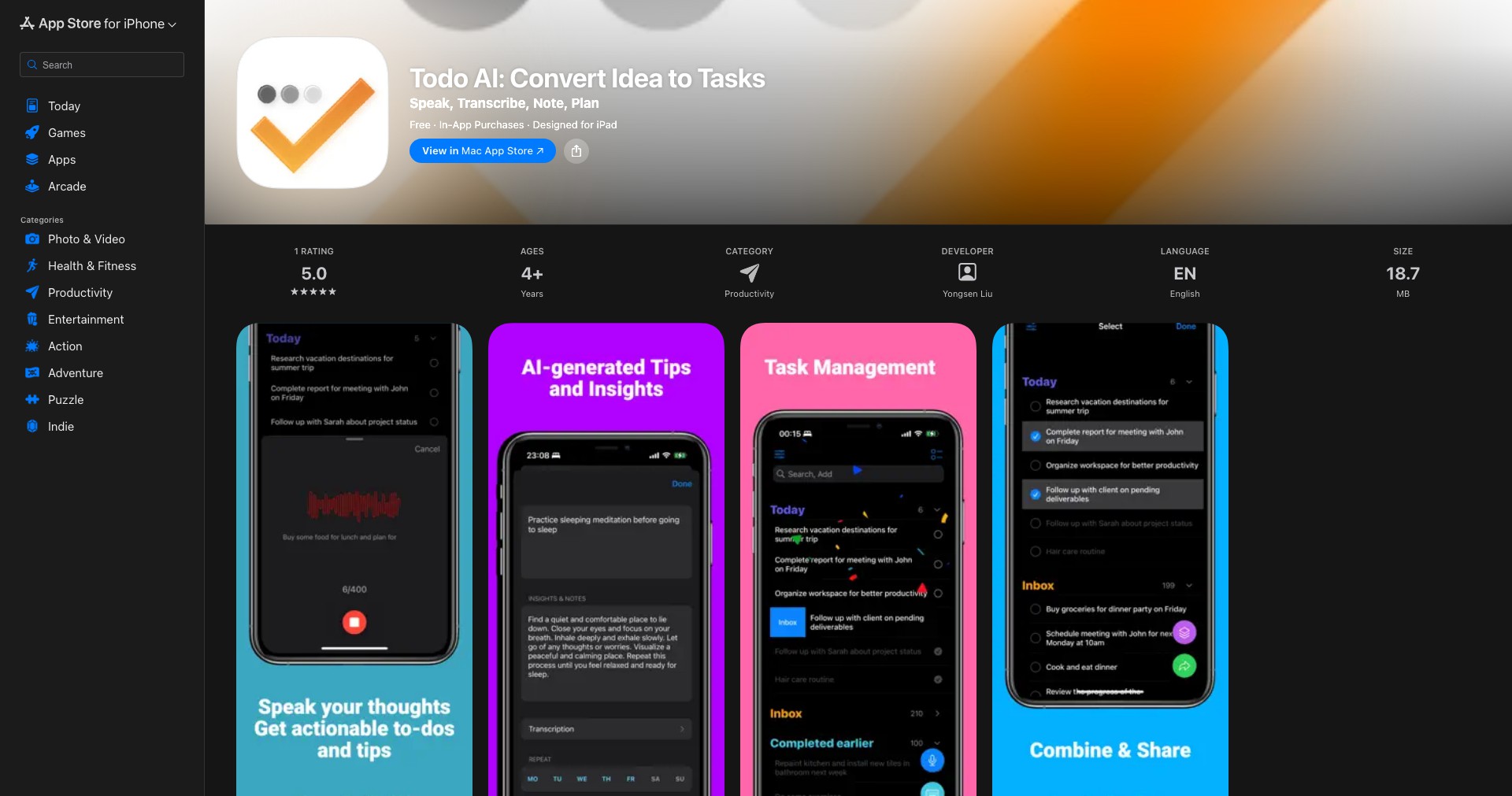
Key Features:
-
AI-Powered Task Planning:
Todo AI analyzes your task entries using natural language processing, auto-categorizing them and suggesting optimal schedules. This means you spend less time sorting and more time accomplishing your goals. -
Smart Reminders:
Intelligent reminders tailor notifications based on your past habits and urgency of tasks. You'll be less likely to miss important deadlines or meetings, with reminders adapting over time as your routines change. -
Collaboration Tools:
Work seamlessly with team members or family. Assign tasks, share lists, and get real-time updates on group projects, ensuring everyone stays on the same page without endless email threads. -
Automated Task Suggestions:
AI learns from your daily workflows and suggests tasks you commonly forget to add—whether it's sending a follow-up email or preparing for a regular meeting—helping you keep your bases covered. -
Integrations & Cross-Platform Support:
Connect Todo AI with popular calendars, project management tools, and virtual assistants. Access your lists across desktop, mobile, and web, so productivity follows you wherever you go.
What makes Todo AI unique?
What makes Todo AI stand out is its truly adaptive artificial intelligence engine. While many to-do apps offer reminders or categorization, Todo AI recognizes user patterns, context, and intent using robust NLP, creating a far more personalized experience. Tasks can be entered through simple phrases, voice input, or email, and the AI automatically deciphers the essential details such as dates, times, and priorities.
Moreover, Todo AI’s seamless integration with a host of other productivity platforms (like Google Calendar, Slack, and Microsoft Teams) allows it to be the central nervous system for your productivity ecosystem. Its ability to suggest tasks based on daily routines and missed actions gives it a proactive edge, minimizing the risk of human error and forgotten items.
Pros and Cons
Who is using Todo AI?
Busy Professionals: Project managers, consultants, and executives who juggle multiple responsibilities will appreciate how Todo AI streamlines daily task management, reminds them of key deadlines, and automates repetitive planning.
Remote Teams: Distributed teams need coordination and communication, which Todo AI enables through shared lists, collaborative assignments, and real-time updates to ensure everyone remains in sync.
Students and Educators: Those navigating multiple classes, projects, and extracurriculars can use Todo AI to organize assignments, prioritize tasks, and ensure they never miss important due dates or collaborative study sessions.
Evolving with User Needs
Since its launch, Todo AI has steadily introduced features in line with user feedback—moving from a simple AI-powered to-do list to a full productivity suite. Early versions focused on core task and reminder functions, automated by basic AI algorithms.
Over time, the platform has progressed to include advanced natural language input, deeper integrations with enterprise tools, and sophisticated team collaboration features. The introduction of machine learning has enabled personalized scheduling and smarter reminders.
Recent updates emphasize security, scalability, and customization, expanding support for more complex workflows and integrating privacy features suitable for business environments. The roadmap points toward AI-driven automation and deeper analytics for productivity insights.
Pricing
| Plan | Price | About |
| Free Plan | $0 | Basic task management features, limited AI suggestions, and single-device access. |
| Pro Plan | $6.99/month | Unlocks advanced AI, unlimited device sync, collaboration, and integrations. |
| Business Plan | $14.99/user/month | Designed for teams, including priority support, advanced security, and analytics. |
Verdict
Todo AI sets a high standard for smart productivity tools, making it a compelling choice for individuals and teams who want to move beyond basic task lists. Its adaptive AI, strong integrations, and emphasis on automation offer real time-saving value—especially for power users and collaborative groups.
While its advanced features are best unlocked with a paid plan and there’s a minor learning curve for personalization, the intuitive design and genuine productivity boosts make it worth the investment for those seeking to streamline complex workloads and routines.


