Claude Opus 4.6 review and first look: is this the best coding model right now?
Being behind major reports like The Mother of All Breaches and RockYou2024, our in-house cybersecurity experts and journalists provide unbiased, real-world testing and in-depth analysis.
We maintain complete transparency by openly sharing our testing methodologies with our audience.
Learn more

Opus 4.6 is Anthropic’s new flagship Claude model, released in early 2026, and the newest version is set to challenge Google Gemini's and ChatGPT's flagship models. This isn’t the “let’s just chat about ideas” type of upgrade – it’s built for developers, analysts, writers, and anyone leaning heavily on AI for real productivity.
Anthropic’s focus this time is squarely on making Opus more agentic, more coherent over long tasks, and much better with complex codebases or document-heavy workflows. In this first-look Claude Opus 4.6 review, I share impressions after testing it as my main model for a week, mainly to answer the question most AI power users are asking right now: should you switch your workflow to Opus 4.6?
Opus 4.6 is excellent for complex coding, extended reasoning, and maintaining context across long projects. It’s faster, more stable, and noticeably cheaper than the older Opus – though still at a premium tier. If deep work is your use case, it’s worth the upgrade. That said, it’s not the absolute best in everything – some competitors still lead in image reasoning, multimodal flexibility, or very advanced math/science domains.
What exactly is Claude Opus 4.6?
Claude Opus 4.6 is Anthropic’s newest frontier-tier model – essentially the top of the Claude lineup, sitting above Sonnet in both power and reasoning depth.
It’s been tuned specifically for reliability during long, complex tasks rather than quick answers or casual chat. In practice, that means Opus 4.6 excels at tasks such as multi-step coding, debugging entire projects, refactoring legacy systems, managing intricate spreadsheets, and coordinating multi-app workflows.
Compared to the earlier Opus builds, 4.6 maintains the same price point as Opus 4.5. The pricing is $5.00 or $25.00 for 1 million input or output tokens, respectively, which is three times cheaper than Opus 4.1. Alternatively, you can get access to Opus 4.6 by subscribing to Claude’s Individual Pro plan, priced at $17.00/month if billed annually. This way, you can avoid the complex per-token billing of the API.
As such, your access options include:
- Claude web application (with Pro, Max, or Team tiers) and Claude Code specifically for coding tasks
- Anthropic API
- Major cloud providers that integrate Claude models
From what I’ve seen in practice, Opus 4.6 behaves like a dependable colleague for high‑stakes knowledge work. The model you lean on to actually get things done, not just a competent conversational partner for ideas or entertainment.
Key features that matter for devs and power users
Opus 4.6 isn’t just smarter – it’s built to stick with one project and actually get things done. For one, Infinite Chat maintains long-running conversations over days, while its multi-step behavior provides a more agent-like planning and self-correction style. Furthermore, built-in integrations with Excel, the browser, and desktop coding tools enable it to operate seamlessly within your existing workflow. An effort setting lets you trade output depth for speed and cost, and improved computer-use abilities make it more competent at code editing, file operations, and app control.
For developers, engineers, analysts, and anyone managing long-lived projects with AI, these upgrades stand out immediately. Let’s take a closer look at them.
Infinite Chat: long conversations without losing the plot
Claude Opus 4.6 continues to make good use of Infinite Chat, Anthropic’s solution to the old context-limit problem introduced in version 4.5. Instead of abruptly forgetting earlier parts of a conversation once you reach the token limit, Opus now automatically summarizes older messages in the background. It keeps track of the important decisions, constraints, and goals you’ve set – almost like an internal notebook it quietly maintains as you work.
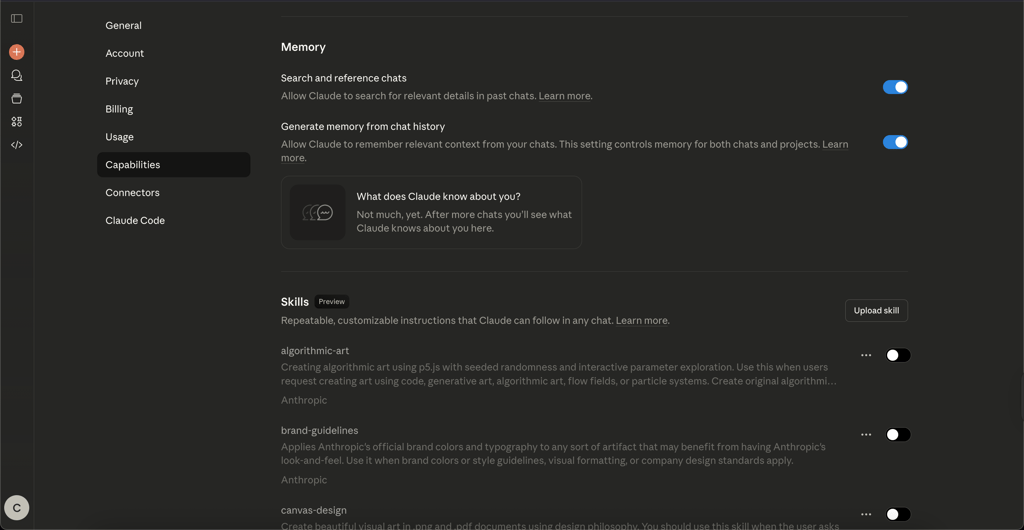
In practice, this means you can discuss a project, step away, and pick it up again tomorrow without needing to re-explain everything from scratch. The model still remembers your plan, preferred tone, coding conventions, and even the trade-offs you decided on in the last session.
However, it’s not perfect memory – I noticed that if you get too far down a side path, it will still occasionally lose finer details – but the difference from the old hard cutoff behavior is huge. For long-term users, Infinite Chat makes Claude finally feel like a consistent collaborator.
Agent-style work: planning, doing, and fixing
Opus 4.6 uses the agent-like approach to problem-solving introduced in Claude 4.5. Instead of firing off a single massive answer and hoping it’s right, the model now tends to break bigger tasks into smaller steps:
- Plan
- Execute
- Check what happened
- Iterate if something’s off
It’s the difference between a one-shot guess and an actual mini work cycle. For example, during a debugging session, Opus 4.6 can walk through several alternative strategies, explain their trade-offs, and then pivot if you ask it to try a different approach.
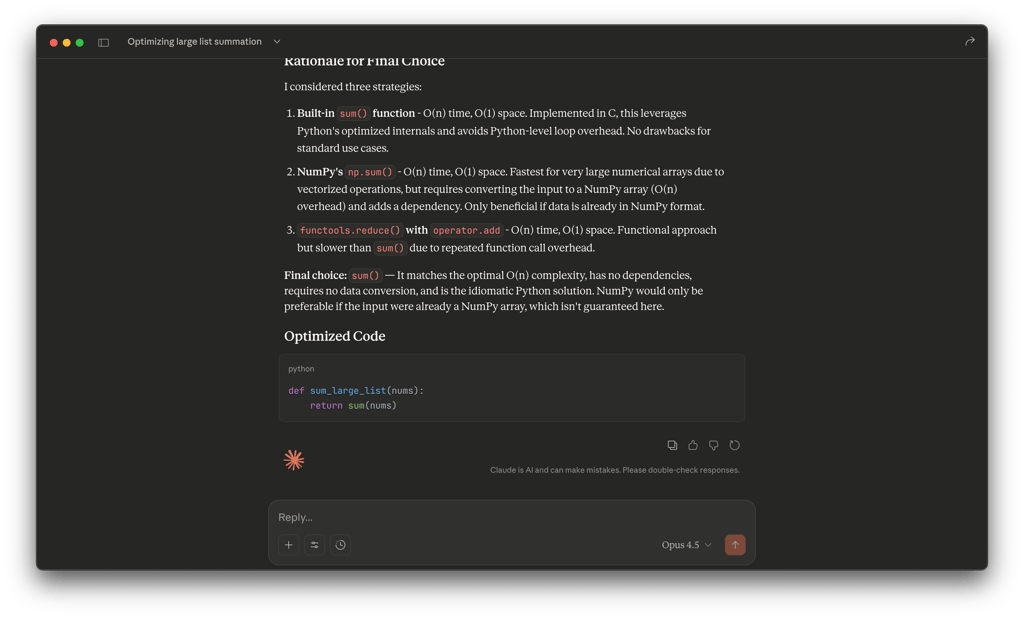
When I asked AI for code optimization, instead of just rewriting the code, it first laid out options (using built‑in functions, vectorized libraries, or parallelization), compared their complexity and overhead, and only then committed to a final choice implementation. When I pushed back – replying with “try a different approach” – it reran the whole reasoning loop, generated a fresh plan, and updated both the explanation and the code accordingly.
The result is a workflow that looks and feels iterative: you see the model’s thought process and can redirect it at any point, ending up with code that has a clear, documented rationale rather than a one‑off guess.
Built-in tools: Excel, browser, and desktop coding
Opus 4.6 expands well beyond the chat window with a set of built-in tools designed for real productivity work. These aren’t gimmicks – they’re utilities you can actually use throughout a typical workday to save time and offload tedious steps.
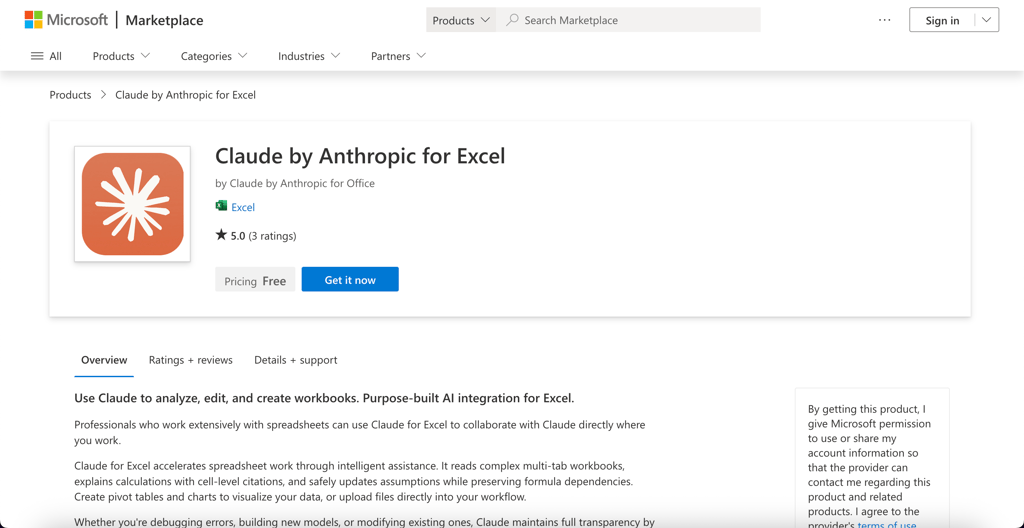
Excel integration works through an add‑in that lets you describe what you want in plain English: “Summarize this sheet by region,” “Build a stacked chart,” or “Create a formula that tracks month‑over‑month growth.” The Claude by Anthropic for Excel extension translates these requests directly into formulas, pivot tables, or visualizations.
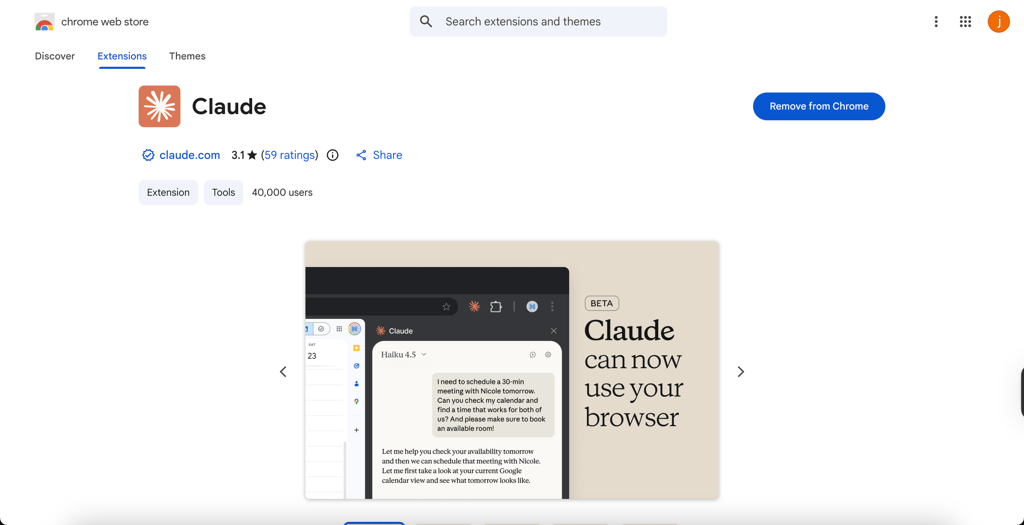
Claude’s browser helper enables the model to open and interact with web pages – navigating menus, filling out forms, reading content, and even clicking buttons when authorized. You can, for instance, have it scrape and clean product data from several sites, saving everything into a neatly formatted CSV. It’s aware of boundaries, so it won’t wander without direction, but used properly, it turns repetitive web work into a background task.
The desktop coding tool supports multi‑session coding across both local and cloud environments. That means Opus can open multiple files, compare versions, apply batch edits, and refactor sections of a repository while explaining what it changed. Imagine it working beside you on a large Python service – restructuring modules, commenting updates, and pointing out possible dependency issues before you push to production.
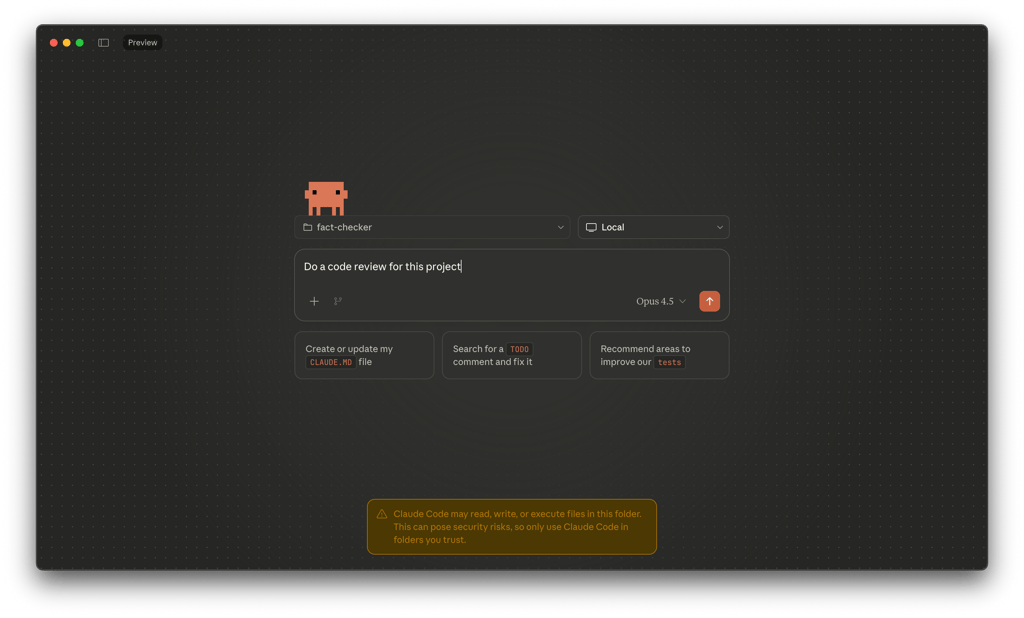
All these integrations share a single theme: Opus 4.6 isn’t just discussing your work – it’s actively participating in it.
Effort setting: balancing depth, speed, and cost
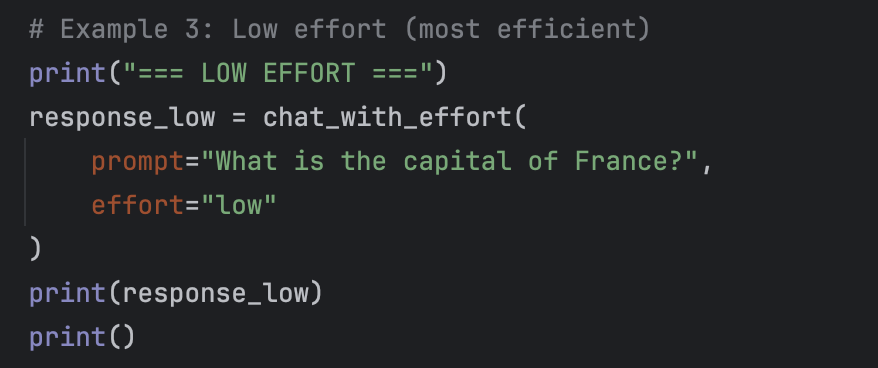
One of the more important features in Opus 4.6 carried over from 4.5 is effort setting – an API parameter that lets you decide how much thinking time the model should allocate to a response. Instead of being a visible slider in the UI, it’s a developer-facing control that explicitly trades off speed, cost, and reasoning depth. It applies to all tokens in the response, including tool calls and multi-step agent workflows.
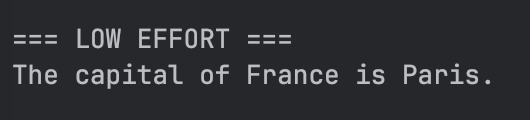
In day‑to‑day use, this setting feels surprisingly practical. Below are a few examples that illustrate the difference between low and high effort settings.
You can keep the settings on low effort when you just need quick edits, simple summaries, or short bits of code – fast responses with minimal cost.
For typical development help, documentation writing, or spreadsheet analysis, medium effort hits the sweet spot between speed and depth.
And when it’s time for complex debugging, architectural reasoning, or sensitive analytical decisions, setting up to high effort tells Opus to take its time, explore alternate angles, and double‑check its logic before answering.
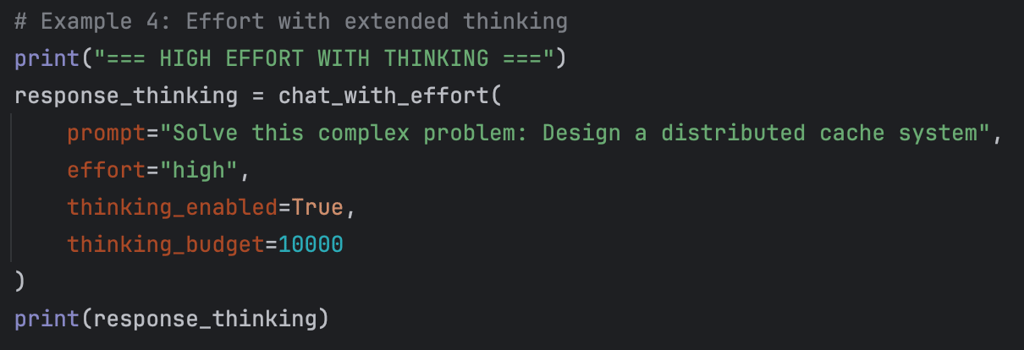
Even for moderately technical users, I found the effort setting to be a precise and friendly cost-control mechanism – you can trade latency and price against depth without worrying about token counts or hidden parameters.
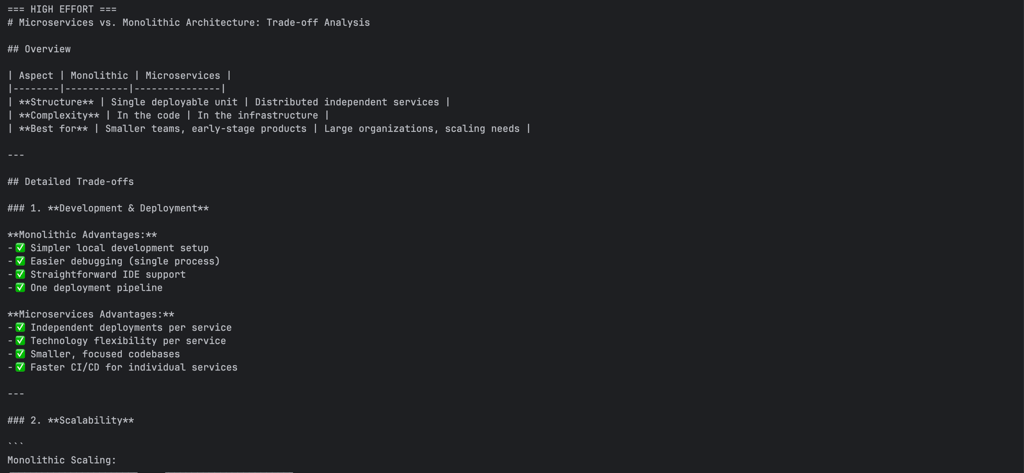
Overall, the effort setting gives you the sense that you’re managing a capable assistant’s workload, not tweaking an AI lab experiment.
How well does Claude Opus 4.6 perform overall?
From a performance standpoint, Opus 4.6 is firmly in the top tier of general-purpose AI models for real-world coding and reasoning, trading places with other frontier systems depending on the task. Claude has historically been compared with ChatGPT, and this time is no exception. However, this model is less about leaderboard scores and more about staying accurate and consistent over long, complex projects where code, logic, and context all matter at once.
In everyday development work, Opus 4.6 is particularly good at reading unfamiliar code, spotting bugs, and proposing structured fixes across multiple files, making it a valuable AI coding assistant. Given clear instructions and some project context, it can handle refactors, update imports, and explain its changes in an efficient manner. It still makes mistakes – misreading vague specs, occasionally emitting broken code – so tests, reviews, and guardrails remain non‑negotiable.
For non-code tasks, Opus 4.6 is a very capable general assistant: it summarizes long documents, plans projects, drafts reports, and manages multi-stage workflows that span multiple inputs or tools. It’s strong in everyday reasoning and structured writing. However, very specialized math or niche scientific questions may still be better served by domain‑specific systems, so critical work should always be double‑checked. When integrated with agents or automation frameworks, it performs best on clearly defined, stepwise tasks and can usually recover gracefully from minor glitches. However, open-ended or high-risk operations still require careful monitoring and human oversight.
In short, Opus 4.6 feels less like a flashy demo model and more like a practical, high-functioning teammate – a system that can handle real workloads, maintain focus, and stay helpful over the long haul, as long as you guide it like one.
When Opus 4.6 feels amazing
During the course of my testing week, there were moments when Opus 4.6 just clicked – when it felt less like a model and more like a competent colleague that actually gets the work done. Those moments typically arise from the combination of strong reasoning, deep contextual understanding, and seamless integration with real-world tools.
Here are the Opus 4.6’s strengths I appreciated the most:
- Top-tier coding ability. Opus 4.6 is fast, structured, and exceptionally good at reading and improving existing code – not just generating new snippets. It handles tough debugging and refactoring with context-awareness that feels genuinely senior-level.
- Long-term memory that works. With Infinite Chat, you can come back days later, and it still remembers what you were building, the design choices you made, and even your preferred naming conventions. It makes ongoing projects far smoother.
- Smarter self-correction and planning. The model’s new agent-style logic means fewer dead-end attempts. It catches mistakes, adjusts itself, and keeps going in a controlled loop until the task is complete.
- Tool integrations that matter. Excel, browser automation, and desktop coding hooks are things people actually use. The fact that Opus is fluent with them – rather than separately – makes it feel like part of your real workspace.
- A more thoughtful interaction style. Unlike older large models that can sound overconfident or verbose, Opus 4.6 remains concise and grounded. Its responses feel measured and reasoned, which builds trust for serious work.
For developers and analysts investing in AI as a genuine productivity tool – not just a helper for quick answers – this is what you’re paying for: sustained focus, smart iteration, and a reliable, more consistent partner that helps you move projects forward instead of starting them over.
Weaknesses and things to watch out for
No model is perfect, and Opus 4.6 – impressive as it is – comes with its share of trade-offs that are worth understanding before making it your daily model. Here’s what you should take into consideration:
- Premium cost. Even with its price drop from earlier Opus versions, it still sits in the upper tier. For individual developers or small teams, this can add up quickly if you’re relying heavily on it throughout the workday.
- Performance drift. Some users have noted that Opus 4.6 felt slightly sharper in its first weeks after launch – faster or more precise in certain reasoning tasks – than it does now. That may be a perception, adaptation, or calibration, but I've noticed that it’s a recurring piece of feedback.
- Sandbox restrictions. Security boundaries mean you can’t always call arbitrary external APIs or local scripts directly from within its environment. Integrations must go through approved channels (such as Excel add-ins and API connectors), which can limit flexibility in experimental workflows.
- General LLM quirks. Like all large models, it can still hallucinate, misread ambiguous input, or state speculative answers too confidently. Reviews, linting tools, and human oversight remain part of responsible use.
Overall, none of these are real deal-breakers – they’re reminders that even a frontier model works best when paired with sound engineering practices and a bit of healthy skepticism.
Who Claude Opus 4.6 is for, and who should skip it
Claude Opus 4.6 is built for people who rely on AI as part of real, daily work: coding for hours, analyzing data, or managing dense documents. I found it most useful for structured tasks, such as multi-file refactorings, step-by-step analyses, and long decision threads where context and clear reasoning are crucial. This is primarily thanks to its most recent upgrades, including built-in tools, Infinite Chat, and the effort setting.
It’s not ideal if you mainly want casual chat, lightweight creative writing, quick lookups, cutting‑edge multimodal reasoning, or highly specialized math/science. In my opinion, cheaper or more specialized tools are better suited for those cases. But for developers, analysts, project managers, and knowledge workers who value reliability over novelty, Opus 4.6 has everything to become a capable colleague that stays focused and consistent over long projects.
As such, I recommend switching to Opus 4.6 for serious workflows where your AI needs to perform – such as writing code, planning projects, and managing evolving tasks – rather than for casual use, where its power and price are unnecessary.
FAQ
How is Claude Opus 4.6 different from other Claude models, like Sonnet?
Opus 4.6 sits at the top of the Claude lineup. Compared to Sonnet, it offers deeper reasoning, longer context retention, more reliable coding and debugging capabilities, and broader integrations with tools, such as Excel and browser automation. Sonnet remains faster and more cost-effective for casual or conversational use, while Opus 4.6 is optimized for tasks that require sustained focus, planning, and complex logical chains.
Is Claude Opus 4.6 really better for coding than other models?
For most developers, yes. Opus 4.6 excels at understanding existing codebases, tracing logic across files, debugging step-by-step, and refactoring cleanly. It’s not infallible – tests and oversight are still essential – but when given clear goals, it behaves like a high‑level assistant that can plan, execute, and revise, not just autocomplete code. Other models may match it on short code snippets, but Opus pulls ahead in full‑project reasoning and iteration.
Is Claude Opus 4.6 safe to use for sensitive or production code?
It’s designed with safety in mind – Anthropic enforces strict data‑handling policies and sandboxed environments – but safe depends on your workflow. The model doesn’t access external systems directly unless integrated through approved channels, which limits risk. Still, you should treat it like any third‑party collaborator: never feed live credentials or proprietary code without proper review, and always keep human checks in your deployment pipeline.
If I already use another model daily, when does it make sense to switch to Claude Opus 4.6?
Switching makes sense when your projects rely on depth, consistency, and context – for example, long‑running coding efforts, documentation systems, or multi‑app workflows. If you primarily use AI for short tasks, quick brainstorming, or lightweight scripting, mid-tier models like Claude Sonnet or GPT-4o mini might still deliver a better cost-to-value balance. Opus 4.6 truly shines when you need an assistant that won’t lose the thread between sessions and can sustain complex reasoning over time.