NotebookLM review – is it good for deep research and analysis?
Being behind major reports like The Mother of All Breaches and RockYou2024, our in-house cybersecurity experts and journalists provide unbiased, real-world testing and in-depth analysis.
We maintain complete transparency by openly sharing our testing methodologies with our audience.
Learn more

NotebookLM is an online tool for researching and analyzing large documents, powered by Google Gemini. It generates summaries, reports, podcasts, and video overviews based only on the documents you upload. The aim is to save time spent going through numerous papers by making the AI extract the key points with direct references.
NotebookLM can be a lifesaver for professional and academic research, but only if it works reliably. I wanted to make sure NotebookLM actually renders important data correctly and understands complex context before relying on it in my daily workflow. So, the Cybernews team and I tested how the tool really works, if its outputs are reliable, and whether its price and functionalities match. Below, I explain in detail every aspect of NotebookLM.
Quick overview of NotebookLM
| Best for: | Academic and professional research grounded in uploaded documents |
| Key features: | Podcasts, summaries, video overviews, study materials, and a chatbot – all based strictly on the documents you upload |
| Free version: | ✅ Yes |
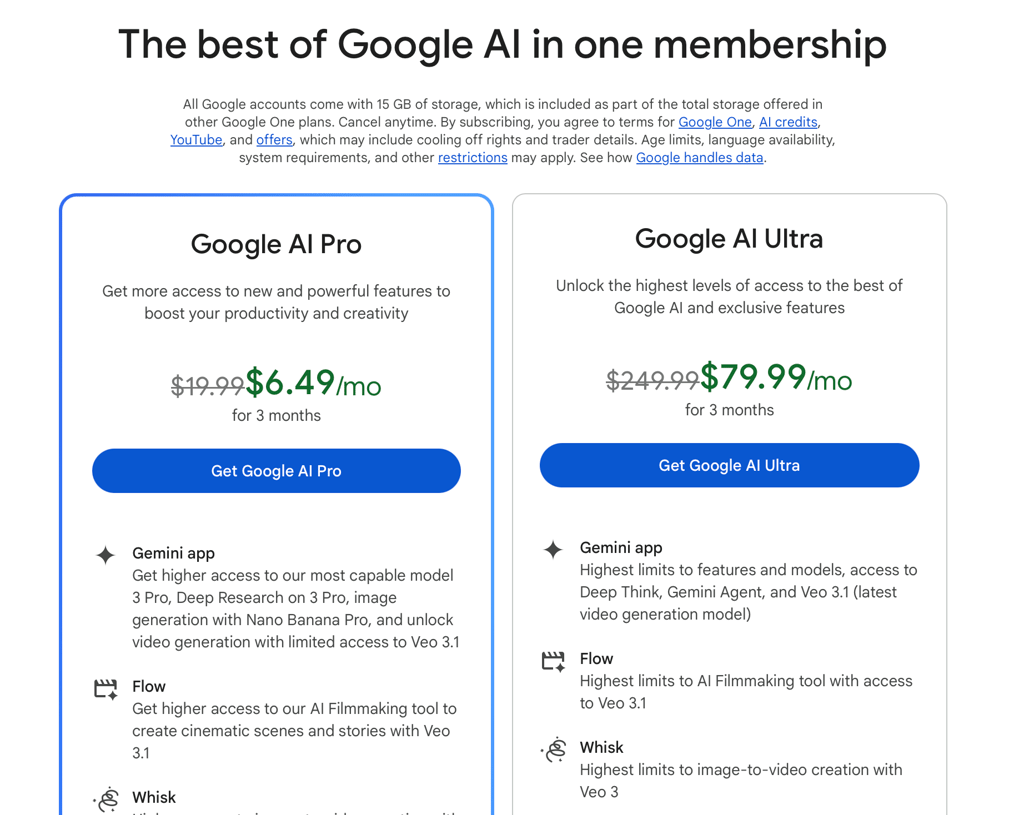
| Starting price: | $19.99 for a Google AI Pro subscription |
Pros and cons of NotebookLM
NotebookLM has advantages and limitations that I explored while testing:
What is NotebookLM?
NotebookLM is all about turning large, content-heavy documents into easier-to-digest material in audio, video, and text formats. This online tool, previously known as Project Tailwind, was officially released by Google in July 2023. Today, it’s available both on desktop and mobile in over 50 languages. Unlike ChatGPT, it operates only with the data you upload and adds direct reference links to each fact in its outputs.
Thanks to the integrated chatbot, it’s easy for a large range of users to interact with. Students can upload lecture notes or recordings for NotebookLM to transform them into something easier to follow. Businesses can quickly generate onboarding materials for new employees or FAQs for customers by feeding NotebookLM with the target documents. Still, be careful, as Google itself warns users that NotebookLM may hallucinate and make mistakes in interpreting the sources.
How does NotebookLM work?
NotebookLM’s goal is to work as your personal LLM, trained on the sources you provide it with. The sources may include copied-and-pasted text, audio files, URLs, PDF files, images, and documents from Google Drive. The limit is 500,000 words per source and 200MB per uploaded file. Various sources can be stored in separate notebooks – think of them as folders centered around a specific project or theme.
The tool can then summarize and reimagine data from the sources in various formats, like notes, audio and video overviews, slides, infographics, mind maps, flashcards, and quizzes. Also, its chatbot functionality can answer specific questions grounded in your data with direct quotes and a separate reference list.
NotebookLM’s privacy policy isn’t that straightforward. NotebookLM claims that it doesn’t retain or train on your personal or chat data. It’s stored on Google Cloud and isn’t reviewed by anyone unless you send feedback for Google to assess a specific tool’s response. However, NotebookLM informs that it may process your data to prevent fraud, abuse, and technical issues. At the same time, Google Workspace users’ chats aren’t assessed by human reviewers, even if they do submit AI answers for evaluation.
Key features of NotebookLM
NotebookLM isn’t overloaded with complex features, but it has a set of practical functionalities:
- A set of sources for each notebook. In NotebookLM, you can create separate notebooks – each dedicated to different themes and filled with a separate set of sources. Each notebook’s sources can be manually updated so that you can further compare new information against old data. Make sure that your documents aren’t DRM-locked or protected with a password, as NotebookLM can’t process them.
- Audio and video overviews. The tool can create audio and video summaries of your sources. It allows you to digest information on the go or simply have ready-made materials from a variety of files.
- Quizzes, mind maps, and flashcards. The tool extracts the essential points itself, freeing you from the hassle of going through all the data yourself. It’s a great way to study for exams or prepare training materials for other people.
- Asking for explanations. You can ask NotebookLM to summarize, explain, or specify any details from the sources via a chat. There, you can either click on the proposed questions below the auto-generated summary or type your own questions.
- Quoting and referencing. NotebookLM attaches a clickable link next to every fact in its output. You can use it to double-check the answers’ validity instead of scrolling through the sources manually.

I tested how well NotebookLM works
I tested NotebookLM across its main features that I’d use regularly: research and turning data into a podcast, video, quiz, and mind map. Below are the test results.
Creating notebooks and notes, and interacting with a chat
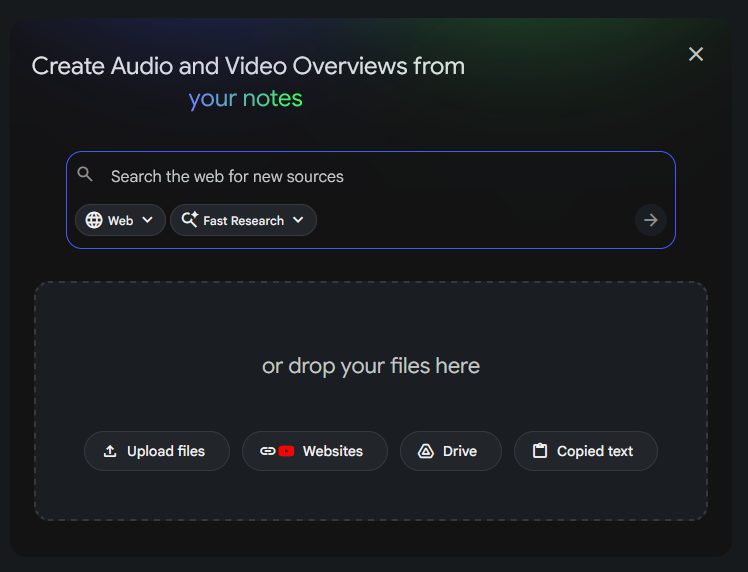
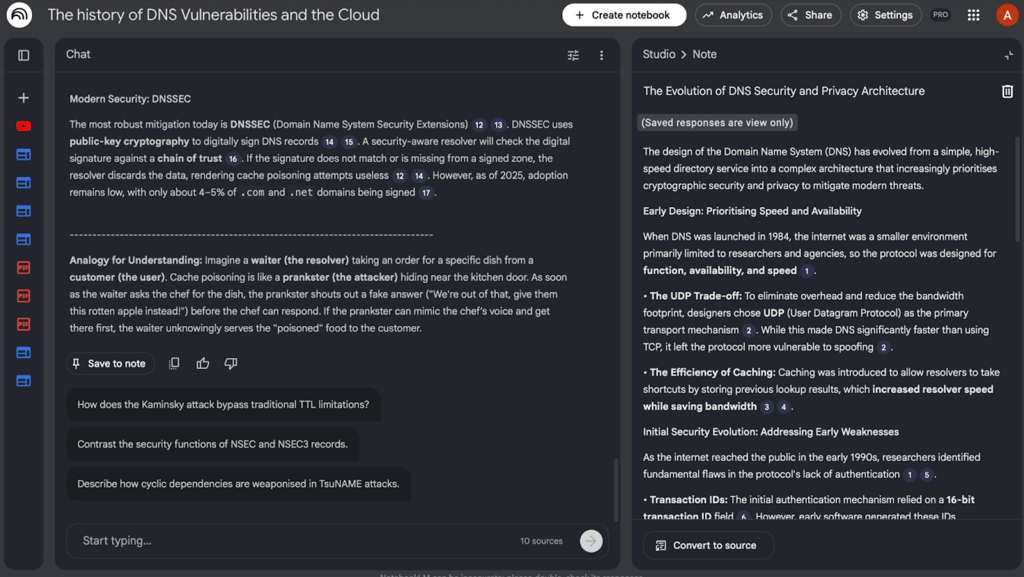
I created a notebook and uploaded 10 different sources to NotebookLM, all connected to the theory and history of the Domain Name System (DNS). Alternatively, you can simply write a theme in the input window, and NotebookLM will search for online sources itself.

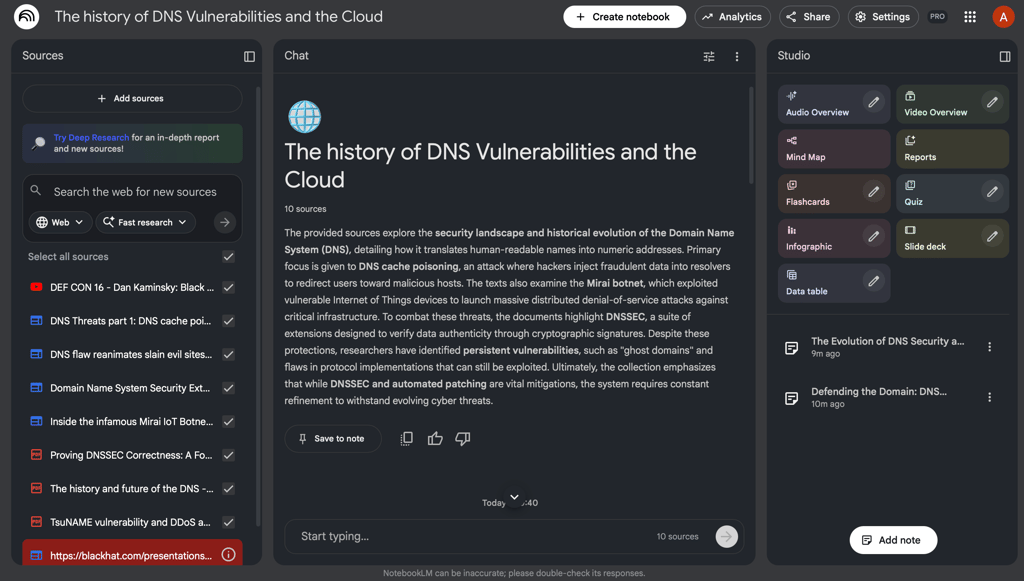
After a few seconds, NotebookLM processed all 10 sources and generated a correct summary together with a set of questions for clarification. As I asked the chat to explain some details on DNS cache poisoning, I got an extensive answer with the links to the relevant parts of the research, which was extremely convenient. The explanation came almost immediately after the request, but the more sources you have, the longer you have to wait.
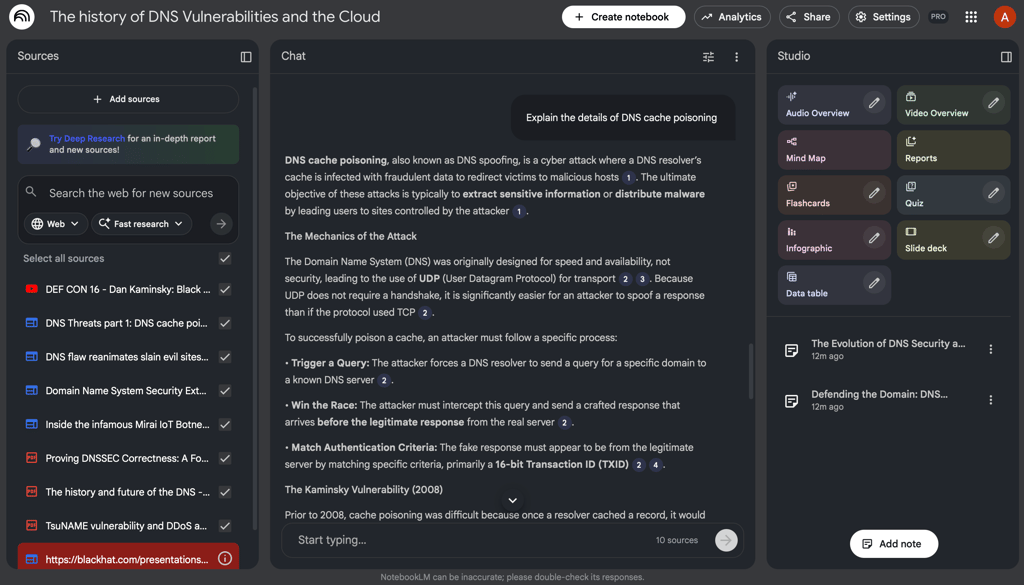
I liked that you can add separate notes by clicking the Save to note button below each answer. This way, you can highlight the most crucial points without leaving the tool. You can then convert those notes into sources, Google Docs, and Google Sheets.
Turning documents into a podcast
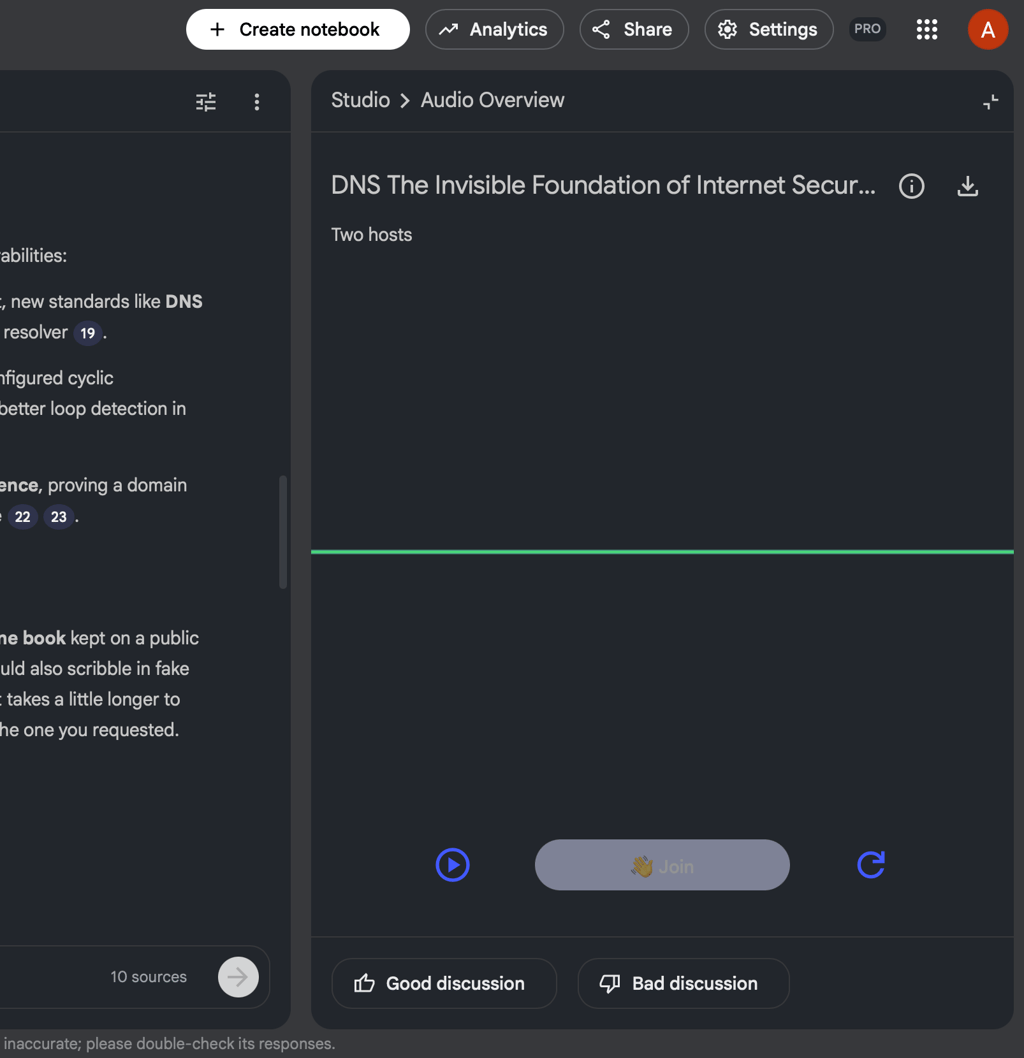
On the panel next to the main chat, there’s a Studio section that has buttons to transform your sources into different formats. I clicked on a pen next to the Audio Overview and chose my podcast’s length, format, and main focus. My 11-minute podcast was ready in around 3 minutes.


I was surprised to find that the podcast is interactive – two hosts discuss the theme, and you can literally speak to them with your voice by clicking Join. It’s like being a part of a conversation with people who know everything about a specific topic, so you can ask them any questions at any moment.
Turning sources into a video
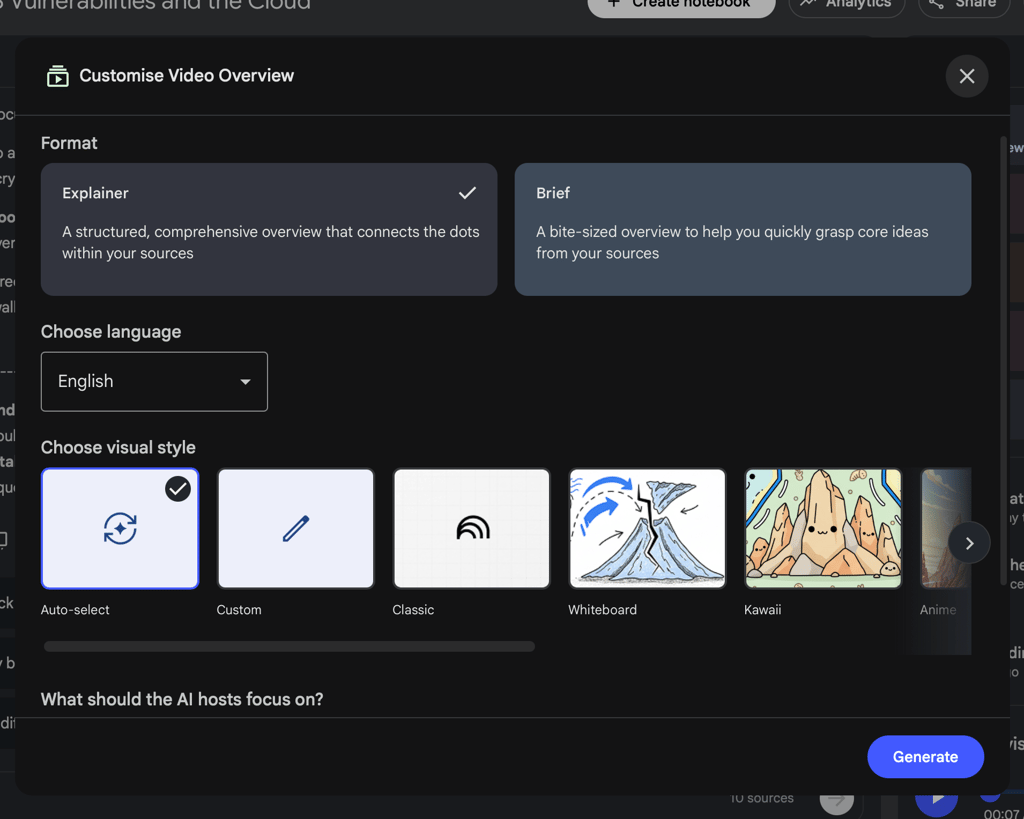
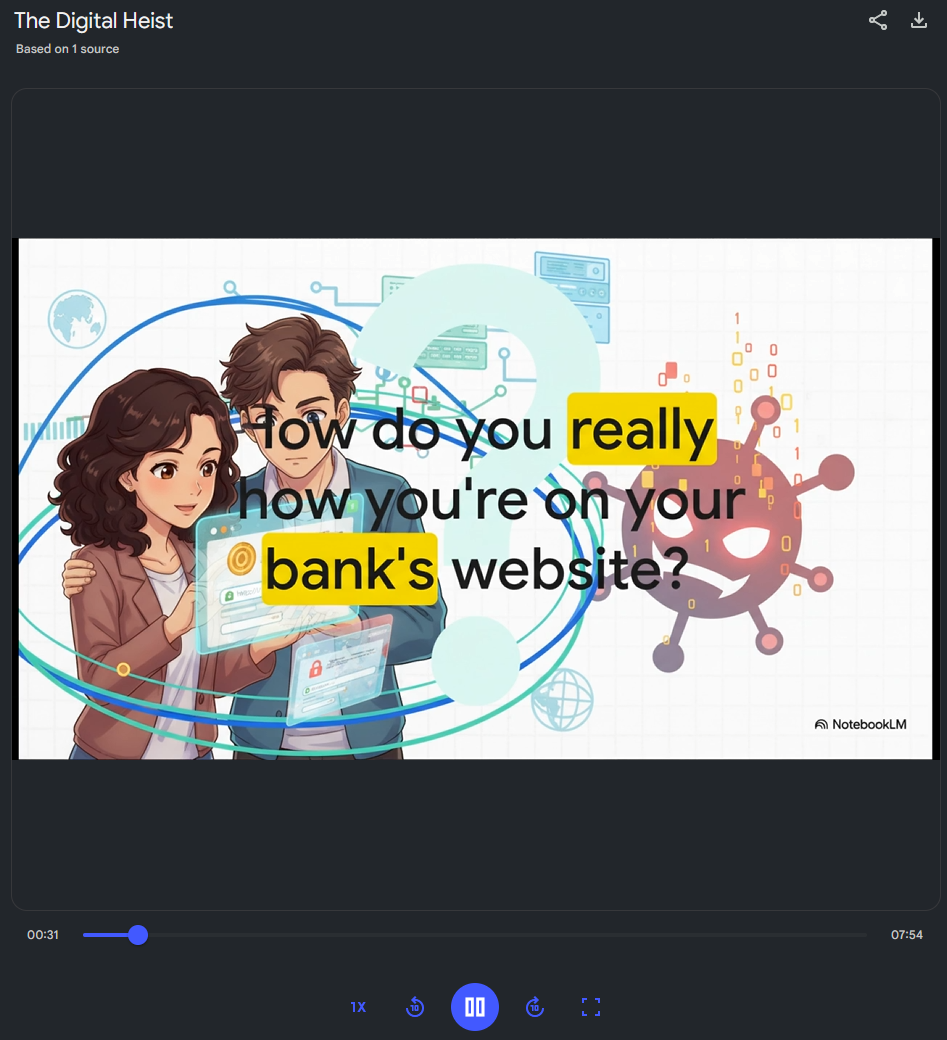
Then, I clicked Video Overview and chose its length, format, focus, and visual style. My 7-minute video was ready in 10 minutes and had AI-generated images and a voice-over.
This time, the result wasn’t as satisfying – the images did correlate with the voice-over, but most of them contained logical issues, especially those that had text. The images themselves weren’t very helpful in understanding information, and considering the number of mistakes, they may confuse or mislead users.
Creating a quiz and a mind map
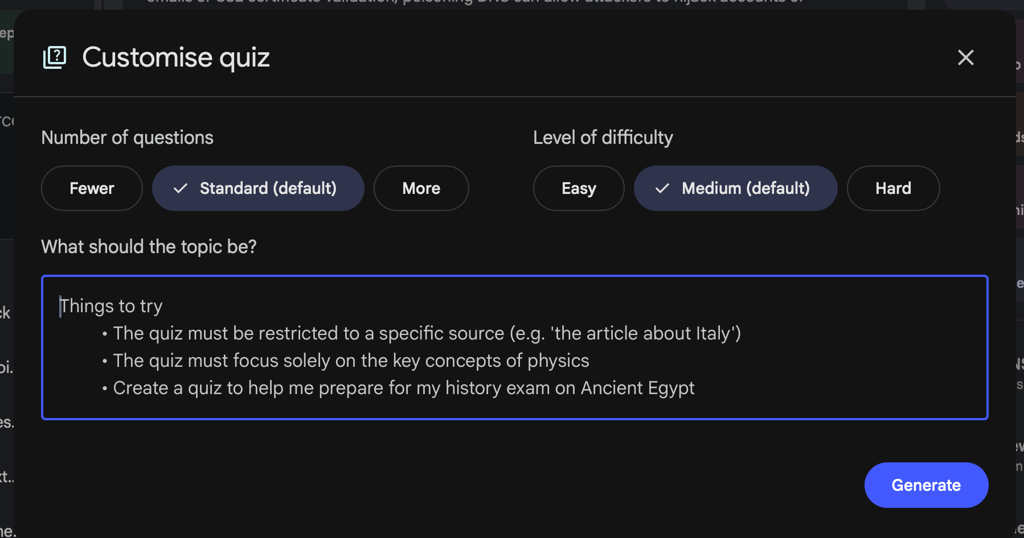
Finally, to test my knowledge, I asked NotebookLM to generate a quiz and a mind map. Just like other Studio generations, you click the pen and customize the quiz’s difficulty and number of questions, and set custom instructions.
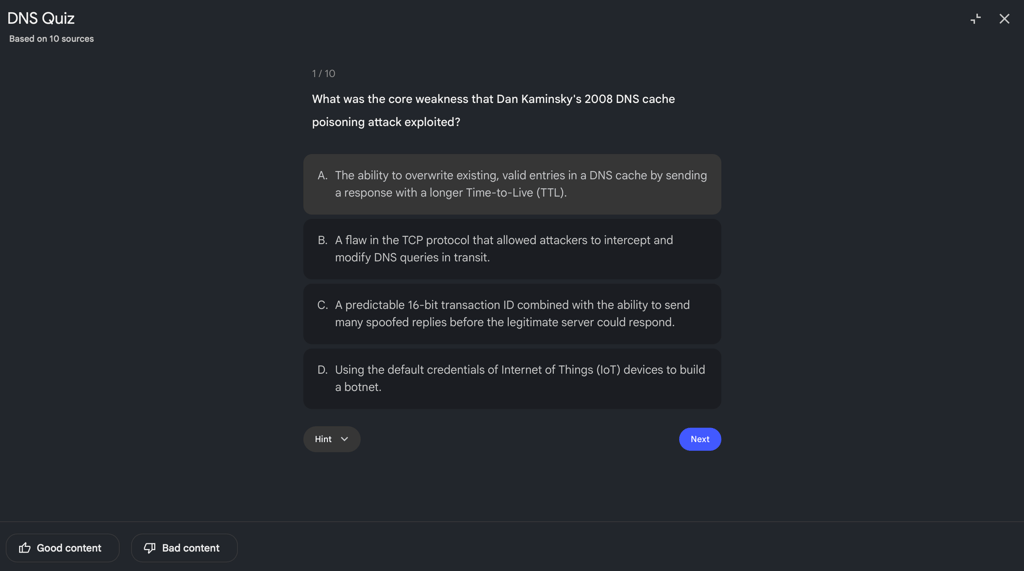
NotebookLM correctly extracted all the main points from the sources and focused on the information I previously asked about in the chat. I liked that each answer is followed by a short and clear explanation, so there’s no need to look for this information in the sources.

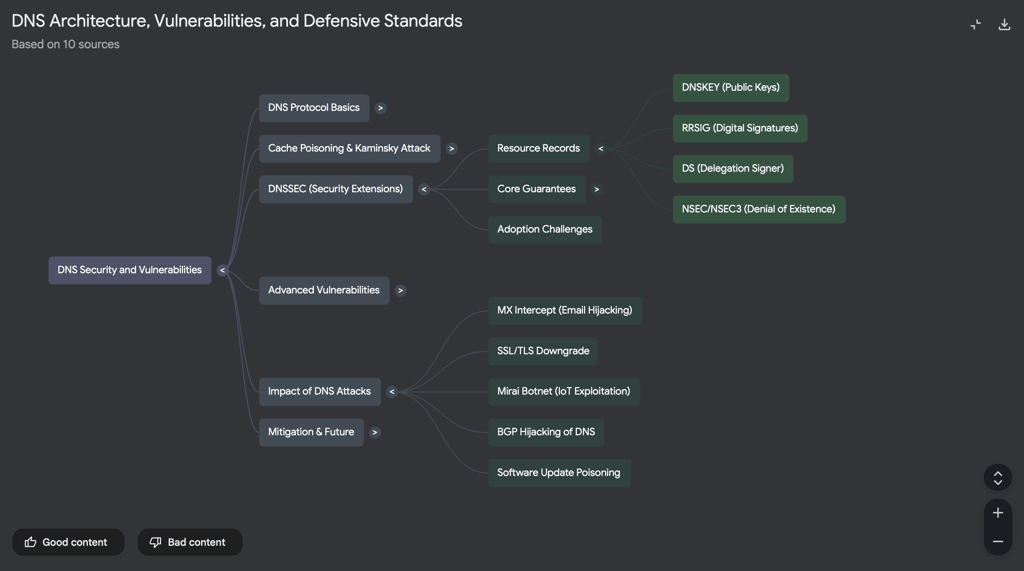
The mind map was very minimalist, as it should be. The theme was organized correctly and had only keywords for refreshing memory.
Assessing NotebookLM user experience
NotebookLM is very simple to use. Unlike tools such as Notion, which require some effort to understand, all the main functions of NotebookLM are in front of you. In most cases, you simply click and get the generated results, without additional manual input.
The chat interface suggests sample questions itself, which may help you notice various aspects from the provided sources. I also appreciated the tool’s distraction-free interface, perfect for uninterrupted studying and working.
What I don’t like is that the sources aren’t updated automatically, even if the data on Google Drive or websites changes. You must do it manually, as notebooks only store the versions of the documents captured at the moment of upload.
NotebookLM works only online, because it’s a cloud-based tool. However, you can download audio overviews from the mobile app to listen to them offline.
NotebookLM price and value for money
The best thing about NotebookLM is that it can be used for free with generous limits. The free version includes 100 notebooks with up to 50 sources each, three podcasts, and video overviews. To extend the limits, you can buy a subscription to Google AI. Here are the current limits for each Google AI plan, but pay attention to the fact that Google may change them without notice:
| Free version | Google AI Plus* | Google AI Pro | Google AI Ultra | |
| Notebooks | 100/user | 200/user | 500/user | 500/user |
| Sources | 50/notebook | 100/notebook | 300/notebook | 600/notebook |
| Chats | 50 queries/day | 200 queries/day | 500 queries/day | 5000 queries/day |
| Audio Overviews (podcasts) | 3/day | 6/day | 20/day | 200/day |
| Video Overviews | 3/day | 6/day | 20/day | 200/day |
| Watermark removal | ❌ No | ❌ No | ❌ No | ✅ Yes, but only for infographics and slides |
| Starting price | Free | $4.60/month | $19.99/month | $249.99/month |
*Google AI Plus isn’t available in the US
Because the NotebookLM output quality is the same among all plans, the free version is just enough for basic and occasional research, especially if you don’t plan to use other Google AI tools.
NotebookLM practical use cases
Think of NotebookLM as a professional who not only knows all about a certain subject but can also connect ideas across sources and spot patterns that are easy to miss when reading on your own. Together with simple summaries, NotebookLM can explain and analyze for many practical use cases:
- Personal, academic, and professional research. You can upload long PDFs and videos to summarize, extract key points, or see where specific topics appear across your sources. Also, you can ask the tool to find newer, credible sources or answer comparative questions like How do all authors define the same concept differently?
- Teaching materials. Teachers can upload syllabi, textbooks, and reading materials so that the tool can generate podcasts, study guides, slides, and quizzes. All the generated data can be downloaded and manually tweaked when needed.
- Studying for exams. NotebookLM can create flashcards, quizzes, and mind maps based on all the study materials you upload. Interactive podcasts and the chat feature can further explain difficult topics based only on the provided information, without pulling in unnecessary or overcomplicated data.
- Business presentations. Based on uploaded reports, meeting notes, market research, and strategy documents, NotebookLM can generate reports on risks, trends, patterns, and potential growth opportunities across different time periods. The tool can further turn those insights into slides and infographics for business presentations.
- Writing and content creation. NotebookLM can help you break down characters’ vocabulary or actions across texts. You can use such cheat sheets to write dialogues and plots consistent with the previous narration and character behavior.
NotebookLM customer support
NotebookLM doesn’t have a 24/7 call center for customer support. Instead, it provides an extensive knowledge base at NotebookLM Help. There, you can find instructions on joining a Discord channel where you can discuss NotebookLM-related problems with other users and an official email address ([email protected]) for submitting support requests.
Also, you can report incorrect or inappropriate NotebookLM responses directly in the tool by clicking thumbs up or thumbs down below each AI-generated answer. After that, Google reviews and manages the issue.
Most often, Google AI subscribers find solutions to their problems by making a post to the help community. Basically, you describe what bothers you, and other users post their answers to help you.
NotebookLM vs competitors
While there are no tools with identical features, there are a few alternatives to NotebookLM, each with a slightly different focus. For example, Elephas is used for building your own offline knowledge base, but only on Mac. Logically (formerly Afforai) helps only with academic research and automatic reference management. ChatGPT is a general-purpose chatbot that’s great at research but within a broad range of sources – you can read our review of ChatGPT 5.2 for more in-depth insights.
Here’s a quick breakdown of all the NotebookLM alternatives:
| Primary use cases | Limitations | Platforms | Offline availability | AI model | Key features | Starting price | |
| NotebookLM | Deep research, learning, and synthesis of your documents | No writing assistant or integrations with other tools | Web and mobile apps | Limited (can download podcasts in a mobile app) | Gemini models | Two-host interactive podcasts, video overviews, and direct citations to your uploaded files | Free with generous limits |
| Elephas | Deep research of your documents and a writing assistant for Apple devices | Mac only, requires a paid license | Mac native app | ✅ Yes | OpenAI, Claude, Gemini, or local models | Super Brain to chat with your data offline, and writing tools for grammar and rewriting | $9.99/month after a 7-day trial period |
| Logically (formerly Afforai) | Academic research, literature reviews, and citation management | Focused on academic workflows only | Web app | ❌ No | OpenAI, Claude, and Gemini | Automatic citation and references in various styles (i.e., APA, MLA) and direct citations and cross-references from uploaded files | Free with access to most features |
| ChatGPT | General-purpose reasoning and writing | Less strict about grounding answers in a specified range of data, prone to hallucinations | Web, mobile, and desktop apps | ❌ No | OpenAI models | Online research, advanced voice mode, and Canvas for coding and editing | Free with limited access to the latest AI models |
Final verdict: is NotebookLM worth it?
My tests showed that NotebookLM is a useful tool for academic and professional research, analysis, and insight-based content creation. Its free plan is sufficient for most regular tasks, while its innovative interactive podcasts and chat-based in-depth explanations help comprehension of dense content.
Its video overviews still lag behind podcasts, and limited online functionality keeps you tied to the internet. Despite this, it is a strong solution for analyzing large volumes of information (from long videos and documents to websites and reports) when you need to connect ideas, extract meaning, and work systematically with complex material.
FAQ
Is NotebookLM free to use?
Yes, NotebookLM is free to use, but with certain limits. For example, in the free version, you can’t remove a watermark from the generated content and can create only 100 notebooks with up to 50 sources each.
How accurate is NotebookLM compared to other AI tools?
NotebookLM is highly accurate, as it generates content and gives answers based only on the data you upload. AI tools, such as ChatGPT, pull data from a large range of sources that a user often can’t fully control, so they’re more prone to producing hallucinations or incorrect insights.
Can NotebookLM replace traditional note-taking apps?
No, traditional note-taking apps aren’t direct alternatives to NotebookLM. The former are used as blank notebooks for manually writing your thoughts. NotebookLM’s notes, on the other hand, are generated as AI pulls out data from your documents. While you can write notes from scratch in NotebookLM, it’s not its primary functionality.
Is NotebookLM suitable for academic research?
Yes, NotebookLM is suitable for academic research. You can upload study materials, coursebooks, PDFs, lecture notes, websites, and videos, which the tool can combine and transform into an audio overview, quiz, flashcards, and a mind map. You can also ask NotebookLM to explain, specify, and analyze trends and details in the integrated chat.
Does NotebookLM work with large or complex documents?
Yes, NotebookLM works with large and complex documents. The limit is 500,000 words per source and 200MB per uploaded file.