Memosa
Last updated: 18 December 2025
What is Memosa?
Memosa is a dynamic productivity application that aims to revolutionize how users take notes, organize tasks, and collaborate on ideas. With its visually engaging dashboard and robust sharing capabilities, it is designed to be flexible for both personal and team-based work environments.
Whether you’re a busy professional, a student balancing assignments, or part of a team working remotely, Memosa promises to help declutter your workflow. Its seamless interface and customizable features make it a compelling option for those who value efficiency and organization in their daily routines.
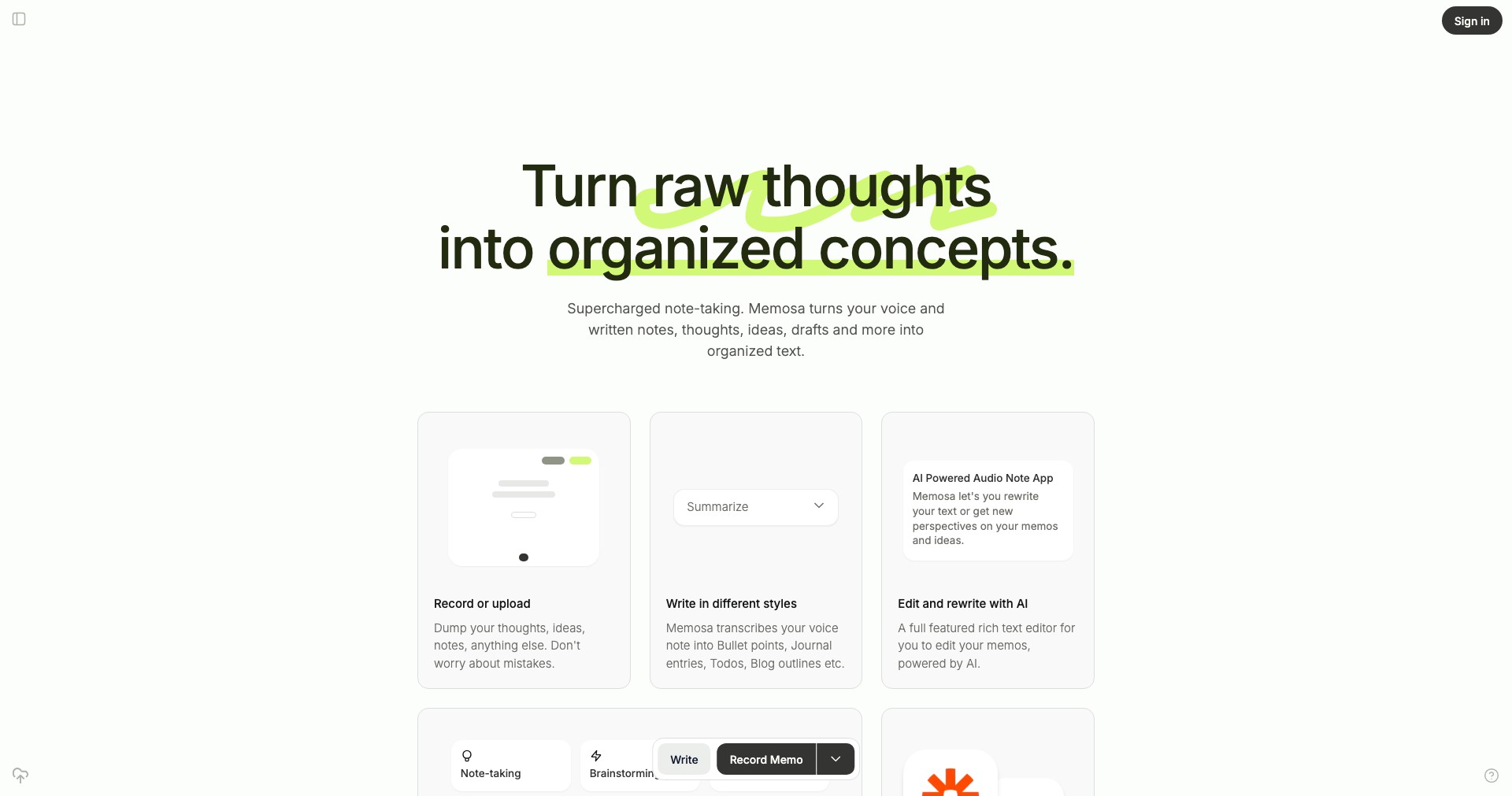
Key Features:
-
Rich Note-Taking Capabilities:
Memosa supports text, images, checklists, and file attachments within notes, allowing users to capture all types of information in one place for easy reference and enhanced interactivity. -
Task Management Integration:
Users can convert notes into actionable tasks, set deadlines, and track progress, effectively bridging the gap between ideation and execution. -
Collaborative Workspaces:
Memosa’s shared workspaces enable real-time editing and commenting, ensuring smooth teamwork for projects, meetings, or group learning sessions. -
Customizable Organization Options:
Utilize tags, folders, and color-coding to sort notes and tasks as you prefer, helping to keep information well-organized and easily accessible for different projects or subjects. -
Cross-Platform Access:
With web, desktop, and mobile apps, Memosa gives users instant access to their notes and tasks from anywhere, ensuring productivity on the go.
What makes Memosa unique?
What sets Memosa apart is its blend of note-taking and seamless task management. Unlike many apps that focus solely on one or the other, Memosa naturally integrates ideas and actions in a unified workspace, making transitions between planning and execution effortless.
Additionally, its commitment to modern, minimalist design and collaborative workspaces makes it exceptionally suited for teams and individuals who prioritize both clarity and cooperation. Its customization options offer a personalized productivity experience not always found in competing solutions.
Pros and Cons
Who is using Memosa?
Professionals and Managers: Busy professionals who manage multiple projects and tasks will appreciate Memosa’s organization tools, collaborative features, and seamless shift from note-taking to actionable planning.
Students and Educators: Students benefit from structured notes and easy assignment tracking, while educators can create collaborative workspaces for group projects and lesson planning.
Remote Teams: Remote teams can use Memosa for brainstorming, meeting minutes, and joint project management, making it a powerful all-in-one platform for distributed workforces.
Notable Product Evolution
Initially, Memosa launched as a simple note-taking tool with essential text editing and tagging. Over time, user feedback steered development towards a richer set of features tailored to real-world productivity needs.
Subsequent versions introduced task management, robust search capabilities, and shared workspaces, greatly enhancing the app’s usefulness and versatility.
Most recently, Memosa has rolled out performance improvements, mobile app enhancements, and deeper customization options, reflecting a commitment to continuous user-focused innovation.
Pricing
| Plan | Price | About |
| Free | $0 | Offers basic note-taking, organizational features, and limited collaboration. |
| Pro | $7/month | Adds advanced task management, increased storage, priority support, and more collaborative options. |
| Team | $15/month per team | Includes all Pro features plus expanded team management and admin controls for organizations. |
Verdict
Memosa succeeds in combining note-taking and productivity tools into a unified, easy-to-use platform. Its standout features—customizable organization, seamless collaboration, and cross-device functionality—make it an excellent app for individuals and teams striving to streamline information management and project execution.
While it may lag behind more established competitors in terms of third-party integrations and the full maturity of some features, ongoing updates and responsive design signal strong growth potential. For users seeking a modern, collaborative productivity solution, Memosa is well worth considering.


