Firefox’s “Shake to Summarize” feature expanding to Android
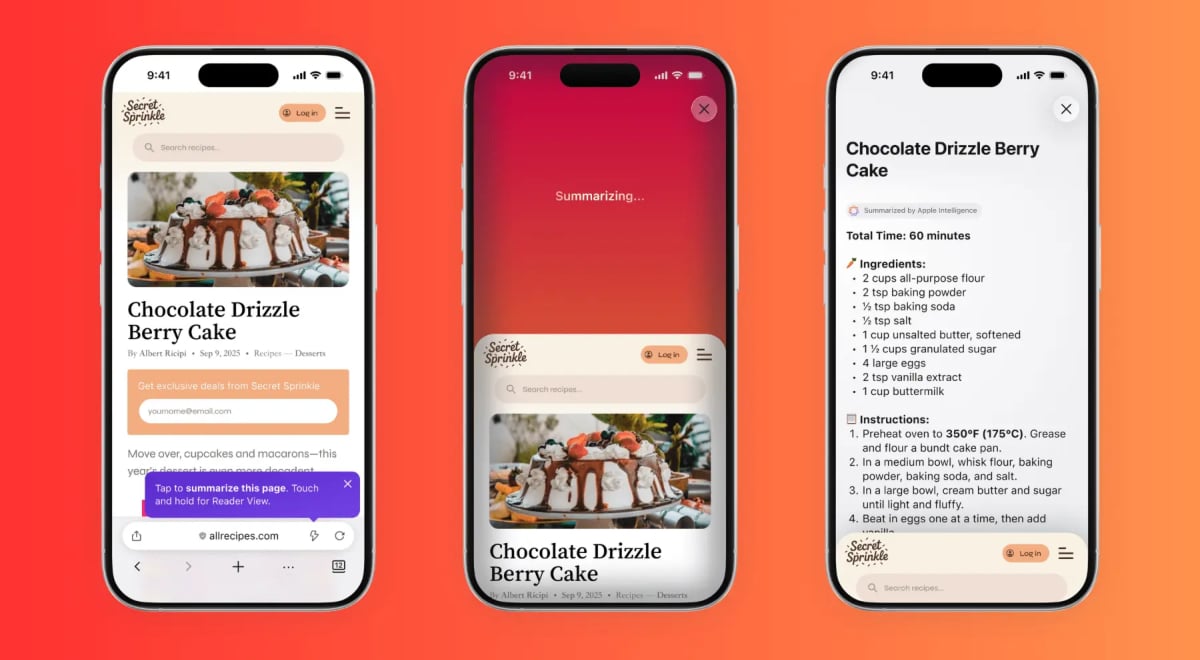
Firefox’s Shake to Summarize feature – which uses AI to provide quick takeaways from long web articles – is now being tested on Android devices.
Courtesy of Firefox.

 Follow us
Firefox’s Shake to Summarize feature – which uses AI to provide quick takeaways from long web articles – is now being tested on Android devices.
Shake to Summarize was first introduced on iOS in September and has certainly been popular: Mozilla received a TIME Best Inventions 2025 special mention for the experience. Now, the company is bringing the feature to Android devices.
“With a single shake or tap, users can get to the heart of an article in seconds. The cool part? Summaries adapt to what you’re reading: recipes pull out the steps for cooking, sports focus on game scores and stats, and news highlights the key takeaways from a story,” Mozilla bragged last year.
Users can activate the feature by shaking their device after entering a webpage on their Firefox browser, or clicking the thunderbolt icon in their address bar.
When you shake the phone while viewing a site, Firefox opens a panel and begins generating a summary. You don’t have to do it if you don’t want to, though, as you can simply click a “Summarize page” option in the three-dot menu under the “More” submenu.






It’s not official yet. The feature is hidden inside a debug menu in Firefox for Android Nightly, a browser Mozilla uses to test new features before public release.
To access Shake to Summarize, users need to open Settings, go to About Firefox Nightly, then tap the Firefox Nightly logo three times to unlock a “Secret Settings” page.
Inside that page, users – again, who want it, since there’s nothing wrong with long-reads – can click on “Enable Shake to Summarize Feature Flag.” Firefox then adds the “Summarize page” menu item and activates the shake gesture.
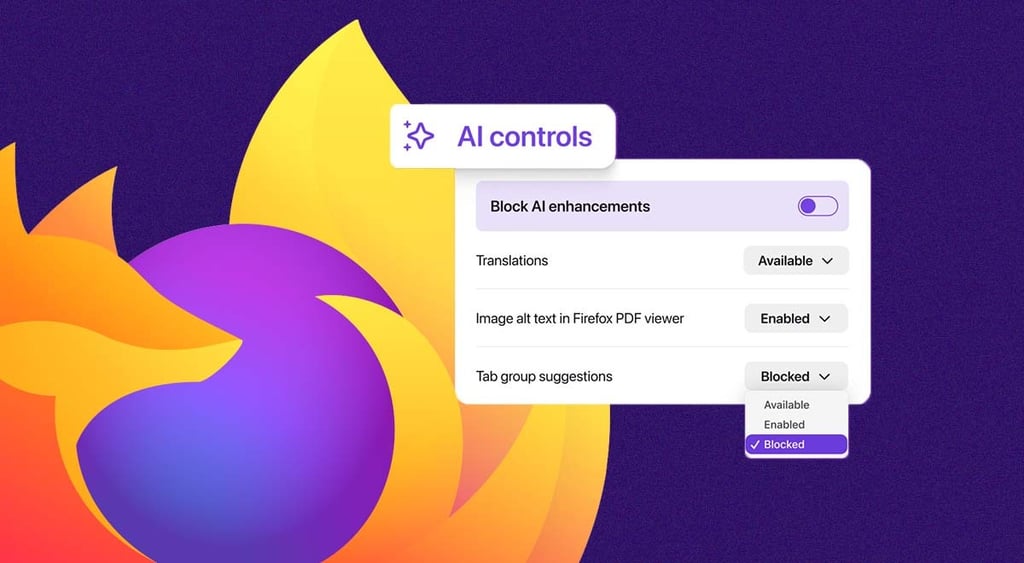
Judging from Mozilla's bug report, Shake to Summarize will be connected with new AI Controls in Firefox for Android. This means that when AI features are turned off, Firefox will disable both the shake gesture and the page summary feature.






Many long-time users indeed want nothing to do with AI in their Firefox browsers.
Last year, when Mozilla announced that the new Firefox version would be integrating new AI features into the browser, its most loyal users, who value Firefox for its focus on speed, privacy, and open standards, declared that the privacy-focused browser has forgotten its roots.
Mozilla soon reacted and in February, said it would let Firefox users control AI features in their browser or turn them off completely.
Users can find the “Block AI enhancements” toggle in their desktop browser settings. It allows them to block all current and future generative AI features in Firefox, or pick and choose which ones to keep.
Unlock more exclusive Cybernews content on YouTube.