WooCommerce vs Squarespace (2026): which website builder is better?
Our team of experts and researchers rigorously test and evaluate website builders through transparent, in-depth testing procedures and methods using both in-house and industry-approved tools.
Drawing on cybersecurity insights, we provide unbiased, empirical rankings and analysis to help users make informed digital platform choices.
Learn more

In the past, building a website required a whole expert team, from front-end and back-end developers to SEO specialists. Not only do this took a lot of time, but it was very costly. Nowadays, you can do it in just a few clicks, and quite affordably, too. Luckily, website builders entered the stage.
In this guide, you'll find my detailed WooCommerce vs Squarespace comparison. These two names hit me as particularly attractive options for building an eCommerce website. Naturally, they’re also effective in creating other sorts of sites with similar features, pricing, and intuitiveness.
Together with my team of Cybernews experts, I compared the quirks and features of both options to help you make a confident decision.
WooCommerce vs Squarespace 2026: my verdict
- Squarespace – great all-around website builder for beginners
- WooCommerce – best for businesses with full ownership that focus on eCommerce
After long hours of research, I’d say that Squarespace is a better option than WooCommerce for beginners and small businesses. It comes with a simpler layout and more intuitive features, and it’s a quick way to launch your store with some eCommerce features included.
Still, WooCommerce tops Squarespace for growing businesses that need total control, great customization options, and a focus on scalability.




Our in-house research team and expert writers work hand in hand to regularly test website builders and provide accurate and fact-checked information. Discover the ins and outs of how we test and evaluate website builders.
Key differences at a glance
| Website builder | Squarespace | WooCommerce |
| Rating | ||
| Price | From $25.00/month ($16.00/month when billed annually) | From $3/month (depends on themes and plugins) |
| Ease of use | Beginner-focused and highly intuitive | Simple, but requires previous WordPress knowledge |
| Templates | Over 190 website templates | No templates (wide choice of active themes and plugins) |
| Business features | Native eCommerce and marketing features | WooCommerce hosting, cost calculator, enterprise-level eCommerce solutions |
| 24/7 live support | ✅ | ❌(only available via third-party companies) |
| Free domain (first year) | ✅ | ❌(only available via third-party companies) |
| Free SSL certificate | ✅ | ✅ (available with most hosting services) |

WooCommerce vs Squarespace: ease of use and setup
The key point of this WooCommerce vs Squarespace comparison is that the former is a self-hosted solution, which means you'll need to get the hosting service separately. On the other hand, the latter is a comprehensive solution that includes hosting, which also makes the onboarding process slightly different.
For instance, you can create an account within seconds with Squarespace. I also liked the user-focused approach, as you’ll get to go through a quick questionnaire-style registration form with important questions related to your website and business.
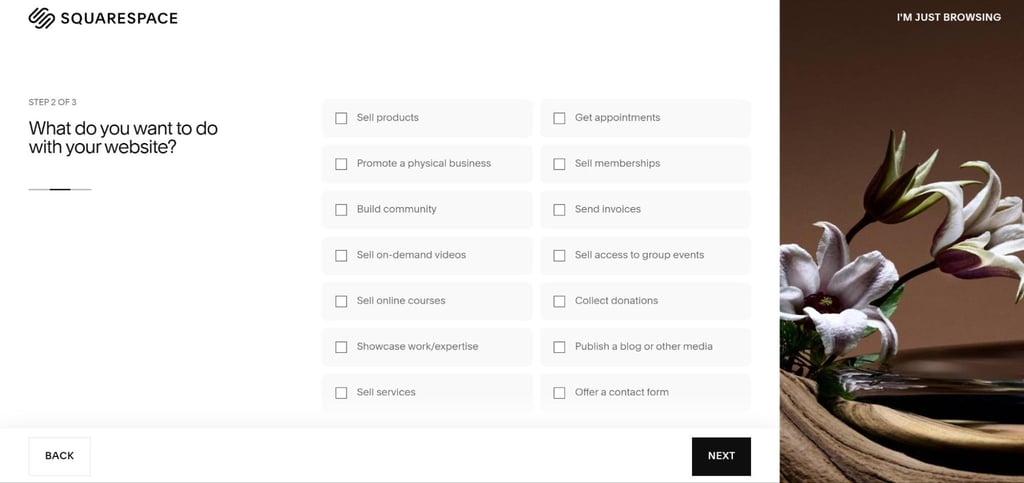
Answering them will help you create the right type of website, whether it’s an eCommerce site or a blog. It takes around 20 to 30 minutes to get the whole job done, which is more than impressive.
The interface is also user-centric, with a neat sidebar with customization options. You can edit themes, change colors, and make the site your own. Plus, the service comes with pop-up tips, which are rather helpful in keeping things tidy.
On the other hand, WooCommerce is a bit different, as you need to have a WordPress site first. So, it’s not a website builder in a true form, but rather a platform you can use as a plugin. With that in mind, you can create a WordPress site and add the WooCommerce plugin within just a few minutes.
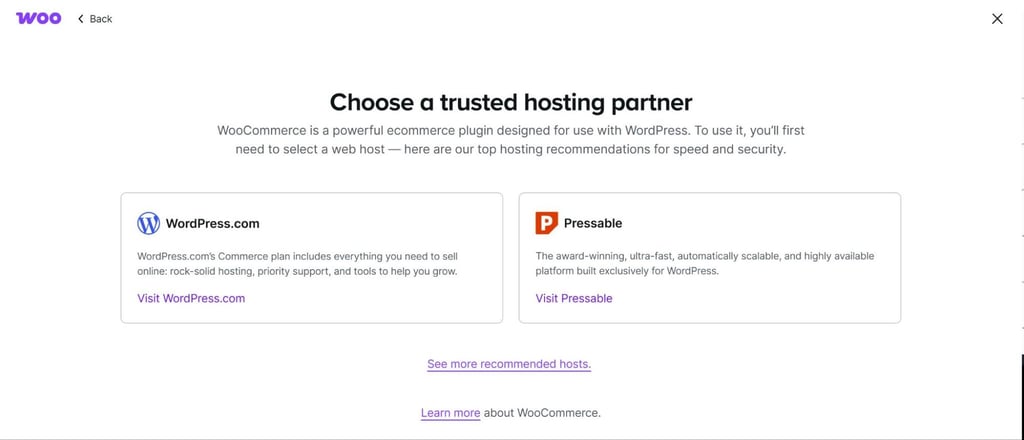
As soon as you do that, WooCommerce will start the initiation process. Just follow the installation wizard and answer a few questions about your website. I also liked the block-based editor, which conveniently blends in with WordPress’ blocks.
It takes a bit more time to create an online store this way, though. It took me nearly 2 hours in comparison with the 30 minutes Squarespace required.
Templates and design flexibility: WooCommerce or Squarespace?
Another difference that might help answer the question "Which is better WooCommerce or Squarespace?" lies in the templates. While Squarespace features over 190 ready-to-go options, WooCommerce works a bit differently.
But before I dive into the differences, let’s take a moment to explain how Squarespace templates work. You can choose among dozens of options for each niche and website type. Some are ready to go for eCommerce platforms, while others fit perfectly with personal blogs or portfolios.

I also liked the responsiveness of these templates, as they work equally well on laptops, mobile devices, and tablets. You can also use the drag-and-drop feature of the visual editor to customize things further, though you can't change certain elements like pre-set spacing.
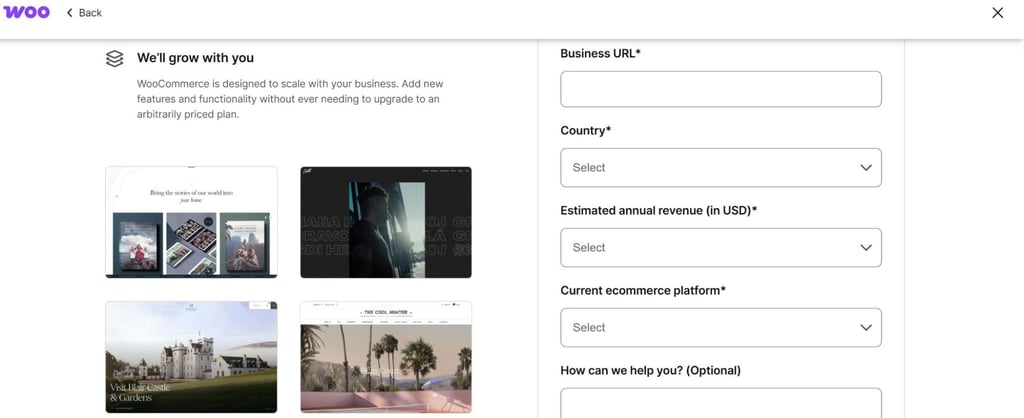
WooCommerce, on the other hand, works without any pre-set templates. It’s a WP plugin, so you can use it with various themes and other plugins to optimize the layout of your site to your liking.

Pricing: which one offers better value, WooCommerce or Squarespace?
In terms of Squarespace pricing, you know what you’re paying for upfront. I also liked that you get a complete service with hosting included (free for the first year), so here’s an overview:
| Plan | Monthly cost | Key features |
| Basic | $25.00/month ($16.00 when billed annually) | Unlimited storage, free SSL certificate |
| Core | $36.00/month ($23.00 when billed annually) | Professional email management, $100 credit for Google Ads |
| Plus | $56.00/month ($39.00 when billed annually) | Lower 1% transaction fees on digital content memberships |
| Advanced | $139.00/month ($99.00 when billed annually) | Professional subscription management, cart recovery |
However, in terms of pricing, I’ve got to raise my voice for WooCommerce. For those who require its toolkit, it’s a far more affordable option, starting at just $3/month. Of course, the price depends on the theme, plugin, hosting service, and other factors.
Depending on the combination of those, the total might go well over $300/month. Here’s a quick overview:
| Item | Cost range | Our choice |
| Hosting | From $3/month to $300/month or more | Pick shared hosting as a more affordable alternative or WP hosting for $30 to $100/month. |
| Domain | From $10 to $15/year | Get a domain from any registrar. |
| SSL certificate | Up to $100/year | Receive a free SSL certificate with managed hosting. |
| Theme | From free themes to between $100 and $200 for paid ones | Go with free themes or premium ones in the range of up to $30. |
As you can see, there are various factors affecting the WooCommerce pricing, but if you play your cards right, you might end up with a rather affordable solution. For instance, you can go with shared hosting, a random domain, and a free theme to go by for just $3.
Of course, it’s not the best option for ambitious entrepreneurs looking to achieve optimal ranking off the bat, but it’s at least cheap.
WooCommerce vs Squarespace: eCommerce and business features
Your WooCommerce or Squarespace decision also largely depends on the business toolkit. After all, these two options are highly sought-after by entrepreneurs and people looking to create their own online shops.
In this aspect, I’ve got to say that they are pretty leveled. WooCommerce is somewhat of a marketplace itself, as you can explore the extensions and features for your store. You can even visit the Curated Picks for Your Store to see the list of recommended add-ons depending on your site’s target niche, which I found to be pretty cool.
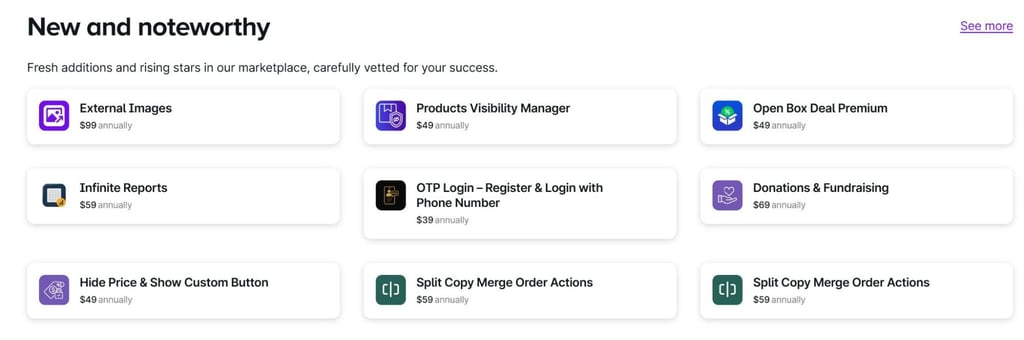
On a side note, you’d have to pay for them, so make sure to do some budgeting and only get the tools you need. Some interesting options that I’ve seen include the Amazon Pay service, which is free to download, as well as the TikTok extension.
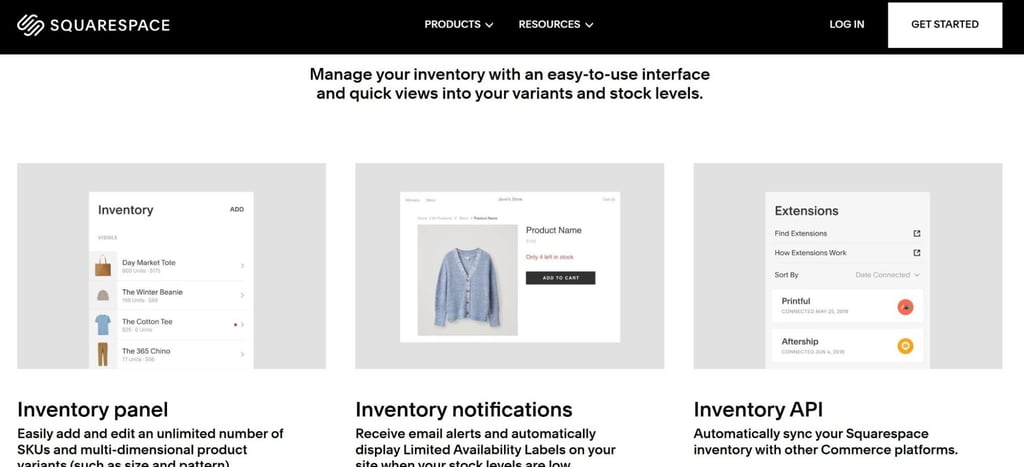
Moving on, Squarespace ticks all the boxes in this context, as it’s the go-to option for large-scale sales. It doesn’t have any limit on the number of products you can offer, and features like live stock tracking and limited supply alerts make it a superb choice.
The platform also comes with an intuitive sales management interface. It allows you to easily add items, customize product variation, and do some bulk editing within just a few clicks.
SEO tools and marketing features
When it comes to SEO and marketing, I’d say that Squarespace is a bit more well-rounded option. For starters, it brings you all the SEO essentials, including the possibility to edit and customize meta tags. Here’s a complete overview of the SEO features:
- Option to add SSL certificates automatically
- Customizable meta titles and descriptions
- Schema markup options
On the other hand, WooCommerce on its own won’t do much, but it can work wonders with additional plugins. For SEO purposes, you can use the following options:
- RankMath
- YoastSEO
- XML sitemap customization
- Content analysis with SEO scores
Extensive SEO options like XML sitemap customization and content analysis ratings (with readability and SEO scores) make it a solid contender to Squarespace. However, it’s strictly WordPress-related, which can be a limitation for some users.
Customer support and community
Squarespace is one of the best website builders in terms of customer support, so WooCommerce had a tough score to beat. It offers it all, including these channels:
- Live chat
- 24/7 email support
- Tutorials and webinars
You can find video tutorials and webinars within the Help Center, and it’s also packed with some useful blogs and the community forum.
WooCommerce, on the other hand, doesn’t offer centralized support, as it’s an open-source plugin. There is free support available, but it’s rather limited compared to Squarespace. Plus, there are no phone support channels or live chat plugins, so you might have to go with a third-party support agent.
Final thoughts: which one is better, WooCommerce or Squarespace?
Overall, Squarespace is a better all-in-one option that doesn’t require any additional plugins to handle basic marketing, eCommerce, and SEO tasks. It’s also a website builder in the true sense of the word, while WooCommerce is more of a plugin-style editor.
However, I’d still recommend WooCommerce to those who are already familiar with WordPress and its block-based templates. For such users, it’s very intuitive and easy to navigate. You can also combine it with a few other WordPress plugins, and it might be a better option for enterprise-level agencies.