Framer vs Squarespace (2026): which website builder is better?
Our team of experts and researchers rigorously test and evaluate website builders through transparent, in-depth testing procedures and methods using both in-house and industry-approved tools.
Drawing on cybersecurity insights, we provide unbiased, empirical rankings and analysis to help users make informed digital platform choices.
Learn more

The days of hiring developers and designers to create a site are long gone, as dedicated platforms like Framer or Squarespace have now taken on that role. And let me tell you, they make a lot more sense in terms of cost-effectiveness. Instead of paying hundreds, if not thousands of dollars, you can now have a high-performing website in a few minutes and for way less.
But how do you choose between them?
To get to the bottom of things, Cybernews researchers and I compared the two platforms in detail. We examined everything, from ease of use and templates to pricing and SEO features, to answer the age-old question: which is better, Framer or Squarespace?
Framer or Squarespace in 2026: my verdict
- Squarespace – powerhouse all-in-one solution with built-in eCommerce tools
- Framer – best site-building platform for custom designs and interactions
After careful consideration, I believe Squarespace is better than Framer. While its template library may not match Framer’s customization options, Squarespace offers unparalleled ease of use.
Its built-in eCommerce features also give it an edge in a direct Framer vs Squarespace comparison. That’s what makes it the go-to option for both individuals and smaller businesses in need of an all-in-one site builder.




Our in-house research team and expert writers work hand in hand to regularly test website builders and provide accurate and fact-checked information. Discover the ins and outs of how we test and evaluate website builders.
Framer vs Squarespace comparison: key features at a glance
| Website builder | Squarespace | Framer |
| Rating | 4.4 ⭐ | 4.3 ⭐ |
| Price | From $25/month ($16.00 when billed annually) | Free (paid plans start from $15/month or $10/month with annual billing) |
| Free trial | Yes ✅ (14 days) | No ❌ |
| Ease of use | High | Moderate |
| Templates | 199+ | Tens of thousands |
| Business features | Built-in eCommerce features and SEO tools | Strong SEO tools out of the box, but no built-in eCommerce features |
| 24/7 live support | Yes ✅ | Yes ✅ |
| Free domain | Yes ✅ (first year) | Yes ✅ |
| Free SSL certificate | Yes ✅ | Yes ✅ |

Framer vs Squarespace: ease of use and setup
If you need to set up shop fast, both will do just fine. That being said, Squarespace is the more beginner-friendly platform of the two, if only by a small margin.
When I gave Framer a whirl, it took me straight to the workspace section after only a few questions. I just first had to tell it what I’ll use it for and how much experience I already have in designing websites.
In less than a minute, I was already picking a template and adding icons and interactive elements. Everything felt quite intuitive, as well.
Obviously, I also had to try Wireframer. By the way, that’s Framer’s AI-based tool that turns simple prompts into a skeleton for your website. And it works like a charm.
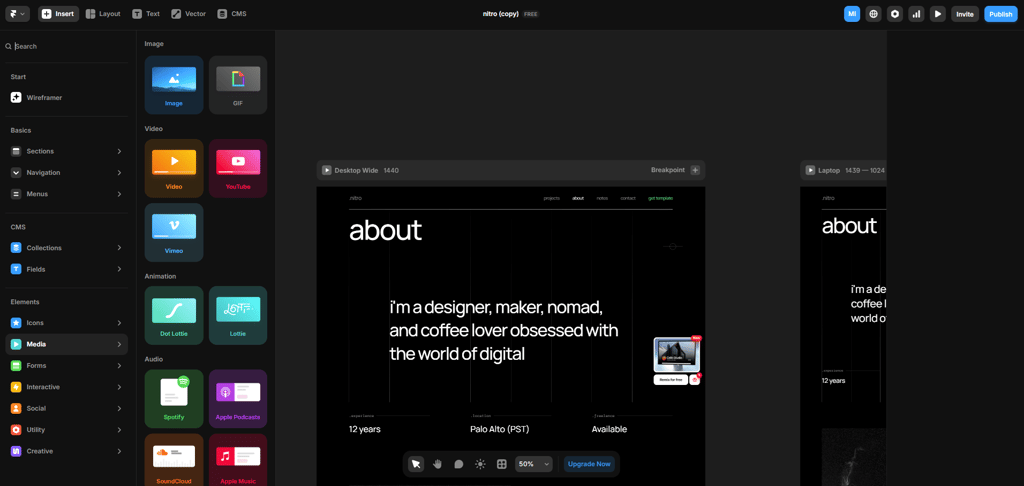
Setting up Squarespace is even easier. You pick the website’s topic, tick a few boxes to let the AI-powered system know what to include, and you’re already customizing your site’s page colors and fonts.
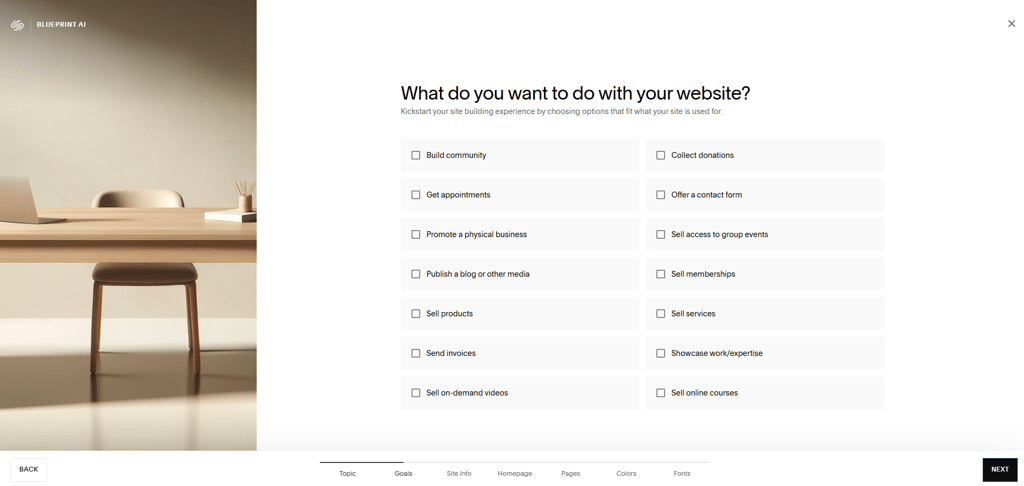
And as far as customization goes, matching the site’s look and feel to your brand’s exact style and dealing with SEO also becomes super straightforward. The drag-and-drop editor lets you move things around with ease. Everything also snaps in place with zero lag.

Templates and design flexibility: Framer or Squarespace?
When it comes to customization capabilities, the Framer vs Squarespace comparison gets a different ending, with Framer taking the crown.
Whether you download its desktop app or use Framer’s web-based workspace, your design options will be virtually unlimited. From thousands of ready-to-use templates for different kinds of websites to element insertion and page layout or text adjustments, Framer lets you do it all.
With this level of customization power, matching a website to your exact creative vision will be effortless. In that sense, Framer allows you to create sites that are truly yours. But do keep in mind that its workspace can feel overwhelming for first-timers.
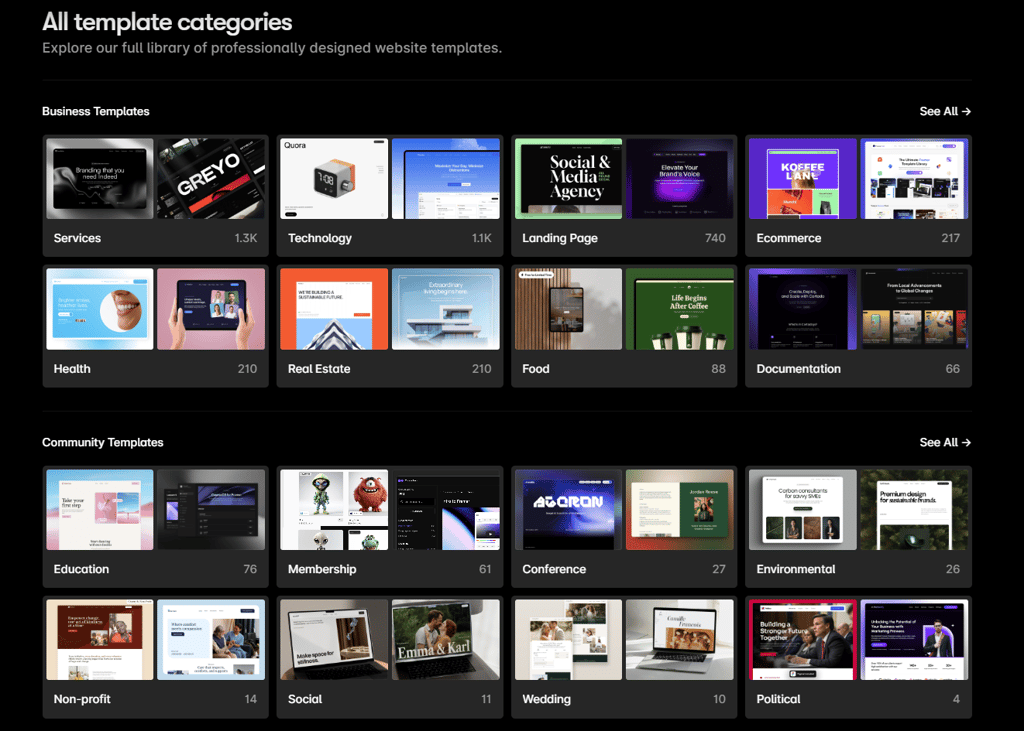
Squarespace is no slouch, either. Its library currently has 190+ templates, with more being added all the time. And while that’s nowhere near Framer’s numbers, it’s more than enough to cover most needs, regardless of the industry you’re in.
Editing CSS elements inside Squarespace was also a breeze, even if there aren’t as many options as with Framer. I also have to point out that every edit felt much more responsive, whereas Framer would pop up a loading notification with every new element added.


Pricing: does Framer or Squarespace offer better value?
On the one hand, Framer offers 5 tiers, including the free version. As for the paid ones, you can get 2 of them with both monthly and yearly subscriptions, whereas the Scale plan is annual-only, and Enterprise is fully custom. Unfortunately, you can’t try before you buy.
| Plan | Monthly cost (annual billing) | Month-to-month costs | Features |
| Free | / | / | Free SSL and up to 1000 pages |
| Basic | $10 | $15 | Custom domain, built-in hosting and SEO, and AI-based designs |
| Pro | $30 | $45 | Basic + site redirects, roles and permissions, and a test environment |
| Scale | $100 | Not available (annual only) | Pro + advanced analytics, global CDN, and add-ons as needed |
| Enterprise | Custom | Custom | Scale + security features, SSO, and priority support |
Squarespace, on the other hand, offers a 14-day free trial for all 4 of its plans. Its tiers also scale much more gradually than Framer’s, adding useful eCommerce-first features as you go up. Do keep in mind that the free custom domain is only available with a yearly subscription.
| Plan | Monthly cost (annual billing) | Month-to-month costs | Features |
| Basic | $16.00 | $25 | Custom domain, SSL, built-in SEO tools, CSS editor |
| Core | $23.00 | $45 | Basic + advanced analytics, Google Workspace email, commerce API, discounts, shipping labels |
| Plus | $39.00 | $69 | Core + lower credit card processing rates, lower digital content fees, unlimited pay links |
| Advanced | $99.00 | $139 | Plus + lowest payment processing rates, zero digital content fees |
Framer vs Squarespace: eCommerce and business features
If we’re talking Framer vs Squarespace for eCommerce projects, the latter makes a lot more sense.
This all-in-one website builder offers eCommerce features that are baked in and include inventory and shipping, as well as payment processing and marketing tools.
Obviously, the Plus and Advanced plans will have the best eCommerce functionality, but even the Core tier is no slouch. It offers excellent inventory and order management capabilities, features advanced shipping options with both pickup and local delivery, and integrates multiple payment methods.
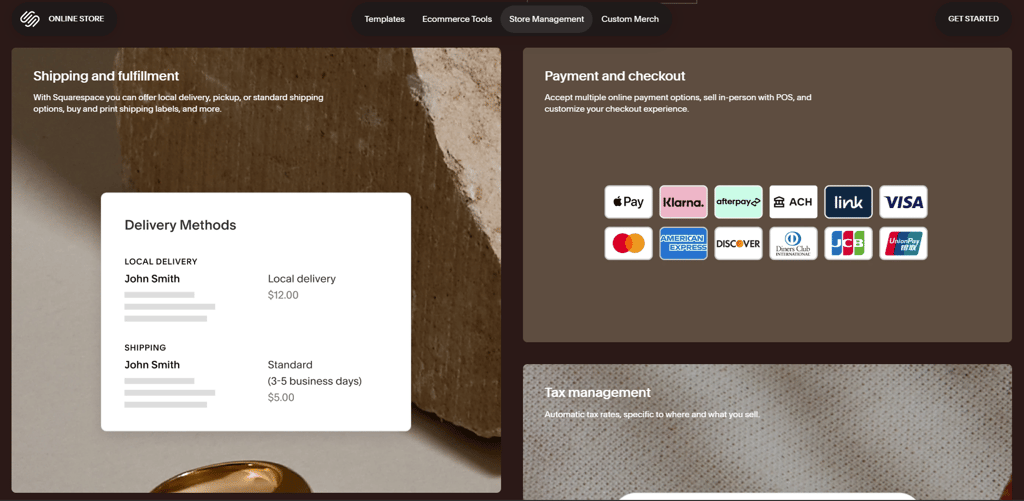
Commerce plans build on top of that, with the Meta platform syncing and limited availability labels. Meanwhile, the Advanced tier brings in a dedicated eCommerce API for seamless integrations across the board.
On the other hand, Framer has no eCommerce features whatsoever. While it excels in terms of creative control and performance, it’s just not cut out for eCommerce purposes, unless you want to rely on integrations with CMS platforms like Shopify.
That said, Framer Commerce, as well as plugins like Frameship and Shopiframe that connect Framer to Shopify, can work wonders. Going this route lets you create fully custom Shopify storefronts and add filters, search, subscriptions, and cart tools with ease.
Framer vs Squarespace: SEO tools and marketing features
A website builder can make or break your online visibility. And while the eCommerce battle is very one-sided, comparing these two platforms in terms of SEO features yields a much more favorable outcome for Framer.
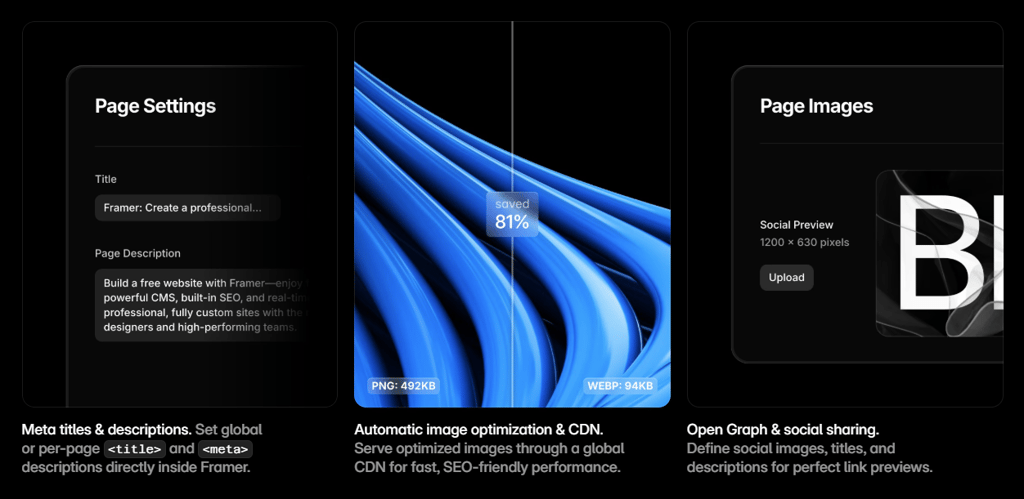
Framer ships with:
- Customizable metas. Meta tags can be modified as you see fit.
- SEO-friendly URLs. URL structure modifications become a breeze.
- Image alt texts. Images can be described in detail to help search engines understand what they contain.
- Image optimization. Framer also adjusts image format, height, and width for optimal loading speed.
- Automatic sitemaps. Besides automatically generating an XML sitemap for you, Framer submits it to Google and other search engines on your behalf.
- Strong technical SEO. Framer relies on global CDNs, which are instrumental for site speed.
Squarespace also offers a strong SEO feature set out of the box:
- Meta tag customization. The platform prioritizes online visibility through customized meta descriptions.
- Structured URLs. Squarespace lets you take care of URLs with easy-to-do customizations.
- Automatic sitemap submission. With Squarespace, Google and other search engines will automatically receive an XML sitemap of your website.
- Exceptional technical optimization. Squarespace’s sites feel snappy and are fully mobile-friendly, which is crucial for technical SEO.
Framer vs Squarespace: customer support and community
When it comes to having your back, both platforms take care of business.
Framer gives its paid users:
- Chat support. Available 24/7, Framer’s live chat lets you quickly get in touch with a very knowledgeable team.
- Dedicated emergency support. In the event that your site goes down, this option can be a lifesaver.
- Expert market. Browse freelance and agency experts for all things website-building related or fill out a contact form to be automatically matched with one.
- Help center. As the cherry on top, Framer’s help center offers dozens of written guides on design, integrations, CMS, SEO, and more.
Squarespace also has excellent customer support:
- Forum. Squarespace’s massive community is always ready to jump in and lend a hand.
- Help center. Filled with both written and video materials, this section provides assistance for every aspect of building a site.
- Expert market. Squarespace’s market lets you find experts who fit your project’s needs.
- Email and live chat support. Its award-winning support is available 24/7.
Final thoughts: which is better, Framer or Squarespace?
After reviewing these 2 popular site-building platforms, I can confidently say that both will do a great job if you need a website. That said, they take a very different approach to get there.
Framer is easy to set up and use and offers a massive number of design options, which might even overwhelm first-time website builders. It also excels in terms of SEO, as both its built-in feature set and website performance can help you gain more organic customers.
On the other hand, Squarespace is made to be an all-in-one platform. Sure, its design options can’t match Framer’s, but its effortless editor and included eCommerce features still give it an edge in this regard.
Overall, Framer excels for personalized website needs. However, comparing Framer vs Squarespace for small business owners and individuals puts Squarespace in the lead.