Midjourney Prompt Helper
Last updated: 18 December 2025
What is Midjourney Prompt Helper?
Midjourney Prompt Helper is an innovative web-based tool aimed at making prompt creation for the Midjourney AI art generator both intuitive and successful. By giving users a straightforward interface to build, refine, and experiment with prompts, it unlocks the creative potential of Midjourney, ensuring every artwork aligns closely with the user's vision.
Whether you're an aspiring artist, professional designer, or casual creative, Midjourney Prompt Helper demystifies the art of prompt engineering. Its design focuses on guidance and flexibility, helping users achieve striking AI-generated images regardless of experience level.
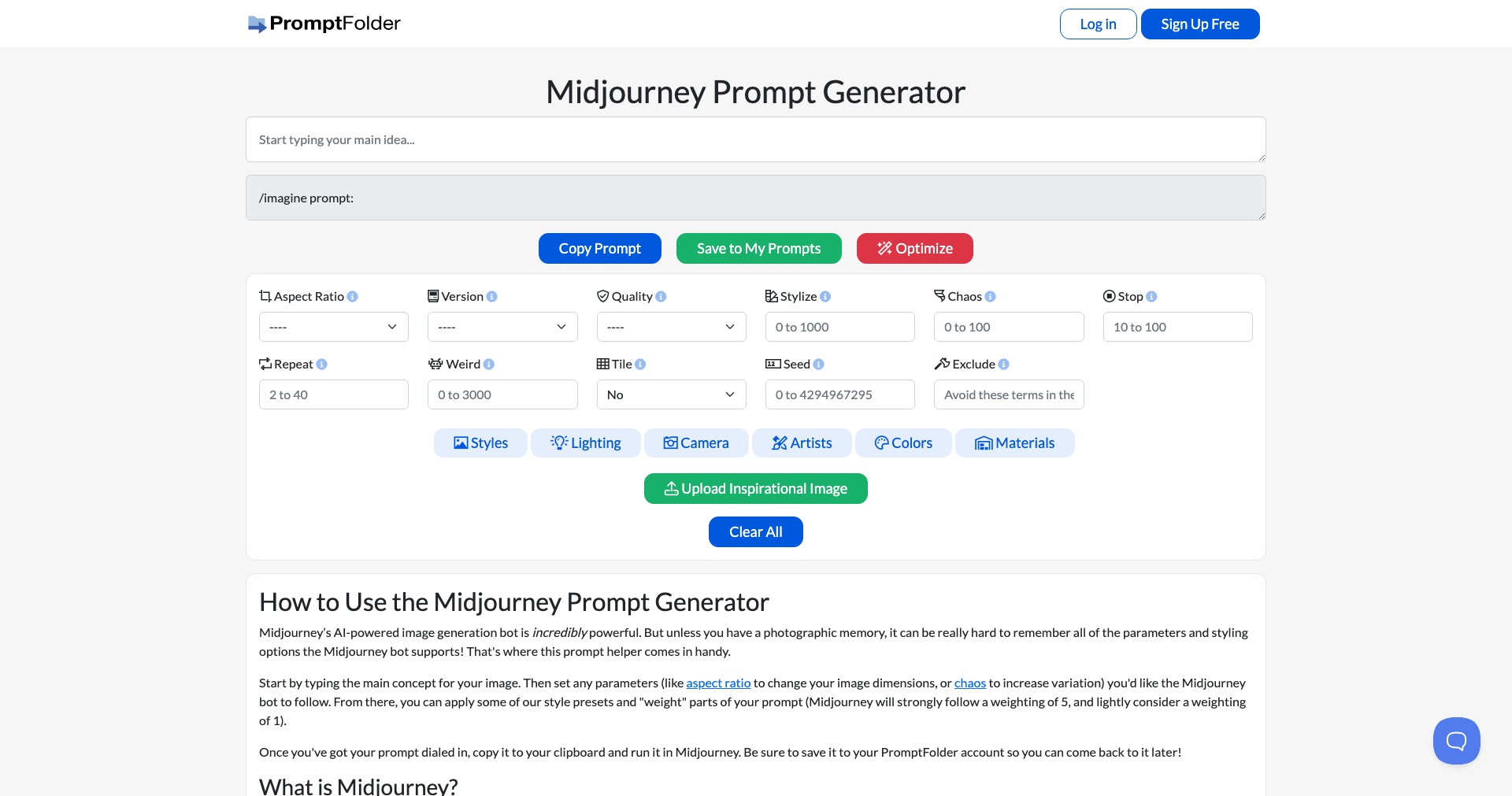
Key Features:
-
Prompt Template Library:
Offers a rich selection of pre-built prompt templates that users can tweak, saving time and providing inspiration for varied art styles and genres. -
Real-time Prompt Editing:
Allows users to modify prompts and immediately see how their changes might affect AI output, leading to faster iteration and improved results. -
Syntax and Keyword Suggestions:
Intelligently suggests structure, keywords, and descriptors commonly recognized by Midjourney, reducing the risk of unrecognized or ineffective prompts. -
Style and Mood Controls:
Includes interactive sliders and toggles to seamlessly adjust parameters like style, lighting, and mood, making prompt engineering accessible even for beginners. -
Prompt Sharing and Export:
Enables users to share their custom prompts with the community or export them for direct use in Midjourney, fostering collaboration and creativity.
What makes Midjourney Prompt Helper unique?
Midjourney Prompt Helper stands out due to its user-friendly interface specifically tailored to the Midjourney platform. Unlike generic prompt tools, it incorporates direct knowledge of Midjourney's syntax, structures, and capabilities, allowing for more accurate and effective prompts.
Additionally, its combination of live editing, community sharing, and built-in guidance resources helps both novices and experts avoid common pitfalls in prompt crafting, making it an indispensable companion for anyone wanting to master AI-generated imagery with Midjourney.
Pros and Cons
Who is using Midjourney Prompt Helper?
AI Artists and Creatives: Artists and art enthusiasts wanting to explore AI-generated art can use the tool to learn how to phrase effective prompts and unlock new creative possibilities.
Designers and Marketers: Design professionals seeking unique visuals for campaigns benefit from the prompt helper's structured workflow and inspiration resources.
Educators and Students: Those in creative education can leverage the tool to help students understand prompt-based generative art and experiment with AI in a guided way.
Continuous Improvement Timeline
Since its initial launch, Midjourney Prompt Helper has expanded its template library and refined its suggestion engine to better align with user discoveries and new Midjourney features.
Recent updates introduced style and mood controls, responding to user demand for greater customization and easier experimentation.
Community features, including prompt sharing and collaborative editing, have strengthened its role as both a productivity tool and a creative hub within the Midjourney ecosystem.
Pricing
| Plan | Price | About |
| Free | $0 | All features are currently available for free, with no subscription or hidden charges. |
Verdict
Midjourney Prompt Helper is a valuable asset for anyone seeking to get the most out of their AI art experience with Midjourney. Its focus on simplicity, flexibility, and creative guidance helps users craft effective prompts, leading to better and more predictable AI-generated results.
While it is limited to the Midjourney platform, those using this popular AI tool will find the Prompt Helper indispensable—especially given its free cost and ongoing community-driven enhancements. Artists, designers, and educators alike will appreciate the time saved and the quality gains in their generative art projects.


