Sierra AI review: the enterprise CX agent platform explained
Being behind major reports like The Mother of All Breaches and RockYou2024, our in-house cybersecurity experts and journalists provide unbiased, real-world testing and in-depth analysis.
We maintain complete transparency by openly sharing our testing methodologies with our audience.
Learn more
Sierra AI is an enterprise-grade autonomous-agent platform that enables companies to build AI agents for customer service and support. It can resolve support issues, process transactions, and complete multi-step workflows across connected business systems. With its focus on action-oriented AI, it has attracted some of the world’s largest organizations, including Sonos, Casper, SiriusXM, and Rivian.
It was founded by Bret Taylor, former Salesforce co-CEO and OpenAI board chair, and Clai Bavor, former Google Labs VP, and is now one of the highest-valued AI startups at $15 billion. Its enterprise-first approach is aimed at Fortune 500 and Global 2000 companies that want AI agents capable of handling real customer interactions and business operations.

I reviewed Sierra AI together with the Cybernews research team and analyzed its architecture, features, deployment model, pricing approach, and user feedback to determine what it offers and who it’s best suited for.
Quick overview of Sierra AI
| Cybernews rating: | |
| Best for: | Large enterprises that want autonomous AI agents capable of resolving customer issues, processing transactions, and completing multi-step workflows |
| Key features: | Autonomous customer service agents, workflow automation, transaction execution, CRM and backend integrations, omnichannel support, and performance monitoring |
| Starting price: | Custom enterprise quotes only |
Sierra AI pros and cons
While Sierra AI has a large feature set and capabilities, it’s still not the best option for all. Below, I’ve listed its main pros and cons.
What Sierra AI is and why it's different from a chatbot
While many AI chatbots focus on answering questions, providing article sources, or connecting users to a human agent, Sierra’s agents can complete actions and fulfill requested tasks. So when a customer submits a request, Sierra identifies the intent, breaks it down into steps, and interacts with tools such as CRM platforms, payment gateways, order management systems, and databases. Before completing the request, Sierra checks that the action follows company policies and rules.
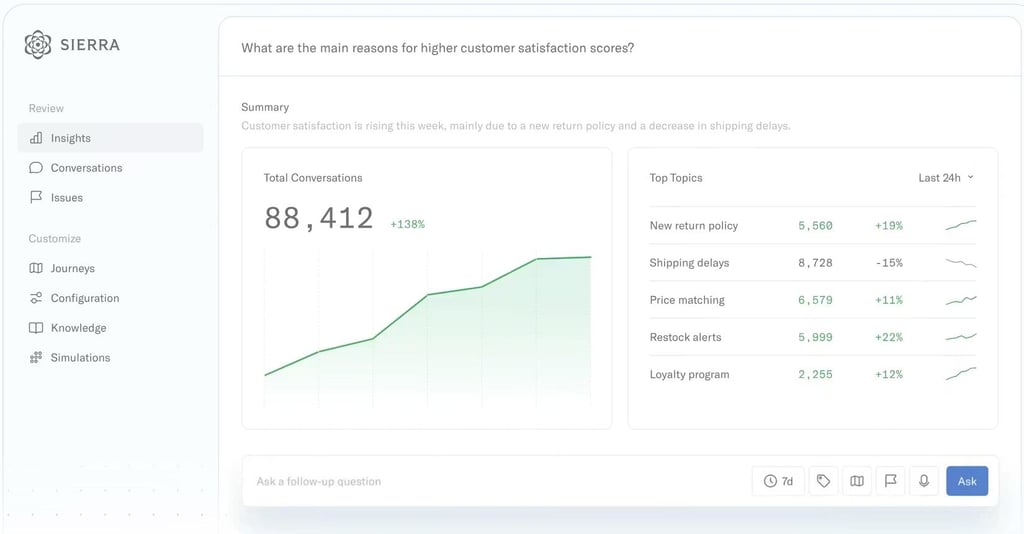
Sierra AI has 3 main components: the AI Agent, which handles customer interactions and executes tasks; the Agent Data Platform, which gives agents memory across conversations; and Ghostwriter, which can generate AI agents in more than 30 languages using existing company knowledge. This makes Sierra a fit for automating Tier 1 and Tier 2 support tasks that would usually require human agents with backend access.
Who Sierra AI is built for (and who it isn't)
Sierra AI is built for large enterprises that handle high volumes of customer support and need automations that can complete tasks. Below, I’ve listed who it’s best for, and who should look into other AI solutions.
Built for:
- Fortune 500 and Global 2000 enterprises with high customer support volumes, where the cost of AI agents is justified by deflection rate and CSAT improvement
- CX leaders with internal engineering teams who can handle Agent SDK integration work and ongoing agent maintenance
- Industries with complex, structured multi-step customer workflows, such as insurance, financial services, retail, healthcare, and telecom
- Organizations that want a managed-service partner to build and deploy agents
Not the right fit for:
- Companies under 500 employees, as the pricing and engagement model is focused on larger enterprises
- Teams that need fast deployment and quick setup
- Organizations that want self-serve control rather than agent configuration
- Buyers who need transparent pricing or a self-serve trial before committing to sales
- Teams focused mainly on internal employee support
Sierra AI platform features
I reviewed Sierra AI's feature set with the Cybernews research team, focusing on the features that set it apart from traditional chatbots. I examined how Sierra handles task execution, workflow automation, integrations, and enterprise-scale customer support operations.
Constellation architecture: planner, executor, validator
The Constellation architecture is one of Sierra’s most distinctive features. Based on the available documentation, Sierra uses several specialized AI agents instead of relying on a single model to handle everything.
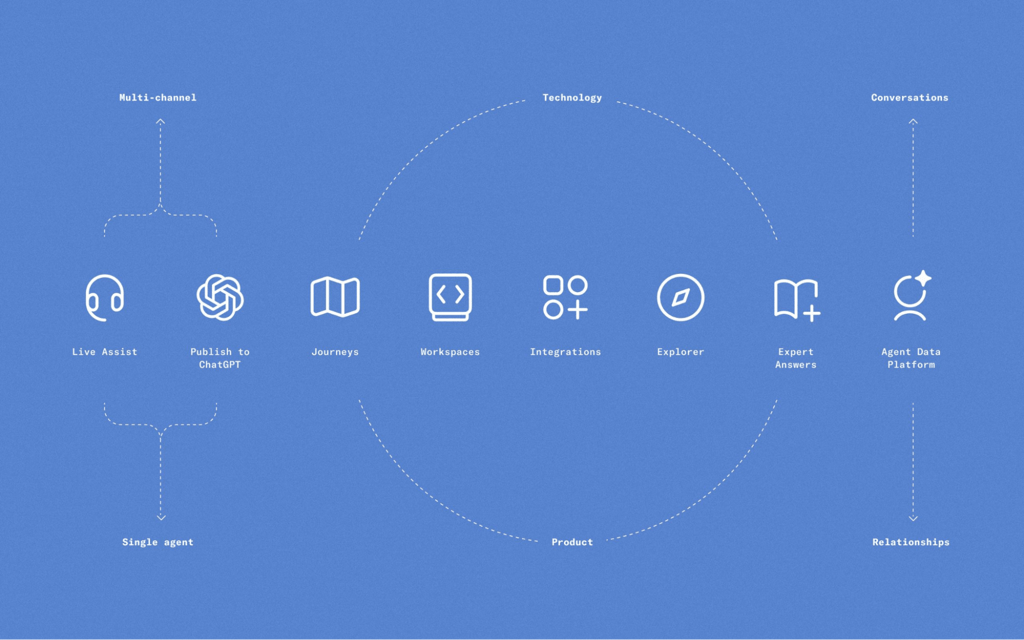
A planner agent first figures out what the customer wants and breaks the request into smaller steps. Executor agents then carry out those actions in connected systems, while validator agents check that everything follows company rules before the task is completed. Its goal is to reduce mistakes when handling more complex requests, such as refunds, claims, or account changes.
This architecture is a big reason why Sierra positions itself as an autonomous agent platform rather than a traditional customer service chatbot. The downside is that Sierra usually takes more time and technical work to set up.
Voice AI and omnichannel deployment
Sierra AI supports chat, voice, email, SMS, and WhatsApp, allowing the same agent to assist customers across multiple channels. According to the platform's documentation, its voice agents are designed to sound natural and respond quickly during conversations in over 34 languages. Sierra AI can also switch between languages mid-chat, but it doesn’t allow switching from a phone call to another channel, such as WhatsApp, without starting a new interaction.
Agent Data Platform and persistent memory
The Agent Data Platform was launched in late 2025, and it gives Sierra agents memory across conversations. Instead of treating every interaction as a new request, agents can remember previous conversations, customer details, and account information. With this, Sierra AI is trying to reduce one of the biggest customer frustrations: having to repeat the same information every time they contact the company.
The platform combines company knowledge, such as FAQs and policies, with live data from connected business systems. In 2026, it also introduced Expert Answers, which can automatically create knowledge base content from resolved customer conversations.
Guardrails and policy enforcement
Sierra AI focuses on keeping agents within predefined business rules, which is especially important in industries such as healthcare, where each mistake can have serious consequences. Companies can set rules around what agents are allowed to do, when human approval is required, and how certain situations should be handled. Sierra also provides tools that help monitor conversations and step in when needed.
These safeguards are a key part of Sierra’s approach to enterprise AI, but they still need to be set up correctly. If the rules are poorly configured, the agent can make mistakes or provide unexpected responses.
Analytics and conversation intelligence
Sierra includes analytics tools that help companies understand why customers are contacting support and identify common issues. Businesses can use this information to improve services and spot where human input is needed.
During my research, I came to the conclusion that Sierra’s analytics are more focused on high-level insights than on deep, customizable reporting. Several reviewers also mentioned that reporting options can feel limited, and teams may need to pull data from multiple systems instead of working from a single dashboard.
Deployment reality: what getting started actually looks like
To get started with Sierra Ai, you will have to go through a sales process, and the team will handle setup and configure the agents. Integrations with internal systems, such as CRMs and payment tools, are implemented via custom API work using the Agent SDK. There are no native connectors for tools like Zendesk, Intercom, Freshdesk, or Salesforce, so each case is handled differently.
Deployments typically take months, and after launch, updates or changes to agents are not made directly in a dashboard and usually go through Sierra’s team.
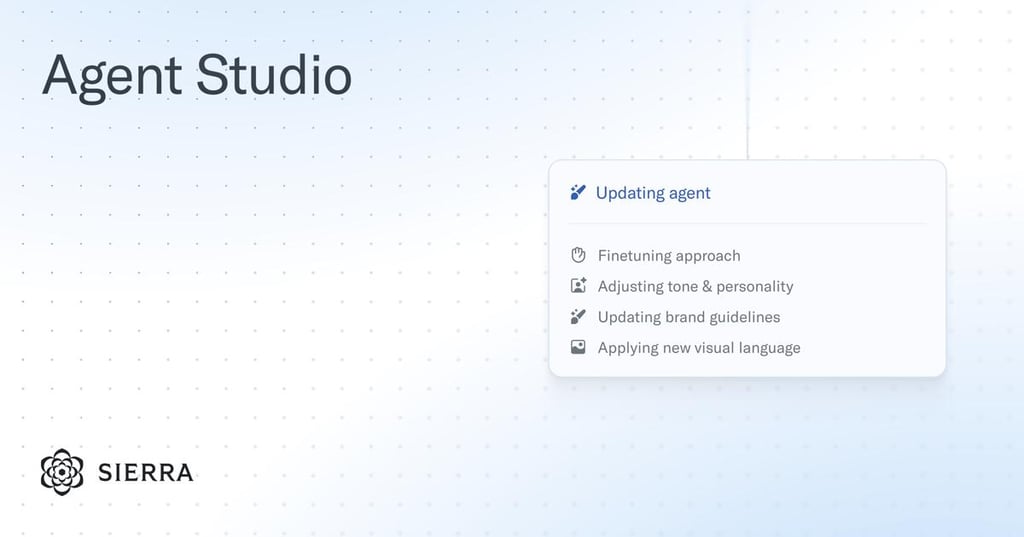
This setup means companies without strong internal engineering support can become dependent on Sierra for both implementation and changes. It also often results in customer conversation data being separated from existing contact center tools unless additional work is done to unify it.
Sierra AI pricing: what to expect
Because Sierra AI doesn’t publish its pricing, most of what is known comes from industry reports, analyst comments, and estimates shared by buyers and consultants familiar with AI deployments.
Several sources suggest that Sierra engagements typically start well above the cost of a typical SaaS subscription, and annual spending is often estimated at $150,000 or more. However, Sierra does not publicly confirm these figures.
Pricing is also reported to be based partly on outcomes, meaning businesses pay when the AI successfully resolves a customer issue. Some reports estimate these fees at around $1.00–2.00/resolution. Some discussions also suggest that additional platform, implementation, and support costs may apply on top of any outcome-based fees.
One thing that came up repeatedly during my research is that Sierra operates more like a managed service than a traditional software product. Companies aren't simply paying for access to the platform, but they're also paying for Sierra's team to help build, configure, and maintain agents over time. As a result, changes to workflows or integrations may require Sierra's involvement and will be billed separately.
What users say about Sierra AI
When checking Sierra AI reviews, I’ve noticed there aren’t many of them. This isn’t surprising, as the large majority of reviews online are written by independent users, and Sierra AI doesn’t provide a way for smaller businesses and independent users to try it out.
One G2 review mentioned Sierra AI’s emphasis on guardrails, supervision, and auditing. It also noted that the founders' enterprise backgrounds provide more confidence in the platform. However, the main concerns are around transparency, as pricing and technical details aren't always easy to find, making it harder to estimate long-term costs and integration requirements.
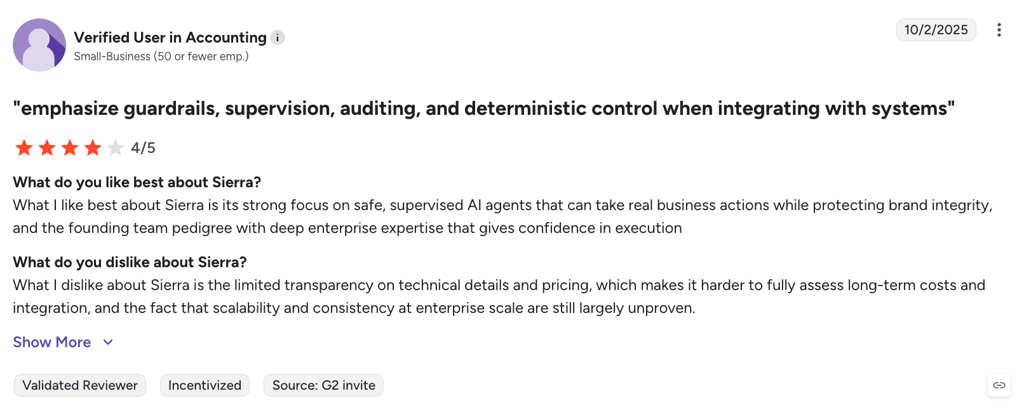
Even though there aren’t many reviews yet, and many of the existing ones are old, I could still take a few main takeaways. On the positive side, users praise the quality of Sierra AI’s conversations, mentioning they’re natural and on-brand. Another common mention was its ability to complete tasks, rather than simply provide to-do steps.
The most common complaints were the platform’s cost, limited self-service control after deployment, and analytics that aren’t as customizable as some teams would like. There are also several mentions that the platform takes a long time to learn.
If you’re considering Sierra AI, the biggest deal-breaker could be its managed service model. It may also not be a good fit for companies that want to manage agents themselves or don’t have enough customer support requests to justify the cost.
Siera AI vs competitors
Sierra AI is often compared to some other enterprise AI platforms. However, all of them suit different use cases, as some focus on customer support, employee support, or developer tools. Below is a comparison with a few main competitors.
| Tool | Best for | Deployment model | Agent type | Pricing feel | Key difference vs Sierra |
| Sierra AI | Enterprise CX automation and action-heavy customer workflows | Managed service | Customer-facing autonomous agent | Custom, opaque | Strong focus on completing customer requests, not just answering questions; limited self-serve control |
| Kore.ai | Enterprise customer and employee AI automation | Self-configurable with optional professional services | Customer-facing and employee-facing agents | Custom, enterprise pricing | Supports both customer and employee use cases, offers more deployment flexibility, and can be deployed on-premises |
| Moveworks | Internal IT, HR, and employee support automation | Managed deployment with self-serve tools | Employee-facing AI agent | Per-employee pricing model | Built primarily for employees rather than customers, making it a different type of platform despite some overlapping capabilities |
| Vellum AI | Building, testing, and managing AI workflows | Developer self-serve | AI workflow and evaluation platform | Usage-based | Focuses on AI development and orchestration rather than customer support automation |
If your main goal is automating customer support, Sierra and Kore.ai are the closest competitors. The biggest difference between them is that Sierra focuses on customer-facing interactions, while Kore.ai can be used for customer and internal employee support. Moveworks is aimed at internal support and helping employees with requests, while Vellum AI helps developers build, test, and improve AI workflows.
Verdict: is Sierra AI worth the investment?
Sierra AI is one of the most advanced customer-facing enterprise AI agent platforms, especially for companies that deal with complex support workflows. It’s a solid choice for businesses with an internal engineering team and a budget for a long-term enterprise contract. For most other teams, the managed-service setup and lack of pricing transparency make it hard to evaluate or adopt.
Best reasons to choose it:
- It can go beyond chat and actually complete actions like refunds, cancellations, or account updates across connected systems
- The Constellation architecture with built-in policy checks is designed for reliability, which is especially important in regulated industries like finance, insurance, and healthcare
- It is built specifically for large-scale customer support automation, where high volumes justify the investment
Reasons to look elsewhere:
- The managed-service model slows down deployment and means ongoing changes often require Sierra’s involvement, which limits day-to-day flexibility compared with tools like AI agent builder tools
- There are no native integrations for major helpdesk tools like Zendesk, Intercom, or Salesforce, which often requires extra engineering work, seen in more flexible no-code platforms like no-code AI agent platforms
- Pricing is not transparent, there is no trial, and evaluation usually only happens through sales conversations, which makes ROI harder to assess upfront
Overall, Sierra fits best in environments where customer support is a high-volume, high-cost operation and where teams are prepared for a long-term, enterprise-led deployment model. To find out more about AI tools and their differences, see our article on the top 40 AI tools.
FAQ
Is Sierra AI suitable for small or mid-sized businesses?
No, Sierra AI is mainly built for large enterprises with high customer support volumes and internal engineering resources. Smaller teams usually struggle with both the cost and the level of setup required.
How does Sierra AI differ from a regular chatbot?
Instead of just answering questions or suggesting help articles, Sierra is designed to complete actions like refunds, account changes, and order updates by connecting directly to backend systems.
Does Sierra AI integrate with Zendesk or Salesforce natively?
No. Sierra does not offer native plug-and-play integrations for tools like Zendesk or Salesforce. Integrations usually require custom API work through the Agent SDK.
How much does Sierra AI cost?
No public pricing is available. Contracts are custom and typically include a large annual platform fee, implementation costs, and potentially outcome-based pricing, depending on the agreement.
Who are the main competitors to Sierra AI?
Sierra is most often compared with enterprise AI platforms like Kore.ai and Moveworks. Kore.ai is closer to customer support but also covers employee use cases, while Moveworks focuses mainly on internal IT and HR support rather than customer-facing automation.