My Blogger review – is it still worth it in 2026
Our team of experts and researchers rigorously test and evaluate website builders through transparent, in-depth testing procedures and methods using both in-house and industry-approved tools.
Drawing on cybersecurity insights, we provide unbiased, empirical rankings and analysis to help users make informed digital platform choices.
Learn more

Blogger is a great option for beginner bloggers to get started and establish their content in the online space. Free and easy to use, it will definitely help you get your blog off the ground.
However, as you grow your blog beyond the basics, you’ll also find that Blogger has its limits. It has frustrating forced ads, limited SEO tools, and often doesn’t rank well on Google. That’s when many creators move to a professional website building solution like IONOS, which offers a feature-filled website builder for only $12.00/year.

Being a writer myself, I know how frustrating blog platforms can be. I used both Blogger and IONOS for a couple of months, and in this Blogger review, I cover its pros and cons, pricing, available themes, and my personal experience using it.
Blogger review 2026: my verdict
Blogger is an excellent choice for personal blogs, hobby content, or fansites. However, if you’re looking for a host for your portfolio, resume website, or more complex page, I’d definitely choose IONOS Website Builder.
| IONOS builder | Blogger | |
| ⭐ Rating: | ||
| 🥇 Overall rank: | #6 out of #37 | #36 out of #37 |
| 💵 Price: | From $1.00/month | From $0.00/month |
| 🪄 Ease of use: | Easy to use | Highly user-friendly |
| 🎨 Templates: | 49 | 50 |
| 🏢 Business features: | Site analytics, SEO tools, and competitor tracking | Not recommended for business purposes |
| 👨💻 24/7 live support: | Yes | No |
| ✂️ Free domain (first year): | - | Yes |
| 🔒 Free SSL certificate: | - | No |
| 🔥 Coupons: | Cybernews Website Builder Coupons | Cybernews Website Builder Coupons |




Our in-house research team and expert writers work hand in hand to regularly test website builders and provide accurate and fact-checked information. Discover the ins and outs of how we test and evaluate website builders.
Blogger pros and cons
Like any online platform, Blogger has its strengths and weaknesses. If you're short on time and just want the highlights, here’s what I love about it, along with a few things that could use some improvement.
Blogger vs Blogspot – what's the difference?
Blogger is a free blogging platform run by Google, and Blogspot serves as the domain name provider. A domain name is just what comes at the end of your URL address. So if you make a blog on Blogger you’ll get a Blogspot URL, such as www.cybernews.blogspot.com.
What is Blogger?
Blogger is one of the first free publishing websites. You can use it to create a personal blog or website, amongst other things.
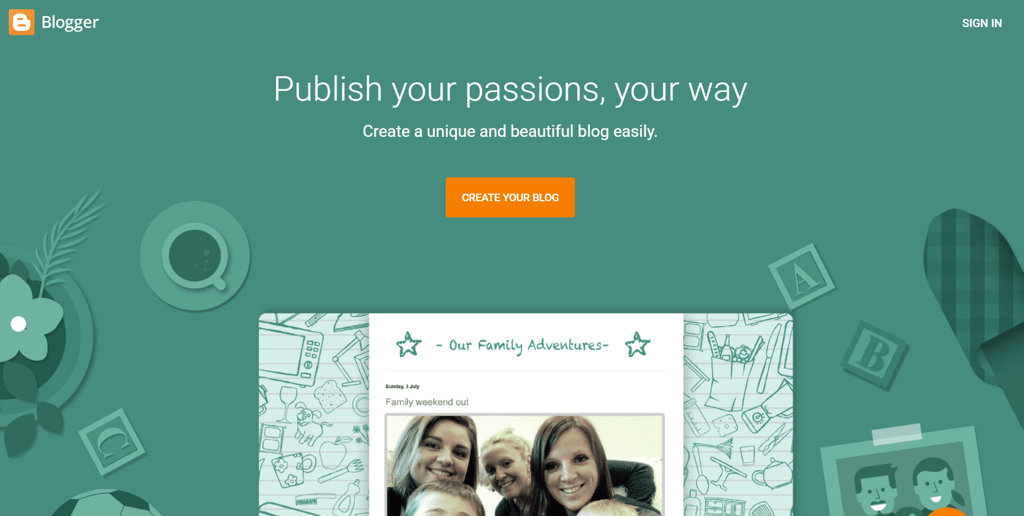
It was originally launched in 1999 by a company called Pyra Labs. In 2003, Google bought Blogger and went on to become one of the most popular blogging platforms on the web. It’s helped millions of people to start blogs, earn money, and launch their careers.
What is Google Blogspot?
Blogspot is the domain provider for Blogger. The two services are both owned by Google, they’re both free, and they both work together to create a seamless experience.
When you first create a blog in Blogger, you’ll automatically be given a Blogspot domain name. Google gives you a free domain provider, but you’re free to change that BlogSpot domain name to something else if you’d prefer.
My experience using Blogger
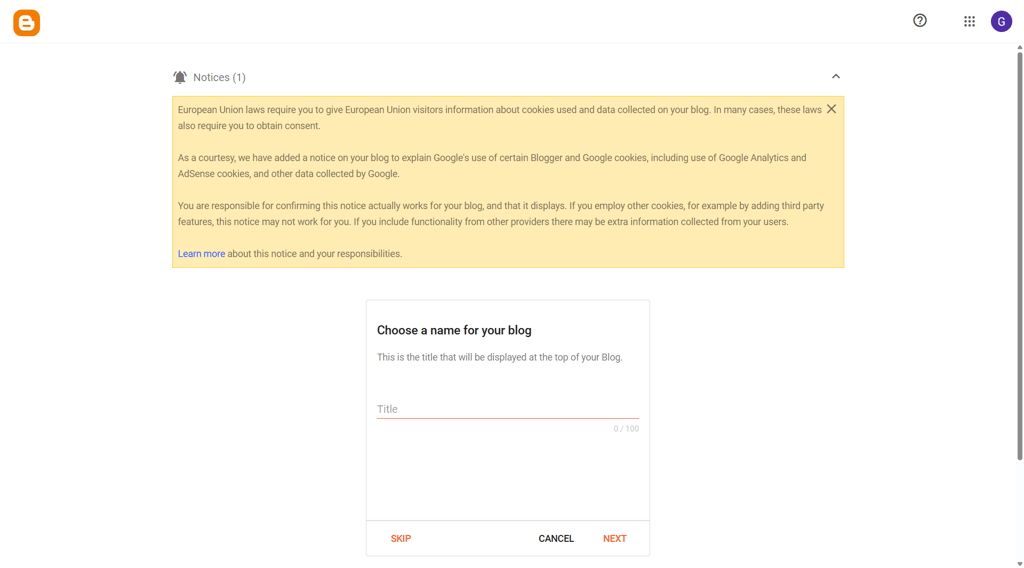
To see how it works in detail, I decided to set up my own website on Blogger. I went through the entire setup process to see the exact pros and cons of the product. Here’s how it went.
Setting up your account
- I needed a Google account to use Blogger – if you don’t already have one, you’ll need to create one
-
I then picked a name for my blog

-
I chose a blog address (URL), for example, www.exampleURL123.blogspot.com
- The last task was to confirm the display name – this is the title of the blog that will be displayed to readers
- I clicked Finish, and was ready to start blogging

Managing your blog
Once I set up the blog, I was met with a dashboard with a whole host of options to help me manage it.
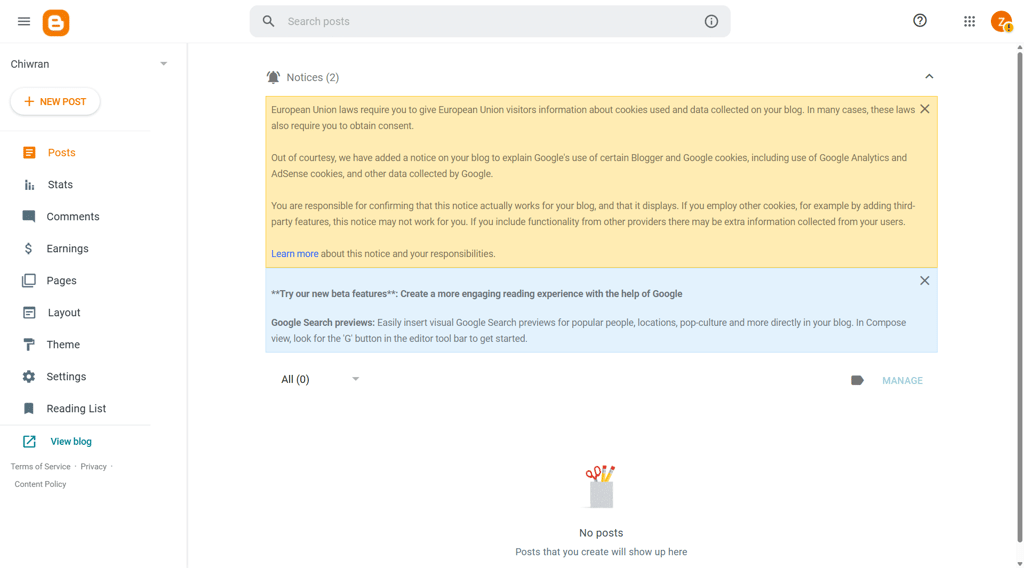
The dashboard allowed me to manage posts, check statistics, moderate comments, and play around with themes and layouts.
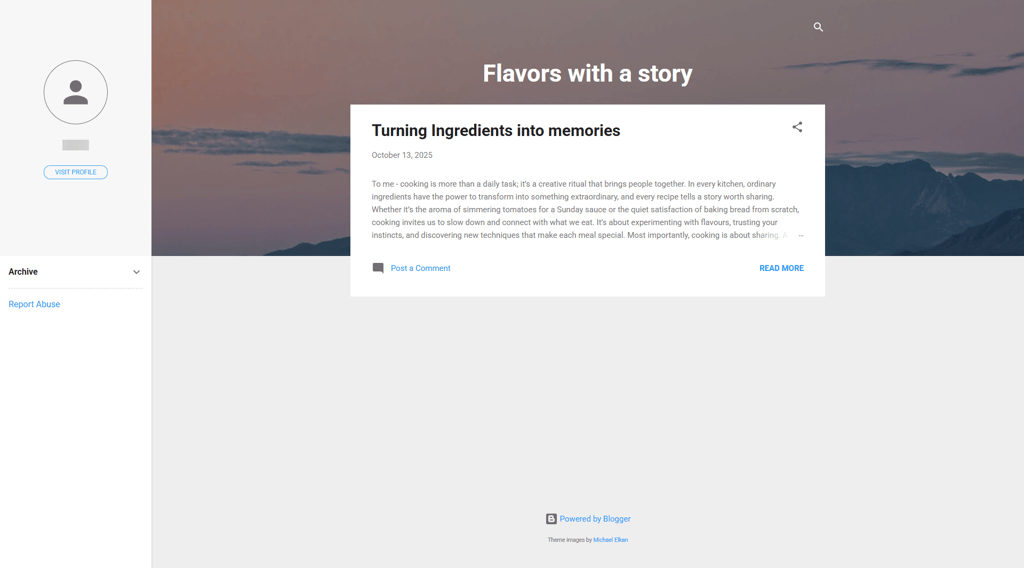
If you click View blog, you can see how your blog will look unedited.
Creating a blog post
To create my first post, I clicked New Post in the top left corner, and Blogger opened the editor. It’s funny how little Blogger has changed since my teenage years – the same interface, the same post settings.
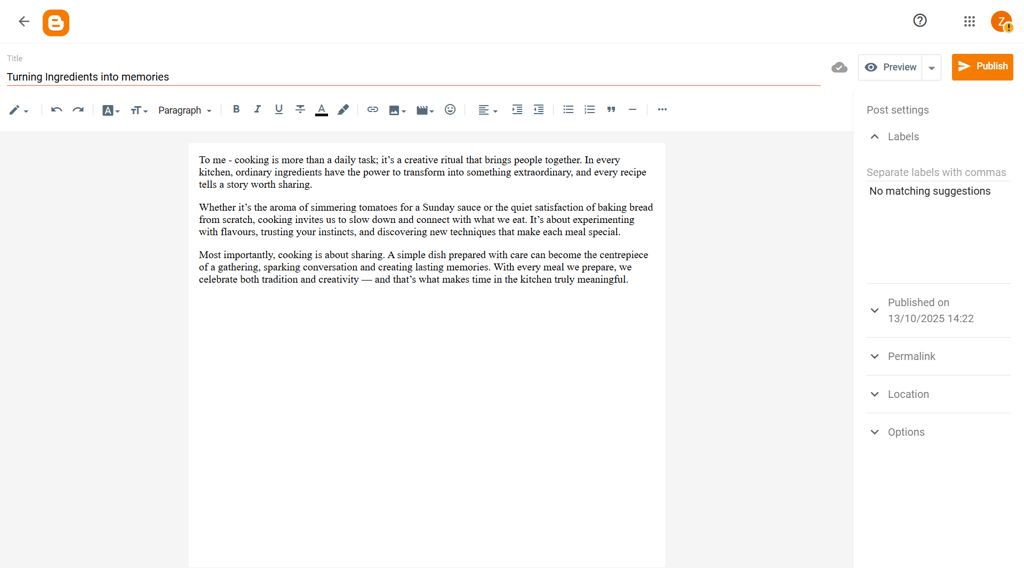
I found a nice blank slate where I could write whatever I wanted. Blogger has the usual word-processor options along the top, such as bold, italics, bullet points, font type, and font color. You’ll also see options to add emojis, links, images, and video content.
When I was done, I just had to hit Publish, and my post was live on my Blogger site.
Using Blogger as a website
While Blogger can be used as a fully fledged website, I don’t think it’s the best choice. Its templates are rather dated, and its functionalities are primarily related to content creation, making it harder to customize.
If you want to create a fully fledged website, I believe using an affordable website builder like the IONOS Website Builder is a better choice. If you’re looking to build a blog with some extra features, owning a WordPress hosting plan is also a great choice.
Google Blogger examples
Now that I’ve told you about Blogger, and what you do with the platform, let’s look at some of the things I was able to create.
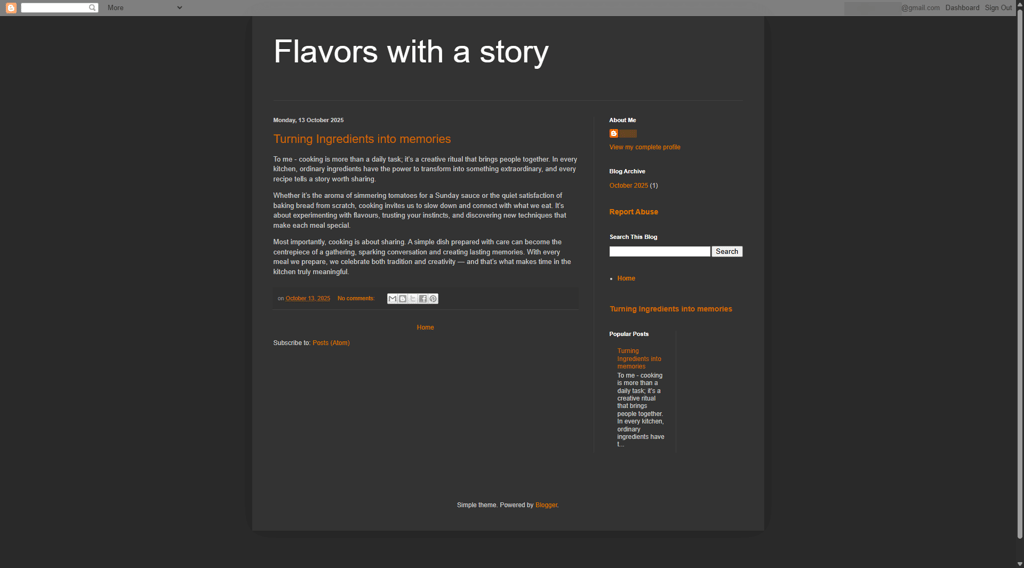
Flavors with a story
I created a simple website for posting recipes. I really like how minimalistic Blogger’s theme is, allowing users to focus on content.
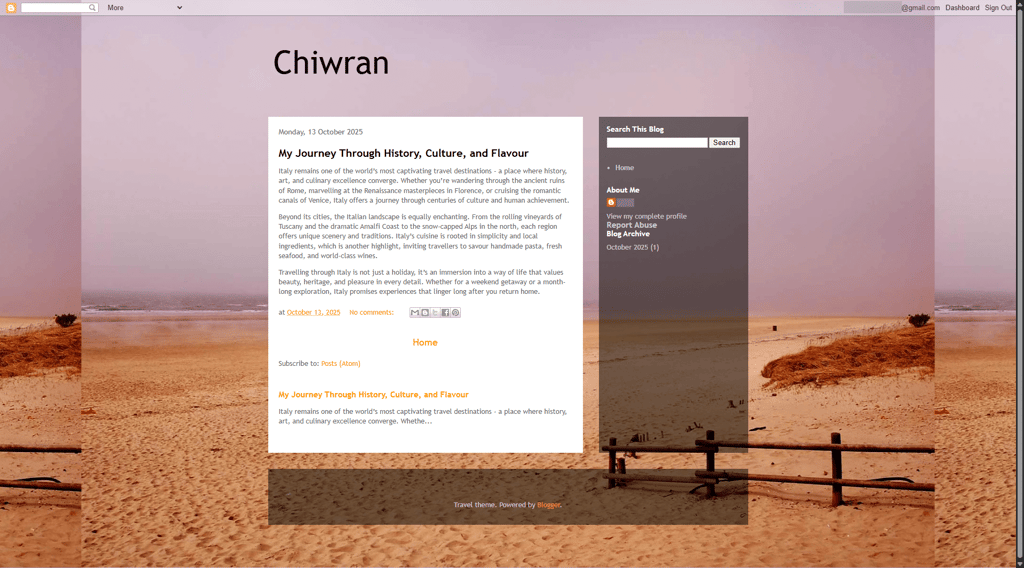
Travel blog
Another sample blog I created was this little travel blog. Using a theme fitting the topic, I was able to create a pretty vibrant and simple site for sharing travel adventures.
Blogger templates and themes
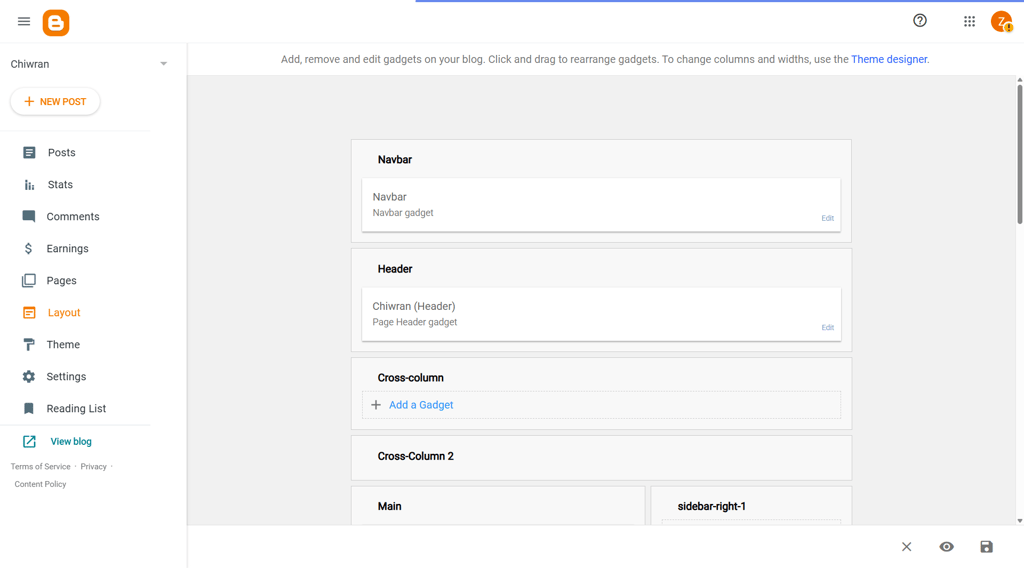
Blogger offers over 50 templates and themes to help you customize your blog’s layout. By selecting Layout from the left-hand menu, you can access the template editor, where you can add features like a Wikipedia gadget or an About Me section and position them wherever you want. The drag-and-drop system makes the whole process quick and effortless.
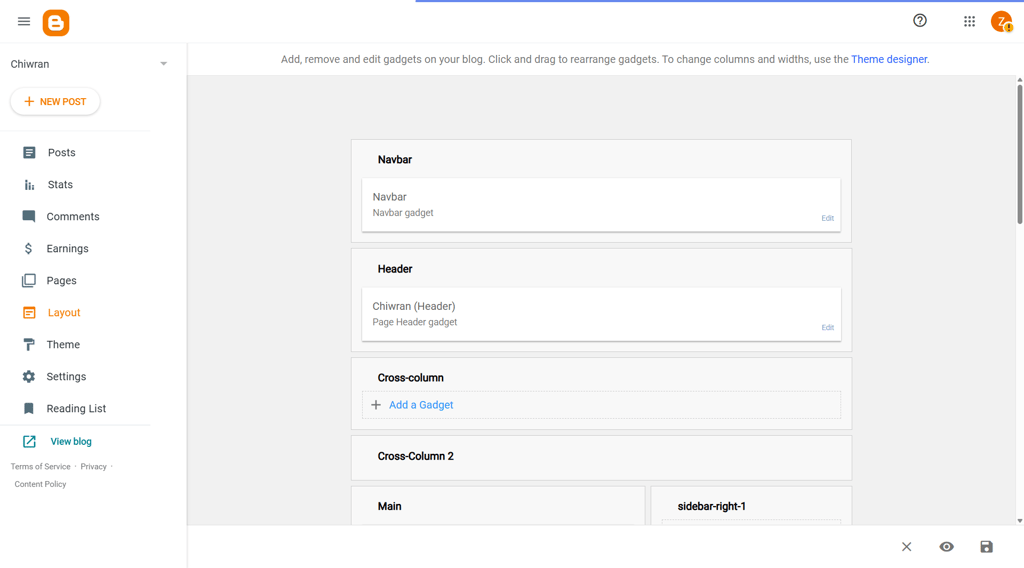
While there is a large collection of themes, I felt most of them were rather dated, and customization is limited to their blog elements. Essentially, they haven’t changed much since Google’s last major Blogger redesign in 2009.
Is Blogger safe?
Yes, Blogger is generally a safe platform since it's owned by Google, which ensures strong security features like:
- Automatic updates
- SSL certificates
- Two-factor authentication
In comparison, IONOS cheapest builder plan offers:
- Automatic updates
- Wildcard SSL
- Two-factor authentication
- DDoS protection
- Automatic backups
This means that Blogger is a secure choice, especially for beginners. However, like with any online service, it's important to use strong passwords and stay mindful of its limitations. Advanced features that will bring more security are available with paid web builders like IONOS.
Other Blogger features
Blogger offers more features to enhance your blog, increase traffic to your site, and even earn money. Let’s take a closer look.
Can you make money on Blogger?
Yes, you can monetize your Blogger site with Google AdSense. If you click on Earnings in the left-hand column, you’ll be prompted to create an AdSense account. Google will then start putting ads on your blog in optimized locations, although you can move them around as you see fit.
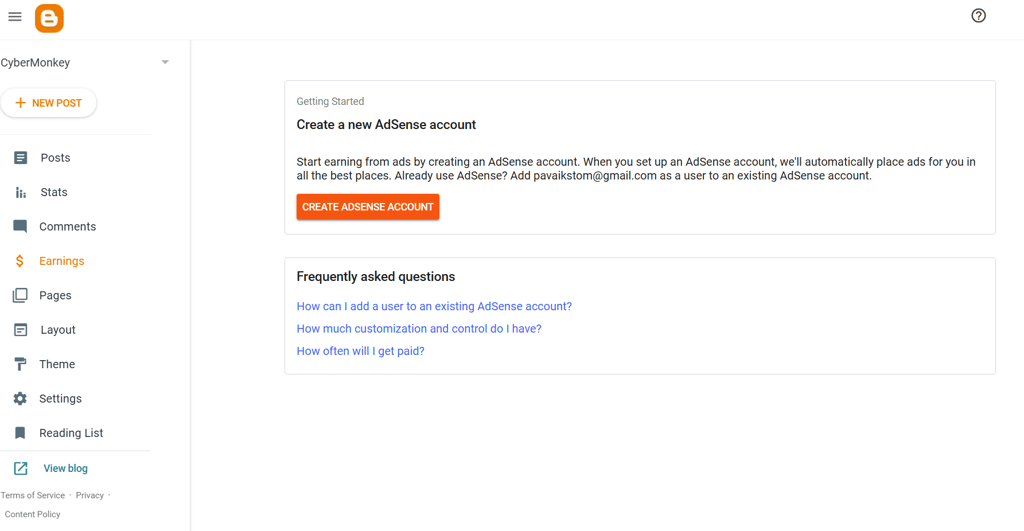
If you’re happy having ads on your blog, this is a great way to earn some passive income. Of course, to make money from the ads on your site, you’ll need to get as many people reading your blogs as possible.
Can you check the statistics for your blogs?
Yes, checking the statistics on your blog can help you see which posts are popular and which might not do as well. You can then fine-tune your output to give your audience more of what they want.
It’s easy to check the basic statistics of your pages by hitting the Stats option in the left-hand column. You can also add Google Analytics tracking for even more in-depth analysis. Just head to Settings, then select the Analytics option under Basic. But you will need a Google Analytics account.
Blogger pricing – how much does Blogger cost?
One of the best things about Blogger is that it’s completely free to use. There’s no signup fee and no subscription costs. You can publish up to 100 blogs per account.
You even get a free SSL certificate, hosting, and a Blogspot domain name with your site. Blogger offers everything you need to launch, maintain, and even monetize a blog – all for free.
Additional costs
Blogger is completely free, including all its features, plugins, gadgets, themes, and tools.
As I mentioned earlier, you get a free BlogsSpot domain name. However, if you want to add your own domain name, you will have to purchase that separately and link it to your account.
All of Blogger’s themes and gadget add-ons are free. But you might find a small selection of third-party options that charge a fee. However, they’re all completely optional, so Blogger doesn’t have to cost anything.
Do people still use Blogger?
Yes, people still use Blogger, but its popularity has declined over the years. While it remains a simple and easy-to-use platform, it's often favored by those who are just starting out or who don’t need advanced features.
Some long-term users continue to run successful blogs with custom domains, even seeing decent traffic despite not actively updating them for years.
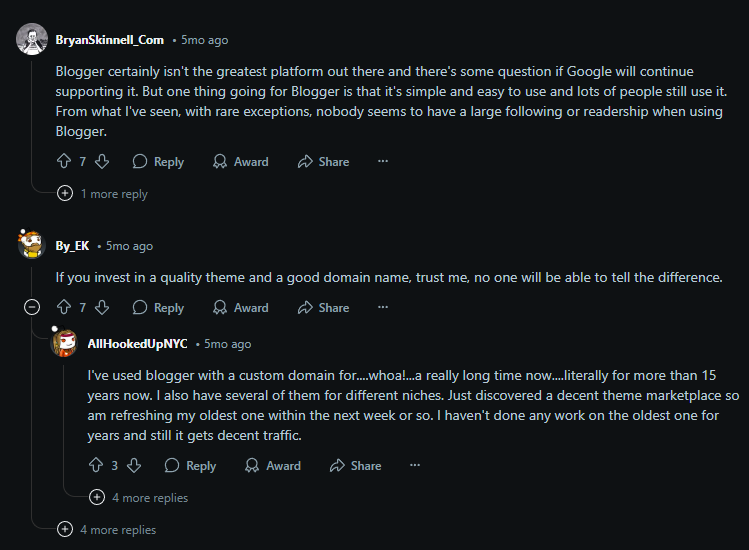
However, Blogger doesn’t appear to have the same reach it once did. Many Redditors have noted that finding Blogger blogs through Google search can be difficult, with results often showing dead links or outdated content.
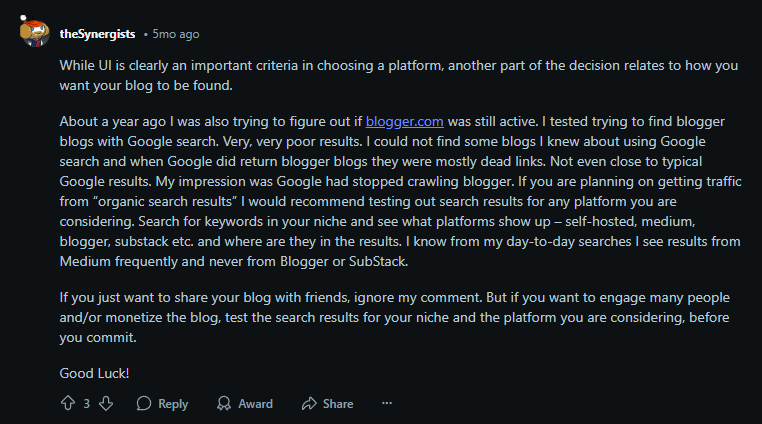
If your goal is to gain significant readership or organic search traffic, Blogger may not be the best choice, especially when compared to platforms like Medium or self-hosted websites. That said, it’s still a solid option for those who just want a simple space to share content with friends or a small audience.
Blogger alternatives
I think Blogger is a great platform – I like its simplicity, its old-school charm, and the fact that it’s completely free. But when choosing a blogging service, it’s always a good idea to explore your options. So, let’s take a quick look at some alternatives to Blogger.
1. IONOS Website Builder
IONOS Website Builder is an affordable option to create your own website. This can be a simple blog like the one offered by Blogger, or a more complex page, complete with eCommerce features or advanced widgets.
Featuring an intuitive drag-and-drop interface, along with an AI website builder, IONOS is simple to use, and its 40+ customizable themes will ensure that you can tune your website to your needs.
Starting at $1.00/month, and including free SSL and a domain in the bundle, IONOS Website Builder is a great choice to take your blog to the next level.
2. Hostinger Website builder
Blogger and Hostinger Website Builder serve different purposes. Blogger is a simple, free platform focused solely on blogging, offering an easy-to-use interface with basic customization options. It’s great for those looking to quickly set up a personal blog without much technical effort.
On the other hand, Hostingers’ Web Builder is a more comprehensive website builder that offers a wider range of features, including eCommerce options, customizable templates, and advanced tools for businesses and entrepreneurs.
If you're looking for a more versatile platform with greater flexibility for building a full website, Hostinger is the better choice. And its price is really budget-friendly, starting at $2.69/month. Besides, you can get an additional discount with Hostinger promo code CNSPECIAL.
Blogger review summary: final thoughts
Blogger is a popular platform for online publishing. It's incredibly user-friendly, completely free, and offers a straightforward way for both beginners and experienced users to create blogs.
If you’re looking to start blogging, Google’s Blogger is an excellent starting point – especially since you probably already have an account if you use Google.
That said, it has its limitations and is best suited for simpler blogs. If you’re after more advanced features or need to build more complex websites, platforms like IONOS, Hostinger, or other drag-and-drop website builders might be worth considering.
But for a simple, no-fuss introduction to blogging, Blogger is a solid choice.
FAQ
Is Blogger free?
Yes, Google Blogger is completely free to use. There are no charges, subscriptions, or sign-up fees. The only thing you need is a Google account. With that, you can access all of Bloggers’ features for free.
Can I use Blogger for a website, not a blog?
Yes, you can use your Blogger page in any way you see fit. That said, Blogger is best for creating a simple, basic blog rather than a website. If you want to turn it into a more complex page, you will need a lot of coding experience.


