How to access ChatGPT apps integration from Europe or UK
Our in-house cybersecurity experts and journalists, renowned for major reports like The Mother of All Breaches, conduct transparent, unbiased VPN testing and in-depth analysis.
With 750+ articles crafted based on real-world research, we empower readers to make informed purchasing decisions through first-hand expertise.
Learn more
OpenAI has just launched ChatGPT apps integration, but not everyone can use them. Announced at OpenAI’s October 2025 Dev Day, the new feature brings popular services like Canva, Booking.com, Figma, and Spotify directly into the ChatGPT interface, allowing users to interact with third-party tools seamlessly through chat."
However, the rollout is currently limited to select regions, and users in Europe and the UK are excluded for now. Regulatory barriers and data privacy concerns continue to delay access across the EU and beyond.
Still, there’s a way to try it early. By using a trusted VPN, users can connect through approved countries and unlock the new ChatGPT apps feature, even from restricted regions.
How to access apps in ChatGPT from Europe or the UK using a VPN
ChatGPT apps integration has just launched, bringing powerful tools like Canva, Expedia, OpenTable, Zapier, Slack, and many more directly into the ChatGPT experience. But if you’re in the EU or UK, access is currently restricted.
- Choose a premium VPN provider – options like NordVPN (currently up to 75% off) are fast, secure, and optimized for platforms like ChatGPT
- Install the VPN app on your device
- Log in to your VPN account
- Connect to a server in a supported region, such as the United States, where ChatGPT Apps integration is currently available
- Go to chat.openai.com and log in – you should now have full access to the ChatGPT Apps library
What is ChatGPT apps integration
ChatGPT apps integration is a new feature inside ChatGPT that lets you interact with third-party tools directly through the chat interface. Think of them as mini-integrations, services like Spotify, Canva, Zapier, and OpenTable, that you can use without ever leaving the conversation.
Instead of switching between tabs or apps, you can now book travel, create designs, automate tasks, or shop for groceries directly within ChatGPT. These apps are built on OpenAI’s function calling and API systems, but designed to be used by anyone.
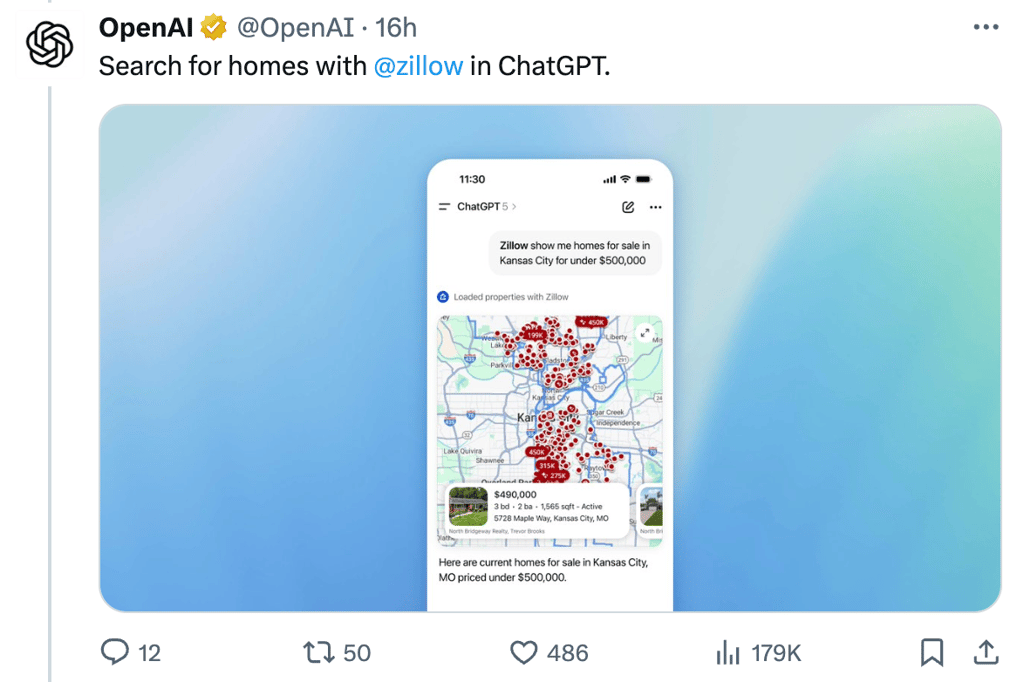
It’s a major step forward in making ChatGPT more interactive, useful, and task-oriented – especially for users who want to get things done faster with AI.
Why you need a VPN to use apps via ChatGPT
OpenAI’s new feature is already rolling out in the US and Canada, giving users access to built-in tools like Booking.com, Canva, Expedia, Zapier, OpenTable, and more, all inside the chat interface.
But if you’re in the EU or UK, you're still stuck in the waiting room.
This is where a VPN becomes your shortcut. By rerouting your connection through a US or Canadian server, a VPN bypasses location-based restrictions and gives you full access to the ChatGPT Apps ecosystem – instantly.
Where are ChatGPT Apps not available?
Currently, ChatGPT Apps are only accessible in the United States and Canada. Users in other regions, including the European Union, the United Kingdom, Australia, and much of Asia and Africa, do not yet have access to this feature.
How to access ChatGPT apps integration from Europe: full guide
ChatGPT apps integration is only available in the US and Canada, but with a VPN, you can bypass the restriction and use them from anywhere. Follow these simple steps:
Step 1: choose a reliable VPN provider
Sign up for a trusted VPN provider like NordVPN that offers fast and secure servers in the United States or Canada.
Step 2: download and install the VPN
Download the VPN on your device (desktop or mobile), install it, and log in using your account credentials.
Step 3: connect to a server in the US or Canada
Open the VPN and connect to a server located in the US or Canada – the only regions where ChatGPT apps integration is currently available.
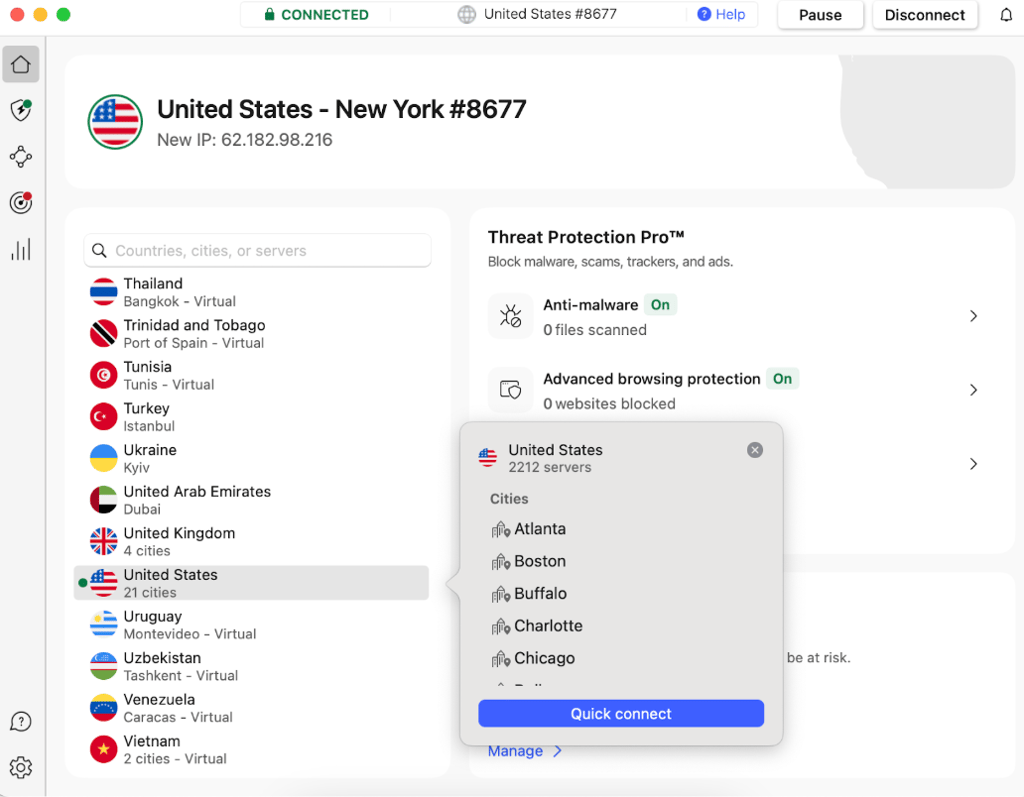
Step 4: log into your ChatGPT account whilst connected to a US server
Visit chat.openai.com and sign in to your ChatGPT account while the VPN is active.
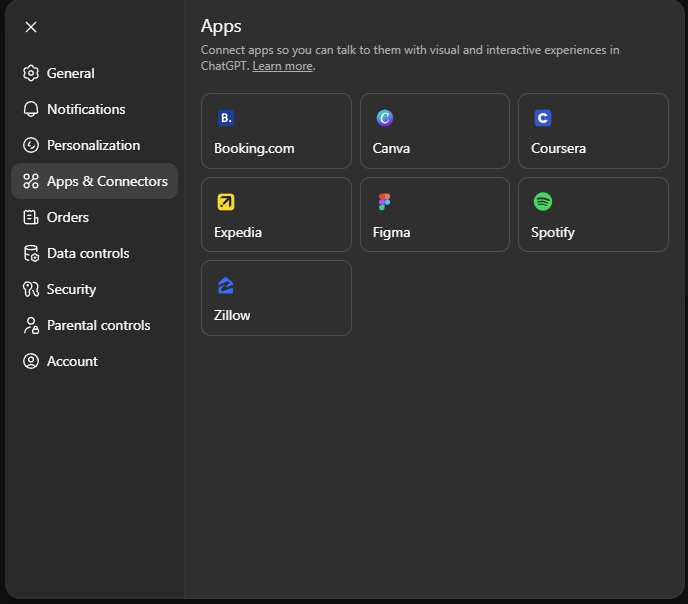
Step 5: go to Account Settings, Apps & Connectors and click on Spotify
Inside ChatGPT, go to Settings, then Apps & Connectors. You should now see the new app integrations available.
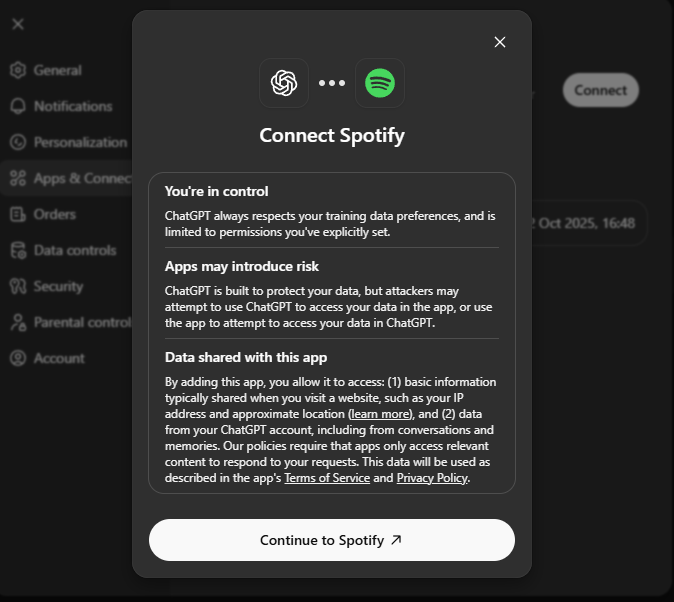
Step 6: connect your ChatGPT account to Spotify
Pick an app like Spotify, click Connect, and authorize the link between ChatGPT and your account.
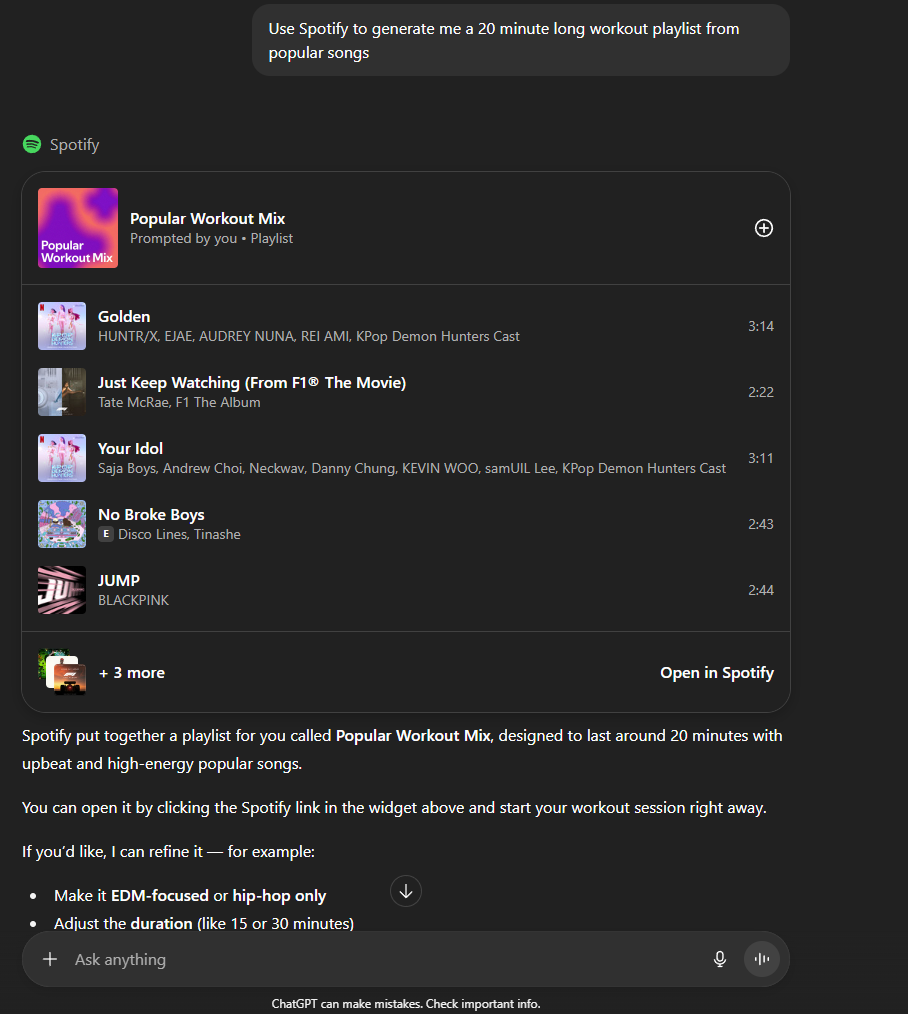
Step 7: prompt ChatGPT to use Spotify to generate you a playlist
Now you can prompt ChatGPT to use the connected app, for example: “Use Spotify to generate me a 20 minute long workout playlist from popular songs.”
What apps are available for ChatGPT integration?
OpenAI has launched a curated set of third-party apps inside ChatGPT, allowing users to interact with external platforms directly through the chat interface. These integrations cover a wide range of use cases, from travel planning to automation, design, and productivity.
| App | Available in ChatGPT? |
| Spotify | Yes |
| Canva | Yes |
| Coursera | Yes |
| Expedia | Yes |
| Zillow | Yes |
| Figma | Yes |
| Target | Not yet |
| Uber | Not yet |
| AllTrails | Not yet |
| Peloton | Not yet |
| Tripadvisor | Not yet |
| The Fork | Not yet |
| Instacart | Not yet |
| Khan academy | Not yet |
| OpenTable | Not yet |
| DoorDash | Not yet |
| Thumstack | Not yet |
How to use OpenAI’s AgentKit in Europe
Released alongside ChatGPT Apps, AgentKit is another long-anticipated feature that pushes AI from passive assistant to active collaborator. It lets ChatGPT not only respond to prompts but take actions on your behalf, like navigating the web, using connected tools, and executing multi-step tasks.
AgentKit combines capabilities from OpenAI’s earlier Operator and Deep Research pilots. It allows users to interact with a “live” agent that can browse, pull data from external services, click through websites, summarize sources, or help build full workflows.
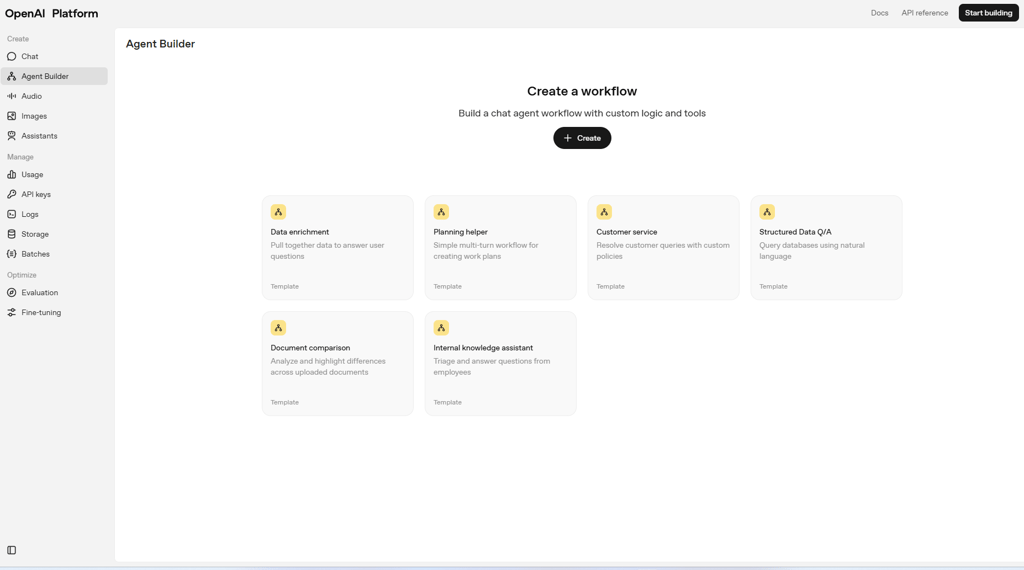
If you’re outside the supported regions but want to try AgentKit early, a VPN can help you bypass location restrictions and access the feature securely. Here’s a simple step-by-step guide:
- Choose a reliable VPN provider – I recommend NordVPN, which supports fast US and Canadian servers.
- Download and install the VPN – get the app for your device and log in.
- Connect to a server in the US or Canada – these are the only regions where AgentKit is currently live.
- Log into the OpenAI platform – go to chat.openai.com and sign into your ChatGPT Plus or Pro account.
- Use AgentKit – once connected, select “agent” mode from the tools menu and start giving it tasks. Congratulations, you can now use AgentKit in Europe!
Wrapping up
ChatGPT Apps and AgentKit mark a major evolution in how we interact with AI – shifting from simple Q&A to integrated, task-driven experiences. Whether you’re building playlists, booking flights, or automating workflows, these tools unlock new levels of productivity inside ChatGPT.
But for now, access is limited. If you're in the EU, UK, or other restricted regions, you’ll need a VPN to experience these features early. With just a few quick steps, you can bypass regional restrictions and explore everything OpenAI’s latest updates have to offer, from third-party app integrations to real-time agents that can act on your behalf.
FAQ
When was OpenAI’s Dev Day?
OpenAI’s Dev Day 2025 was held on October 6, 2025, at Fort Mason in San Francisco. During that event, OpenAI revealed several new features like app integration inside ChatGPT and AgentKit for building task-based AI agents.
What privacy protections are in place for these apps?
Apps must follow OpenAI policies, collect only minimal data, and require user permission before accessing data.
Who can build apps for ChatGPT?
Developers can build them using the Apps SDK (now in preview), which allows integration of external logic and interfaces.
What kinds of applications is AgentKit suited for?
AgentKit is useful for any app needing task-based AI agents: customer support bots, data assistants, workflow automation, and more.


