Netflix VPN not working? 10 easy fixes
Our in-house cybersecurity experts and journalists, renowned for major reports like The Mother of All Breaches, conduct transparent, unbiased VPN testing and in-depth analysis.
With 750+ articles crafted based on real-world research, we empower readers to make informed purchasing decisions through first-hand expertise.
Learn more

Using a VPN to access more Netflix content from other libraries is a great idea. However, many VPN users struggle to sign in or get an error message: “You seem to be using a VPN or proxy. Please turn off any of these services and try again.” If you receive this error message, it means Netflix has detected that your IP address belongs to a VPN and blocked it.
Your current VPN might have all of their IP addresses blocklisted by Netflix. Additionally, some VPNs lack servers in the right locations or cannot bypass geo-blocks. The fix to this is to use the best VPN right now.
Our research team tested 41 and found that only a few work flawlessly. Others either completely failed or didn’t unblock certain libraries. On the right of the table, you can see the VPNs that failed to do the task:
Your best choice to unblock Netflix is NordVPN. Besides that, NordVPN allows you to connect to servers worldwide and unlocks Netflix and other streaming platform content and content platforms. If you're still having trouble, check out our 10 easy fixes recommended by our research team to solve the problem of Netflix not working with your VPN.
Netflix streaming error explained
When you’re using a VPN to access geo-blocked Netflix content, an error message might appear, saying "You seem to be using an unblocker or proxy. Please turn off any of these services and try again."

Netflix can detect VPN usage by analyzing factors such as IP addresses, geolocation inconsistencies, unusual internet traffic patterns, and DNS leaks. However, there are additional factors to consider, take a look at them:
- VPN detection mechanism. Platforms like Netflix have advanced VPN detection mechanisms to identify VPN traffic. They can detect if an IP address belongs to a VPN service or if the VPN is leaking the user's real IP address.
- IP blocklist. VPNs may assign the same IP address to multiple users, leading streaming services like Netflix to blacklist those IPs. Using a VPN with a large number of servers like NordVPN allows users to switch to a different server if one is blocked.
- Weak unblocking abilities. Some VPNs may have weak unblocking capabilities, making it difficult to bypass Netflix’s geo-restrictions effectively.
- Location discrepancy. If the IP address location differs from the user's device location, Netflix may block access, even with a VPN.
- Browser cookies and cache. Cookies stored by the browser can reveal the user's actual location, potentially leading to a Netflix error.
- IP and DNS leaks. IP and DNS leaks may expose the user's actual location, indicating VPN usage. Using a VPN with robust security features like a kill switch can prevent such leaks.
While numerous unreliable VPNs struggle to hide these signs, there are exceptions. Our research team has uncovered top VPN providers that effortlessly bypass Netflix blocks without any issues.
Best VPNs that still work with Netflix
Our research team tried out 41 VPNs and found those that work really well. They can get around geo-blocks, stay hidden, and unlock lots of different Netflix libraries, including important ones like the US, UK, Japan, Australia, and South Korea.
- NordVPN – the best VPN for Netflix. You can access various Netflix content libraries because NordVPN has 9,500 servers in 149 countries. It ensures smooth streaming while bypassing geo-restrictions on Netflix and other popular streaming platforms.
- Surfshark – excels at unblocking Netflix and other streaming services, offering lightning-fast speeds. It's compatible with multiple devices and supports unlimited simultaneous connections.
- IPVanish – IPVanish is a great VPN option for unblocking Netflix, delivering fast speeds for HD streaming. During testing, it successfully unlocked around 30 Netflix libraries.
10 easy fixes to Netflix VPN not working
Netflix is infamous for blocking VPNs. If your VPN got blocked and you are getting a Netflix streaming error, check out the 10 easy ways to fix this issue below:
1. Connect to a different server
Connecting to a different server will give you a new IP address, which, hopefully, won’t be blocked by Netflix. To make it easier to choose, here are some of the best VPN servers for Netflix:
| VPN provider: | Best Netflix servers: |
| NordVPN | US, UK, and Japan |
| Surfshark | UK, Europe, US, and Japan |
| IPVanish | US and Canada |
2. Clear cache and cookies
Occasionally, your real location is hidden in Netflix cookies. Clearing your cache and cookies could help with accessing Netflix with a VPN. Here is an example of how to do it on the Chrome browser. Go to chrome://history/ and press the "clear browsing data" button.

3. Try a different browser
Sometimes a different browser is all you need. Try opening Netflix on a different browser than you usually use. Brave, Chrome, and Firefox worked best for us.
4. Stream Netflix on your PC
Depending on which libraries you are trying to access, VPN might work better with Netflix on a computer than on a smart device (like a phone or a tablet) or a console.
5. Check if the network admin is blocking Netflix
If you cannot access Netflix at all, your network administrator might be blocking Netflix altogether. The best solution is to change network settings (if you’re the admin) or use a different network altogether, such as your mobile data.
6. Ask VPN customer support for the best server
Some VPNs let you choose a particular server in a particular country. If your VPN is like that, contact the support team and ask which servers are the best for Netflix or streaming in general.
7. Purchase a residential (dedicated) IP address
A dedicated IP address will belong to you only, so the chance that Netflix will block it because of overuse is very low. Check out our list of the best VPNs with a dedicated IP to find a reliable provider.
8. Check what DNS servers the VPN uses
VPNs that work with Netflix the best usually have their own DNS servers, like NordVPN. A simple Google search will tell you if a VPN has its own DNS servers. If it doesn’t, it might be time to change your VPN provider.
9. Disable IPv6
This method could be a hit or miss – there are no guarantees that it will work all the time, but it is still worth trying if nothing else helps. Be aware, though, that disabling IPv6 could cause some issues with other platforms or websites.
Here’s a short guide on how to disable IPv6 on different devices:
How to disable IPv6 on macOS:
- Go to System Settings and click on Network
- Click on Wi-Fi, and then click on Advanced of the Wi-Fi network you are connected to
- Choose TCP/IP. In the drop-down menu, near Configure IPv6, select Link-Local Only
How to disable IPv6 on Windows 11 & 10:
- In the Search section, search for and go to Settings
- There, choose Network & Internet
- Scroll down to Advanced Network Settings and choose Change Adapter options
- Find the adapter you are connected to (Ethernet or Wi-Fi). Right-click and choose Properties
- Find Internet Protocol Version 6 (TCP/IPv6). Uncheck it
10. Change your VPN provider
Sometimes a VPN simply won’t work with Netflix no matter what you do. The only solution then is to upgrade to a VPN that works best with Netflix:
- Choose a reliable VPN for Netflix. Our top choice is NordVPN, now 75% off
-
Purchase a NordVPN subscription or get a free trial

-
Download and install the VPN on your device

-
Log in and connect to a VPN server

-
Visit the Netflix webpage or app

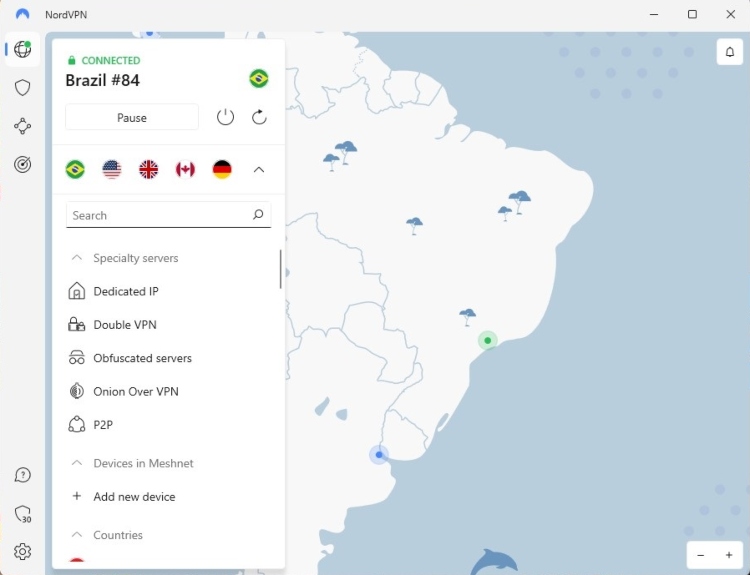
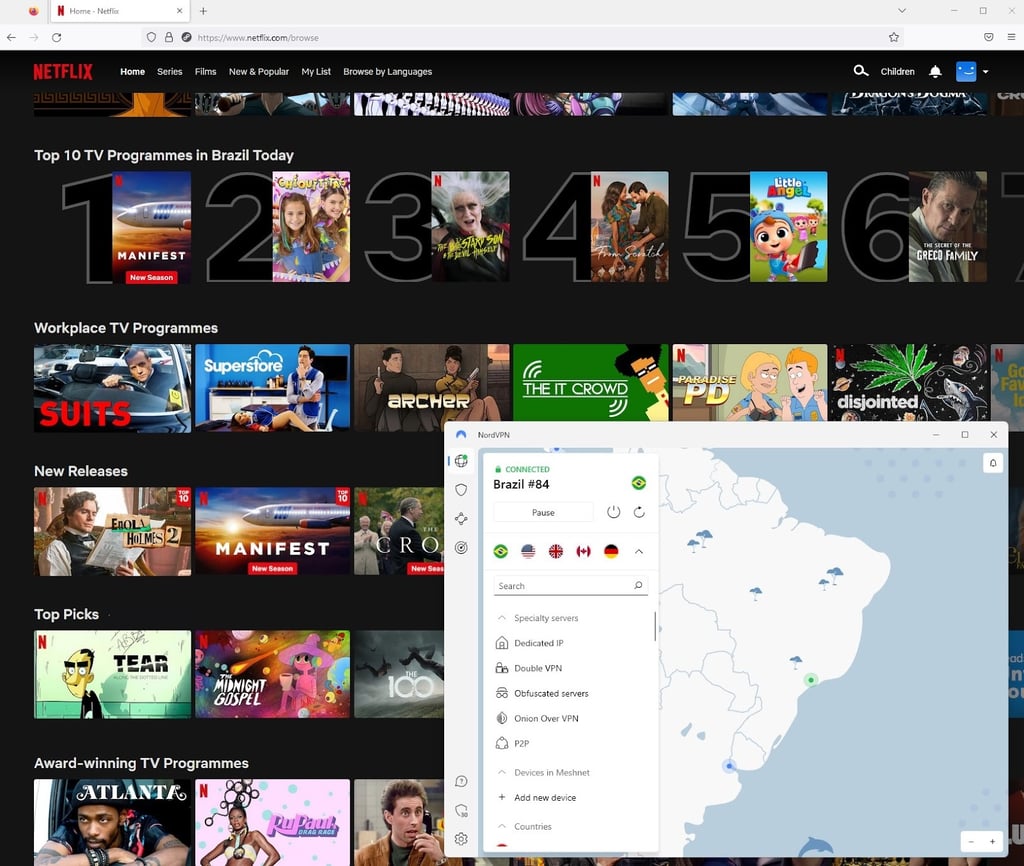
- Watch foreign content on Netflix without issues


Why is Netflix blocking VPNs?
Netflix blocks VPNs because viewers use them to bypass geographical restrictions. To be precise, Netflix must enforce these limitations due to legal obligations. The platform only has licenses to distribute movies and TV shows in specific regions, not worldwide.
Of course, people increasingly use VPNs to bypass such licensing-induced geo-restrictions. For Netflix, such activity is highly unprofitable: if someone is streaming the show from another location, the streams don’t count towards revenue for both the showrunners and Netflix.
Therefore, Netflix needs a way to ensure that these shows remain geo-blocked in other regions, so it actively blocks all VPN IP addresses that are used to bypass restrictions.
How does Netflix block VPNs?
In simple terms, Netflix blocks VPNs by looking for IP addresses associated with VPNs, and then promptly blocking their access to the website or app. Detecting if an IP address belongs to a VPN provider is quite a straightforward process. A single VPN IP address usually gets assigned to hundreds if not thousands of users at the same time. So, if Netflix sees an unreasonable amount of traffic coming from a single IP, the chances are high that the address belongs to a VPN provider.
If Netflix detects that you are using a VPN, you will get an error code m7111-1331-5059. This error code essentially means that Netflix knows you are trying to access its libraries with a VPN. Most often, just changing your VPN server is enough to solve this issue.
There are other ways to block VPNs. Sometimes Netflix checks for inaccuracies in your DNS settings and reveals your real IP address locations, especially if you’re using an iOS or Android device. However, if you’re accessing Netflix through a browser, this issue is not that common.
The best way to avoid Netflix's VPN block is to choose the right service. The best VPN should have thousands of servers globally and even more IP addresses. That way, you’ll avoid blocklisted IP addresses and have access to the most popular Netflix libraries.
Is Netflix blocking VPN users?
No, Netflix doesn’t block VPN users. Instead of blocking separate accounts, Netflix blocks IP addresses that belong to VPN servers. It has several methods to detect if an IP address belongs to an actual user, or to a VPN.
However, the newest Netflix measures concerning user accounts could be worrying. Recently, Netflix has introduced new measures to limit account sharing between people who don’t live in the same household. These measures include keeping track of the household IP address, among other things.
Fortunately, this does not mean that you can’t access content from a different IP address – as long as you connect to your home Wi-Fi (with the registered IP address) at least once within 31 days, you are free to watch Netflix from anywhere – either with a VPN or without.
It’s worth noting that a VPN can still help you circumvent Netflix’s efforts to limit account sharing. The first method is registering your Netflix account using a VPN with a dedicated IP address. Then, you, your friends, and your family will appear as if in the same household by connecting to the dedicated IP VPN server once in a while.
Another option is utilizing a feature like NordVPN Meshnet that allows other users to route their online traffic through your device to gain its IP address. Arguably this method is preferable because the feature is completely free.
What if I am not using a VPN and still get a proxy error?
If you’re still getting a Netflix proxy error even when you’re not using a VPN or a proxy, it could be because of several reasons:
- Your workplace or school network is using a proxy or a VPN for security reasons, and therefore Netflix is blocking access to its content.
- Your ISP (Internet Service Provider) is routing your traffic through servers that are in another country than you are, therefore Netflix thinks you’re using a VPN or a proxy.
- If you used a VPN before, your cookies and cache settings are still showing the VPN IP address location.
To get around these issues, you can try clearing your cookies and cache, connecting to a different network, contacting your ISP support, or getting in touch with Netflix support to see what the exact problem is.
Conclusion
Some ways to fix the Netflix streaming error are to connect to a different server, clear cookies, and cache, try a different browser, or stream Netflix on your PC. But if nothing works, you should simply change your VPN provider. For example, NordVPN is one of the best VPNs for Netflix. It has thousands of servers worldwide, and the chance of Netflix blocking all of them is pretty low.
Using a VPN is a tried and tested, and very common way to access geo-restricted Netflix shows and movies. However, Netflix takes measures to block VPN usage, and sometimes it succeeds, which results in proxy and streaming errors. This issue is annoying, but there are ways to fix it.
FAQ
Why is my VPN not working on Netflix?
If your VPN is not working on Netflix, it is likely because Netflix has blocked the IP address of your VPN server. You can try connecting to another server, clearing cookies and cache, or changing your VPN provider to a better one, such as NordVPN.
How do I stop Netflix from blocking my VPN?
To stop Netflix from blocking your VPN, you should connect to another VPN server, always clear cookies and cache, use a different browser, or change your VPN provider. NordVPN is our favorite, but you can also take a look at our list of the best VPNs for Netflix.
Will Netflix ban you for using a VPN?
No, Netflix does not ban users for using a VPN. Netflix will block IP addresses associated with a VPN, but not the users themselves. If Netflix blocked your VPN, try connecting to a different server, clearing cookies and cache, or changing your VPN provider. Our favorite for Netflix is NordVPN.
How does Netflix know I am using a VPN?
Netflix and other online streaming services will notice when multiple users repeatedly connect from the same IP address. This indicates that a particular IP address belongs to a VPN or proxy service. Thus, Netflix blocks that address to ensure it remains unusable for bypassing geographical restrictions.


