SEO on Squarespace: a comprehensive review of built-in tools & features


When it comes to fluid engine optimization, one of the most common debates is whether Squarespace or WordPress is better for SEO. Are you wondering “How good is Squarespace SEO?” Well, today, we’ll focus on Squarespace’s performance, which is a platform that has completely modernized its technical infrastructure.
One of the main things you should know is that in 2026 a website’s ranking depends less on the CMS brand and more on how you utilize the available technical levers. The Squarespace Fluide Engine optimization system brings new design flexibility that must be coupled with smart on-page SEO habits. When done properly, it’s fully capable of ranking for competitive terms
Luckily, this Squarespace SEO review will show you how you can have a high-performance site without managing a server. The guide covers a detailed feature-by-feature review of SEO on Squarespace, explaining everything from backend sitemap automation to front-end content controls and external API integrations.
In 2026, Squarespace is a strong and reliable platform for SEO because it automatically handles key technical elements like sitemaps, security, and site speed. This means your results depend more on how well you optimize your content than on the CMS itself. This focus on content optimization is now further supported by a new AI SEO tool designed to instantly assist with the generation of titles, descriptions, and image alt text. When used properly, Squarespace can compete for high-ranking keywords.
Core infrastructure: automated technical excellence
Behind the sleek interface of Squarespace lies a high-performance technical infrastructure that automatically handles the “invisible” SEO work. This lets you focus only on the content of your website.
As a closed-ecosystem CMS, Squarespace ensures that security patches and core updates never break SEO-critical features, such as sitemaps or schema markup. This approach reduces the risk of plugin bloat, which is one of the main causes for increased latency.
Furthermore, Squarespace’s hosting environment is optimized for speed and reliability, providing high uptime and fast server response times, which are foundational ranking factors in Google’s Core Web Vitals.
Thanks to the automated Squarespace technical SEO aspects, the platform respects search bots, while still allowing you to control certain features manually.
Automated XML sitemaps and robots.txt
A sitemap is a list of URLs on a site that tells search engines about the structure of its content. However, Squarespace creates one at the /sitemap.xml path without your intervention. More precisely, the Squarespace sitemap includes the URLs for all pages on your site and image metadata for SEO-friendly indexing.
The XML sitemap updates in real-time with any pages you add or remove, ensuring Google’s crawl is always accurate and efficient. Keep in mind that changes usually appear within an hour, although they can sometimes take up to 24 hours.
A robots.txt file tells a search engine which pages on your site it shouldn’t crawl. While you can’t edit it manually, this safety feature prevents accidental de-indexing by non-technical users.
Moreover, these files work together to streamline the “Discovery” and “Crawling” phases of search engine interaction. And because these are handled server-side, they conform to the absolute latest schema standards.
Note: Although automatically generated, you still need to submit the /sitemap.xml URL to Google Search Console to trigger the first crawl.
Global CDN and SSL security
A Content Delivery Network (CDN) refers to a geographically distributed group of servers that distribute site content, like images, videos, HTML, and CSS, closer to end-users. This is possible as the CDN reduces the physical distance data travels, which enhances load times, decreases latency, reduces bandwidth costs, and improves website security.
Of course, Squarespace includes an enterprise-grade CDN on all plans, ensuring consistent speed regardless of the visitor’s location.
Security is another automated aspect of Squarespace through the built-in SSL implementation. As HTTPS is a non-negotiable ranking factor for modern trust and security, Squarespace offers a one-click setup for SSL certificates.
While other platforms require you to purchase and install certificates manually, this seamless integration prevents the “Mixed Content” errors that often plague manual configurations.
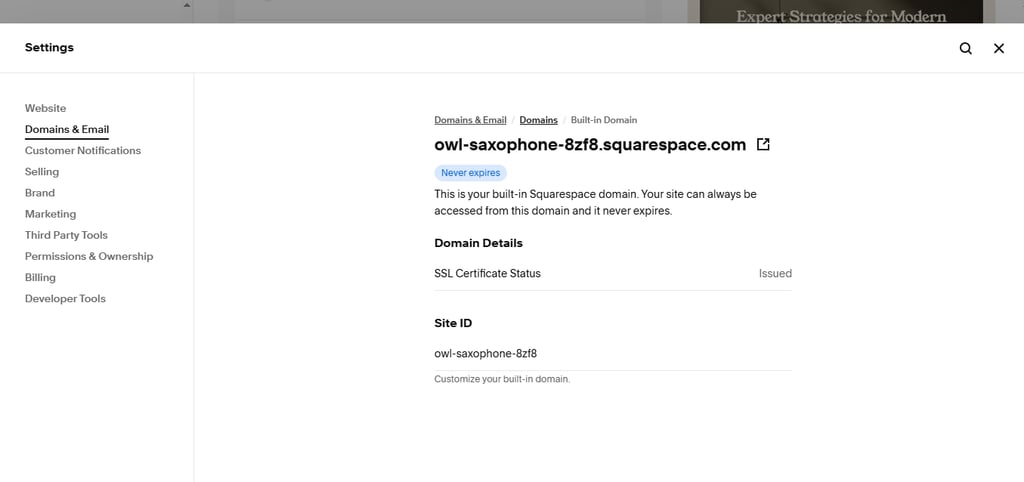
By ensuring top-notch speeds and security, Squarespace directly contributes to enhancing the overall user experience and long-term ranking stability of your website.
On-page control: every tool for content optimization
Moving on to the more interesting part, manual controls are what content content creators use daily for relevance. While the foundation is automated, the “context” of the site depends entirely on precise user input.
Squarespace provides dedicated fields for every SEO-critical data point to signal relevance to Google. Unique inputs are crucial for your site’s SEO, which is why you should never leave metadata fields empty or repetitive.
In fact, on-page SEO is the primary way to signal exactly what a specific page is about to search engines. So, let’s see how you can methodically optimize your page using Squarespace SEO tools.
To streamline this manual process, Squarespace recently introduced an AI SEO tool that helps content creators optimize page titles, meta descriptions, and image alt text in minutes. This AI-powered feature analyzes your page content and references your brand identity to generate optimized text. The tool allows you to review, edit, or regenerate the suggestions, providing a fast way to ensure all pages and images meet key SEO standards without starting from scratch.
SEO panel: global vs. page-specific metadata
Site-wide SEO settings provide the global foundation for your website, such as your brand name or base meta description. On the other hand, page SEO settings refer to the targeted optimization for individual pages, like specific keywords and unique meta descriptions.
Simply put, while global settings provide a fallback, unique page-specific metadata is what wins individual keyword battles.
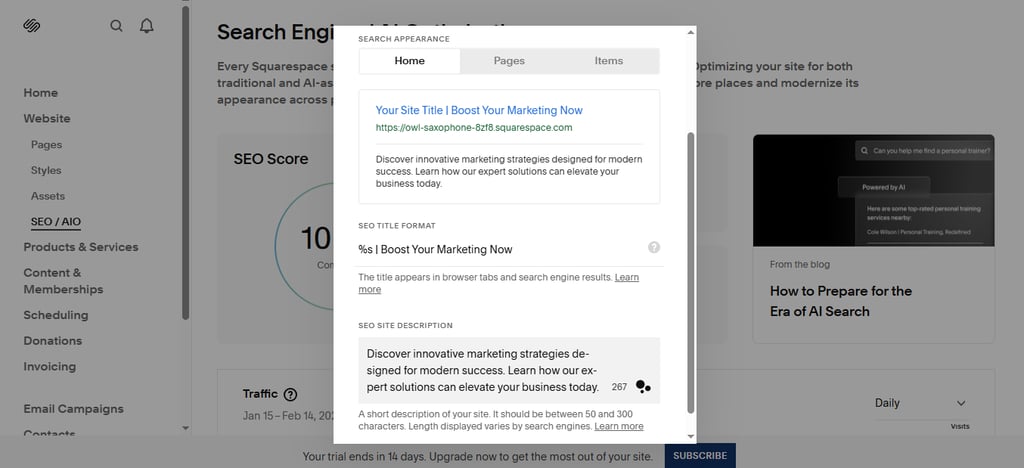
Thanks to the built-in SEO tools, like the “Search Appearance” preview tool, you can check out the live mockup of how your page appears in Google search snippets. The best part is that you can always edit this until it meets your needs and preferences.
In order to maintain brand consistency across the site, you can use placeholders like %s (Site Title), which will pull your business name automatically into the title.
However, when you’re writing the meta title and meta description, it’s crucial to adhere to character limits. Usually, you should stay within 50-60 characters for titles and 150-160 for descriptions to prevent text truncation in results.
One of Squarespace’s strongest features is that it lets you put a different SEO title from the navigation title. As a result, you can use keyword-rich, descriptive phrases to boost your site visibility in search results without cluttering the menu.
Content structure: headings and Fluid Engine
Maintaining a logical hierarchy of heading tags (H1-H4) is vital for both accessibility and SEO, as they act as a structural roadmap for both search bots and visitors. In Squarespace, these tags outline the content.
That’s why your page should ideally have one H1 as the primary title, followed by a logical progression of H2s for major chapters and H3s and H4s for sub-topics. This is crucial as search engines use these semantic markers to index the importance and the connection of your content themes.
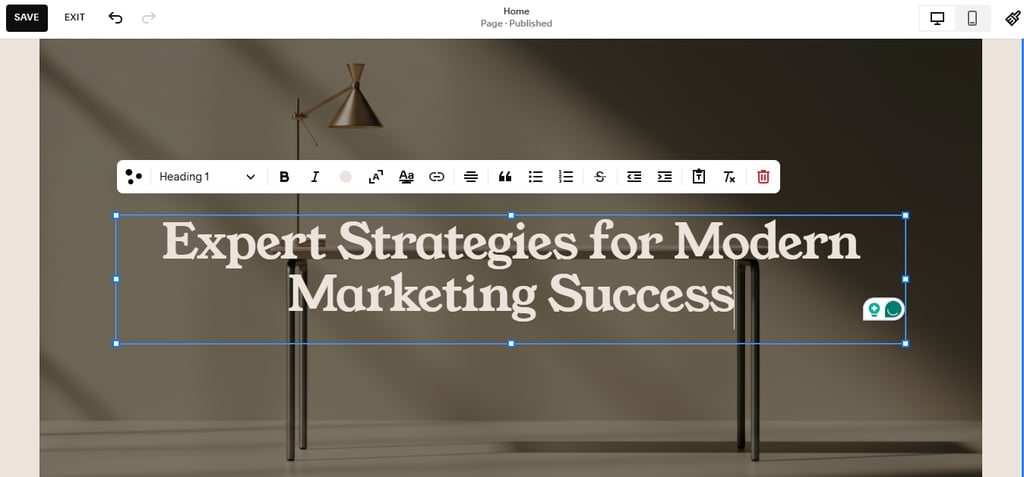
The Fluid Engine editor, which is part of the Squarespace SEO features comes with a drag-and-drop editor for straightforward customization. However, it preserves clean HTML structure regardless of the complex designs.
Unlike older builders that might create a messy code when elements overlap, Fluid Engine’s grid system makes sure that text remains crawlable and distinct from images or blocks. As a result, you can create high-impact layout without sacrificing your website’s SEO.
Image optimization: alt text and filenames
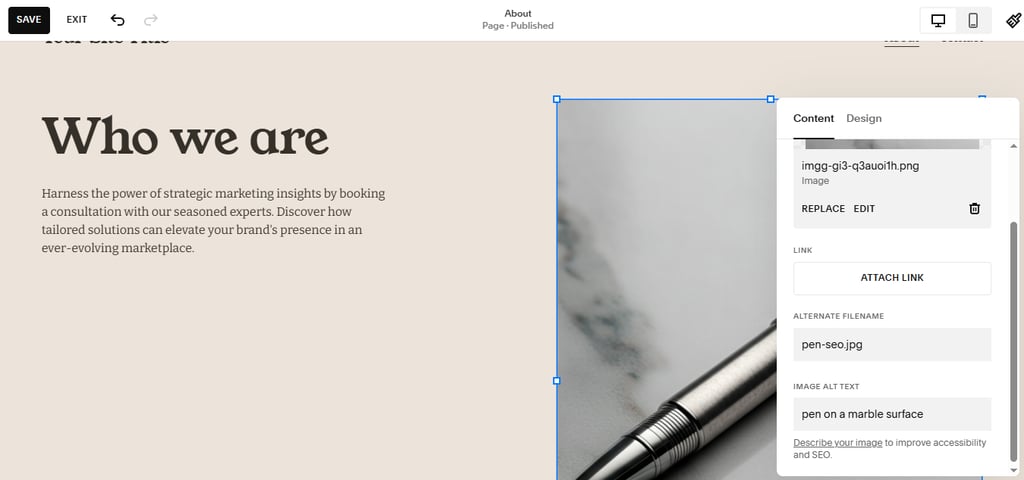
Images are a massive source of search traffic and require specific optimization to be “seen” by bots. Luckily, within the Squarespace Image Block, you can add descriptive, keyword-rich phrases (Alt Text), which is crucial for accessibility and ranking. The platform's AI SEO tool can even suggest relevant, keyword-rich alt text based on the image and page content.
Your optimization should begin on your desktop, by renaming raw files from generic codes, like IMG_001.jpg to descriptive names, such as squarespace-seo.jpg. Thus, you’ll be able to provide additional context before the file hits the server.
What’s more, Squarespace creates multiple versions of each image at different sizes for faster mobile loading. In fact, mobile-responsive image delivery is part of the core infrastructure and is handled automatically. This ensures that you’ll manage a consistent image SEO that improves the overall richness of the page and broadens its organic reach.
Technical controls: advanced settings for power users
In the deeper layers of the Squarespace dashboard, you can find more advanced tools, such as Developer Tools and Advanced settings. These are necessary for site migrations, custom redirects, and managing complex technical requirements.
You can also maintain “Link Equity” through proper technical management of 301 redirects and schema. However, these settings can significantly impact the site if misused.
Each of these features are part of the “Custom” side of Squarespace, which is exactly what sets it apart from more basic web builders. So, let’s check out how they help you create high-traffic, professional sites.
URL mappings and 301 redirects
A 301 redirect is a permanent signal that a page has moved, preventing 404 errors that damage SEO. The 301 redirects are especially important if you’re redesigning your page or if you’re shortening the “slug” of a high-traffic blog post, for example.
By implementing a 301, you’ll ensure that your page’s authority and traffic earned by the original URL will be transferred to the new one without an issue.
In Squarespace, you can manage these movements within the “URL Mappings” interface. The platform utilizes line-by-line syntax, /old-url -> /new-url 301, which allows it to engage in bulk Squarespace redirects. Thus, migrating multiple pages at the same time is a breeze.
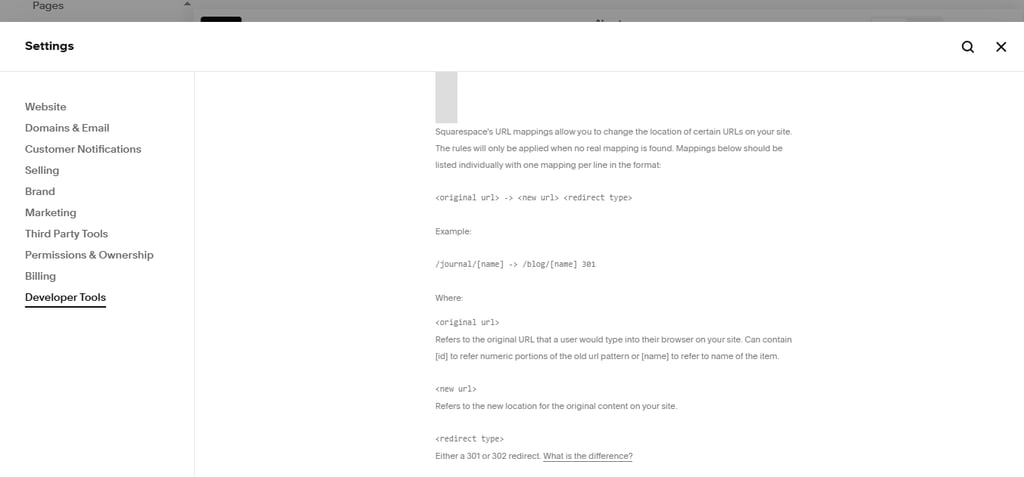
What’s important is that you should distinguish bulk redirects from the “302” (temporary) ones. These redirects don’t pass long-term ranking power to the new URL, which is why you should avoid them for SEO.
Schema markup and rich snippets
“Structured Data” is a specialized code that translates your frontend content (photos, dates, prices, etc.) for search bots to understand it. Thus, it helps your site earn “Rich Snippets,” like star ratings or product prices in search results.
By “tagging” this data, Squarespace helps you increase the visual real estate on the results page and improve click-through rates.
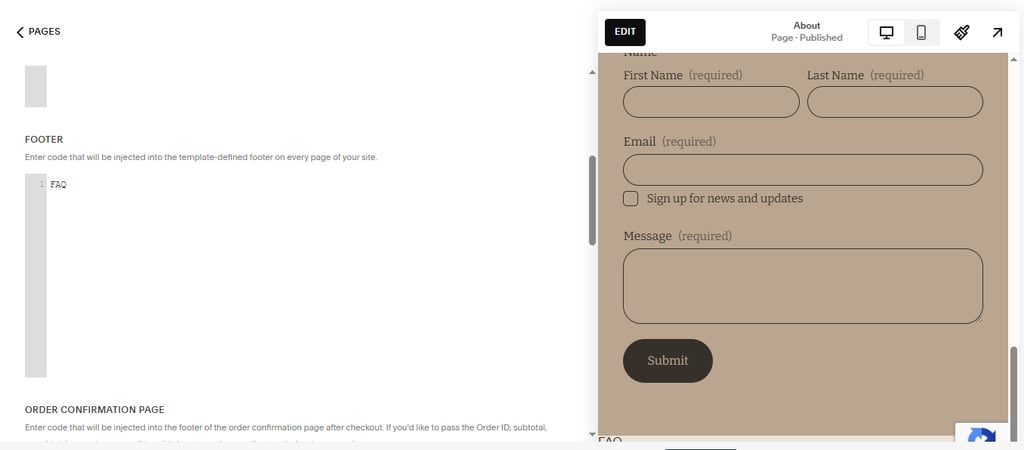
Another great thing about Squarespace is that it automatically implements basic schema for Products, Events, and Course pages. You can even add “Custom JSON-LD” schema using the Advanced Code Injection field for more niche needs, such as FAQs, how-to markups, recipes, and more.
For even more complex scenarios, such as content syndication, you can manually add custom canonical tags to point search engines toward the original source of an article.
Analytics and measurement tools
SEO is an iterative process requiring constant measurement and adjustment based on live data. Luckily, the built-in Analytics panel in Squarespace acts as a powerful feedback loop to see which strategies are actually driving results.
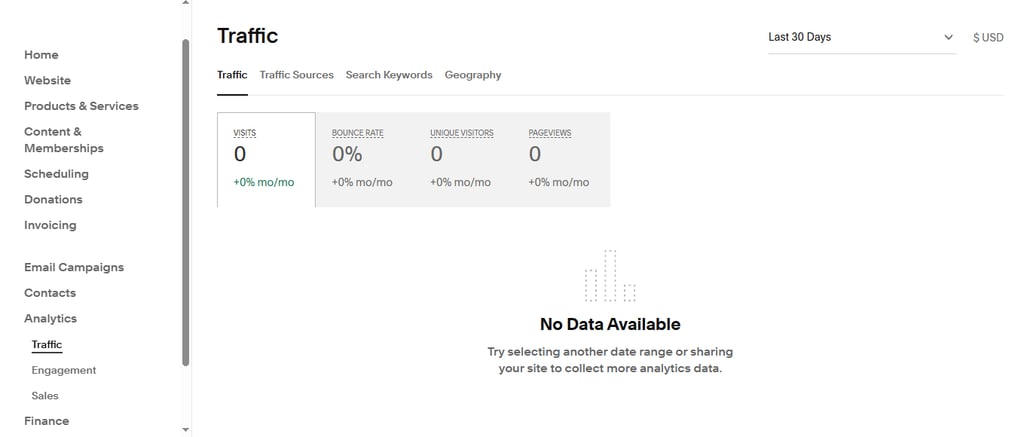
While general “Traffic” metrics, like pageviews and unique visitors, provide a high-level view of your site’s health, the specific “Search Analysis” metrics, like keyword rankings and impressions, offer deeper analysis of your website’s SEO performance. Because this data is integrated directly, it is easier to act on than data in disconnected third-party dashboards.
Make sure you use this data to justify your content choices and spot emerging trends. The best SEO tools are only effective if you actively monitor and respond to the results.
Search keywords analytics
Squarespace’s “Search Keywords” dashboard shows the exact phrases people type into Google to find your site. However, you need to know how to read metrics like Impressions and click-through-rates (CTR) to identify “lost opportunities” or high-performing keywords.
For example, a high number of impressions paired with a low CTR often reveals a lost opportunity, as your site is ranking but your search snippet isn’t attractive enough to win clicks. On the other hand, identifying high-performing keywords can highlight emerging trends, giving you the needed insights to justify a new product category or a new blog post.
Squarespace integrates this data directly inside the CMS from Google Search Console, allowing you to jump from analysis to editing. Just a weekly review of this dashboard can help you spot emerging trends or declining rankings before they become problems. Thus, this integration is one of Squarespace’s strongest “Pro” features for growth.
FAQ
Does Squarespace have an SEO plugin like Yoast?
No, Squarespace doesn’t have an SEO plugin like Yoast. However, due to the built-in nature of the tools, like editable meta titles, descriptions, custom URLs, and automatic sitemap generation, having such a plugin is redundant. You can always review the optimization steps by checking out the Squarespace SEO checklist.
How long does it take for Squarespace sites to rank?
Usually, Squarespace sites need 4-12 months to rank. While indexing can occur in around 24-72 hours after submitting your sitemap, can happen within 24–72 hours of submitting your sitemap, authority building takes more than 6-12 months.
Can I edit my robots.txt on Squarespace?
No, you can’t edit robots.txt on Squarespace. This is a built-in feature that prevents you from accidentally blocking search engines from crawling your entire site. However, your site’s digital blueprint is always at yourdomain.com/sitemap.xml.
Is mobile optimization automatic?
Yes, Squarespace has automatic mobile optimization. Due to the platform’s mobile-first responsive architecture, it automatically creates multiple image file sizes for SEO.