Microsoft Designer
Last updated: 18 December 2025
What is Microsoft Designer?
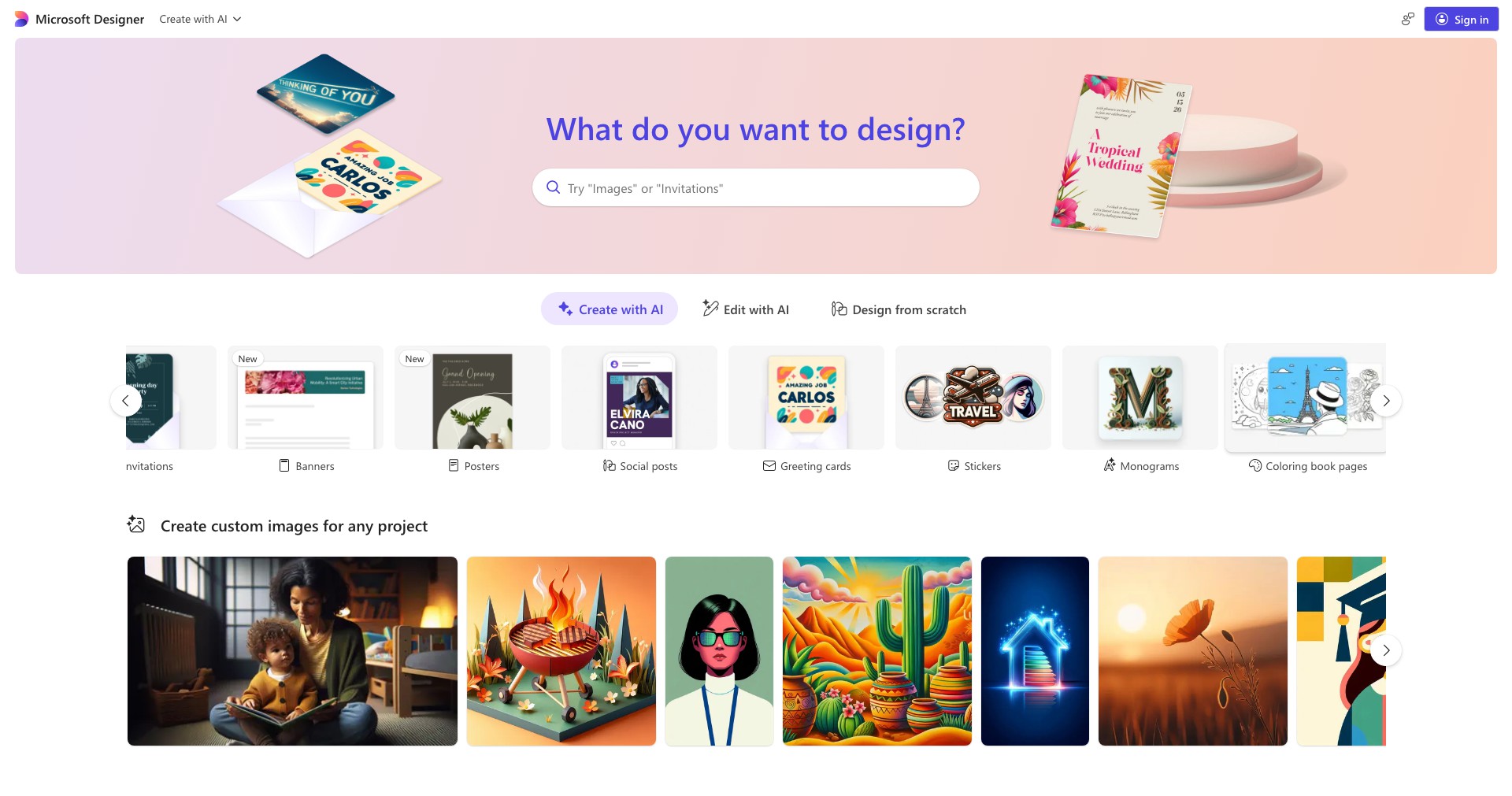
Microsoft Designer is Microsoft’s latest entry into the growing market of AI-powered graphic design tools. Built with technology from OpenAI, Microsoft Designer aims to democratize design by offering intuitive tools that turn simple text prompts into full-fledged social media posts, marketing materials, and more. Its seamless integration with Microsoft’s ecosystem—including OneDrive and PowerPoint—makes it highly accessible for individuals and businesses invested in Microsoft products.
The platform offers an engaging mix of AI-driven features and easy-to-use design tools that eliminate the steep learning curve typical of traditional design software. Whether you’re creating eye-catching visuals for a campaign or a quick personal invitation, Microsoft Designer combines automation and creativity to help users deliver polished, professional-level outcomes quickly.
Key Features:
-
AI-Powered Design Suggestions:
Simply provide a text description of the desired design, and Designer instantly generates multiple creative options. This feature saves time and helps users visually articulate ideas without prior design knowledge. -
Drag-and-Drop Editing:
Easy drag-and-drop functionality makes customizing layouts, images, and text simple and efficient. It streamlines the design process and encourages experimentation for users of all experience levels. -
Content Generation and Captioning:
The integrated AI suggests compelling headlines, captions, and social media text, reducing the need for separate copywriting and ensuring your visuals stay engaging to your target audience. -
Brand Kit Integration:
Users can set up brand colors, fonts, and logos to maintain consistency across all designs. This is particularly useful for businesses and agencies ensuring every asset reflects their branding guidelines. -
Templates and Asset Library:
Thousands of ready-to-use templates, icons, images, and illustrations are available, offering inspiration and a rapid starting point for any design project.
What makes Microsoft Designer unique?
What sets Microsoft Designer apart from its competitors is its deep AI integration powered by advanced language models, allowing even non-designers to create stand-out visuals from natural language prompts. It goes beyond traditional template-based tools by actively generating original layouts and content suggestions on the fly.
Another unique facet is Designer’s tight integration with other Microsoft products such as PowerPoint and OneDrive. This ecosystem synergy means users can effortlessly embed, export, and collaborate on designs within the apps they already use, giving it a distinct advantage for users within the Microsoft environment.
Pros and Cons
Who is using Microsoft Designer?
Small Business Owners: Business owners can quickly produce branded marketing materials, flyers, social posts, and presentations without hiring a designer, saving time and cost.
Content Creators and Marketers: Influencers, marketers, and digital creators can generate on-brand Instagram posts, ads, or YouTube thumbnails in minutes, streamlining their content workflow with AI assistance.
Non-Design Professionals: Teachers, HR managers, and professionals in need of simple presentations, certificates, or training resources can leverage Designer for polished, professional-looking results with little effort.
Product Evolution Timeline
Since its launch, Microsoft Designer has undergone rapid development, incorporating user feedback to enhance its AI engine and broaden its template offerings. Early versions focused heavily on social media post creation, while subsequent updates have expanded assets for presentations, invitations, and business use.
Integration with other Microsoft services has improved significantly, enabling easier workflows between Designer, Office apps, and cloud storage. Collaboration tools have also been added, allowing for real-time edits and feedback.
With ongoing AI enhancements, Microsoft continues to refine text-to-image quality, design automation, and smart suggestions, demonstrating a commitment to keeping Designer at the forefront of accessible, AI-driven creativity tools.
Pricing
| Plan | Price | About |
| Free Version | $0 | Allows access to basic templates, AI features, and editing tools with watermarked outputs in some cases. |
| Microsoft 365 Personal/Family Subscription | Starting at $6.99/month | Unlocks premium templates, advanced AI features, brand kits, and removes watermarks. Also includes access to the broader Microsoft 365 suite. |
Verdict
Microsoft Designer stands out as a robust, AI-driven design tool tailored for users who need fast, professional-quality results without the steep learning curve or price tag of traditional design platforms. The combination of intuitive features, strong integration within Microsoft’s ecosystem, and scalability makes it especially appealing to business professionals, marketers, and creators alike.
Though advanced designers may find some limitations in granular control or niche assets, Designer's continual improvements and accessible pricing model make it an excellent choice for most everyday design needs and for those already invested in Microsoft’s suite of productivity tools.


