Picture To Text Converter
Last updated: 18 December 2025
What is Picture To Text Converter?
Picture To Text Converter is an intelligent online tool that uses Optical Character Recognition (OCR) technology to transform images containing text into editable digital content. Designed for maximum accessibility and efficiency, it is perfect for users needing a quick way to extract text from scanned documents, photographs, screenshots, or handwritten notes.
With just a few clicks, users can upload their images—be it JPG, PNG, or even PDF files—and receive clean, formatted text for use in documents, emails, or digital archives. Whether you're digitizing old lecture notes or copying information from business cards, Picture To Text Converter streamlines the process with impressive accuracy and speed.
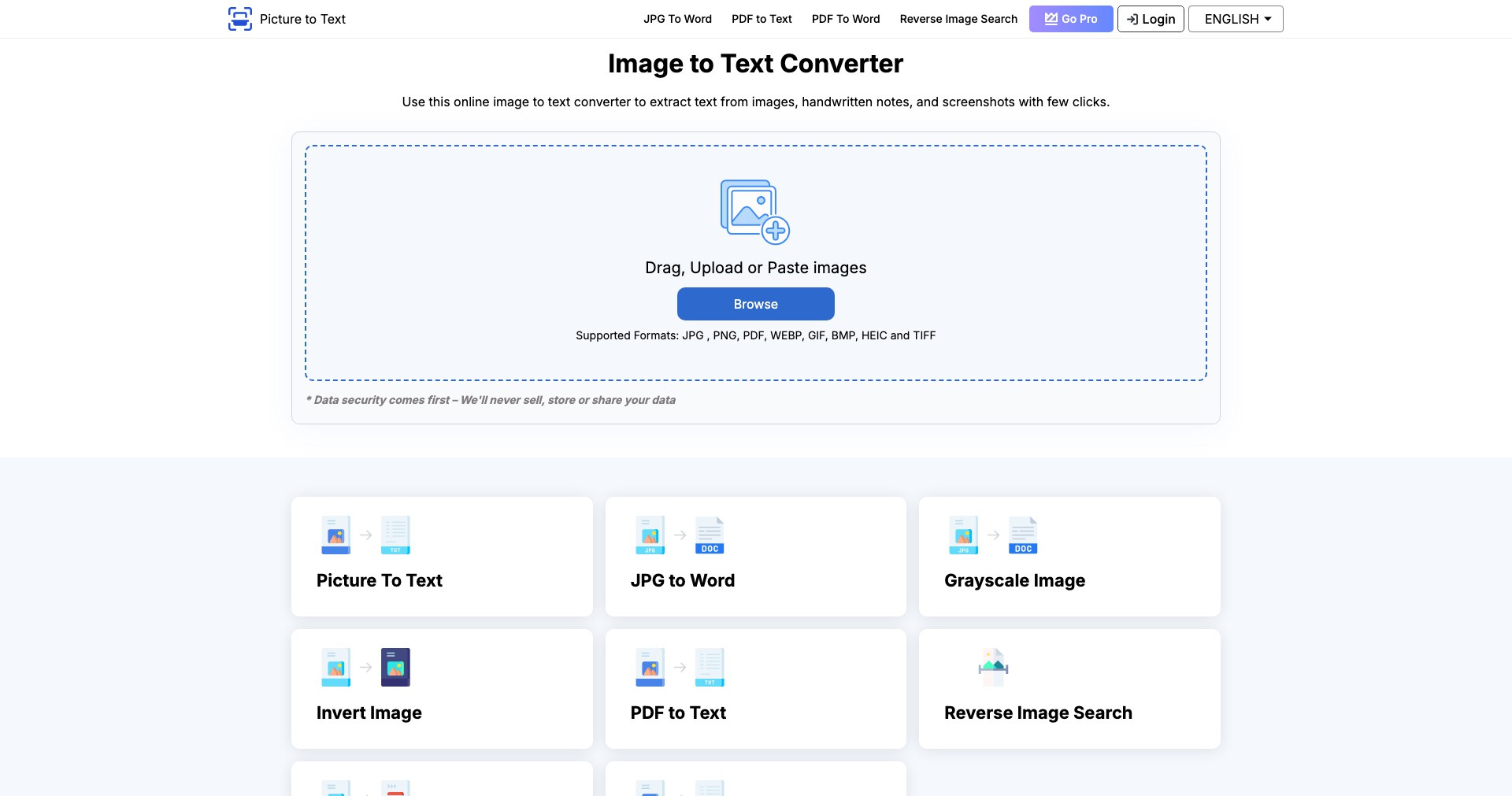
Key Features:
-
One-Click Image Upload:
Allows users to quickly upload images by dragging and dropping or using a direct upload button, streamlining the process and making it accessible even for non-technical users. -
Multi-format Support:
Supports a wide range of file formats like JPG, PNG, GIF, BMP, and PDF, providing versatile use for various image sources. -
Advanced OCR Technology:
Utilizes state-of-the-art Optical Character Recognition, ensuring high accuracy in extracting typed or handwritten text from images. -
Editable Output:
Converts image text into easily editable and searchable plain text, making it convenient for copying, modifying, or archiving information. -
Language Detection and Support:
Can recognize and convert text in multiple languages, catering to a global audience with diverse linguistic needs.
What makes Picture To Text Converter unique?
What makes Picture To Text Converter stand out is its combination of simplicity and powerful OCR capabilities, typically found in much pricier enterprise-level tools. The platform's clean interface lets even first-time users convert text from images without friction, and its high success rate with both printed and handwritten text boosts its reliability compared to many alternatives.
Many converters tend to falter with non-standard fonts or poor image quality, but Picture To Text Converter incorporates robust pre-processing methods to enhance image clarity and maximize text recognition, even in less-than-ideal conditions. Its multi-language support further separates it from basic OCR tools that only handle English text.
Pros and Cons
Who is using Picture To Text Converter?
Students and Academics: Perfect for students and researchers who need to digitize notes, capture textbook excerpts, or scan academic papers for easy reference and editing.
Business Professionals: Great for office workers, managers, and entrepreneurs looking to capture data from business cards, printed documents, or invoices without retyping.
Content Creators and Journalists: Ideal for writers, bloggers, and journalists who often convert screenshots, scanned articles, or physical interview notes into digital text for further editing or publishing.
A Tool in Evolution
Since its inception, Picture To Text Converter has steadily improved its OCR accuracy rate through AI-driven enhancements and updated algorithms, expanding its recognition capabilities from simple machine-printed fonts to complex handwriting and multilingual text.
The platform introduced multi-format and batch processing support, reducing the time spent on repetitive uploads and facilitating conversions at scale for professional users.
Recent updates include better user interface design, mobile compatibility, and cloud integration with productivity suites, making it easier to save, edit, and share converted texts directly from the app.
Pricing
| Plan | Price | About |
| Free | $0 | Basic text extraction features with daily or monthly limits. |
| Freemium | Varies (usually $5-$10/month) | Increased conversion limits and higher OCR accuracy compared to the free tier. |
| Subscription | From $10/month | Unlocks bulk conversion, priority support, and advanced features like cloud export or language packs. |
Verdict
Picture To Text Converter offers a seamless and reliable solution for converting image-based text into editable digital format. Its strong OCR engine, simple interface, and multi-format support make it an invaluable tool for a wide range of users, from students and writers to business professionals.
While advanced features and bulk processing may require a subscription, the free tier is generous enough to satisfy occasional users. For anyone regularly working with both printed and handwritten text in images, this tool stands out for its accessibility and evolving capabilities.


