How to watch Next Gen NYC season 2 from anywhere
Our in-house cybersecurity experts and journalists, renowned for major reports like The Mother of All Breaches, conduct transparent, unbiased VPN testing and in-depth analysis.
With 750+ articles crafted based on real-world research, we empower readers to make informed purchasing decisions through first-hand expertise.
Learn more
Next Gen NYC is a Bravo reality series following a tight-knit group of friends navigating young adulthood in Manhattan. Season 2 premieres on June 24, 2026, and is available to stream on DIRECTV and fuboTV, both of which offer free trials for new users. DIRECTV offers a 5-day free trial, while fuboTV provides a 7-day free trial. However, these services are geo-restricted and only accessible with a US IP address. If you're outside the United States, you'll need a VPN to access the free trials and watch Next Gen NYC from abroad.
How to watch Next Gen NYC for free with a VPN
- Choose a VPN. We recommend NordVPN for streaming. It uses the fast NordLynx protocol for smooth HD streaming, and supports Smart DNS for compatible TVs – ideal for watching reality series without buffering.
- Install the VPN app. Download and install the VPN on your device (Windows, macOS, iOS, Android, or a supported smart TV).
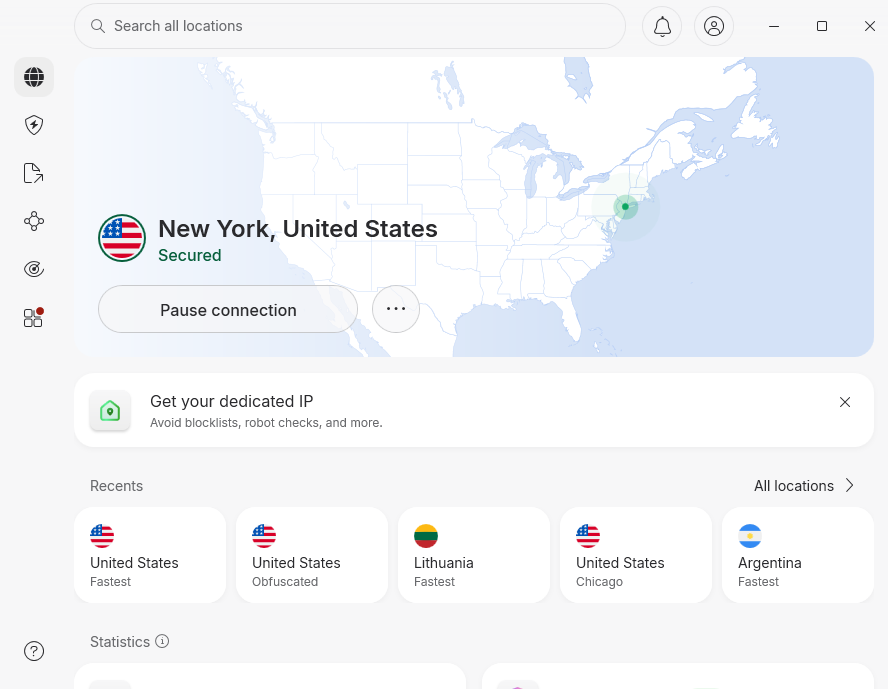
- Connect to a US server. Open the app and select a United States server to get a US IP address.
- Go to DIRECTV or fuboTV. Visit DIRECTV or fuboTV and sign up for a free trial. You'll need to create an account with a valid payment method, but you won't be charged during the trial period.
- Find Next Gen NYC. Search for Next Gen NYC in the Bravo section or use the platform's search function.
- Start streaming for free. Watch Season 2 episodes live or on demand. Keep the VPN connected while streaming.
Where to watch Next Gen NYC – streaming options by country
Below is an overview of official streaming services showing Next Gen NYC in different countries.
| Country | Streaming service | Price | Note |
| United States | DIRECTV | 5-day free trial, then from $79.99/month | Includes Bravo in base package |
| United States | fuboTV | 7-day free trial, then from $79.99/month | Bravo included; live and on-demand |
| United States | Peacock | From $7.99/month | Next-day streaming after TV premiere |
| Australia | 7Bravo | Free | Ad-supported; episodes available after US premiere |
| Global | Hayu | From $6.99/month | Reality TV streaming service; availability varies by region |
Why You Need a VPN to Watch Next Gen NYC
DIRECTV and fuboTV are both geo-restricted streaming platforms that verify your location using your IP address. If you try to access these services from outside the United States, you'll see an error message blocking the content.

A VPN solves this problem by routing your internet connection through a server in the US, giving you a US IP address and making it appear as though you're accessing the service from within the country. This lets you sign up for a free trial and watch Next Gen NYC legally from anywhere in the world.
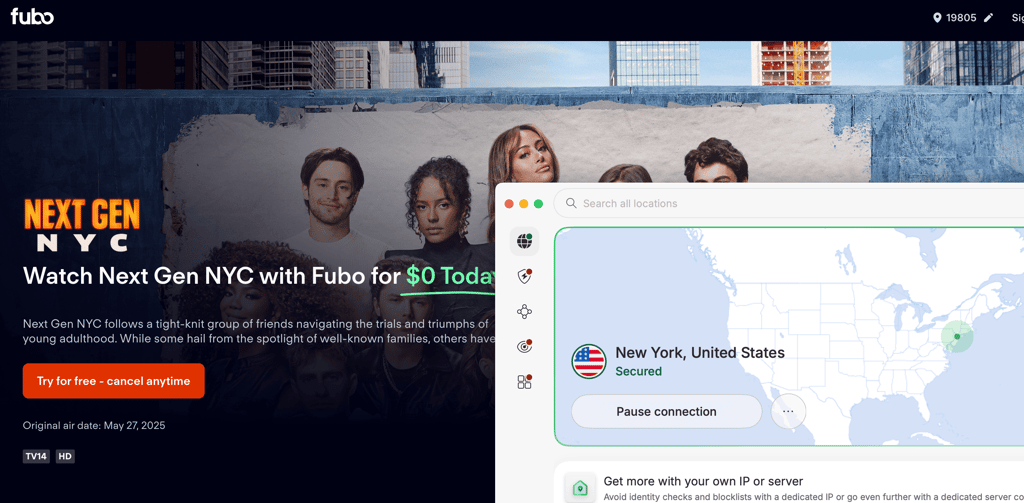
Using a VPN is also helpful for travelers who want to access their home streaming subscriptions while abroad, or for viewers who want to watch episodes on the day they premiere rather than waiting for international release dates.
How to watch Next Gen NYC for free with a VPN – detailed guide
This guide provides step-by-step instructions for watching Next Gen NYC using a VPN to access free trial options on DIRECTV or fuboTV.
Step 1 – Choose a VPN with servers in the United States
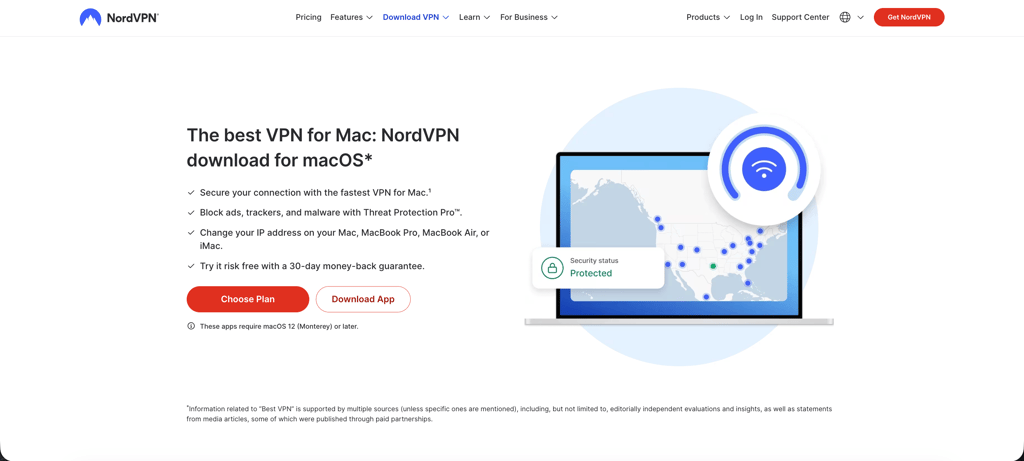
Select a VPN provider with a strong presence in the US and proven ability to unblock streaming platforms. NordVPN is our top recommendation for this use case. It operates in 224 locations, ensuring you can always find a fast, reliable connection. NordVPN uses the NordLynx protocol, which delivers high-speed performance ideal for HD streaming without buffering. It also includes Smart DNS for devices that don't support native VPN apps, such as certain smart TVs. For more options, see our guide to the best VPNs for streaming.
Step 2 – Install the VPN app on your device
Download the VPN app for your device. NordVPN supports Windows, macOS, iOS, Android, Amazon Fire TV, Android TV, and more. If you plan to watch on a smart TV that doesn't support VPN apps natively (such as Samsung or LG models), you can use Smart DNS or install the VPN on your router to cover all devices on your home network. For mobile viewing, install the app from the App Store (iOS) or Google Play Store (Android).
Step 3 – Connect to a server in the United States
Open the VPN app and select a US server from the server list. NordVPN's app includes a Quick Connect feature that automatically selects the fastest available server, or you can manually choose a city-specific server (New York, Los Angeles, Chicago, etc.). Once connected, your IP address will appear to be located in the US, allowing you to access geo-restricted content.
Step 4 – Open DIRECTV or fuboTV
Visit the DIRECTV or fuboTV website in your browser, or download the official app if you're using a mobile device or smart TV. Both platforms require you to create an account and provide a valid payment method to start a free trial. DIRECTV offers a 5-day free trial, while fuboTV offers 7 days. You won't be charged during the trial period, but make sure to cancel before it ends if you don't want to continue the subscription. Use a private browsing window or clear your cookies before signing up to avoid location conflicts.
Step 5 – Find Next Gen NYC and start streaming
Once you're logged in, search for Next Gen NYC using the platform's search function or browse the Bravo channel section. Season 2 episodes are available to stream live as they air on Bravo, or you can watch them on demand shortly after broadcast. Keep your VPN connection active while streaming to maintain access. If you encounter a playback error, try switching to a different US server or restarting the app.
How to watch Next Gen NYC on different devices
Next Gen NYC is available on a wide range of devices through DIRECTV, fuboTV, and other streaming platforms. Below is a breakdown of how to watch on each device type.
Web browser (desktop and mobile): The simplest setup. Install the VPN's desktop app (Windows, macOS, Linux) or mobile app, connect to a US server, then visit the DIRECTV or fuboTV website in any modern browser. Both platforms offer full-featured web players. Clear cookies or use a private window if the site detects a previous session location.
iPhone and iPad: Install the VPN's iOS app from the App Store (available worldwide), connect to a US server, then download the DIRECTV or fuboTV app from the US App Store. If your Apple ID is set to a different country, you can still access the streaming platforms through Safari without changing your account region.
Android phones and tablets: Install the VPN's Android app from the Google Play Store, connect to a US server, then download the DIRECTV or fuboTV app. Both apps are available in the US Play Store. Alternatively, use the mobile website in Chrome with the VPN active.
Smart TVs (Samsung, LG, Google TV, Android TV): Google TV and Android TV support native VPN apps – install the VPN directly from the TV's app store, connect to a US server, then download the DIRECTV or fuboTV app. For Samsung Tizen and LG webOS TVs, use the VPN's Smart DNS feature or install the VPN on your router to cover the entire home network.
Amazon Fire TV Stick: Install the VPN app directly from the Amazon Appstore, connect to a US server, then download the DIRECTV or fuboTV app. This is one of the easiest setups for streaming on a TV.
Apple TV: Apple TV does not support native VPN apps. Use Smart DNS (available with NordVPN and Surfshark) or install the VPN on your router. Once configured, download the DIRECTV or fuboTV app from the US App Store and start streaming.
FAQ
When does Next Gen NYC Season 2 premiere?
Season 2 premiered on Wednesday, June 24, 2026, at 9 PM ET on Bravo.
How many episodes are in Next Gen NYC Season 2?
The episode count for Season 2 has not been officially confirmed, but Season 1 consisted of multiple episodes airing weekly.
Is there a Next Gen NYC after-show?
Yes, the Next Gen NYC After Show kicks off on June 24, 2026, providing behind-the-scenes commentary and cast interviews.
Can I watch Next Gen NYC for free?
Yes. DIRECTV offers a 5-day free trial and fuboTV offers a 7-day free trial, both of which include Bravo. You can use a VPN to access these trials from outside the US.
What is Next Gen NYC about?
Next Gen NYC is a Bravo reality series following a group of friends in their twenties navigating friendship, relationships, and young adulthood in New York City. The cast includes children of celebrities and influencers raised in the spotlight.
Where can I watch Next Gen NYC outside the US?
In Australia, the series airs on 7Bravo. Globally, Hayu offers Next Gen NYC in select regions. Check Hayu's availability in your country or use a VPN to access US streaming platforms.
Do I need a cable subscription to watch Next Gen NYC?
No. You can watch Next Gen NYC through streaming services like DIRECTV, fuboTV, or Peacock without a traditional cable subscription.
Can I watch Next Gen NYC on Peacock?
Yes. Episodes are available on Peacock the day after they air on Bravo. Peacock subscriptions start at $7.99/month.