Bitdefender SecurePass vs LastPass: which is better?
Being behind major reports like The Mother of All Breaches and WhatsApp Data Leak, our in-house cybersecurity experts conduct independent, unbiased testing and thorough analysis of password managers, helping users confidently manage their credentials and sensitive information.
We prioritize transparency by openly sharing detailed descriptions of our in-house testing procedures and methodologies.
Learn more
Even though Bitdefender SecurePass and LastPass are not among the top-rated password managers in 2026, they can still be solid options. Both services cover the basics well and offer useful tools for storing and managing passwords securely.
LastPass stands out with its polished interface, strong encryption, and a wider range of built-in features. While its past security incidents are still worth considering, the provider has continued improving its security and overall user experience.
Meanwhile, Bitdefender SecurePass focuses on affordability and simplicity. It includes practical password management tools at a lower price, although it lacks some of the more advanced features available with LastPass. In this comparison, I’ll break down how both providers performed in my hands-on testing across security, pricing, features, usability, and customer support.
Bitdefender password manager vs LastPass: detailed overview
After thorough analysis, I found that LastPass is a stronger fit for organizations managing multiple users. In contrast, Bitdefender password manager is more tailored to individual users, thanks to its budget-friendly pricing. Here’s a quick rundown:
| NordPass | Bitdefender Password Manager | LastPass | |
| ⭐ Rating: | |||
| 🥇 Overall rank: | #1 out of #20 | #10 out of #20 | #14 out of #20 |
| 🔥 Coupons: | NordPass coupon 53% OFF | Bitdefender Password Manager coupon starting at $2.99/month! | LastPass coupon for $3.00/month |
| 💵 Price: | From $1.38/month | From $2.99/month | From $3.00/month |
| ✂️ Free version: | Yes, plus it includes a 30-day money-back guarantee | 30-day money-back guarantee | Yes, plus 30-day money-back guarantee |
| 🔒 Encryption: | XChaCha20 | AES-256 | AES-256 |
| 🖥️ Platforms: | Windows, macOS, Linux, Android, iOS | Windows, macOS, Android, iOS | Windows, macOS, Linux, Android, iOS |
| 🌐 Browser extensions: | Chrome, Edge, Firefox, Opera, Safari, Brave, Vivaldi | Chrome, Edge, Firefox, Safari | Chrome, Firefox, Opera, Safari, Edge |

Key differences between Bitdefender SecurePass and LastPass
Bitdefender and LastPass are both solid password managers, but they focus on different types of users. Bitdefender is better suited for individuals looking for extra features and stronger support, while LastPass stands out with its free tier and business-focused plans.
Choose Bitdefender SecurePass if:
- You want a provider without a history of major breaches. Unlike LastPass, Bitdefender hasn’t suffered a major public security incident, which makes it easier to trust despite the lack of public audit reports.
- You want more value for individual use. Bitdefender includes features like Secure Me remote logout, Identity Management, password leak alerts, and Auto Lock, while keeping pricing affordable.
- You prefer stronger customer support. Bitdefender offers 24/7 live chat, email, community forums, and phone support, giving it an advantage over LastPass.
For the full breakdown of this provider, check out our Bitdefender SecurePass review.
Choose LastPass if:
- You want a free password manager. LastPass includes a free plan for 1 device with unlimited password storage and core password management features.
- You need family or business plans. LastPass supports up to 6 users on its Families plan and also offers business-focused subscriptions, while Bitdefender only has an individual plan.
- You want more advanced MFA and platform support. LastPass supports Linux and offers more authentication options, including YubiKey, RSA SecurID, and authenticator apps.
Plans and pricing comparison
Since LastPass has a free plan, it might seem like the obvious winner in this battle, especially considering that both Bitdefender's and LastPass' individual plans cost basically the same.
| Plan | Bitdefender password manager | LastPass |
| Free version | ❌ No | ✅ Yes |
| Individual/Premium | $2.99/month | $3.00/month |
| Shared/Families | No shared plans | $4.00/month (6 users) |
| Business | No business plans | From $4.25/month |
| Try Bitdefender PM | Try LastPass |

Besides the Free plan, LastPass also offers Business plans that start from $4.25/month. If you’re running a startup or a larger business and need to protect multiple users’ passwords at once, LastPass is the only option of the two.
Although Bitdefender doesn’t offer a free version, you can use the 30-day money-back guarantee to test its plans with all the premium features without committing to it full-time. If you cancel the subscription before the trial ends, you can get a full refund.
LastPass pricing
LastPass offers a free password manager plan and 5 different premium plans, including three unique business solutions. Here's a quick rundown:
- Free – $0.00 (1 user)
- Premium – $3.00/month (1 user)
- Families – $4.00/month (up to 6 users)
- Teams, Business, and Business Max – from $4.25/month (up to 50 users)
LastPass Free offers basic password manager features, such as unlimited passwords, password autosave and autofill, passwordless login (biometrics, LastPass Authenticator app, or FIDO2-certified authenticator), a password generator, a security dashboard, and dark web monitoring. If you don’t want to spend any money, this is certainly an option you might consider. However, note that premium versions are paid for a reason.
LastPass Premium ($3.00/month) includes everything that the free plan has, plus access across unlimited devices, 1GB of encrypted file storage, safe password sharing, advanced MFA (fingerprint, card readers, and YubiKey), emergency access, and personalized customer support.
LastPass Families ($4.00/month) provides an account with up to 6 personal password vaults for 6 users. You also get a family manager dashboard and unlimited password sharing. Compared to the Bitdefender password manager, you can include more users since Bitdefender doesn't offer a shared plan at all, so LastPass is a better password manager choice for families.
LastPass Teams, Business, and Business Max plans (from $4.25/month) are built for startups and larger organizations. The Teams plan supports up to 50 users, while you can support unlimited accounts using the Business or Business Max subscriptions. These plans include passwordless logins, password sharing, integrated SSO apps, and other business-focused features.
Bitdefender password manager pricing
Bitdefender may not have a free version, but it comes with a 30-day money-back guarantee you can use as a free trial. While it doesn’t offer a business-focused plan, it’s perfect for individual use:
- Individual – $2.99/month (1 user)
The Bitdefender password manager comes with the premium Bitdefender antivirus plans: Antivirus Plus, Internet Security, and Total Security. Pricing starts from $12.99/year. However, you can also purchase the password manager separately.
Bitdefender password manager Individual ($2.99/month) offers a password generator, password autosave and autofill features, password quality checks, synchronization across platforms, auto-lock, auto-recovery, password leak alerts, secure notes, and other great features. Unfortunately, Bitdefender SecurePass only has one plan that covers only one person.
Security overview
Both SecurePass and LastPass use the same type of encryption (AES-256) and employ two-factor authentication (2FA). However, only LastPass has been audited by a third-party firm, or so it claims. LastPass claims to undergo independent security audits, but I couldn't find any of the reports for the public to review, which is disappointing. Moreover, LastPass has been involved in several security-related scandals. Therefore, it’s difficult to recommend either provider from a security standpoint.
In 2023, LastPass confirmed a major data breach, and the reputation of the company suffered immensely. While Bitdefender password manager hasn’t suffered the same fate, the product still raises concerns. That’s primarily because neither of the password managers has a single independent audit report. This is one of the main reasons why neither provider is on our list of top password managers of 2026.
While I cannot in clear conscience recommend either LastPass or Bitdefender password manager as a secure app for managing your logins, let’s take a look at what security benefits each one brings to the table.

Encryption
Both LastPass and the Bitdefender password manager use AES-256 encryption, which is considered one of the strongest methods of encryption. It’s virtually uncrackable, which should ensure that your data remains unreadable to unauthorized parties.
What I learned during a our in-depth LastPass review is that the password manager receives only pre-encrypted data and sends only encrypted chunks of data. Unfortunately, these claims have been debunked when 25 million users discovered that malicious hackers had gained access to both encrypted and unencrypted data.
When it comes to Bitdefender, it also uses AES-256 encryption. It employs extra secure SHA512, BCRYPT, HTTPS, and WSS protocols for data transmission. The data is encrypted locally, so only the user has access to it, meaning even Bitdefender can't see it. The account is protected with a master password, known only to the user, which should provide a high level of security.
Two-factor and multi-factor authentication
2FA and MFA are offered by both LastPass and Bitdefender password managers. This means you have to perform additional steps before accessing your password manager account. This ensures an extra layer of security.
LastPass offers different methods of 2FA and MFA, including LastPass Authenticator, smartphone apps (e.g., Google Authenticator, Microsoft Authenticator, or Symantec VIP), software-based services (e.g., LastPass Grid or LastPass Sesame), and hardware tokens (e.g., YubiKey or RSA SecurID).
Furthermore, LastPass’ MFA lets you combine more than 2 factors to protect access to your sensitive data. On top of this, you can even select which services to apply to the MFA, which devices to trust, and much more.
Just like LastPass, the Bitdefender password manager also enables you to set up multiple authentication steps for additional security. You can use a PIN, a master password, or biometric authentication (e.g., face or fingerprint authentication via Apple Face ID, Touch ID, or Microsoft’s Windows Hello).
In contrast, Bitwarden specifically offers free and premium authentication methods for the password manager users. Free options include using FIDO2 WebAuthn credentials, an authenticator app (e.g., Bitwarden Authenticator), or email. Premium options include Duo Security with Duo Push, phone call, SMS, and security keys or YubiKey (any 4/5 series device or YubiKey NEO/NFC).
Third-party security audits
Password manager safety is one of the most important aspects, as they hold your valuable data. Something that really concerns users and causes doubts about both the Bitdefender password manager and LastPass is that they are not open-source password managers. In other words, no one can really inspect the platforms for security issues and different vulnerabilities. If you’re looking for a reputable open-source password manager, Bitwarden is a great option.
What’s more, neither have never undergone third-party audits to prove they work securely. While LastPass claims it has undergone a security audit, there are no publicly available reports proving it. Because of this, you basically will need to trust the providers’ security promises if you decide to subscribe to their plans.
Bitdefender password manager vs LastPass: feature overview
Bitdefender SecurePass and LastPass offer a decent range of features that improve your overall password management experience, including autofill, autosave, password generation, and security reports. Both allow you to import and export passwords for easy setup as well.
Password generator
Both LastPass and Bitdefender come with great password generators that can help you build complex and safe passwords for all of your accounts. However, while LastPass can create passphrases, Bitdefender is limited to passwords.
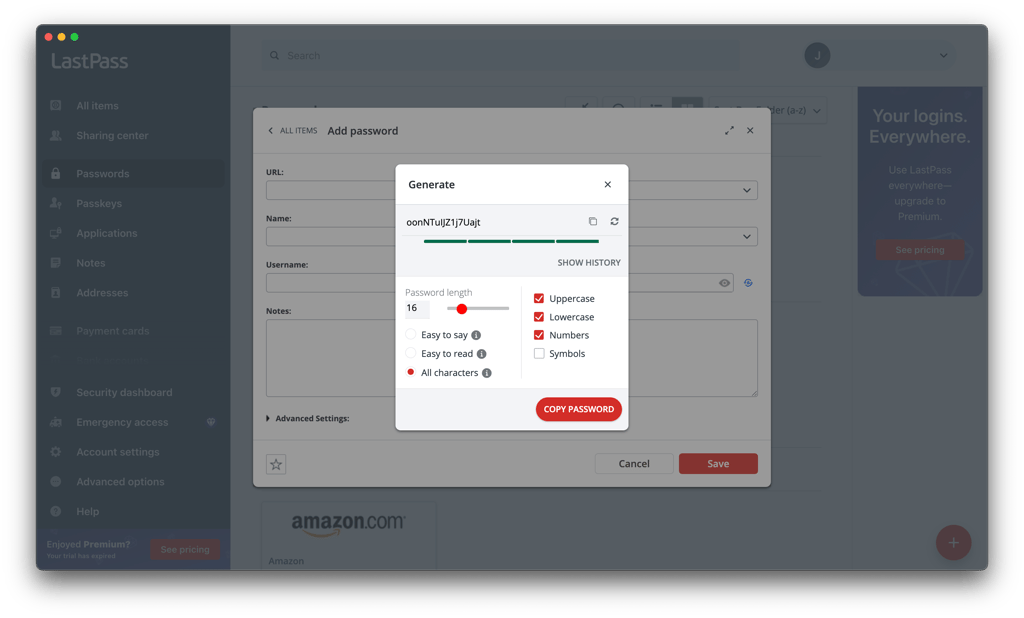
One of the best LastPass features is its password generator. It allows you to create extra-strong passwords for all of your accounts. You can generate unique passwords that have numbers, symbols, and both upper and lowercase letters. So, you can avoid reusing the same password or using weak combinations.
What’s also great about the LastPass password generator is that you can choose how strong your passwords are. For instance, you can customize whether to include or omit numbers and symbols, select the length of your password, or make it easier to read and pronounce.
The Bitdefender password manager also includes a password generator, which allows you to create passwords that are made of random upper and lowercase letters, numbers, and special characters.
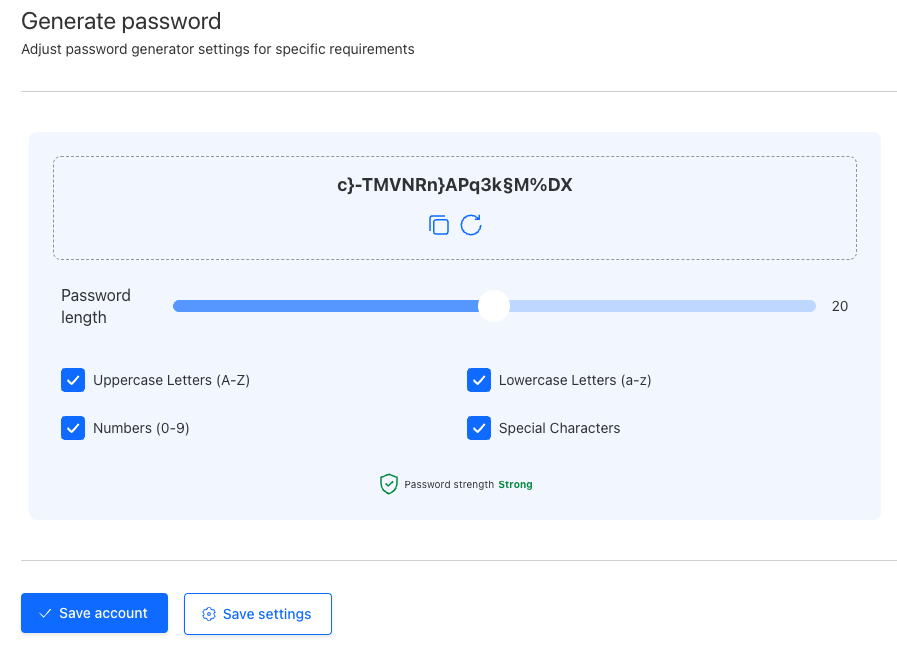
Unfortunately, the Bitdefender password manager cannot create passphrases. On the other hand, it automatically indicates the strength of your password. Also, it offers password capturing, saving and autofilling, password sync, Auto Lock setup (you can lock your manager with a PIN), and an account recovery key, among other great benefits.
Password importing
Both the Bitdefender password manager and LastPass allow you to import passwords.
With LastPass, all you have to do is log in to the app and click Import. You can import from Bitwarden, Dashlane, KeePass, Keeper, 1Password, and RoboForm. You can import from Chrome, Firefox, Edge, Opera, and Safari web browsers too. The provider also supports CSV files for password importing.
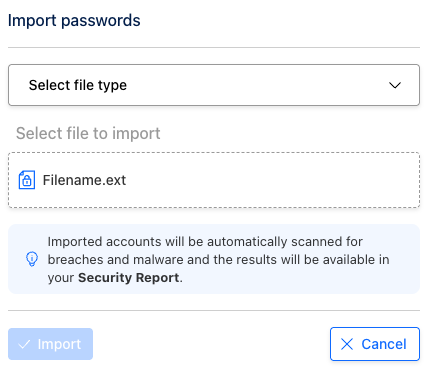
The Bitdefender password manager allows importing passwords from other apps, including Bitdefender Wallet, 1Password, Bitwarden, Dashlane, and LastPass. You can also export/import from web browsers like Chrome, Edge, and Firefox. The app supports JSON, CSV, XML, TXT, 1PIF, and FSK files for exporting/importing.
Security report
When it comes to security, you get reports from both LastPass and Bitdefender. Let’s see how they differ.
LastPass’s security report is called Security Challenge. This is an analytics feature that scans all of your stored passwords and evaluates their complexity. This tool allows you to assess whether the password you’re using is secure.
The Bitdefender password manager has a comparable feature called Security report. It offers password quality checks and breach monitoring to identify weak, duplicate, and old passwords. These functionalities help the password manager search for leaked personal information like usernames, email addresses, passwords, or credit card details. It uses databases like Have I Been Pwned to provide up-to-date data.

While both providers might seem comparable, Bitdefender also comes with some pretty amazing additional features. For example, Secure Me allows you to remotely log out of your password manager on other platforms or devices. You can add info like Identities (for various forms), credit card details, and secure notes.

Also, there is a possibility to manage blocked and unique websites. You can set blocked websites to ensure the Bitdefender password manager doesn’t store or fill credentials on specific sites, and you can set unique websites to be able to create multiple accounts with the same username on your chosen sites.
Platforms, interface, and ease of use
Bitdefender password manager and LastPass are compatible with all popular operating systems, including Windows, macOS, Android, and iOS. The only difference is that in addition to Chrome, Edge, Firefox, and Safari, LastPass also includes browser extensions for Opera.
| Bitdefender password manager | LastPass | |
| Supported OS | Windows, macOS, Android, iOS | Windows, macOS, Linux, Android, iOS |
| Browser extension | Chrome, Edge, Firefox, Safari | Chrome, Firefox, Opera, Safari, Edge |
| Number of users (personal plans) | Up to 1 | Up to 6 |
Desktop apps
You can download LastPass and Bitdefender on Windows, macOS, Android, and iOS devices. LastPass stands out by supporting Linux as well. Both providers offer quick and seamless setups.
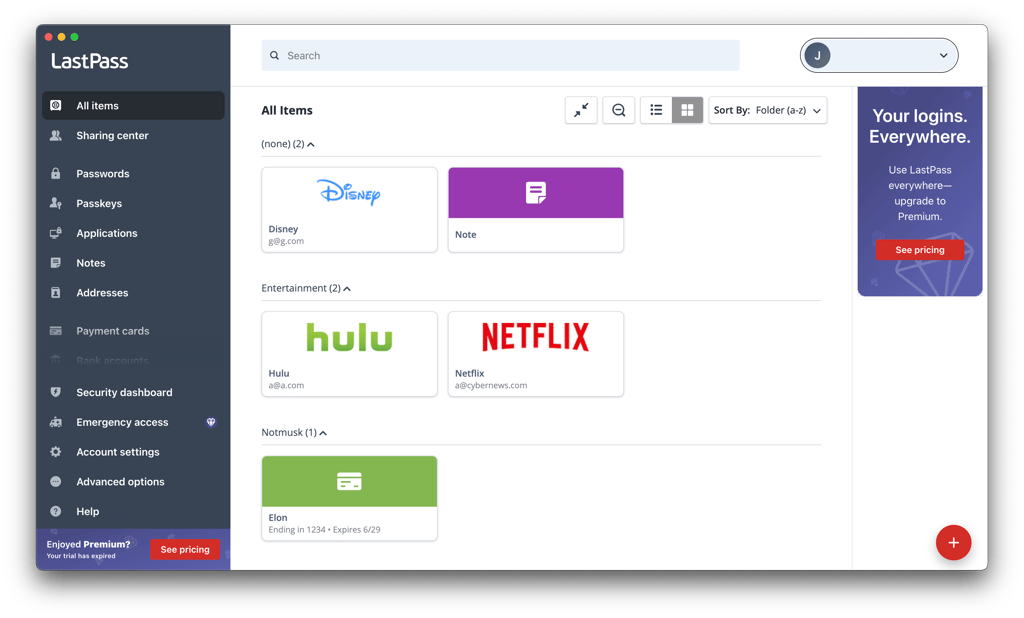
LastPass comes with a web client, which is where you keep your login data and other private information. You can manage your account’s settings and all of the data stored in the vault. This web client is organized similarly to your desktop (or local) vault.
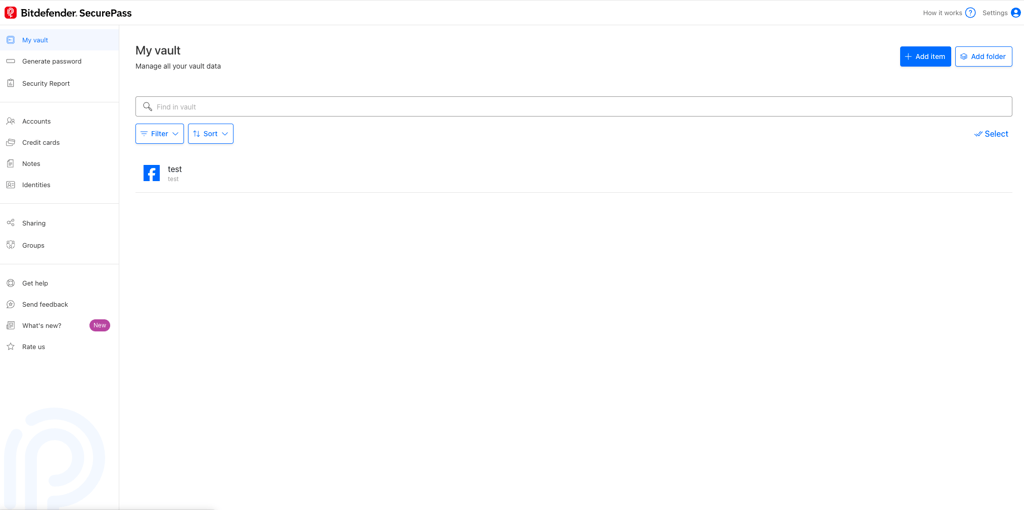
The Bitdefender password manager offers an app with a neat dashboard. The main interface presents you with all your accounts and a convenient search bar to help you find data more quickly.
Bitdefender does not autofill passwords automatically – it requires a prompt from you. But all you have to do is click on the Bitdefender icon in the password box and select the account whose data you want autofilled.
The password manager also provides you with the option to snooze Bitdefender password manager or disable permanently if you want to block autofilling altogether.
Browser extensions
Bitdefender and LastPass offer browser extensions for Chrome, Firefox, Safari, and Edge browsers. However, LastPass additionally supports Opera browser users too, which I appreciate.
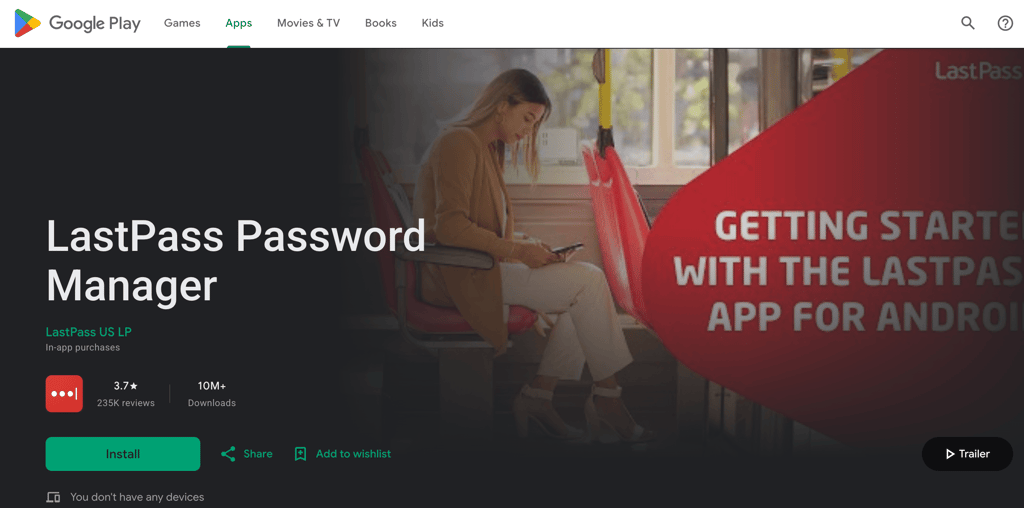
The Bitdefender password manager offers extensions with a minimalistic, modern, and quite intuitive interface – you can easily find all the features and tools.
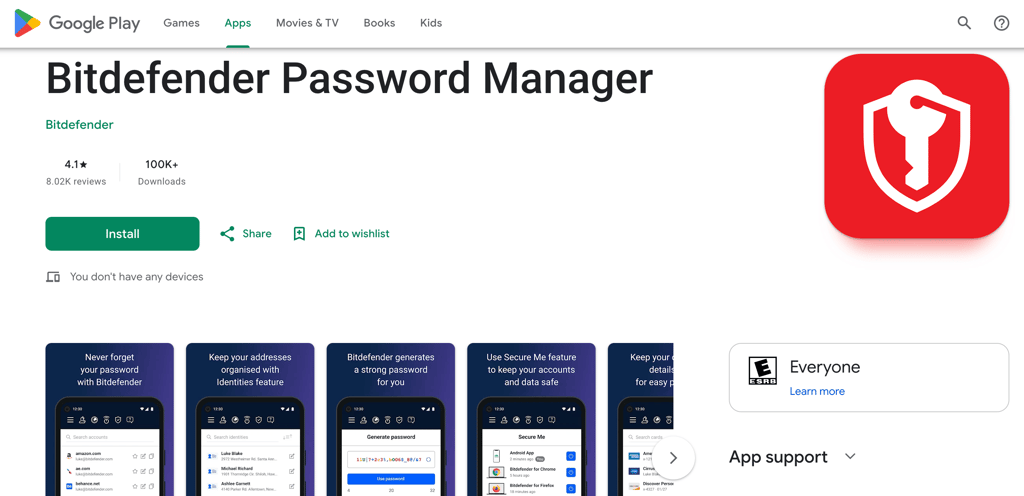
After creating an account and buying a subscription, you can log in to the Bitdefender Central platform, where you can download and manage all your Bitdefender tools, including the password manager. Here, you can install the app on your browser or mobile device, and there are clear instructions on how to do it.
Mobile apps
Both the Bitdefender password manager and LastPass come with mobile apps for iOS and Android, and you can get them from the Google Play Store or Apple App Store. However, it seems like LastPass’ mobile app is more user-friendly than the Bitdefender one.
While there are not many password-generation features, the LastPass mobile app does the job perfectly. On the other hand, when I tested Bitdefender on mobile devices, the autofilling process wasn’t so smooth. When entering credentials, you have to enter the password manager’s PIN to retrieve the details.
Customer support
Although both Bitdefender password manager and LastPass offer a variety of customer support options, Bitdefender SecurePass wraps up our comparison with a win because it offers more extensive support. Here's a quick rundown of ways you can contact SecurePass and LastPass support:
| Bitdefender SecurePass | LastPass | |
| 24/7 live chat | ✅ Yes | ✅ Yes |
| Phone | ✅ Yes | ❌ No |
| ✅ Yes | ✅ Yes | |
| Knowledge base | ✅ Yes | ✅ Yes |
| Community forums | ✅ Yes | ✅ Yes |
Regardless of whether you choose LastPass or Bitdefender SecurePass, you will receive 24/7 live chat, email support, an extensive knowledge base, and community forums. LastPass offers an option to request a callback, but it is only available to paid users. Therefore, if you encounter issues with your free version, you'll need to rely on alternative options.
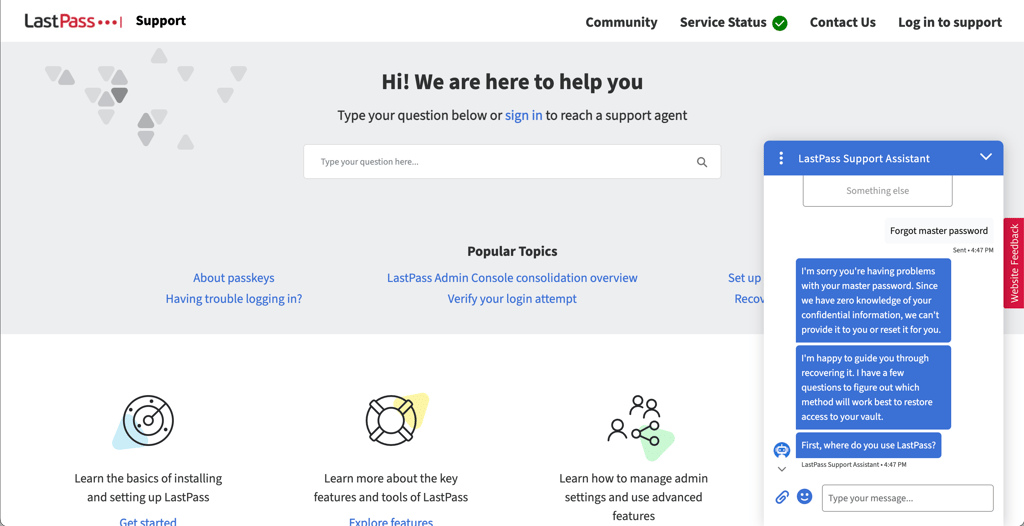
However, what makes the Bitdefender password manager stand out is its phone support that’s available in the US, the UK, Canada, Australia, New Zealand, and Belgium. There’s also a WorldWide phone line for people across the globe.
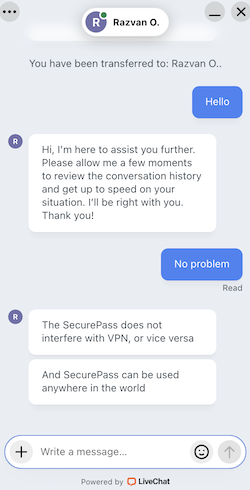
Bitdefender links to all the most essential guides straight from the homepage of the Support Center. This allows users to find answers to all the burning questions independently.
Bitdefender password manager vs LastPass: final verdict
While Bitdefender password manager and LastPass share many similarities, Bitdefender SecurePass emerges as the clear victor in terms of features and support. Though Bitdefender's plan selection is more limited, it compensates with enhanced functionality, including Identity Management and Auto Lock capabilities, and superior customer support channels.
Both platforms appear evenly matched in security measures and user experience. However, LastPass's significant data breach history remains a critical factor that makes it difficult to recommend with confidence.
Looking at the complete picture – cost-effectiveness, feature richness, and customer service quality – Bitdefender password manager takes the crown. It consistently delivers greater value through budget-friendly individual plans, more sophisticated tools, and a more robust support infrastructure that truly serves its users' needs.
FAQ
Which password manager is better – Bitdefender or LastPass?
Based on our testing, Bitdefender password manager is better than LastPass. It enables access to more advanced features and guarantees top-notch customer support that includes a phone line and a community center – all at the same price as LastPass.
Does Bitdefender password manager generate passwords?
Yes, the Bitdefender password manager can generate passwords. You can create combinations from 32 numbers, special characters, and upper and lowercase letters. The app also indicates the strength of each password to help you assess them all.
Can I trust the Bitdefender password manager?
Yes, the Bitdefender password manager is considered trustworthy. However, while it hasn’t experienced a data breach like LastPass, it hasn’t been evaluated by independent third-party auditors like our top password managers either.