Format vs Squarespace (2026): which website builder is better?
Our team of experts and researchers rigorously test and evaluate website builders through transparent, in-depth testing procedures and methods using both in-house and industry-approved tools.
Drawing on cybersecurity insights, we provide unbiased, empirical rankings and analysis to help users make informed digital platform choices.
Learn more

Increasing online visibility is one of the most effective ways to promote your business, but many entrepreneurs and website owners find it to be a costly endeavor. After all, you need to hire a few programmers, web designers, SEO specialists, and other professionals to make it work, right?
Fortunately, it’s not that complicated anymore, as website builders have become an increasingly popular, not to mention cost-effective alternative. The tricky part is choosing between them – especially when it comes to Format vs Squarespace comparison.
That’s why I worked together with the Cybernews research team to make this decision at least a bit easier for you. In this guide, I go over the key points to consider when it comes to Format vs Squarespace to lead you to a confident decision.




Our in-house research team and expert writers work hand in hand to regularly test website builders and provide accurate and fact-checked information. Discover the ins and outs of how we test and evaluate website builders.
Key takeaways: Format vs Squarespace
- Squarespace is the better all-around choice – it offers broader functionality, making it ideal for businesses, bloggers, and anyone building more than just a portfolio site.
- Format is tailored for creatives – photographers, designers, and artists will benefit most from its portfolio-first approach and streamlined workflow tools.
- Squarespace provides stronger eCommerce capabilities – with advanced inventory management, marketing tools, and scalability, it’s better suited for growing online stores.
- Format is more affordable and simpler – starting at $10.00/month, it’s a cost-effective option for users who don’t need complex features and want to showcase work quickly. Meanwhile, Squarespace’s cost starts at $16.00/month.
- Design flexibility favors Squarespace – while both offer high-quality templates, Squarespace includes more variety and deeper customization options (including limited custom code support).
- Ease of use is comparable, with slight differences – Format’s editor is more straightforward, while Squarespace’s section-based builder offers more control but may take longer to master.
Format vs Squarespace 2026: my verdict
After reviewing all the data I’ve assembled for this research, I can say that Squarespace is superior to Format in terms of overall website building. While Format is a tailored fit for creative individuals looking to land new gigs or opportunities by showcasing their portfolios, Squarespace is a better choice for small businesses, startups, and individuals launching their first website.
| Website builder | Squarespace | Format |
| Rating | ||
| Price | From $16.00/month | From $10.00/month |
| Ease of use | Beginner-focused | Easy to use, focused on building portfolio-based sites |
| Templates | 199+ website templates | Many different website options |
| Business features | Native eCommerce and marketing features | Online portfolio, workflow, and sales features |
| 24/7 live support | ✅ Yes | ✅ Yes |
| Free domain (first year) | ✅ Yes | ✅ Yes (only with the annual plans) |
| Free SSL certificate | ✅ Yes | ✅ Yes |

Format vs Squarespace: ease of use and setup
While both options are very intuitive, there are some subtle differences. I’d say that Squarespace is a bit more hands-on, as it allows you to craft a custom website, regardless of the target goal or niche.
I also liked its questionnaire-style onboarding process, which I even timed using a stopwatch; as it turns out, you can start building your site in under 5 minutes.
It begins with the basic question of “What’s your site about?". For the sake of this comparison, I went with “Portfolio”. From there, you can tell Squarespace what the site will be all about. You can tick all the boxes from selling products to collecting donations, scheduling appointments, or showcasing your work or expertise.
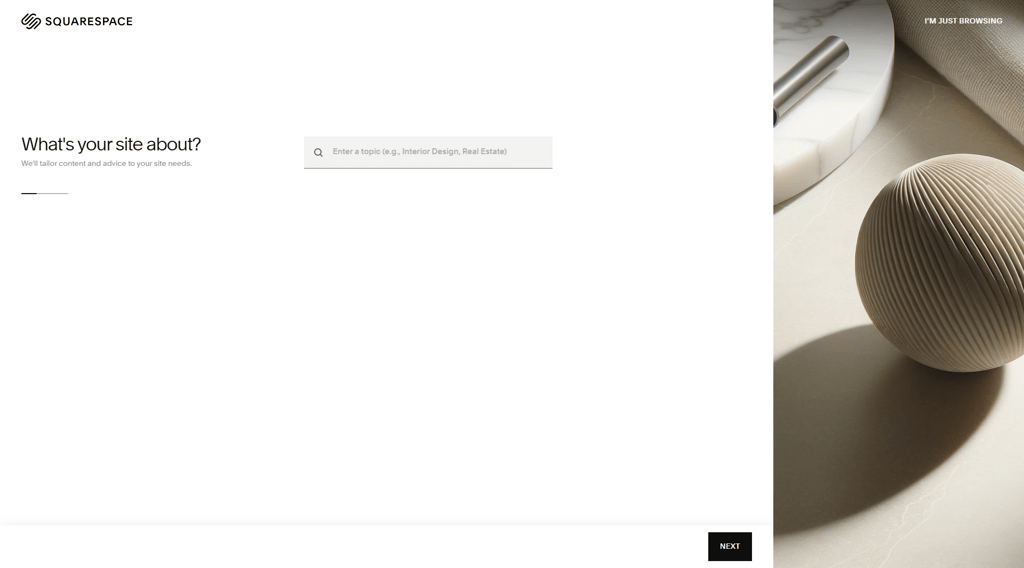
From there, Squarespace can also craft a custom-fit template. You’ll be able to choose the template you like the most, and then proceed with the website creation process. Now, this is where you might need some more time; I’d say between 20 and 30 minutes is enough to get comfortable with all the features.
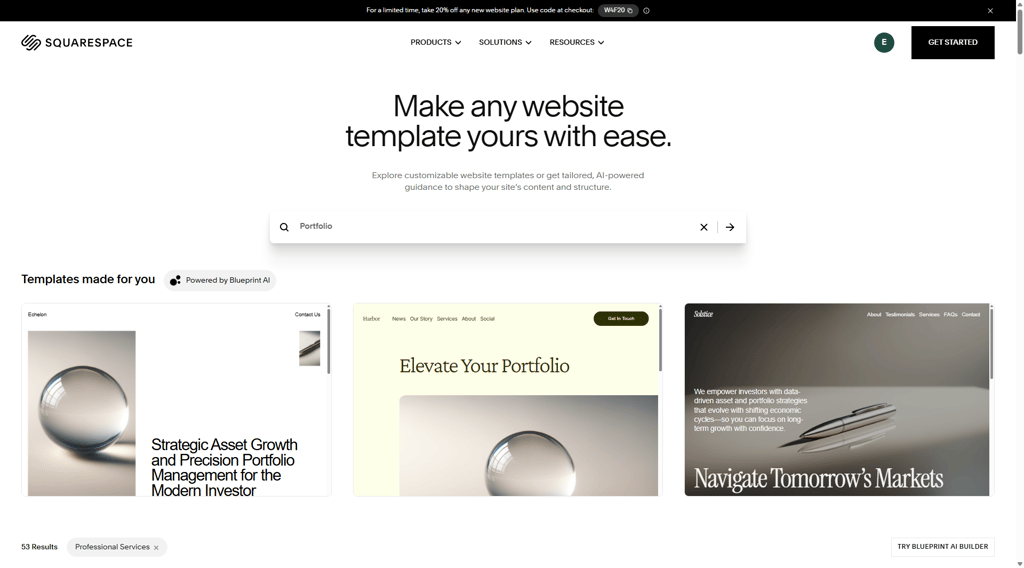
From the outset, clicking on elements directly in the visual editor and customizing options with all the sidebar panels, I felt immersed in the process.
On the other hand, Format’s options and features aren’t that complex. You can start by entering your personal details (or logging in with a Google account) and instantly register to check available templates.
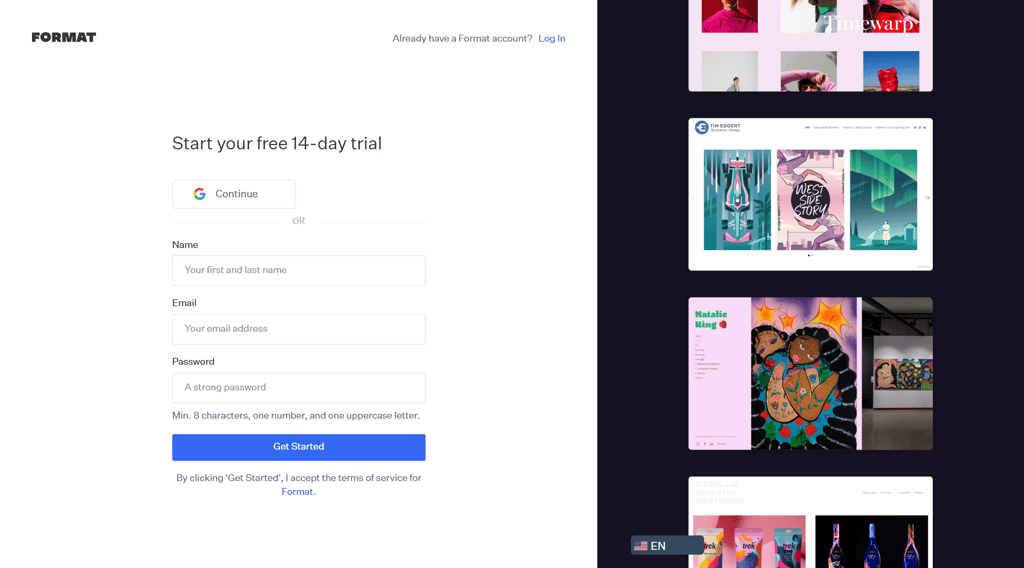
From there, the setup wizard will lead you through all the options and help you explore over 100 available templates. I especially liked the drag-and-drop editor feature, which allowed me to fully express my creativity by editing the template in a way that best showcased my work.
Templates and design flexibility: Format or Squarespace?
Format offers templates that are perfect for building online portfolios, while Squarespace provides a range of templates suitable for various types of websites. I’d say that Squarespace is a better option overall, with around 199+ templates, way more than Format offers.
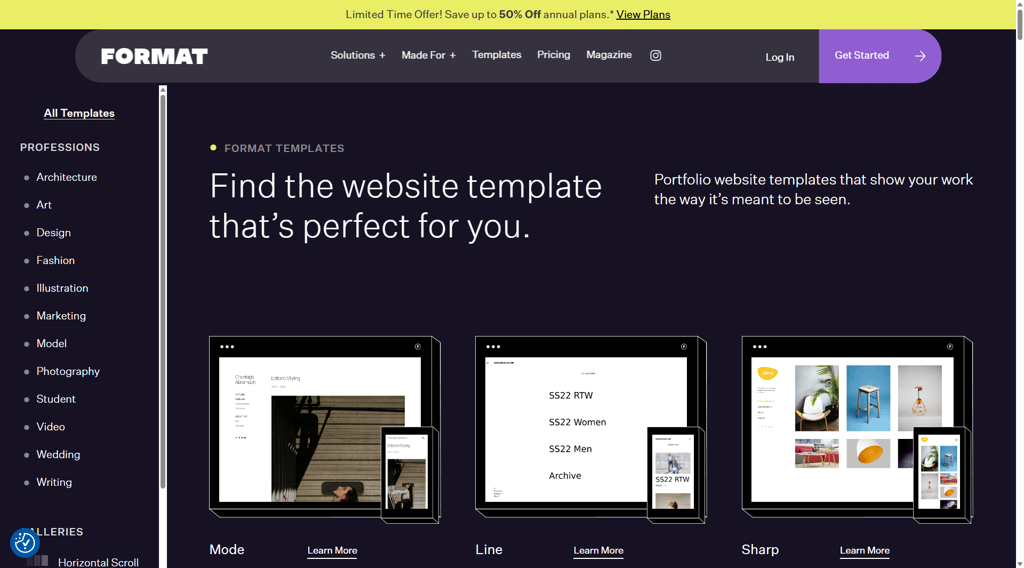
That said, portfolio-centricity is one of Format’s strongest suits. It’s a website builder that’s made for visual representation of portfolios, and these aren’t your everyday generic templates, either.
In fact, they are tailor-made for photographers, designers, or artists looking to showcase their work. There are numerous customization options as well, ranging from color and panel settings to fonts, spacing, and layouts.
The issue is that Format doesn’t exactly allow you to add custom CSS or modify the template's layout in any way. It’s more of a professional portfolio-building tool with some customization features.
On the other hand, Squarespace offers a more diverse range of 199+ templates. It does have a “portfolio” template style that’s similar to Format’s, but it also goes way beyond, including ready-made templates for blogs, service-offering websites, eCommerce stores, non-profits, and more.
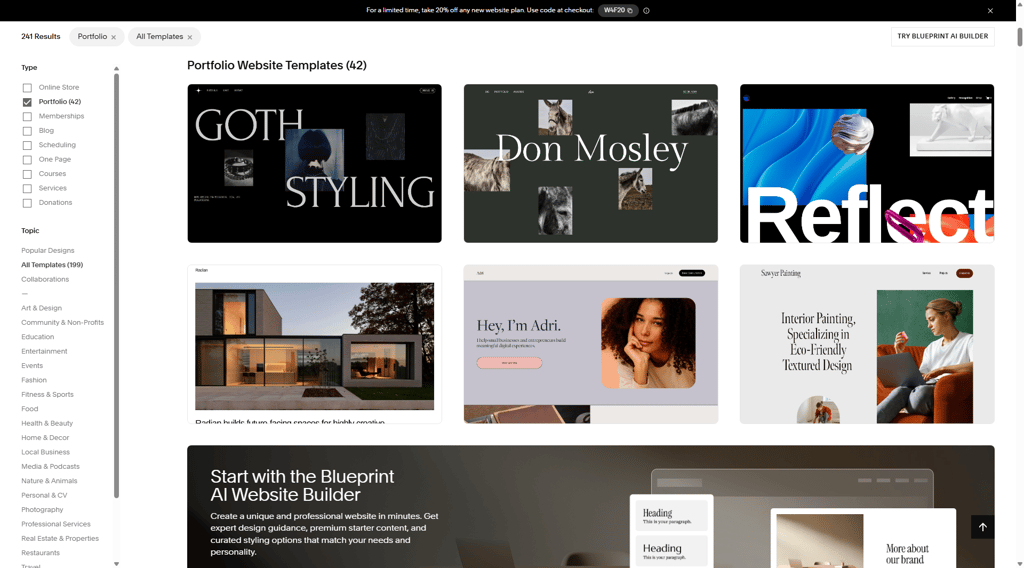
I also appreciated the more extensive range of customization features compared to Format. For instance, I added custom CSS for styling and created a testimonial section using a slider. It’s an excellent option for building everything on your website, from the landing page to info pages and blogs.
Pricing: which one offers better value, Format or Squarespace?
Format is more affordable than Squarespace and comes with a 14-day free trial, allowing you to test it out by creating a sample portfolio. You also get a free custom domain with all plans for the duration of the first billing year.
Format pricing
Format keeps its pricing simple and relatively affordable, making it a strong choice for photographers, designers, and other creatives who mainly need a portfolio site. All plans include the core tools required to build and showcase visual work, with higher tiers adding more flexibility, eCommerce capabilities, and priority support.
| Plan | Monthly cost | Key features |
| Basic | $10.00/month | No Format branding, 10 pages, 70 high-resolution images |
| Pro | $12.00/month | Unlimited pages, free custom domain (for 1 year), online store for up to 15 products |
| Pro Plus | $15.00/month | Unlimited pages, free custom domain (for 1 year), online store for up to 1000 products, priority support |
Squarespace pricing
Squarespace, on the other hand, offers more feature-rich plans that cater to a wider range of users, including businesses and online stores. While it comes at a higher price point, its subscriptions include built-in marketing tools, advanced eCommerce features, and greater customization options.
| Plan | Monthly cost | Key features |
| Basic | From $16.00/month | Custom domain, Squarespace AI, up to 2 contributors |
| Core | From $23.00/month | Everything in the Basic plan, plus unlimited contributors, advanced website analytics, and eCommerce features |
| Plus | From $39.00/month | Everything in the Core plan, plus a lower 1% transaction fee on digital content and memberships, and lower credit card rates |
| Advanced | From $99.00/month | Everything in the Plus plan, plus 0% transaction fee for memberships and digital content |
Squarespace also offers a 14-day free trial and a complimentary custom domain for the first year with the annual subscription. The plans are on the pricier side, but you can use regular promo deals to reduce the costs.
Format vs Squarespace: eCommerce and business features
One of the biggest differences between these two website builders is the range of eCommerce and business features they offer. Format is perfect for artists and individuals seeking a simple way to sell artwork, prints, and other originals without any transaction fees.
Squarespace outperforms Format in this category, as it offers a comprehensive range of eCommerce features. It’s the right platform to choose if you’re looking to develop and scale your own brand or online store.
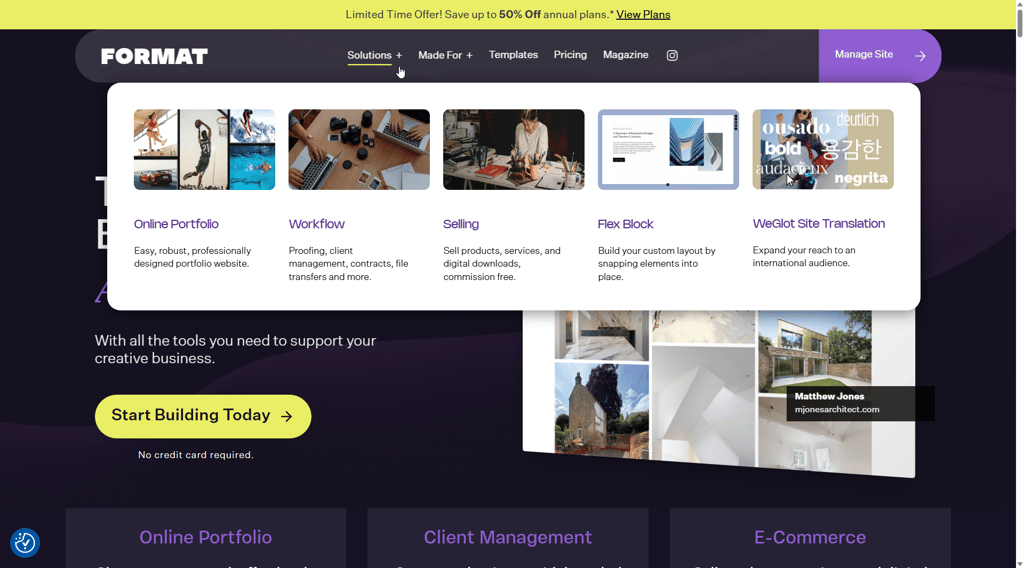
With Format, you get a comprehensive solution for selling your work, including original artwork, prints, and other portfolio elements. It’s also possible to sell commissioned projects with a label or a note indicating the commission, which I thought was a neat feature.
You create your website, prepare your portfolio by uploading images, and add pricing details. Format will handle everything else from there, ensuring safe and fast transactions via options like PayPal or Stripe.
You can also set shipping rates and thresholds; however, there are no advanced features, such as inventory management or cart recovery. You get all these, plus many more, with Squarespace, which is designed with eCommerce and growing businesses in mind.
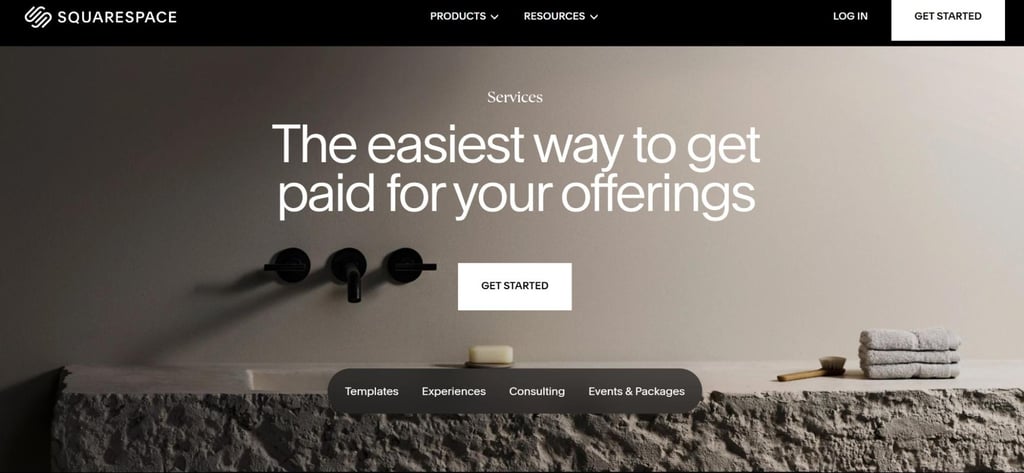
Format only allows you to sell a limited number of products, but Squarespace is ideal for large-scale eCommerce projects. Squarespace’s payment processing is also more flexible, offering a more diverse range of options, including Apple Pay, Clearpay, and others.
In this context, the platform’s inventory management features left the biggest impression on me. If you build your eCommerce website with Squarespace, not only will you be able to track stock levels live, but you can also set low-stock alerts or limited stock notifications.
Squarespace also offers comprehensive shipping options, including local pickup and international shipping. As the cherry on top, I’d point out integrations with accounting software like QuickBooks, as well as the possibility of in-person payments.
Overall, if you’re looking for controlled, limited sales, Format is more than fitting. However, it’s better to opt for Squarespace for fully fledged eCommerce projects.
SEO tools and marketing features
If you’re going to make your website’s presence known, you’ll need to do some SEO work. Luckily, both Format and Squarespace offer integrated SEO toolkits, starting with Format’s meta tags editor for page titles and descriptions.
You have the option to fill in dedicated fields with custom URLs and optimize the page for a specific keyword. It also easily integrates with Google Analytics and other tools, while automatically submitting the sitemap to Google.
| Squarespace SEO features | Format SEO features |
| Meta tags, author profiles, and comment management | Editing of meta tags and alt texts |
| Clean HTML5 markup | Automatic sitemap generation |
| Structured data for products | Automatic image size optimization for SEO |
| Responsive images with custom alt texts | Chance to create 301 redirects by changing the URL |
| Direct integration with Google’s SEO suite | Social media integration suitable for artists |
On the other hand, Squarespace is all about optimizing your website’s organic traffic through advanced features. Besides all the basic SEO features, Squarespace also covers HTML5 markup, alt texts, responsive images, and custom author profiles.
In terms of integrations, you can use Squarespace directly with Google Search Console, Analytics, and marketing options like Mailchimp. It also comes with built-in email campaign templates, an additional feature relevant to both SEO and eCommerce.
Customer support and community
When it comes to customer support, Format uses an on-page help desk, including the FAQ section, as well as form-based support. You can submit a ticket and file it with the support staff, after which a team member will contact you.
The platform also offers 24/7 support across all plans, with priority service for Pro Plus users. Reviewing user feedback, I found only a couple of complaints related to response times.
Squarespace offers a more robust network of support channels, starting with live chat available around the clock. You can also use on-page and email support or check out the Help Center. Educational materials, such as articles, video tutorials, and webinars, are also available.
| Support channel | Squarespace | Format |
| Live chat | ✅ Yes | ✅ Yes |
| Phone support | ❌ No | ❌ No |
| ✅ Yes | ✅ Yes | |
| Help center | ✅ Yes | ✅ Yes |
| Social media/forums | ✅ Yes | Limited |
Final thoughts: which one is better?
Ultimately, both Format and Squarespace are excellent for their respective purposes, serving as website builders with distinct advantages. The choice mainly depends on your needs. If you’re an aspiring photographer, designer, or visual artist, I recommend Format as the more affordable option.
However, those looking for something more than just portfolio-based websites should pick Squarespace. It’s perfect for eCommerce, blogging, and other types of marketing, as well as sales-focused websites.
| Feature | Format | Squarespace | Verdict |
| Pricing | Format is more affordable, starting at $10.00/month, while Squarespace starts at $16.00/month and is generally more expensive. | ||
| Ease of use | Format is slightly simpler and more streamlined for portfolio building, while Squarespace offers more flexibility but takes longer to master. | ||
| Performance | Squarespace performs slightly better overall, with stronger infrastructure and more consistent performance on complex websites. | ||
| Customer support | Squarespace provides a more complete support ecosystem, including live chat and extensive resources. Winner: Squarespace. |
FAQ
Is Format better than Squarespace?
Format is better than Squarespace for photographers, designers, and artists who want a simple portfolio-focused website. However, Squarespace is the better overall platform because it offers more templates, stronger eCommerce tools, and greater flexibility for building different types of websites.
Which is cheaper: Format or Squarespace?
Format is cheaper than Squarespace, with plans starting at around $10.00/month. Squarespace starts at approximately $16.00/month, making it more expensive, but it includes more advanced features such as marketing tools and stronger eCommerce functionality.
Can I use Format or Squarespace for eCommerce?
Yes, both platforms support eCommerce, but they are designed for different levels of selling. Format is suitable for small-scale sales like prints or commissions, while Squarespace is better for full online stores with inventory management, shipping tools, and marketing integrations.