Squarespace for photographers: a masterclass in design and business (2026)
Our team of experts and researchers rigorously test and evaluate website builders through transparent, in-depth testing procedures and methods using both in-house and industry-approved tools.
Drawing on cybersecurity insights, we provide unbiased, empirical rankings and analysis to help users make informed digital platform choices.
Learn more

Squarespace for photographers is designed to help your portfolio shine. It makes it easy to build a clean, fast, and fully customizable space that feels like a true digital studio.
For any photographer serious about their craft, a strong visual presence is a crucial aspect, and anything less is simply unacceptable. Fortunately, Squarespace understands that well and seamlessly blends striking design with practical tools, including scheduling, eCommerce, and client management.
But is Squarespace the right website builder for you? In this guide, I walk you through everything you need to get started with Squarespace – from choosing a template to organizing your portfolio. By the end, you will be able to decide for yourself if it’s the builder you want to try for yourself.
Why Squarespace is one of the top choices for modern photographers in 2026
From visually-driven, minimalist templates that deliver gallery-level design quality to quietly handling the business- and technical-heavy lifting in the background, Squarespace is jam-packed with features that’ll make your life as a photographer easier.
At its core is the Fluid Engine, a modern drag-and-drop website editor with a granular grid system for precise layout control. That’s exactly what allows users to create magazine-style layouts and bespoke, professional photography portfolios without ever approaching code.
Beyond aesthetics, Squarespace also includes a built-in content delivery network (CDN) that automatically stores your site’s images on servers around the globe. This supports strong PageSpeed performance, while the platform’s auto-scaling aligns with Google’s mobile-first indexing and ensures your site’s layouts perfectly fit different screen sizes and devices.
Another thing that makes Squarespace one of the best website builders for photographers is that it’s an all-in-one platform. There’s no need for separate hosting and domain registrars here, as everything is integrated into one complete platform with built-in SEO tools. This professional setup creates a reliable environment that doesn’t break with every update, thereby helping build trust with clients.
As a platform built for professionals, Squarespace fully supports seamless management of client bookings, studio rentals, and payments for photo shoots.
Image-first portfolio templates
Going with Squarespace for photographers means gaining access to dozens of stunning templates that put your work front and center. Designed by professionals who understand that, for a photographer, the image is the interface, Squarespace photography templates offer a perfect balance between whitespace and modern typography.
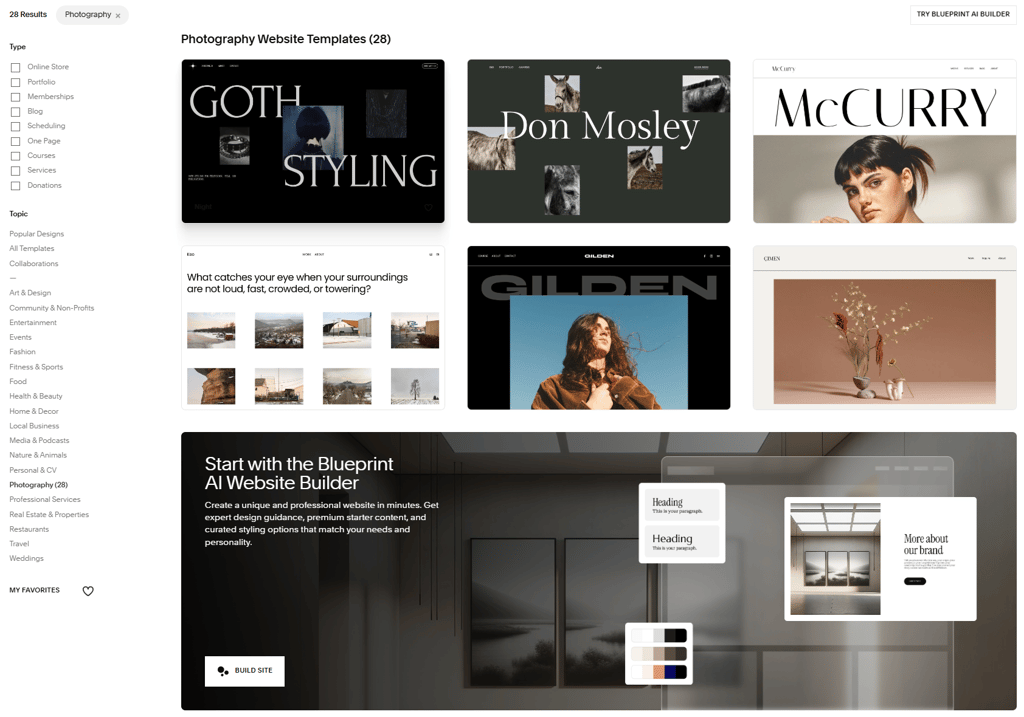
The platform takes it a step further with specialized gallery sections. You can choose between simple, strips, and masonry grids, and simple, full, and reel-based slideshows, based on whether you’re into lifestyle photography, studio work, or storytelling-heavy niches like weddings. You can also enable Lightbox to make thumbnails expandable into full-screen views.
Choosing any of these high-quality templates can save you hours of design work and help you avoid common pitfalls of the DIY route. And once you’ve picked one that matches your vibe, Squarespace’s Fluid Engine gives you full creative control over spacing, stacking, and alignment, so you can customize everything to your liking.
The Asset Library: organizing a mass archive
The Asset Library is one of the most useful aspects of Squarespace for photographers, serving as the central hub for all your photos. You can use it to handle just a few photos or massive galleries via a simple drag-and-drop bulk upload feature, organize items into different folders, and assign tags to keep projects separate.
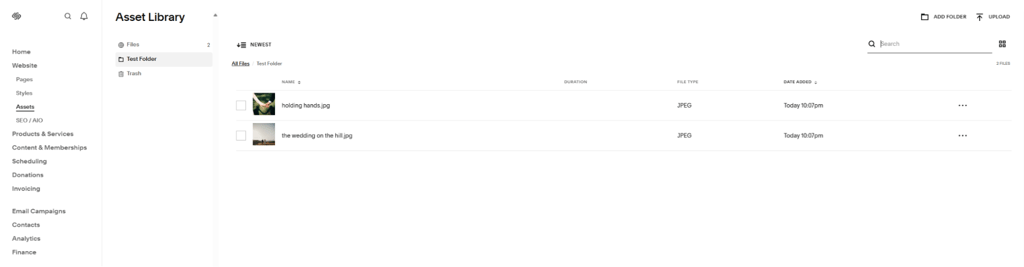
Beyond storage, the Asset Library is also a powerful addition to SEO. Once you upload an image, you can edit its filename, add image metadata directly from the dashboard, and reuse the photo across different projects without re-uploading.
Client proofing and portfolio pages
Another great thing about Squarespace for photographers is that it simplifies the overall tech stack, which helps users keep clients on their own domain when selling prints.
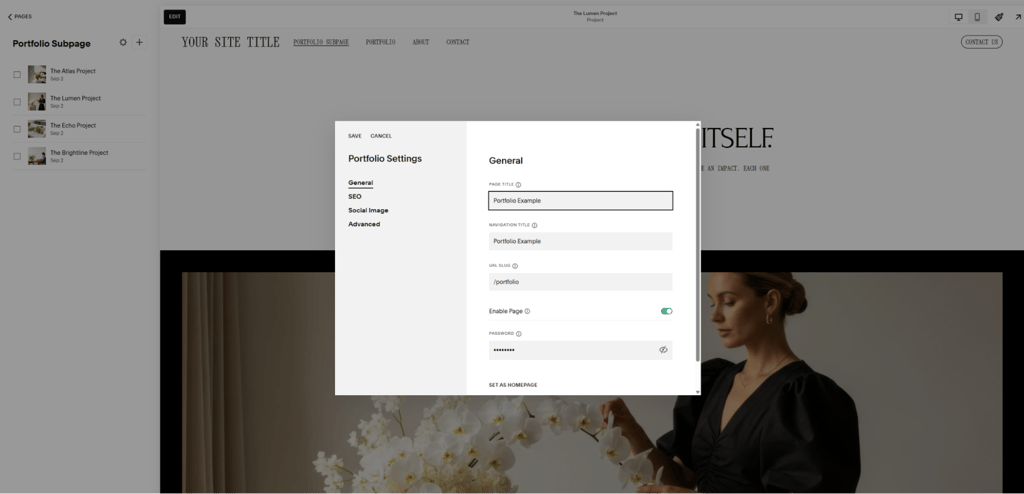
This primarily involves a specific page type known as a portfolio, which is ideal for handling high-volume work. You can think of it as a folder that holds individual subpages for each of your shoots. Each thumbnail links to a specific gallery, allowing you to host hundreds of photos without making your main navigation an unreadable mess of links.
On the delivery front, Squarespace’s member areas and locking features work wonders for client proofing. For example, you could apply a password to a certain page or hide it to create a secure environment for the client to review your work. You can also enable Lightbox, which acts as a virtual magnifying glass during these reviews.
This native delivery system not only creates a premium experience for clients but also lets you skip additional monthly subscriptions for third-party gallery services.
How to build your photography site in 5 steps
While learning how to make a photography website is super straightforward with all the written guides and video tutorials Squarespace provides, it’s still important to approach the whole thing the right way. The logical sequence outlined below will prevent you from being overwhelmed by the sheer volume of features the platform offers and ensure a polished, professional launch:
-
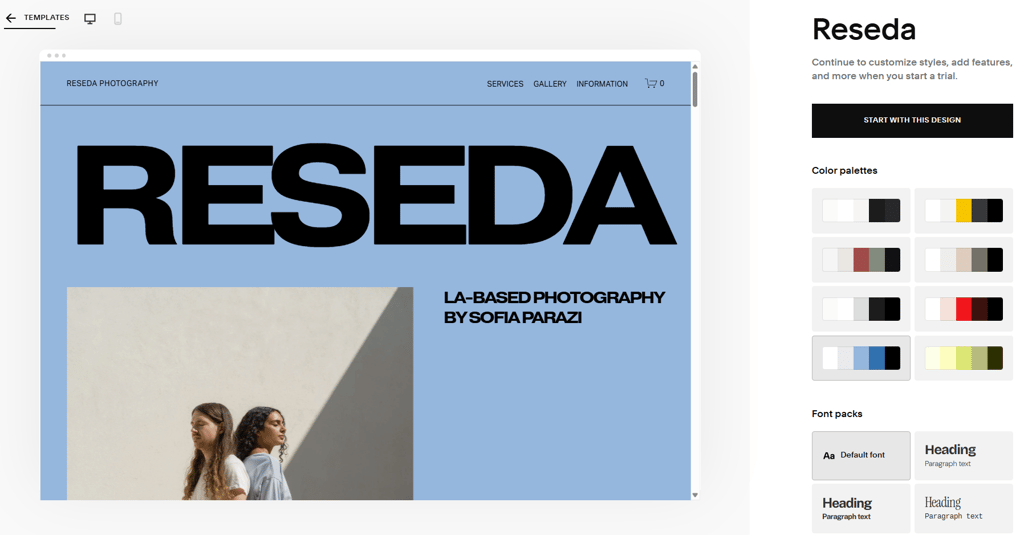
Pick a template that matches your aesthetic and medium. Start by browsing Squarespace photography templates and pick one that best fits your vibe. Choosing a design that already aligns with what you do means you’ll spend less time adjusting the layout and have more time to fine-tune your photography portfolio.

- Customize global styles (colors and fonts). Before you start adding content, head to the Styles page and define your brand. Choose themes, fonts, colors, and buttons that apply site-wide to ensure that every page on your website remains consistent.
- Organize the Asset Library. Take advantage of Squarespace’s Asset Library to upload your work in bulk. You can then categorize items into different folders by shoot type or year, and add tags to make your gallery more manageable. This can significantly simplify pulling specific files into blog posts later on.
- Build the core pages (Homepage, About, Contact). Focus on how a potential client might go from browsing your work to booking you. Your homepage should act as a hook, and the About page should be about portraying you as a professional. The Contact page should include a clear form that clients can use to reach out.
- Set up the proofing or store area. Finally, finish up with client proofing. That involves setting up password-protected or hidden client galleries on Squarespace, where potential customers can review your work. Once these pages are live, you’ll be officially ready to share your site with the world.
Selling prints and digital downloads
As a photographer, the bulk of your revenue will be tied to the shoots you do. But if you’re ready to move beyond a service-based income, you can also sell photos on Squarespace, either as physical prints or licensed downloads.
For starters, you can monetize your photo archive by adding extensions like Printful or Printique, which enable print-on-demand (POD) services. These helpful add-ons automate the entire fulfillment cycle, from order receipt to shipping, which eliminates inventory- and mailing-related work from your end.
When it comes to tangible products, you also have full control over how items reach clients. That means you can configure custom shipping rates to save on fees for large framed works, for example, or add local pickup options for customers in your immediate area.
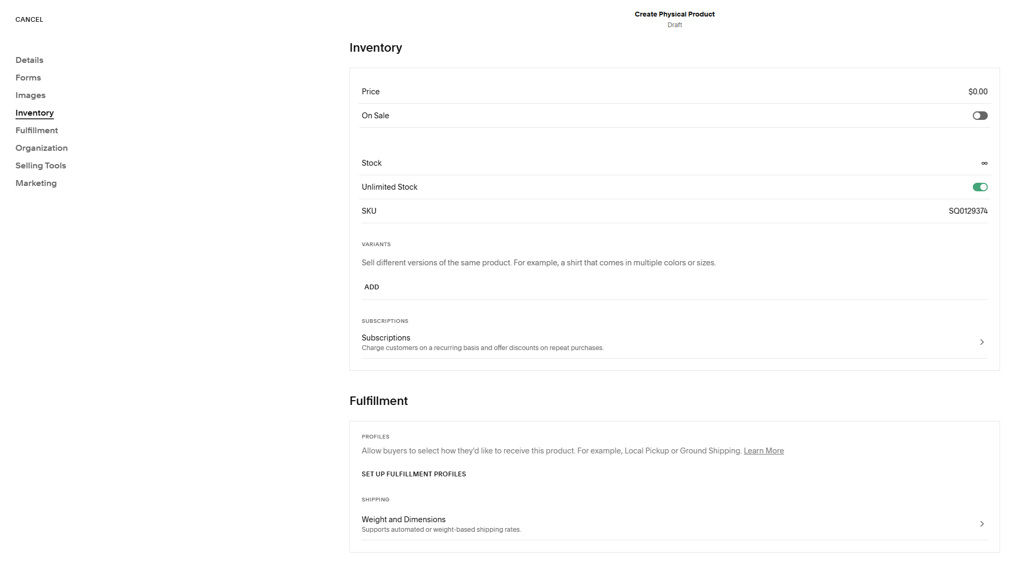
And if you prefer to keep things digital, you can also set up downloads with automatic delivery. In this case, the system would automatically send a secure link to the client upon purchase, which ensures fast delivery while protecting your intellectual property.
Add a smooth checkout experience backed by SSL encryption into the mix, and the whole thing becomes a fully-optimized experience for your customers. More importantly, it provides a scalable source of passive income that can grow alongside your photography portfolio.
Booking clients with native scheduling
Acuity Scheduling is designed for photographers who want to take their bookings to another level. This integration lets you offer distinct services for different types of shoots, each with its own duration and pricing.
Setting it all up is a breeze. You just need to visit the Scheduling page, where you can create different appointment types and set availability by adjusting session duration and fees.

You can then embed a live booking calendar directly on your Services page, so clients can see your real-time availability and select a slot that works for both of you, or even set specific buffer times, so that you can rest a bit between shoots.
The scheduling system also serves as a form of protection. It allows you to accept deposits or even full payments at the time of booking, which is often enough to eliminate no-shows. Meanwhile, automated reminders keep both you and your clients informed about upcoming shoots (one of the things that separates hobbyists from the pros).
SEO and marketing for the visual professional
Every Squarespace website includes built-in SEO tools that are crucial for competing in this low-entry-barrier space. With these, photographers can optimize their portfolio sites for both traditional and AI-powered searches, as well as local and niche keywords.
Here’s what that typically entails:
- Keyword research. Connect Google Search Console to see what keywords are driving traffic to your site.
- Keyword optimization. Use the SEO Panel to control how page titles and descriptions appear in search results, and enrich them with relevant keywords.
- Alt texts. Take care of image metadata by adding descriptive alt texts for all your photos to ensure Google’s crawlers can understand what’s on them and send traffic your way.
- Sharing logo. Review Social Sharing settings to control which hero image appears when your photography portfolio gets shared on social media.
- Blog content. Regularly publish keyword-optimized blog posts with behind-the-scenes stories related to your most recent photoshoots to build a brand narrative.
Done right, these SEO workflows can help you build consistent search visibility. Meanwhile, Squarespace’s automatic sitemap feature ensures that Google and other search engines are alerted every time you make changes to your website.
Final verdict: Squarespace vs the competition
In a Squarespace vs Pixieset comparison, or even when you put Squarespace up against Zenfolio or Adobe Portfolio, the former often takes the crown, and for a good reason. While other mentioned platforms might have slightly more specialized client proofing tools, they also lack the built-in SEO, blogging, and general business features that Squarespace offers.
Unlike many of these photography-heavy site builders, which often require stitching together a bunch of plugins to book a session or sell a preset, Squarespace boasts a complete package right out of the box. The all-in-one platform is a go-to option for shutterbugs who aren’t just building a photography portfolio but a business, as well. This comprehensive approach to service commerce, handling everything from scheduling to payments, is what truly sets Squarespace apart.
Add built-in hosting and around-the-clock customer support, and the value of this package increases further. Ultimately, you get a stable digital storefront, even during peaks, and a reliable foundation for growing an online business that 95% of photographers will prefer over other options.en best web
FAQ
Does Squarespace compress my photos?
Yes, Squarespace automatically compresses images when they are uploaded. While this ensures faster website load times, it can sometimes affect image quality. So, it’s best to upload pre-compressed files between 1500px and 2500px wide to ensure the platform’s auto-scaling works as intended across all devices.
Can I use a watermark?
Squarespace doesn’t have a built-in watermarking tool. However, you can add pre-upload watermarks using photo editing software like Photoshop and Lightroom. Alternatively, you can use third-party Squarespace extensions, such as POWR Photo Watermark.
Is there a specialized photographer discount?
No, there’s no specific offer just for photographers. That said, Squarespace is known to offer promo codes occasionally, especially for first-time users. Photographers also get the standard 14-day free trial to test things out, same as everyone else.
How do I protect my images from theft?
While no method offers complete protection, Squarespace does let you disable right-clicking and Lightbox controls, which prevents casual saving. You can also upload optimized, low-res images under 500KB that look good on a screen, but are effectively useless when printed on a larger surface.