Best Sling TV VPNs: watch Sling TV from abroad in 2026
Our in-house cybersecurity experts and journalists, renowned for major reports like The Mother of All Breaches, conduct transparent, unbiased VPN testing and in-depth analysis.
With 750+ articles crafted based on real-world research, we empower readers to make informed purchasing decisions through first-hand expertise.
Learn more

Sling TV is a popular live and on-demand streaming service where you can watch movies, TV shows, news, and channels like FOX, NBC, and CNN. It’s a great alternative to conventional cable subscriptions. However, there are two major limitations: the service is geo-blocked outside the US, and it also enforces blackout restrictions on live sports. Major leagues like the NFL, MLB, and NHL limit broadcasts in certain regions due to local TV rights, which means certain games may not be available in your area.
The good news is that a Sling TV VPN can help bypass both geo-blocks and blackout restrictions. By rerouting your connection through a US server, it grants you a US IP address and lets you stream content as if you were in an unrestricted region. In this article, I’ll present the best VPNs for Sling TV, offering excellent speeds and seamless streaming.
Best Sling TV VPNs in 2026
There are plenty of VPNs on the market, and many claim that they can help you watch Sling TV outside the US. In reality, the qualities vary widely depending on the providers. So, to simplify things, I gathered the five best VPN options for you.
- NordVPN – best VPN for Sling TV in 2026
- Surfshark – most affordable streaming VPN for Sling TV
- Proton VPN – privacy-focused VPN with a free option
- IPVanish – superb VPN to access Sling TV outside the US
- ExpressVPN – robust VPN for Sling TV with additional security features
- CyberGhost – great VPN with servers configured for Sling TV
Why does Sling say blackout restrictions?
When Sling TV shows a blackout message, it comes down to how sports broadcasting rights are divided between local and national networks. Most US leagues use a two-tier broadcast system:
- Local rights. These are sold to regional sports networks (RSNs), which hold exclusive rights to show games in their home markets. If you live in one of these regions, you’ll need to watch through the designated local broadcaster instead of Sling.
- National rights. These are sold to larger networks like ESPN, FOX, or NBC. They cover the rest of the country, but the stream is blocked in local markets where RSNs already hold the rights.
This setup is designed to protect local TV deals and ticket sales. That’s why streaming services like Sling TV will sometimes block you from watching a game, even though it’s available to subscribers in other states.

A VPN helps bypass these blackout restrictions by changing your virtual location. When you connect to a VPN server, Sling TV sees your connection as coming from that region instead. If the blackout doesn’t apply there, the stream will load normally.
Sling TV doesn’t have aggressive VPN blocking compared to some other platforms, which makes this method reliable. With a provider that has plenty of servers, it’s usually easy to find a location where the game isn’t restricted.
How to get around Sling TV blackouts with a VPN

If a game is blacked out on Sling TV, using a VPN will make it look like you’re watching from a different location where the game isn’t restricted. Here’s how to set it up:
- Get a VPN with US servers. I recommend NordVPN, which is now 75% OFF
- Install the VPN app on the device you’ll use to watch Sling TV
- Connect to a server in the US to get access to live games and shows
- Log in to Sling TV and stream the game as if you were in the new location
Best VPNs to bypass Sling TV blackouts – detailed review
There are many VPNs available, but not all of them are equally reliable for getting around blackout restrictions on Sling TV. Together with the Cybernews research team, I tested several top providers, looking at server coverage, streaming speed, ability to unblock Sling TV and other platforms, security features, device compatibility, and pricing. Based on these tests, I listed my 3 best VPNs.
1. NordVPN – top VPN for Sling TV

| Based in: | Panama |
| Servers/countries: | 9,500+ servers in 149 countries |
| Compatible with: | Windows, macOS, Linux, Android, iOS |
| Current deal: | NordVPN coupon 75% OFF |
NordVPN is one of the most reliable VPNs for streaming Sling TV without interruptions. It offers fast speeds, an extensive US server network, and a proven ability to bypass streaming blackout restrictions.
Servers. NordVPN offers a huge network of over 9,500 servers across 149 regions. This ensures easy access to Sling TV content from different regions and bypassing blackout restrictions effectively.
Streaming. During our NordVPN tests, it averaged 769Mbps download speeds, retaining 81.85% of our original connection. These speeds were enough to stream Sling TV without interruptions and bypass blackout restrictions, as well as access other platforms like Netflix, Hulu, HBO Max, and BBC iPlayer.
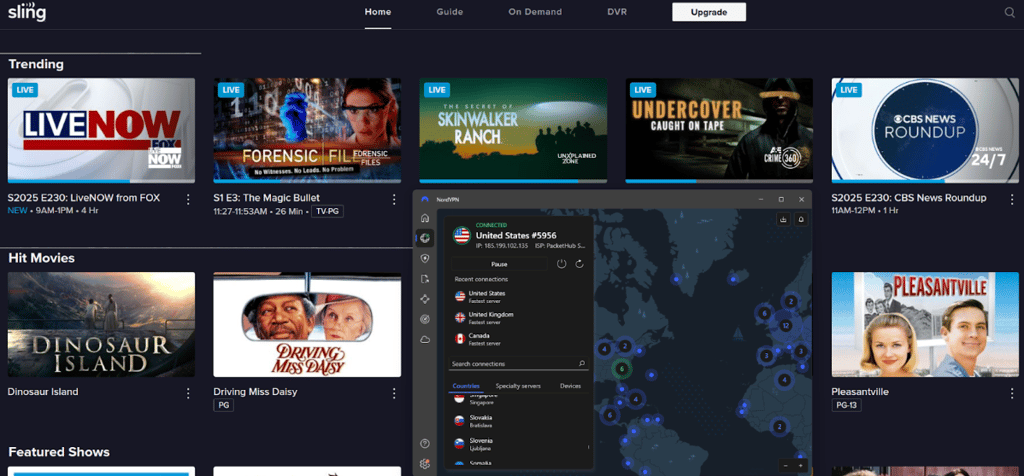
Security. NordVPN uses AES-256 encryption and its proprietary NordLynx protocol for fast, secure connections. It also has security measures such as a kill switch to prevent data leaks, RAM-only servers that delete traffic after each reboot, and a no-logs policy. It also includes Dark Web Monitor Pro, which now tracks breaches involving emails, credit cards, phone numbers, and IDs, with improved real-time alerts.
Features. SmartPlay lets you use NordVPN on devices that don’t normally support VPNs, such as smart TVs and gaming consoles. Threat Protection Pro blocks ads and malicious websites.
Devices and connections. NordVPN is compatible with Windows, macOS, Linux, Android, iOS, and browser extensions. It also allows up to 10 simultaneous connections.
Price. NordVPN offers a 3-day free trial for Android users. It's paid plans start at $3.49/month with a 30-day money-back guarantee.
2. Surfshark – most budget-friendly VPN to stream Sling TV

| Based in: | The Netherlands |
| Servers/countries: | 4,500+ servers in 100 countries |
| Compatible with: | Windows, macOS, Linux, Android, iOS |
| Current deal: | Surfshark coupon 85% OFF |
Surfshark is one of the most affordable VPNs for streaming Sling TV without restrictions. Despite its low price, it delivers impressive speeds, advanced privacy features, and unlimited device connections, making it especially useful for households or users with multiple devices.
Servers. With 4,500+ servers across 100+ countries, Surfshark makes it simple to bypass Sling TV blackouts by connecting to different US regions. This broad coverage also ensures stable performance across other popular streaming platforms.
Streaming. In our latest tests, Surfshark averaged 785Mbps download speeds and retained 81.26% of our base connection on US servers. Sling TV streamed smoothly in HD without buffering, and it also worked well with other streaming platforms.
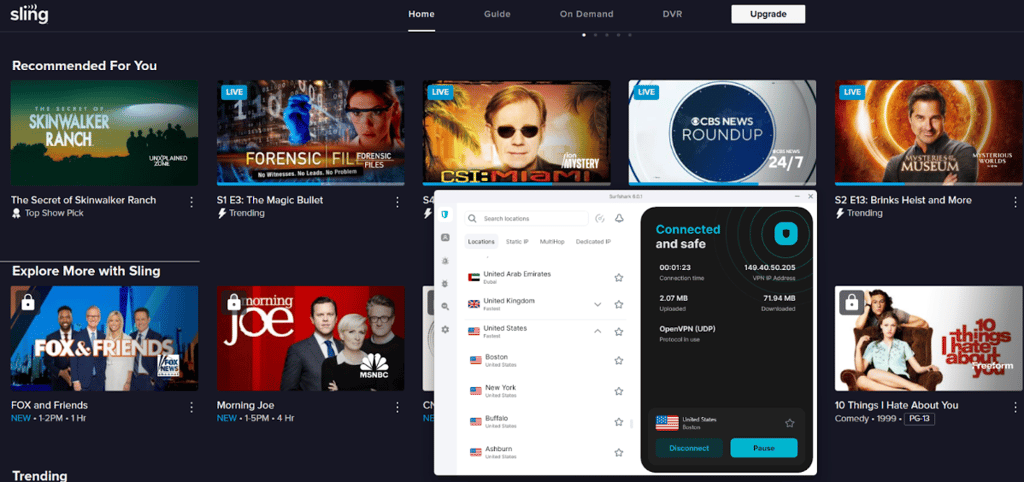
Security. Surfshark uses AES-256 encryption and offers features like a kill switch, MultiHop, and CleanWeb to block ads, trackers, and malware. Its no-logs policy has been independently audited by Deloitte, supporting its privacy claims.
Features. When reviewing Surfshark, some standout features included Alternative ID for generating disposable details when signing up online, GPS spoofing on Android, and Smart DNS for devices that don’t support VPN apps, like certain smart TVs and consoles.
Devices and connections. Surfshark supports Windows, macOS, Linux, iOS, Android, and browsers with unlimited simultaneous connections across all plans.
Price. Plans start at just $2.49/month, with a 7-day free trial and a 30-day money-back guarantee.
3. Proton VPN – privacy-first VPN with a free plan

| Based in: | Switzerland |
| Servers/countries: | 20,400+ servers in 148 countries |
| Compatible with: | Windows, macOS, Linux, Android, iOS |
| Coupons: | Proton VPN coupon 70% OFF |
Proton VPN is a solid choice for both privacy and smooth streaming. It easily unblocks Sling TV, offers plenty of fast US servers, and includes handy tools like NetShield for blocking ads and Smart Protocol to keep your connection stable.
Servers. Proton VPN has over 20,400 servers across 148 countries and makes it easy to bypass Sling TV blackouts by switching regions. During our Proton VPN analysis, it also showed consistent performance on other platforms like Netflix, Hulu, and Max.
Streaming. When connected to Proton VPN’s US servers, we reached 790Mbps download speeds and retained 84.04% of our base connection using the WireGuard protocol, which was more than enough for smooth HD streaming. Sling TV loaded without delays, and it worked reliably with several other streaming services.
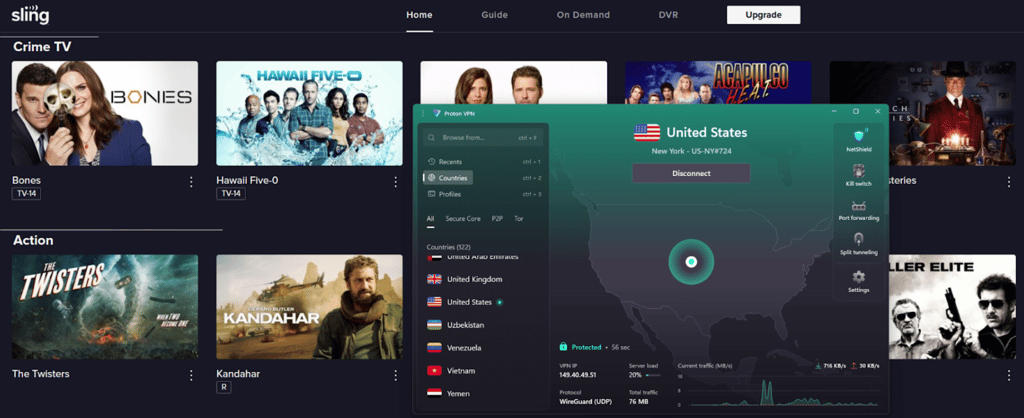
Security. Proton VPN uses AES-256 encryption and supports secure protocols like WireGuard and OpenVPN. Its standout feature is Secure Core, which routes traffic through hardened servers for extra protection. The service also has a strict no-logs policy that has been independently audited.
Features. Extra tools include NetShield, which blocks ads, trackers, and malware, plus Smart Protocol to switch automatically if your connection is blocked. There’s also a kill switch and split tunneling for more control.
Devices and connections. Proton VPN works on Windows, macOS, Linux, iOS, Android, and routers. It allows up to 10 simultaneous connections, which is enough for most households.
Price. Plans start at $2.99/month, and all subscriptions include a 30-day money-back guarantee. A free version is also available, but keep in mind that it doesn’t support streaming.
4. IPVanish – VPN good for accessing Sling TV overseas

| Based in: | United States |
| Servers/countries: | 3,400+ servers in 112 countries |
| Unblocks Sling TV: | Yes |
| Coupons: | IPVanish coupon 83% OFF |
IPVanish is another great VPN for watching Sling TV outside the US. It also unblocks other streaming services, like Netflix and others covered in our IPVanish review. You can select any of 2400+ servers in 140 countries to enjoy worldwide content.
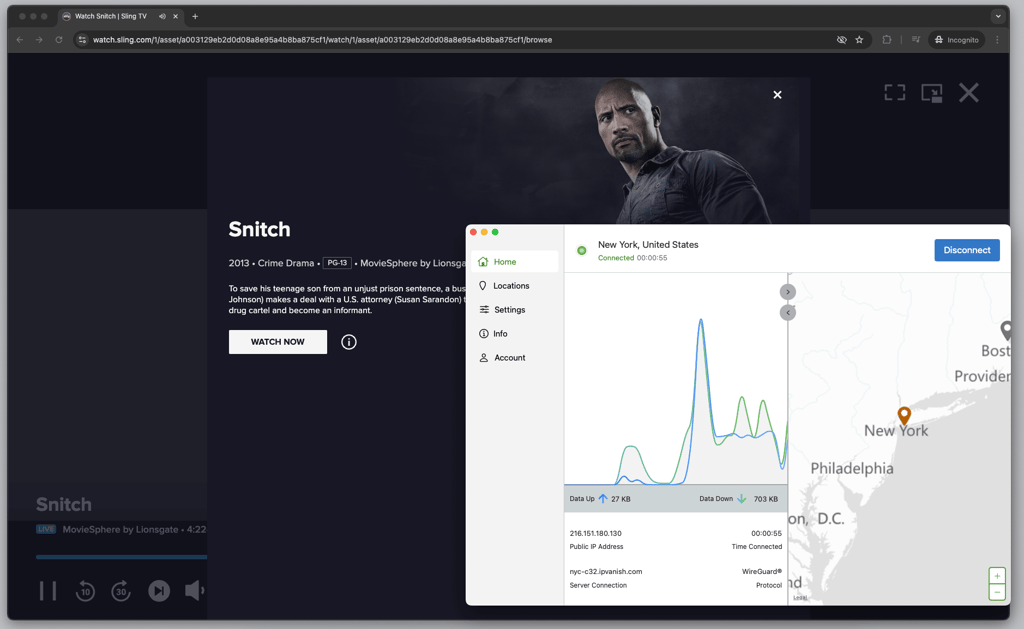
Like all reliable VPNs, IPVanish encrypts your data with the trusted AES-256 encryption algorithm. It also has RAM-only servers.
If you want to enjoy watching your favorite shows with friends and family, you can set up IPVanish on your Kodi device. It also supports unlimited simultaneous connections, so you can use it on as many devices as you like.
If you want to give it a try, you can test it out for free with the 30-day money-back guarantee. There are also up to 83% discounts with IPVanish coupons.
5. ExpressVPN – highly secure VPN for Sling TV

| Based in: | British Virgin Islands |
| Servers/countries: | Servers in 105 countries |
| Unblocks Sling TV: | Yes |
| Coupons: | ExpressVPN coupon 80% OFF |
ExpressVPN is an excellent VPN for Sling TV with robust security and fast speeds. While it doesn’t disclose its server count, during our tests, ExpressVPN unblocked Sling TV without a hitch.
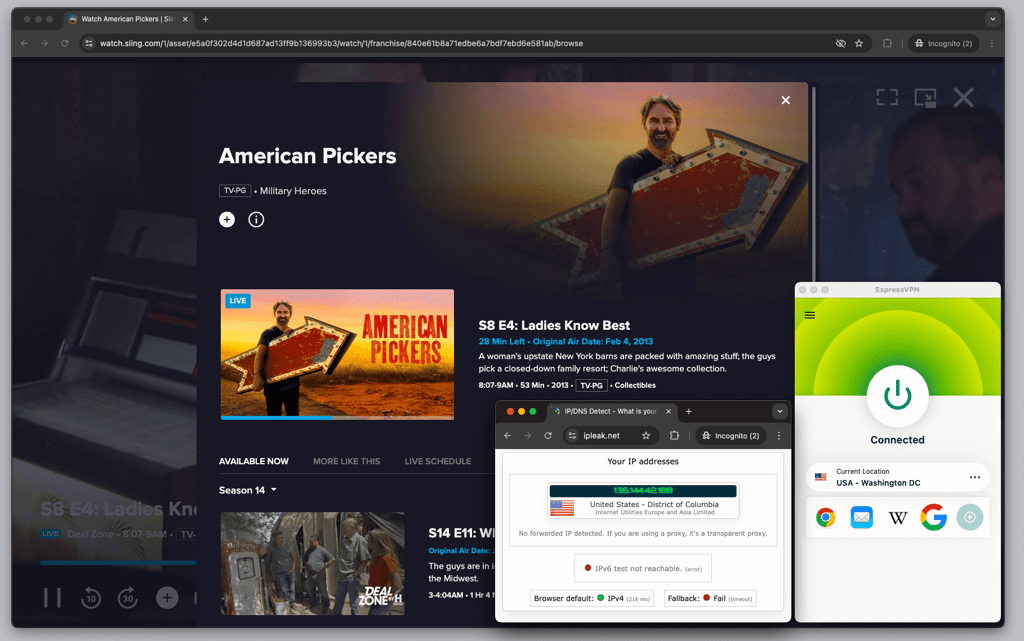
When it comes to security, ExpressVPN uses the AES-256 encryption algorithm and RAM-only servers, which don’t retain any information long-term.
Our ExpressVPN review showed that you can install it on virtually any desktop or mobile device. It’s compatible with Windows, macOS, Linux, and ChromeOS for desktop, Android, iOS, and Amazon Fire Tablet for mobile, and any smart TV that supports VPN apps.
While ExpressVPN is more expensive than some of my other picks, with its cheapest plan starting at $2.49/month, you’ll receive an ad blocker and a password manager at no extra cost.
6. CyberGhost – streaming-optimized VPN for Sling TV

| Based in: | Romania |
| Servers/countries: | Servers in 100 countries |
| Unblocks Sling TV: | Yes |
| Coupons: | CyberGhost coupon 88% OFF |
CyberGhost is a great VPN with specialized streaming servers. In fact, CyberGhost has servers configured to stream Sling TV outside the US. To access them, you just have to open the CyberGhost VPN app, navigate to the For streaming section, and search for Sling TV servers. I tested these servers, and they unblocked Sling TV within seconds.
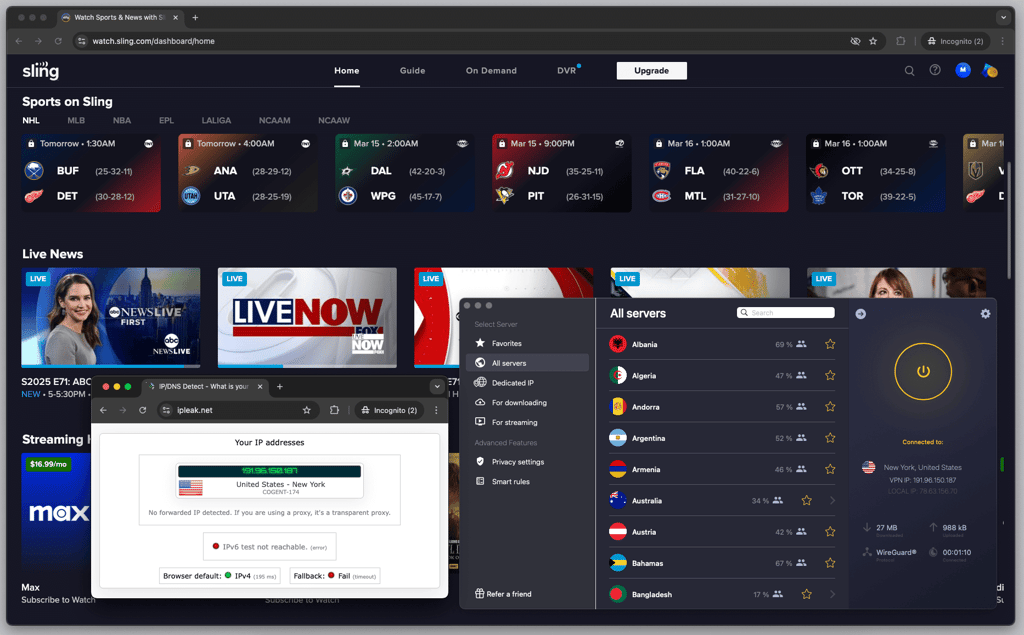
With RAM-only servers, CyberGhost is great security-wise. It employs the industry-standard AES-256 encryption algorithm, while its security suite includes an automatic kill switch, DNS leak protection, and split tunneling.
Like every other reliable VPN provider, CyberGhost follows a strict no-logs policy. It has undergone two separate third-party audits to confirm this claim.
It has an intuitive app for desktop and mobile devices, which we tested in our CyberGhost review. It’s compatible with Windows, macOS, Android, and iOS operating systems. You can also set it up and watch Sling TV with a VPN on smart TVs, including Android, Apple, and Amazon Fire TVs.
Starting at $1.59/month, CyberGhost is a budget-friendly VPN. It also offers a 45-day money-back guarantee, one of the longest on the market. If you’re still unsure, you can use a free trial and try out CyberGhost before committing to a plan.
Best Sling TV VPNs compared
| VPN | Rating | Unblocks Sling TV | Servers | Security features | Price |
| NordVPN | ✅ Yes | 9,500 | AES-256 and ChaCha20 encryption, NordLynx protocol, RAM-only servers, kill switch, third-party audited no-logs policy | $3.49/month | |
| Surfshark | ✅ Yes | 4,500 | AES-256 encryption, kill switch, RAM-only servers, third-party audited no-logs policy | $2.49/month | |
| Proton VPN | ✅ Yes | 20,400 | AES-256 encryption, kill switch, RAM-only servers | $2.99/month | |
| IPVanish | ✅ Yes | 3,400 | AES-256 encryption, kill switch, third-party audited no-logs policy, RAM-only servers | $2.19/month | |
| ExpressVPN | ✅ Yes | Undisclosed number | AES-256 encryption, Lightway protocol, RAM-only servers, kill switch, third-party audited no-logs policy | $2.49/month | |
| CyberGhost | ✅ Yes | Undisclosed number | AES-256 encryption, RAM-only servers, NoSpy servers, third-party audited no-logs policy | $1.59/month |

How I tested and selected the best VPNs for Sling TV
Here at Cybernews, we follow a rigorous VPN testing process to ensure we recommend VPNs that truly work. To find the best VPNs for Sling TV, I collaborated with our research team and evaluated and ranked 41 VPN providers based on. Then, I picked only the five best based on:
- Server network (25%). I was looking for VPNs with plenty of servers in the US. VPNs that offer a massive server network are more likely to unblock Sling TV and other streaming platforms.
- Speed and overall performance (20%). I picked VPNs that maintain excellent streaming performance to ensure a seamless watching experience without buffering or disconnections.
- Security features (20%). I reviewed each VPN's no-logs policy, ensuring that each provider confirmed its claims via a third-party audit. I was also looking for additional security features, such as a kill switch and DNS leak protection.
- Ease of use (20%). I evaluated how easy it is to set up and use each VPN. I also considered compatibility with different devices.
- Pricing (15%). I reviewed subscription plans and pricing. I also looked for a 30-day money-back guarantee and a free trial so you can test out the product risk-free.
How a VPN can help you bypass ESPN blackouts on Sling TV
Sling TV uses your device’s IP address to figure out where you are, which determines what games or events you can watch. For example, if a local network has exclusive rights to an ESPN game, Sling TV will enforce a blackout. The same happens if you try watching from abroad.
A VPN reroutes your internet connection, so Sling TV sees the server’s location instead of your real IP. This allows you to bypass blackout restrictions and watch games live. Switching between servers in different regions also helps avoid local blackouts.
While using a VPN technically goes against Sling TV’s terms of service, in our tests, we didn’t run into any issues when streaming through US servers. With a reliable VPN, you can securely watch games from anywhere, avoiding blackouts without compromising your connection.
ESPN+ live blackouts: browser vs mobile comparison
When testing Sling TV, I noticed that the way blackouts work depends on the device. On a browser, Sling TV mainly checks your IP address, and connecting through a server in the US immediately allowed me to stream games that were otherwise blocked.
With a VPN enabled on mobile devices, some games were still blacked out. After researching, I found that Sling TV can also use GPS on phones and tablets. That means a VPN alone isn’t enough, and bypassing it usually requires tools like GPS spoofers, which can be risky since they may need rooting or jailbreaking your device.
The simplest approach is to use a browser or smart TV with a VPN for streaming. It reliably bypasses blackouts without the extra risks, letting you watch games live from anywhere.
Bypass Sling TV live blackouts on desktop browsers
Watching Sling TV from outside the US or avoiding local blackouts is simple with a VPN. I tested this process with the Cybernews research team, and here’s how I did it step by step:
- Choose a reliable VPN. I personally recommend NordVPN, as it worked flawlessly in my tests. It also has fast US servers and strong privacy features.
- Download and install the VPN on your device. Go to your chosen VPN's website and download the app following the on-screen prompts.
-
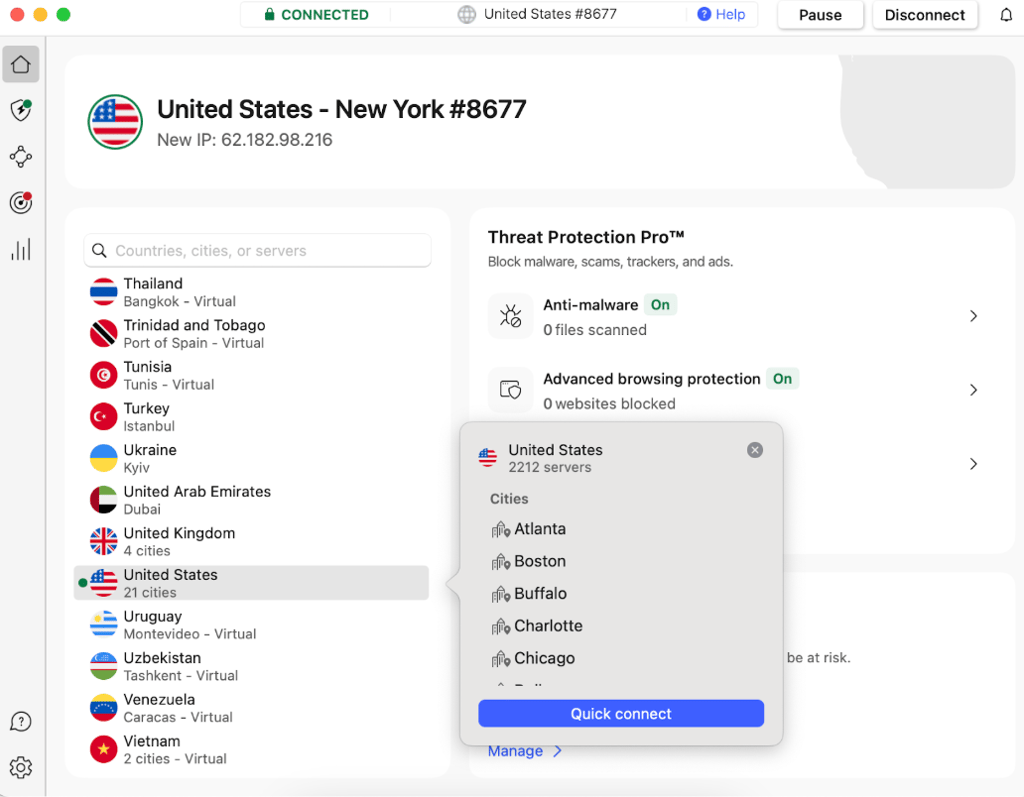
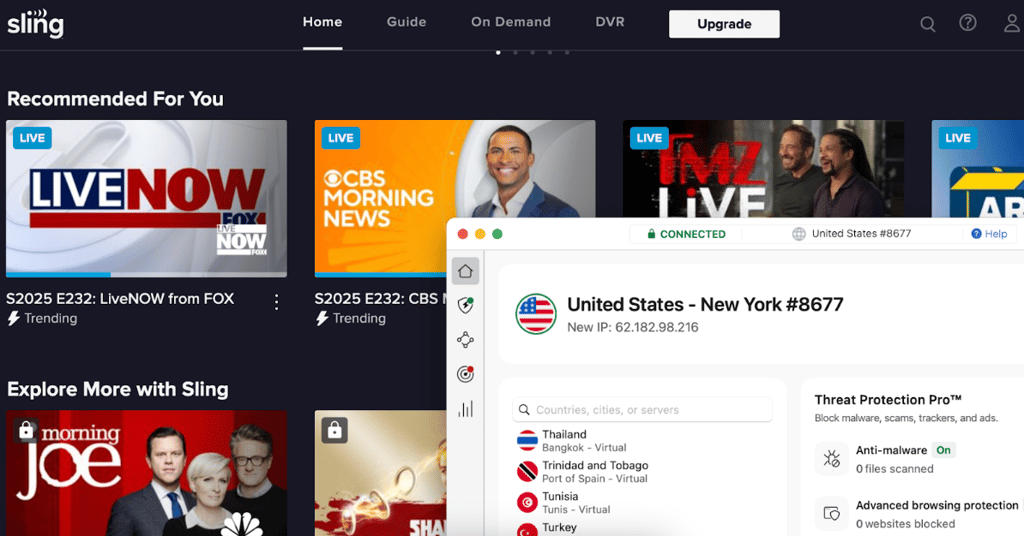
Once installed, open the VPN and select a server located in the US. Choosing a server in a different city can sometimes help if one location is experiencing heavy traffic or blackouts.

- Before opening Sling TV, double-check that your IP shows a US location. You can do this by visiting sites like whatismyip.com.
-
Open Sling TV in your browser and pick the live games or shows you want to stream.

-
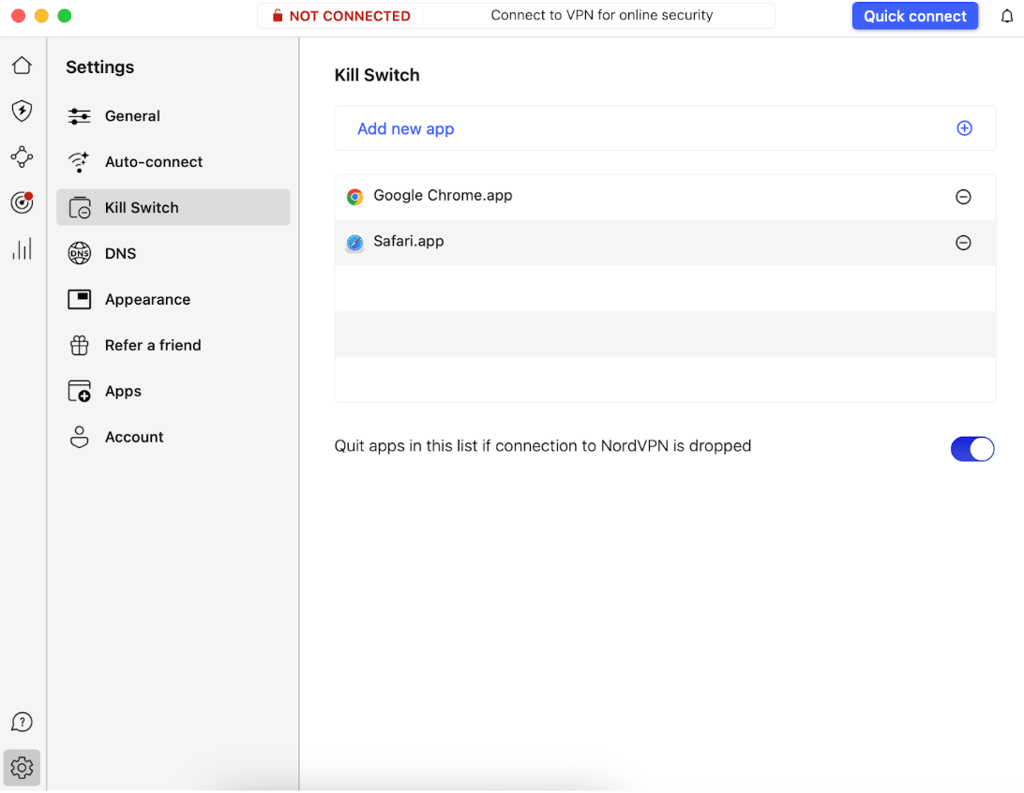
For uninterrupted streaming, make sure your VPN stays connected the whole time. Providers like NordVPN offer a kill switch, which blocks your internet if the VPN disconnects. That way, your real IP won’t leak to Sling TV mid-stream.

Bypass Sling TV live blackouts on Android/iOS
If you live outside the US or are just traveling, you’ll need a VPN to change your location in order to watch Sling TV on your phone or tablet. The setup only takes a few minutes, and I’ve listed the steps for iOS and Android below:
- Download and install a VPN from the Google Play Store or the App Store. I recommend NordVPN, now 75% OFF
- Open the app and connect to a US server
- Install and open the Sling TV app on your device
- Log in to your account and start streaming Sling TV with no blackouts
Sling TV not working with a VPN: how to fix it
If you’re already using a VPN and still can’t access Sling TV, there are a few likely causes:
- Your VPN can’t bypass Sling TV’s geo-restrictions, as it has a weak streaming infrastructure
- Your VPN app is outdated and doesn’t have the latest features
- Your provider’s IP address is overused and has been blacklisted by Sling TV
- Sling TV improved its VPN detection tools, and your VPN isn’t working anymore
- Your true IP address is leaking and revealing your location
- Your browser may store cookies and cache, which store your real location data
If your Sling TV VPN isn’t working, there are several potential reasons behind it. Try these quick fixes to solve the most common problems:
- Check whether your internet connection is stable
- Clean cache and cookies from your browser
- Check whether your DNS requests aren’t leaking
- Make sure you’re connected to a US server
- Connect to a different US server
- Change the DNS address settings to your VPN provider’s ones
- Contact your VPN’s customer service
If you’re still having issues or just want to get rid of the headache, it might be time to upgrade to a better VPN.

What can you watch on Sling TV?
Sling TV has plenty to offer in terms of channels and content. You have access to over 200 channels on the freestream alone. Most of the popular channels are under paid subscriptions, including, but not limited to, the following:
| AMC | Cartoon Network | CNN | Comedy Central |
| Disney Channel | MGM+ | ESPN | Food Network |
| FOX News | FX | HGTV | History |
| NBC Networks | NFL Network | NHL Network | Paramount Network |
| TNT | USA | BBC America | Discovery |
If you’re a sports fan, you can watch a variety of major events on Sling TV. For example, you can use a VPN to access Sling TV football channels to watch NFL games or, if you’re passionate about ice hockey – NHL matches.
Not into sports? Sling TV also shows news, movies, and even content for kids. You can find more channels here.
How to watch NFL games on Sling TV?
To watch NFL games on Sling TV, you need to buy a Blue or Orange + Blue subscription, which is a little more expensive. Blue and Orange + Blue subscription plans include the NFL Network, NBC, FOX, and ABC, all of which stream NFL games.
Please note that you only get your local NBC, FOX, and ABC channels, and depending on your location, you may not be able to watch certain games because of blackout restrictions. This is where a VPN comes in. Simply connect to a server located in a state where the game is available and watch your favorite team.
You can also pick up an Orange + Blue + Sports Extra plan. It comes with NFL RedZone and more sports channels. However, it’s on the pricey side.
Conclusion
Sling TV is an excellent option for those who want access to TV channels and watch NFL and other sports without committing to cable. Unfortunately, if you’re outside the US, you’ll be geo-blocked by the service.
The good news is that you can circumvent these restrictions with the help of a worthy Sling TV VPN. With a VPN, you can change your location and watch it as if you’re streaming Sling TV from within the US.
After evaluating my top VPN picks, I concluded that NordVPN is the best Sling TV VPN. With many servers worldwide, it unblocks Sling TV and provides a seamless streaming experience.
FAQ
Is it legal to watch Sling TV with VPN?
Yes, it’s completely legal to watch Sling TV with a VPN. This is a legitimate workaround for geo-restrictions and blackouts. However, make sure to always go with a trusted and reputable VPN provider like NordVPN.
Does Sling TV work with VPN?
Yes, Sling TV works with a VPN if you choose a legitimate VPN provider that’s compatible with the streaming service. I recommend NordVPN.
How do I change my location on Sling TV?
Its system automatically updates your location on Sling TV. To change your location on Sling TV, you need to follow these simple steps.
How to get around blackout restrictions on Sling TV?
You can get around Sling TV blackout restrictions using a top-quality VPN with numerous US servers. It allows you to connect to other American States where a particular sports broadcast isn’t geographically restricted. This method also unlocks movies and TV shows unavailable in your area.
Can I watch Sling TV while traveling?
Yes, you can watch Sling TV while traveling by using a VPN such as NordVPN. A VPN gives you a US-based IP address, which allows you to watch Sling TV without interruption.


