Your questions, answered by Cybernews: Here’s why you shouldn’t tell your phone passcode at a repair shop
Cybernews reader discovered her data was leaked in multiple breaches after sharing her passcode with a repair shop. What happened? Each week, our team selects one pressing and common reader issue and deconstructs it to help you stay safe online.

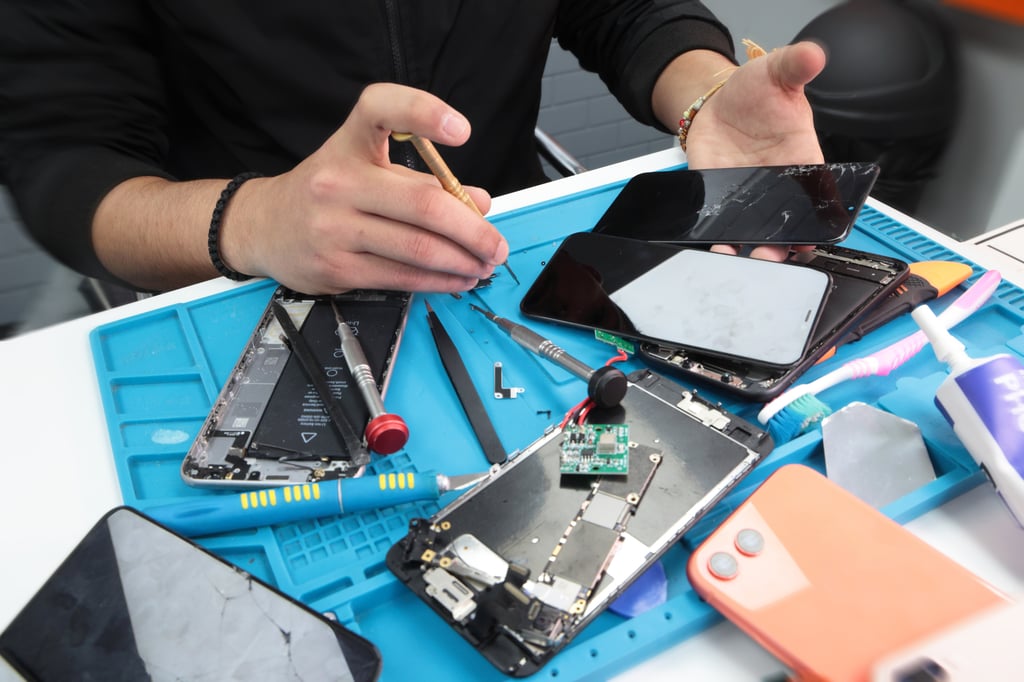
Phone repair shop. By Cybernews/Shutterstock

 Follow us
Cybernews reader discovered her data was leaked in multiple breaches after sharing her passcode with a repair shop. What happened? Each week, our team selects one pressing and common reader issue and deconstructs it to help you stay safe online.
Many repair shops demand your devices’ passcode, but few tell you just how much control that grants over your personal data.
Your phone was not showing any signs of life, so you did the sensible thing and took it to the repair shop. You slid it across the counter with the same casual confidence you’d hand over a coffee order. The guy behind the counter asked for your passcode, and you handed it over – because, they need to “test” it, right?
That’s exactly what one Cybernews reader did. She didn’t log out of Gmail, Facebook, or anything else. The next day, she checked her email on a Cybernews personal data leak checker, saw her address had popped up in seven different data leaks and freaked out.






“Could my data have been breached while in the repair shop?” she asked the editorial team.While the breaches she referred to are likely to have happened much earlier than the visit to the repair shop, it sparks a bigger, uglier question.
What’s actually stopping a repair shop employee from pawing through your entire digital life the second you hand over the broken device? The answer is not the one we like to hear.
Could you not reveal your passcode?
Cybersecurity researchers will tell you that giving your phone’s passcode to anyone is dangerous. That one code unlocks most of your apps and accounts: social media, messaging, email, photos, even some banking apps that do not have an extra layer of security.
“Some apps like financial apps have additional protections with additional authentication codes. However, it is common to use the same passcode for them. In that case, a malicious repairman could not only read your messages but also to sign into your banking apps and authorize transfers,”explained Cybernews researchers.
You could lock certain apps behind extra passwords or use “photo vault” features, but still most of those protections can still be bulldozed if someone has your main passcode.
The solution might sound pretty straightforward: if you have to bring your phone for maintenance, do not give away your passcode. However, it is still not always easy to do. In many repair shops, users are pressured to provide it as part of filling in the necessary paperwork, or technicians might say they need it for testing.
Some repair shops might not offer a warranty if they don’t have the passcode – they can’t test the device before and after the repair to make sure everything is working.
Why might repair shops ask for a passcode?
- Testing the touchscreen: After replacing a cracked screen or digitizer, techies may need to swipe through menus or open apps to confirm touch responsiveness.
- Verifying camera repairs: If the front or rear camera module is replaced, they may need to open the camera app to test focus, zoom, and switching between lenses.
- Checking speaker, microphone, and audio jack function: This sometimes requires opening a voice recorder app, music app, or making a test call.
- Battery replacement diagnostics: Some shops run system diagnostics after a new battery install to check charging speed, battery health, and power consumption – sometimes this means accessing settings.
- Diagnosing random shutdowns or freezing: May involve launching apps and navigating menus to replicate the problem.
- Wi-Fi, Bluetooth, or connectivity troubleshooting: Technicians might need to enter network settings, pair with devices, or run speed tests.
- Repairing or replacing the charging port: Often involves charging tests that might require unlocking to see battery percentage updates or charging notifications.
- Software troubleshooting or updates: OS reinstalls, patching, or bug fixes may require navigating the phone’s menus.
- Data recovery: Access to files, messages, or apps often requires the main passcode – but this is the most sensitive situation and should be handled by specialists you trust.
- Verifying fingerprint or Face ID setup: After replacing a home button, Face ID sensor, or related components, they might need to test biometric unlocking, which requires access to settings.
However, in most cases, a legitimate shop can run diagnostics without needing to log into your personal accounts by using manufacturer or diagnostic software, test rigs, or external modules for things like charging port or screen replacement.
Can you trust repairmen with your data?
In 2022, a team of computer scientists from Canada’s University of Guelph dropped a bombshell on the electronics repair industry, revealing that data privacy at repair shops is run on an honor system without any proper safeguards.
Their study, No Privacy in the Electronics Repair Industry, examined how 18 North American repair service providers, including national and regional chains, local shops, smartphone repair services, and even device manufacturers, handled customer devices.
When the researchers posed as customers needing a simple battery replacement for Asus laptops – a job that shouldn’t require logging into the operating system – all but one shop still asked for login credentials.
Not a single shop had clear, posted privacy policies, and the few that offered terms and conditions buried them in documents that also disclaimed responsibility for any data loss.
Researchers also rigged the laptops with dummy data and hidden logging tools, to see what repairmen did with the data on the device. Six out of sixteen technicians snooped on the machines. Two even copied files to external devices.
Most commonly, technicians checked customer photos, but there were forays into browsing history as well. In one case, the technician was caught digging into financial records.
Some of the snoopers were savvy enough to try covering their tracks, deleting “Quick Access” or “Recently Accessed Files” to erase evidence.
According to researchers, the behavior they documented was enough to explain why so many people skip repairs entirely. Survey data suggested roughly one-third of broken devices never get fixed because their owners don’t trust handing them over.
There are notorious cases, where Best Buy’s Geek Squad technicians were allegedly serving as FBI informants to Apple repair staff accused of stealing intimate photos from the clients devices.
Given the industry’s $19 billion annual size, that’s a massive trust gap and a lot of hardware gathering dust instead of getting repaired.
Send us your questions via email ([email protected]), and our experts will dig for the answers.
How to prepare your phone for repair?
- Don’t hand over your passcode unless there’s truly no way around it.
- Back up and factory reset before any repair.
- If you can’t reset, log out of email, cloud storage, and social media at minimum.
- Use app-specific locks for sensitive stuff like photo galleries and messaging.
- Check if your phone has a “Repair Mode” (Samsung’s does) to lock down your data while still letting techs work.
The first and most important safety measure that you could take is safeguarding your passcode.
“You can always refuse to give your passcode,” claim Cybernews researchers.
“With older devices a lot of the time there are vulnerabilities discovered that can allow for data exfiltration from a locked device, but for newer devices up to two years old it should be relatively safe to give the device without the passcode. Another important measure is wiping the data from the device before handing it in to the repair shop.
“The most secure way to safeguard your data would be to create a backup of your phone, transfer it to another device, factory reset the phone before giving it to a repairman, and restore from the backup after you receive the repaired phone.”

FAQ
Can a phone repair shop steal my data from a locked phone?
If your device is less than two years old, it’s relatively difficult to extract data from a locked phone. However, older devices often have more security vulnerabilities, making it easier for threat actors to steal data—even from a locked phone.
When is it OK to give the repair shop my passcode?
It’s not — and you can, and should, refuse to do so. Repairs can and should be done without technicians accessing your personal accounts. According to Apple, “neither Apple nor Apple Authorized Service Providers will ask for this information.” You might, however, be asked to enter your passcode for certain software support tasks — but you should remain present at all times while the technician has access to your device.
What should I do if I gave my passcode to the technician?
Your data could now be at risk. Even if it was stolen, it may not appear on the dark web immediately. Change your passwords—starting with Google, Facebook, and other frequently used accounts. Change your device passcode, and enable multifactor authentication on all accounts. Watch for signs of unauthorized access. If you have reason to believe your data has been compromised, report the repair shop and the technician, and contact your local information protection office. If you suspect unauthorized access to your credit card data, block your cards immediately.