5 fresh website ideas to inspire your next project
Our team of experts and researchers rigorously test and evaluate website builders through transparent, in-depth testing procedures and methods using both in-house and industry-approved tools.
Drawing on cybersecurity insights, we provide unbiased, empirical rankings and analysis to help users make informed digital platform choices.
Learn more
A good website usually starts with a clear idea. The ones people remember are not just well designed. They offer something useful, show a bit of personality, and give you a reason to keep exploring. That is what makes fresh website ideas so valuable right now, especially for brands, creators, and small businesses that are trying to stand out online.
You can now test and build ideas much faster than before, especially with an AI site creation platform like Wix Harmony, helping with layout, content, and setup and acting as your own AI agent web designer. In this list, we are looking at 5 website ideas that feel current, practical, and flexible enough to turn into something real, whether you want to make a portfolio, start selling online, teach a skill, or build a space around a shared interest.

Idea 1 – minimalist portfolio
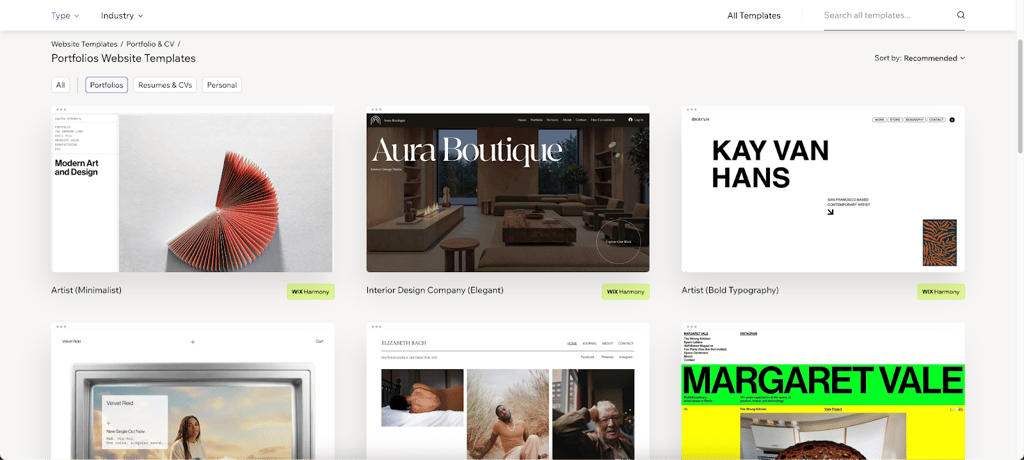
Not every portfolio needs a big concept. Sometimes the smartest move is to keep the site quiet and let the work carry it. That is really the appeal of a minimalist portfolio. You lead with strong visuals, keep the copy short, and avoid stuffing the page with effects that do not add much. A wide hero image, clean fonts, plenty of breathing room, maybe a small hover detail when someone moves through the gallery.
This format suits photographers, designers, and artists especially well because people usually want to see the work first and read later. A straightforward structure tends to do the job: home, gallery, contact. Nothing complicated, nothing buried. Visitors can get a sense of your style fast, then reach out when they are ready.
It also gives you useful SEO options. If each project lives on its own page, you can write specific titles and descriptions instead of forcing everything into one portfolio grid. With Wix Harmony, you can even start with a Portfolio template, get the bones of the site in place quickly, and then use Wix’s limitless drag-and-drop interface to adjust the fonts and colors until it feels more personal.
Idea 2 – interactive blog with AI‑generated summaries
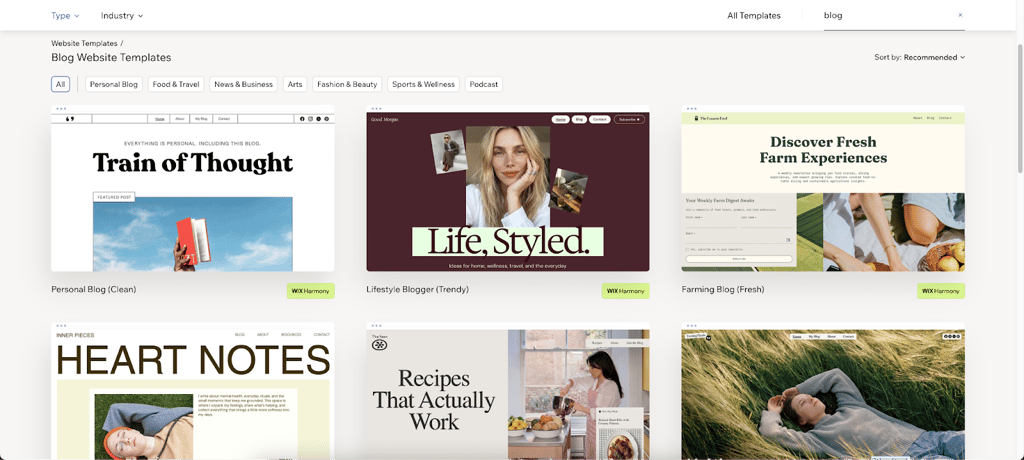
A standard blog can start to feel heavy fast, especially when every post asks for a full time commitment. That is part of what makes this idea more interesting. An interactive blog with AI-generated summaries gives readers two ways in: they can skim the short version first or go straight into the full article if they want more. It is a small feature, but it changes the reading experience quite a bit.
The format works well for blogs that publish long-form content on a regular basis. Each post can open with a featured image, followed by a table of contents that helps people jump to the part they actually care about. A sidebar with related posts keeps readers moving through the site instead of dropping off after one article. Tag filters help with discovery too, especially once the content library starts growing.
There is also a practical SEO angle here. Short AI-written summaries can double as excerpts for search previews or social sharing, which can help with clicks. Add a newsletter signup and the blog starts doing more than publishing content. With Wix, you can use an AI agent content assistant to generate content and excerpts automatically and get tag suggestions without doing every part by hand. Plus, you’ll get custom-made blog posts and content improvements based on your site’s profile and existing content.
Idea 3 – e‑commerce store for handmade crafts
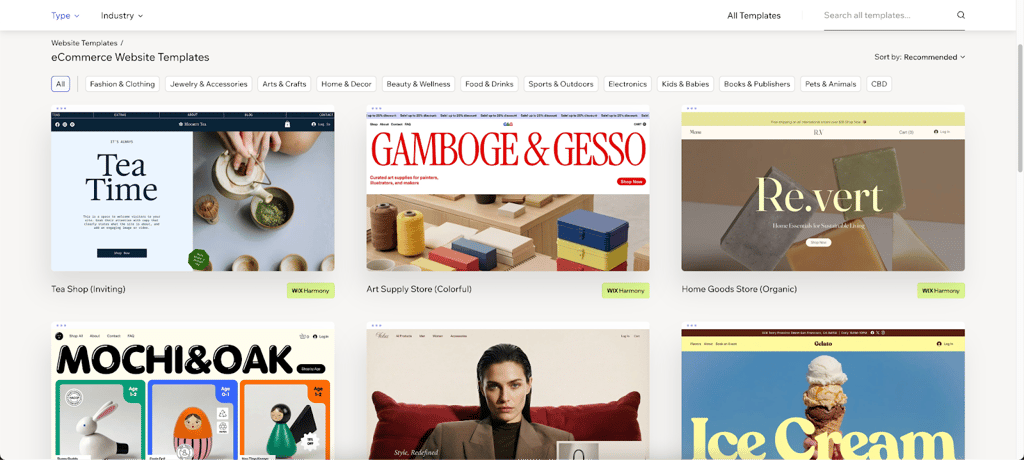
A handmade shop lives or dies on trust. People want to see what they are buying, yes, but they also want a sense of the person behind it. Where it was made. Why it feels worth paying for. That is why this kind of store works best when it mixes sharp product photography with a bit of story. Not a wall of brand copy. Just enough context to make the item feel real.
The core setup is fairly simple. Clear product pages, a product carousel for featured pieces, reviews from past buyers, and a checkout that does not turn into a chore. Multiple payment options help there. So do limited-time offers now and then, especially around launches, holidays, or small batch drops.
A blog can pull extra weight too. Craft tutorials, care guides, process notes, gift ideas – all of that gives the site more texture and brings in people who are not ready to buy on the first visit. Wix Harmony helps you to get the store structure in place quickly, generate product descriptions with AI, and use Wix’s ecommerce features to handle payments and inventory in one place instead of stitching tools together.
Idea 4 – online course platform
Some website ideas work because they fill a gap. This one works because it gives knowledge a place to live. An online course platform makes sense for anyone teaching a skill, breaking down a process, or building a business around what they know. The setup can be fairly straightforward: video lessons, downloadable materials, short quizzes, and a course page that tells people exactly what they are signing up for.
Once you start adding structure, it becomes much more useful. A course catalog helps visitors compare options. Enrollment forms keep the path into each course clear. Progress tracking matters too, especially for students who are working through lessons over time instead of finishing everything in one sitting. Some creators also add live webinars for Q&As or workshops, which makes the learning experience feel less one-sided. Certificates can be a nice extra, depending on the subject.
There is also flexibility in how your learning platform earns money. Some courses are best offered free, some work better as one-time purchases, and others fit a subscription model. With Wix, you can use LMS tools to manage the learning side, while Wix Harmony and its AI agent, Aria, can help build course pages and shape lesson outlines without starting from scratch.
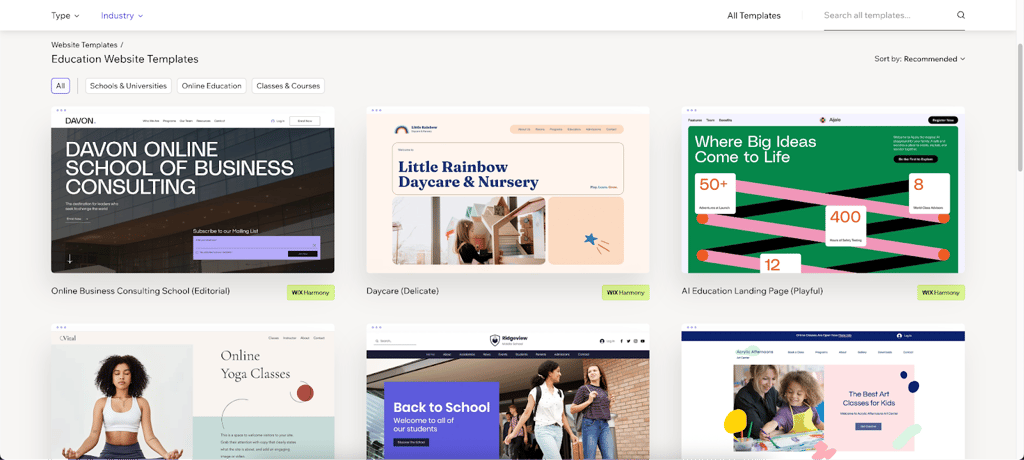
Idea 5 – community forum with AI‑moderated discussions
A forum can still be one of the best website ideas when the goal is to keep people coming back, not just passing through. Unlike a regular content site, a forum gives users a reason to take part. They can ask questions, start discussions, share advice, and help shape the tone of the space over time. When it works, the site starts building its own momentum.
The strongest forums usually keep the structure easy to follow. People should be able to browse topics, reply without friction, and vote useful answers to the top. User profiles and reputation points can help too, mostly because they give regular members a visible role in the community. A searchable archive matters more than people think. Once enough conversations build up, old threads can keep bringing in traffic and answering questions long after they were first posted.
Moderation is where things often fall apart, especially as the forum grows. That is where AI can actually be useful. Instead of replacing human judgment, it can flag problem content early and help keep discussions civil. With Wix Groups and Wix Harmony moderation suggestions, it is easier to launch a community space that feels active, organized, and safer to participate in.
Wix harmony quick‑start box (sidebar)
Got an idea you want to test without turning it into a whole project plan first? Wix Harmony is the fast way in. Pick one of the website ideas from the list, then use Generate Site with Wix Harmony to turn a short text prompt into a real, fully customizable website. It is a text-to-website flow, so you are not starting from a blank page or piecing together separate tools just to get something online.
From there, you can keep it simple or make changes, either yourself or with Aria, the AI agent web designer. If you want to adjust the layout, swap sections, change fonts, or fine-tune colors, you can do that in the Wix Editor with drag-and-drop controls. If you do not need much customization, you can move straight to publishing.
The main appeal here is speed. You go from a rough idea to a working website in one place, with a setup that is already responsive across devices. No extra platform for hosting, no separate design tool, no complicated handoff. Just choose an idea, generate the site, tweak it if needed, and publish. In many cases, the whole thing can be live in under five minutes, which makes it much easier to test concepts while the idea still feels fresh.
FAQ
Can I use Wix Harmony for any website idea?
Yes, Wix Harmony works for a wide range of website ideas. It can generate layouts, copy, and images for everything from portfolios and blogs to online stores, course platforms, and community sites.
How fast can I launch a site with Wix?
Most sites can be up and running within minutes. With Wix Harmony’s AI-driven quick-start, you can go from idea to live website fast, then make changes whenever you want.
Do I need design skills?
No, Wix Harmony handles most of the design work for you with Aria, your AI web designer. You can also refine the site later using simple text prompts and manual edits.
Is there a free plan?
Yes, Wix offers a free plan with basic features, so you can start building before paying. Premium plans unlock more advanced tools, including extra AI features and business options.
Can I export my site?
No, Wix sites stay on the platform, which helps with hosting, security, and updates. However, you can still export content data like blog posts or product information through RSS or CSV for backup.