Facebook is blocked in China: 3 ways to access it
Our in-house cybersecurity experts and journalists, renowned for major reports like The Mother of All Breaches, conduct transparent, unbiased VPN testing and in-depth analysis.
With 750+ articles crafted based on real-world research, we empower readers to make informed purchasing decisions through first-hand expertise.
Learn more

Facebook has been blocked in China since 2009, and both residents and travelers have been searching for ways to bypass the restriction ever since. Overall, heavy government censorship and surveillance have led many internet users in China to find ways to browse more privately and safely. And unblocking Facebook is just one part of it.
There are several ways you can try to go around the Great Firewall of China and bypass access restrictions to Facebook and many other blocked websites, including YouTube, X (formerly, Twitter), Google Search, or BBC. One of the most widely used methods is a VPN, which works by changing your IP address and routing your traffic through another location, making it easier to access these blocked platforms.
Access to Facebook is restricted in China, and tools commonly used to access blocked websites – including VPNs, proxy services, and Tor – may be subject to local laws and regulations. Rules and enforcement can change over time, and restrictions may differ for residents, visitors, businesses, and approved service providers. Before attempting to access Facebook or other blocked services, make sure you understand the applicable laws and regulations in your location.
Why is Facebook blocked in China?
Facebook first appeared on the Chinese government’s radar after the July 2009 Ürümqi riots. The activists were using social media to coordinate their operations. The logic is that if the government cannot get a grip on the service, it shouldn't be available. Now it applies not only to Facebook but also to many other user-generated content platforms.
The Great Firewall of China is the country's primary method for filtering unwanted connections. The government also substitutes unavailable sites with their domestic versions. These are copies in terms of function, but some may feature surveillance built into the back end. Most of them also come with automatic filters for politically questionable content. Since many users cannot access foreign websites, they usually choose the easier, local option.
The Great Firewall of China is a combination of several blocking methods to filter out unwanted content. For example, they block not only domain names and IP addresses but also specific pages on websites that may otherwise not be banned. Essentially, it examines the data being exchanged and determines whether to allow it in accordance with a set of government-approved rules.
So, many quick-fix ways to bypass censorship measures, like changing your DNS provider, may not help. To bypass the Great Firewall, you'll need more serious tools and knowledge of how to do it.
How to access Facebook in China with a VPN
A VPN (virtual private network) may help some users access Facebook in China. It creates an encrypted tunnel between your device and the VPN server so that you can connect to the internet privately. The encryption grants access to the sites that would otherwise be blocked.
A VPN is one of several tools people use when trying to access websites that are restricted in China, but it is not the only option, and it does not guarantee success. China actively restricts VPN traffic, and methods that work on one device or network may fail on another. The options below are commonly discussed by users seeking access to Facebook, although their effectiveness can vary over time.
Step 1: find a reliable VPN service provider
VPN providers sell access to their own server networks for a monthly fee. Using this software, you can bypass the Great Firewall. However, not everything is as simple as it seems.
First, not all VPNs are made equal, and not all VPNs can unblock Facebook. To make this work, you'll have to find a VPN service provider you can trust. You'll also need to verify if it works in China. Plus, it's always a great idea to confirm that it doesn't keep your usage logs and protects your anonymity with advanced safety measures.
According to Cybernews testing conducted in 2026, NordVPN was able to establish connections on the networks tested. However, results may vary depending on your location, device, network, and changes to local internet restrictions.
Just keep in mind that the Chinese government actively blocks VPN servers, so you might run into problems once in a while. Your device’s configurations can also impact whether or not the VPN works.
Step 2: get the software
If you're already in China, getting a hold of a VPN can be a tricky task in itself. Many of the providers’ websites are blocked altogether. Plus, the official sources like Google Play Store aren't available.
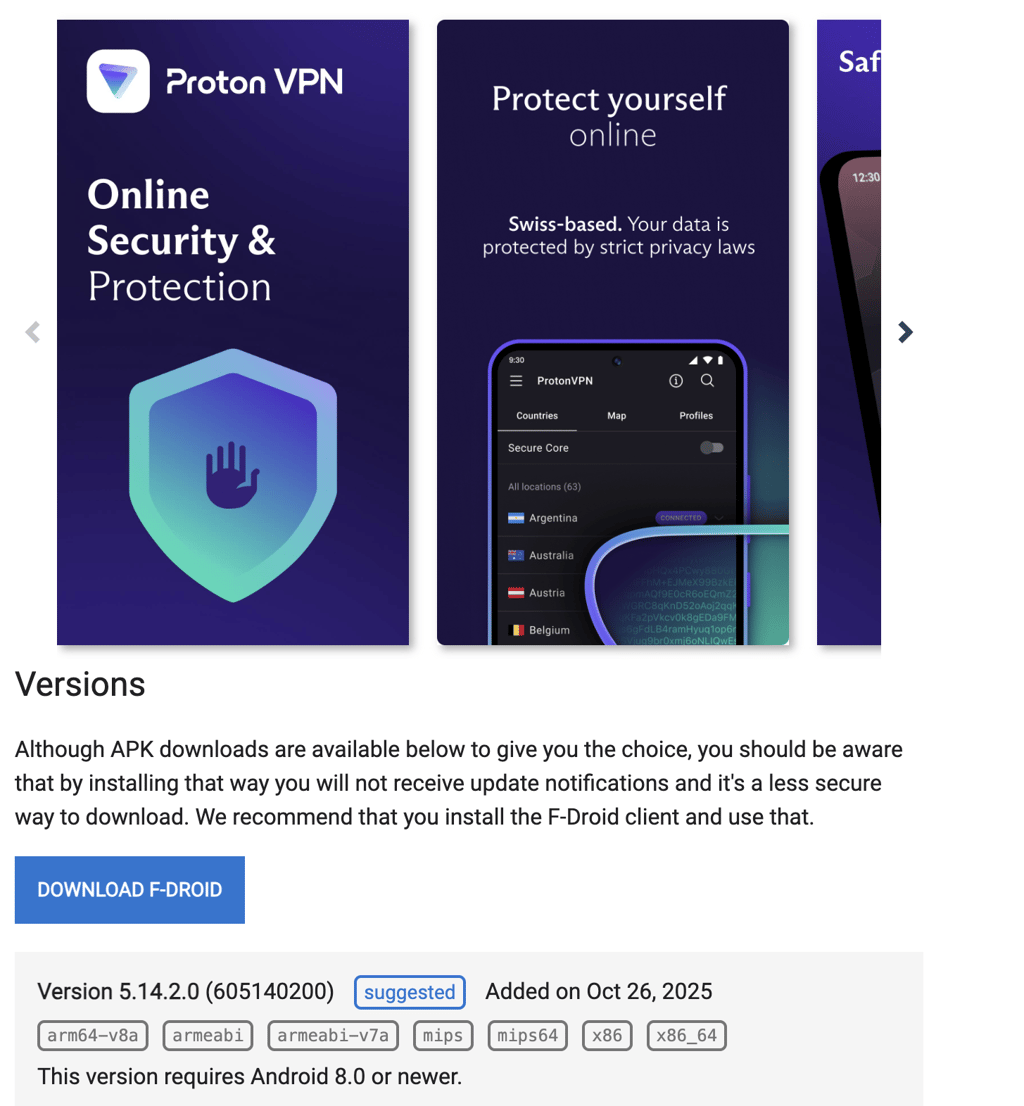
However, there are hundreds of different app stores available in China. Some of them are more loosely controlled and include trustworthy VPNs. For example, you can use the F-Droid catalog to find Proton VPN. This, in itself, could act as a gateway to get more information or other VPN clients.
Also, most VPN providers are well aware that the Great Firewall blocks their pages, so they have special versions of their websites or mirrors. For example, ExpressVPN has a special website version expressobutiolem.onion, which you can only access via the Tor Browser.
If you're reading this before your trip to China, you should set up your VPN in advance to save yourself the trouble.
Step 3: set up the account
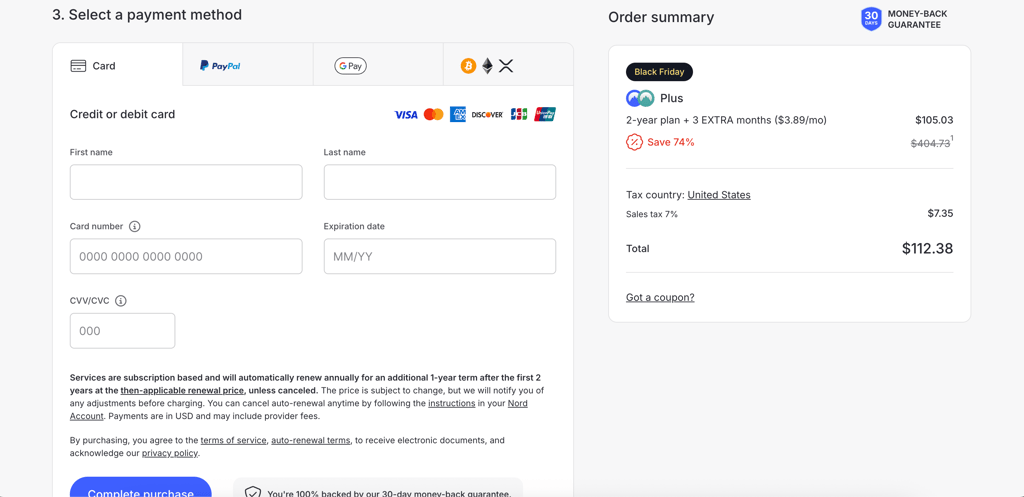
To use a VPN, you must set up an account. It also means figuring out a safe payment method. You want as little information tied to your personal information on your VPN account.
For example, Mullvad can generate an account number without you having to provide an email address, which is important if you want to keep your personal email private. It's also a great idea to pay for your VPN using cryptocurrencies. That way, you don't leave a trace on your bank account, making it extremely difficult to link the VPN purchase to you.
Step 4: set up your client
Once you get all the pieces, what's left is to install the VPN client and log in using your credentials. In general, many of these steps will depend on your chosen VPN provider.
You might also need to select the appropriate configuration – always consult your VPN provider's website if you need to enable anything else to bypass the Great Firewall of China.
Keep in mind that your setup could work one day, then return errors the next day, and continue working the day after. The Great Firewall is constantly upgraded, and so are VPN services. You can always contact the customer support if you need help.

Limitations: what a VPN can and cannot do
A VPN changes your IP address and encrypts your internet traffic. In the context of Facebook access, this means a VPN may help with the IP address portion of the restriction by making your connection appear to come from another country.
However, a VPN does not guarantee access to Facebook. China actively restricts VPN traffic, and access methods that work one day may stop working the next. A VPN also cannot change your device's GPS location, override local laws, or guarantee that a website or service will remain accessible.
In short, a VPN may help with the connection step, but it is not a guaranteed solution for accessing Facebook in China.
How to access Facebook in China with an eSIM
An international eSIM can be another way to access Facebook while visiting China. Unlike a VPN, an eSIM provides mobile data through a carrier. Some international eSIM providers route traffic through networks outside mainland China, which may allow access to services that are otherwise unavailable on local Chinese networks. However, this isn't guaranteed, as routing and network policies vary between providers. In this case, I'll use Saily as an example.
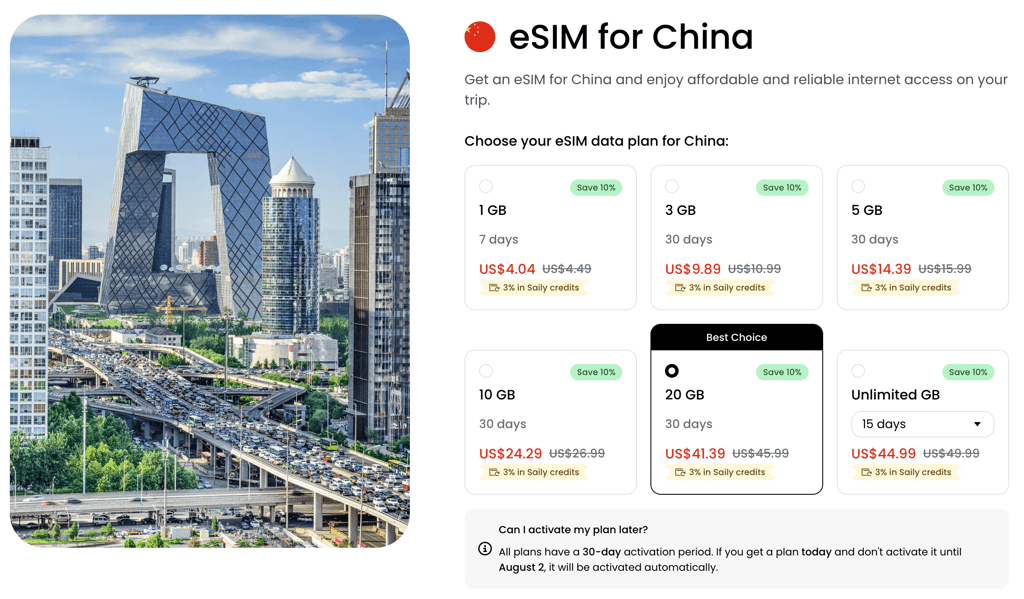
Step 1: buy a China eSIM plan from Saily
Purchase a China data plan through the Saily app or website before your trip or while connected to an unrestricted internet connection.
Step 2: install and activate your eSIM
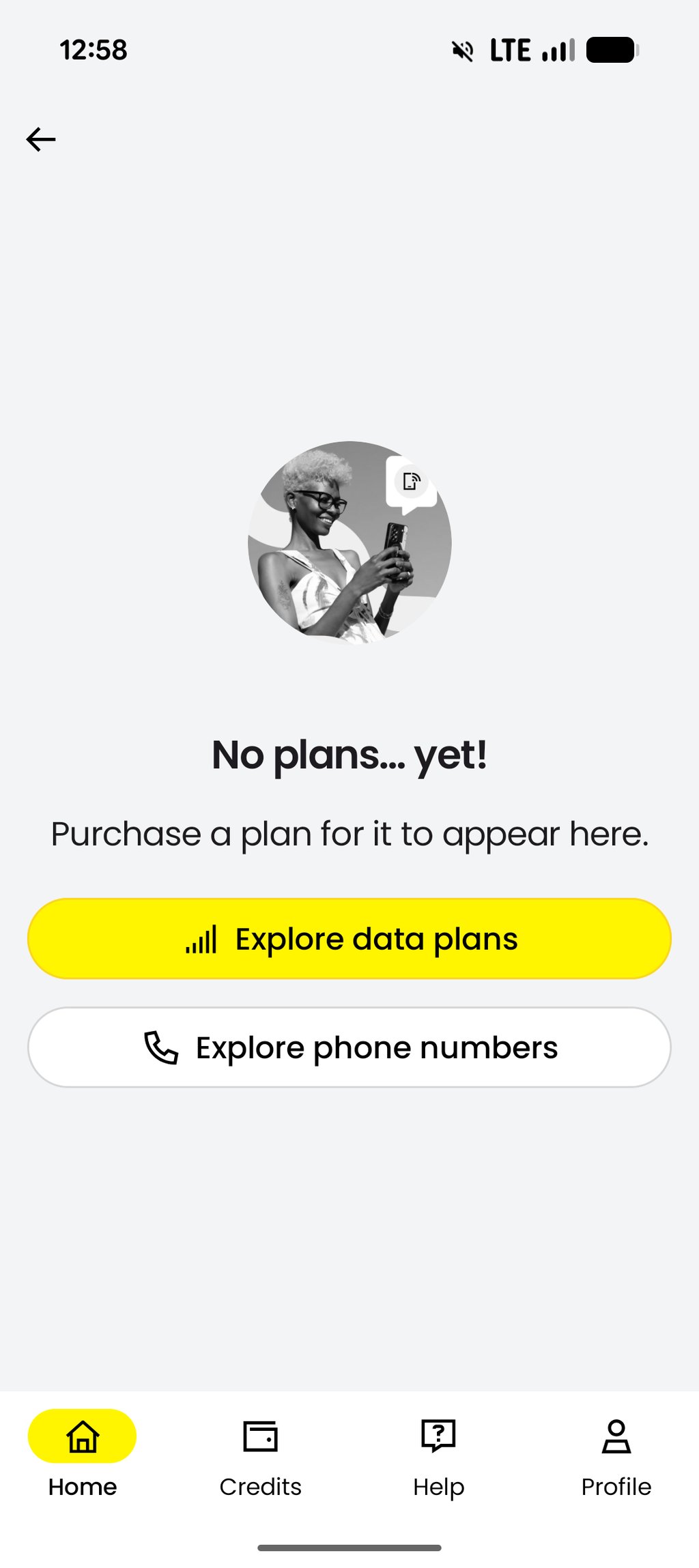
Follow the instructions in the Saily app to install and activate your eSIM. Most devices let you complete the setup in just a few minutes.
Step 3: enable the eSIM for mobile data
Go to your phone's cellular settings, select the Saily eSIM as your mobile data line, and enable data roaming if prompted.
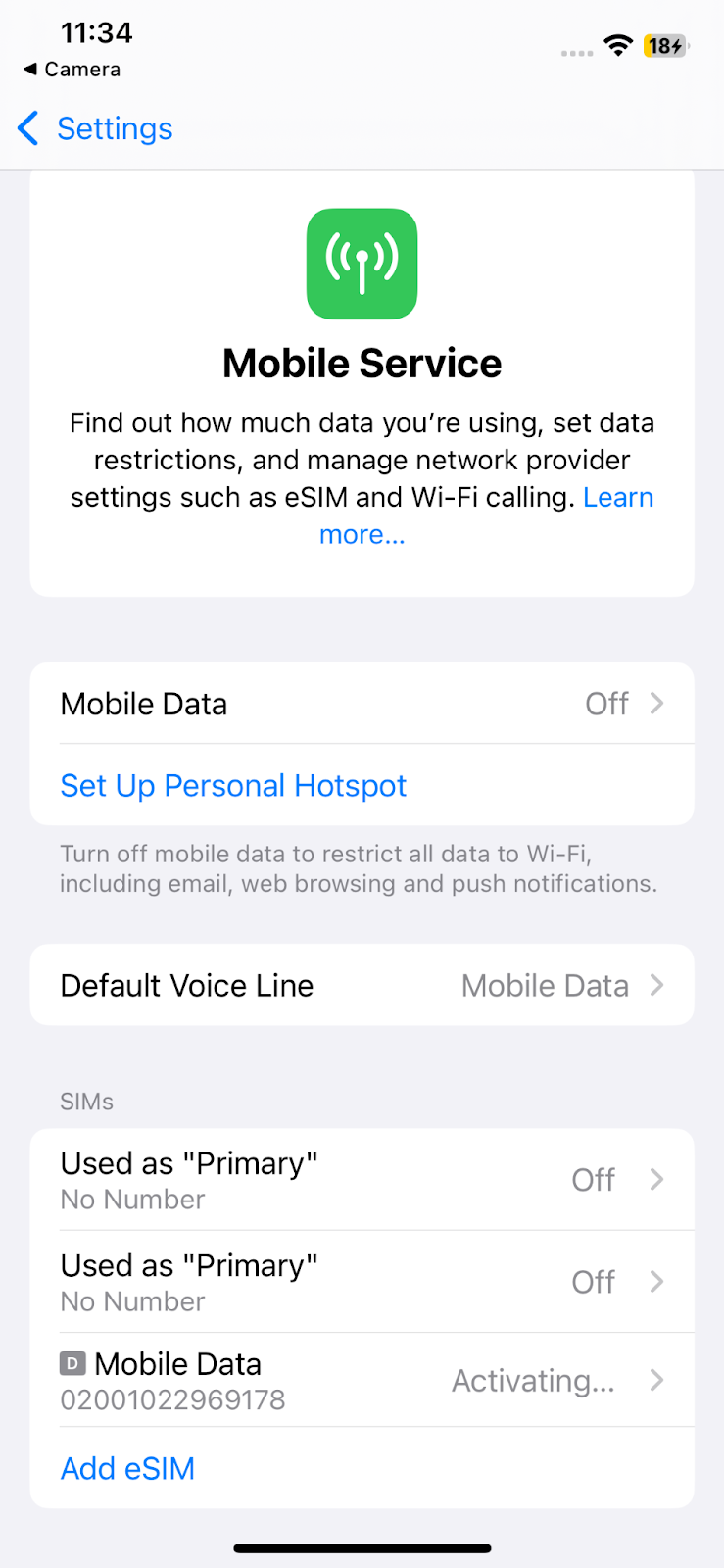
Step 4: connect to the mobile network
Once you arrive in China, allow your device to connect to the supported mobile network. Wait until your data connection is active before opening any apps.
Step 5: check whether Facebook is accessible
Open Facebook while connected to your Saily mobile data. If Facebook doesn't load, your connection may be routed through mainland China, in which case the service will remain unavailable.
Keep in mind that eSIM routing can change over time, so an eSIM that works today may not always provide access in the future. If accessing Facebook is important during your trip, check your provider's latest guidance before you travel.
Unblock Facebook with the Tor Browser
Important: Tor may be restricted in China, and its effectiveness can vary depending on your network and location. Before attempting to use Tor to access Facebook, check the applicable local laws and regulations and understand that access is not guaranteed.
The Tor Browser is usually associated with anonymous networks and private browsing. Facebook isn't either of those things. However, you can use Tor to access this social network.
It isn't widely known, but Facebook has an Onion version of the site: facebookwkhpilnemxj7asaniu7vnjjbiltxjqhye3mhbshg7kx5tfyd.onion. This isn't a knock-off phishing site. Instead, it's a genuine version set up by the official parties. However, it won't work on a regular browser like Chrome or Firefox – you need the Tor Browser to access it.
The Tor Browser uses an open and voluntarily set up overlay network. When you connect via Tor, your connections get passed through several relays set up by other users. Since every next relay is randomly generated, it's impossible to trace the connection back to you.
Essentially, you're hidden behind multiple layers of randomized endpoints, which explains why the site extension is .onion. Here's how to set it up to access Facebook.
Step 1: get the Tor Browser
Naturally, if you're in China, their official website torproject.org will be blocked. This is why you should use a VPN to access it. It never hurts to download the files when you're in your home country. Keep them in your thumb drive or in the cloud so you can access them later.
Step 2: set up the application
Setting up the Tor Browser is pretty simple. Once you download the application onto your device, initiate the installation, and you’ll be asked to connect.

Step 3: pick a bridge
There's an ongoing debate about which Tor bridges work and which don't. What you should try first is the meek bridge. This is a loophole that uses China's dependence on Microsoft's Azure cloud computing services.
There's a good chance that this could be insufficient, and you might need to set up the Obfsproxy protocol. It's used to scramble your traffic to defeat the deep packet inspection.
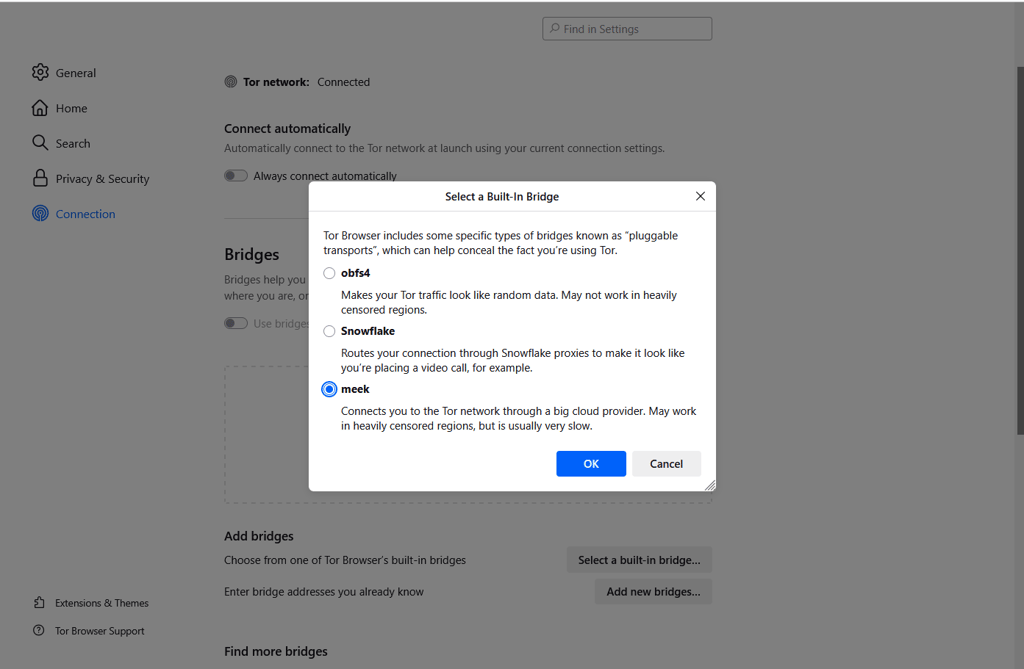
Step 4: go to Facebook
Once you've established your connection through Tor relays, you can now access the facebookwkhpilnemxj7asaniu7vnjjbiltxjqhye3mhbshg7kx5tfyd.onion version of the site. This is the official Facebook site for the Tor browser.
If the website doesn't load, you might need to disable HTML5 Canvas. Just change the settings from Standard to Safer or Safest.
Unblock Facebook with Shadowsocks
Shadowsocks is a proxy that was built to do one thing and one thing only – bypass the Great Firewall. It works similarly to a VPN because you're also connecting to a remote server with free access to the internet, and it encrypts your connection.
The main difference between Shadowsocks and a VPN is that Shadowsocks simulates regular HTTPS traffic, which can pass through the Great Firewall without raising suspicion. Mind you, it's less concerned about hiding user privacy than Tor or VPNs are. Plus, the Chinese government has found ways to block Shadowsocks, too, which means it will not work in all cases. VPNs and proxies that are not approved by the Chinese government are tricky, since they may work for some people and then be completely blocked for others.
Here's how you can use it.
Step 1: access a remote Shadowsocks server
If you want to use Shadowsocks, you must already have a server you're planning to connect to. If you're using a VPN client, many of the tips mentioned above will also apply here.
You will likely find a provider with Shadowsocks capabilities, saving you the struggle of manual setup. That way, you can install the software and toggle Shadowsocks from the app. However, if you set up a Shadowsocks server yourself or use one hosted by a friend, you’ll have to manually configure it on your device.
Step 2: get the latest version of the Shadowsocks client
Shadowsocks is available freely on its GitHub page. Download the latest version and extract the zip file. Of course, GitHub is blocked in China, so you should set up the connection before you're in the country. Otherwise, you'll need to use the Tor Browser or a VPN to get the installation files.
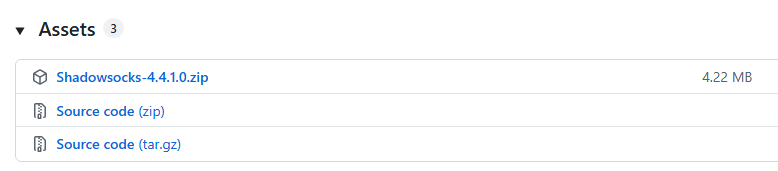
Step 3: set up your client
You won't need to install anything. Just extract the zip package and launch the executable. You will be greeted with a settings menu. Since there's a prerequisite to know already to which server you'll be connecting, this is where you enter the connection details.

Step 4: enable the proxy
If you set up everything correctly, you'll be greeted with a pop-up saying that the connection is successful. Then, you should head to the System Proxy and enable the Global mode. This will make all your data go through Shadowsocks, which may help you connect to Facebook in China.

Why do you need a VPN to access Facebook in China?
Facebook is unavailable on most internet connections in China because access to the platform is restricted at the network level. As a result, users attempting to open Facebook from within China may find that the website or app fails to load normally.
When a service is restricted in this way, the main obstacle is the location of your internet connection. A VPN may help by routing your traffic through a server in another country and providing an IP address from that location. However, a VPN only addresses the IP-location part of the process and does not guarantee access.
What you need to access Facebook in China
| Your need | What it requires | Can a VPN help? |
| Access to Facebook from a restricted network | An internet connection that can reach Facebook's servers | ✅ Yes, a VPN may help with the IP address change |
| A Facebook account | A valid Facebook account and login credentials | ❌ No |
| Access through a browser or app | A compatible browser or the Facebook app | ❌ No |
| Compliance with local laws and regulations | Following applicable local requirements | ❌ No |
| Reliable access over time | Access methods that continue working despite changing restrictions | ❌ No guarantee |
When you don't need a VPN
You generally don't need a VPN if you're accessing Facebook from a country where the service is available normally. In those cases, you can simply use the Facebook website or app and sign in to your account.
A VPN is also not the solution if you're having problems with your Facebook account itself, such as login issues, account restrictions, password problems, or two-factor authentication errors. Those issues must be resolved through Facebook's account-recovery and support processes.
Is using a VPN in China legal?
The answer is not entirely straightforward. China does not treat every VPN the same way, and the legal situation depends on who is using it and for what purpose. In general, VPN services that are officially approved by the government for business use are permitted, while unapproved consumer VPNs exist in a grey area and may be blocked or restricted.
For ordinary users, the main risk is usually not that simply using a VPN will lead to immediate punishment, but that unapproved services may stop working or could draw attention in certain situations. Enforcement tends to focus more on people who sell, distribute, or operate unauthorized VPN services than on casual users.
However, it is always important to consult local laws and regulations before using a VPN in China.
FAQ
Can foreigners use Facebook in China?
No, access to Facebook is restricted in China under the country's internet regulations and applies to anyone using networks within China, regardless of citizenship. Methods that attempt to bypass these restrictions (for example, VPNs or other proxy tools) may not be reliable and can carry legal, security, and privacy risks. If you need to communicate while in China, consider using services that are officially available there or consult local regulations and your organization’s IT and legal advisors before attempting any technical workarounds.
Is social media banned in China?
Social media itself is not uniformly banned in China, but access to specific platforms varies. Chinese regulations restrict certain online content, and some international platforms are inaccessible as a result. Companies operating in China also need to comply with local laws and content rules, which can influence how services are offered there.
Can you access Facebook in China?
Yes, however, you'll need to use a VPN or another method to circumvent the block. Facebook has been blocked in China since 2009. Other notable sites inaccessible in China are: Wikipedia, Netflix, Instagram, Google, DuckDuckGo, X (Twitter), YouTube, and the list goes on.
Will China lift its ban on Facebook?
No public indication suggests China will lift its restrictions on Facebook in the near term. Chinese decisions about foreign platforms reflect regulatory and political priorities, so any change would depend on those factors. Meta’s leadership, including Mark Zuckerberg, has made efforts to engage with Chinese officials, but those discussions have not led to Facebook becoming available there.
Is using Facebook in China legal?
No, using Facebook in China is not legal. The popular social media platform has been censored since 2009. While accessing the site is not technically illegal, you'd need to use tools like a VPN, Tor Browser, or proxy to access it. The use of the so-called anti-censorship tools is restricted in China, so be sure to analyze local laws before using one.
Is using a VPN in China legal?
The answer is not entirely straightforward. China does not treat every VPN the same way, and the legal situation depends on who is using it and for what purpose. In general, government-approved VPN services for business use are permitted, while unapproved consumer VPNs fall into a grey area and may be blocked or restricted. For ordinary users, the main risk is usually not that simply using a VPN will lead to immediate punishment, but that unapproved services may stop working or could draw attention in certain situations. Enforcement tends to focus more on people who sell, distribute, or operate unauthorized VPN services than on casual users. However, it is always important to consult local laws and regulations before using a VPN in China.