How to watch KKR vs MI live: a complete IPL 2026 league stage guide for May 20th
Our in-house cybersecurity experts and journalists, renowned for major reports like The Mother of All Breaches, conduct transparent, unbiased VPN testing and in-depth analysis.
With 750+ articles crafted based on real-world research, we empower readers to make informed purchasing decisions through first-hand expertise.
Learn more

Kolkata Knight Riders welcome Mumbai Indians to Eden Gardens tonight for Match 65 of TATA IPL 2026, and there's plenty riding on it. KKR are sitting seventh with just 11 points from 12 games, making this a must-win if they want to keep their playoff hopes alive. Mumbai arrive in confident form under Jasprit Bumrah's captaincy, and with a recent win over this very side fresh in their minds – back on March 29 at Wankhede, MI chased down KKR's 220 with five balls to spare, a result Ajinkya Rahane will be desperate to avenge on home turf.
History doesn't entirely favor the hosts either, with MI leading the all-time head-to-head 25–11 across 36 meetings. But Eden Gardens has a habit of making life difficult for visiting sides, and with a full house expected and playoff implications for both teams, it promises to be quite a night.
The toss is at 7:00 PM IST, first ball at 7:30 PM IST – 3:00 PM BST, 10:00 AM ET, 7:00 AM PT, or 12:00 AM AEST on May 21 for those watching from further afield. In India it's on JioHotstar, Willow TV has it in the US and Canada, UK viewers can tune into Sky Sports or NOW TV, and Australians can catch it on Kayo Sports. Fans in the GCC can watch free on Cricbuzz with a free account, and if you're outside a licensed region, a VPN pointed at your home country, or toward the free GCC stream, should sort you out.
Where to watch KKR vs MI
Below is a complete overview of where to watch KKR vs MI live and when the match starts in your time zone.
| Country | Streaming Service | Price | Local start time | Notes |
| GCC (UAE, Saudi Arabia, Qatar, Kuwait, Oman, Bahrain) | Cricbuzz | Free | 6:00 PM GST | Free Cricbuzz account required. Full HD on iOS, Android, web |
| India | JioHotstar / Star Sports 1/2/3 | From INR 79/month | 7:30 PM IST | Live on app and web; Star Sports 1/2/3 on TV |
| United States | Willow TV | From $9.99/month | 10:00 AM ET / 7:00 AM PT | Willow by Cricbuzz app or web; also $10/month Sling add-on |
| Canada | Willow TV | From $9.99/month | 10:00 AM ET / 7:00 AM PT | Same Willow by Cricbuzz app as US |
| United Kingdom | Sky Sports / Now TV | Sky from GBP 35/month; Now TV GBP 14.99/day | 3:00 PM BST | Now TV Sports Day pass is the streaming-only option |
| Australia | Kayo Sports | From AU$29.99/month (Standard) | 12:00 AM AEST, May 21st | Kayo Premium AU$45.99/month for 4K |
| Continental Europe | YuppTV (Cricbuzz channel) | From $9.99/month | 4:00 PM CEST | Full territory list on YuppTV; UK not included |
| Asia (Japan, HK, Malaysia, SE Asia except Singapore) | YuppTV (Cricbuzz channel) | From $9.99/month | Varies by country | Excludes Singapore |
How to watch KKR vs MI for free with a VPN
KKR vs MI is free to stream on Cricbuzz in the GCC 6: United Arab Emirates, Saudi Arabia, Qatar, Kuwait, Oman, and Bahrain. A free Cricbuzz account is required to start the live stream. The Cricbuzz feed is geo-restricted to those six countries, so fans outside the GCC need a VPN to access the stream. A reliable VPN with servers in the UAE is the simplest way to make the broadcaster see a GCC IP and unlock the match. See our roundup of the best VPNs for streaming for tested providers.
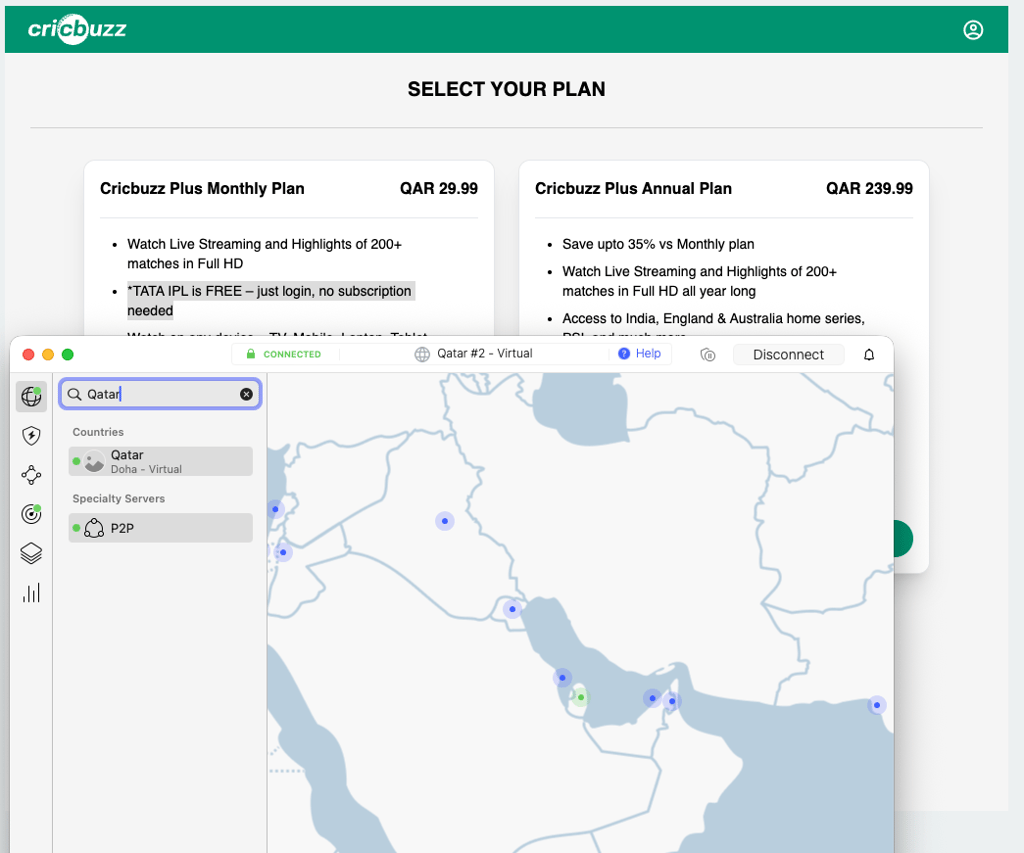
- Choose a reliable VPN with GCC servers. We recommend NordVPN for IPL 2026. It runs servers in the UAE, supports Smart DNS for smart TVs, and uses the NordLynx protocol for stable HD playback during live cricket. A wide GCC server pool also means an easy switch if one IP gets blocked.
- Download and install the VPN app on your device. NordVPN supports Windows, macOS, iOS, Android, Linux, Fire TV, and Android TV. Install it on the device you plan to watch on.
- Connect to a UAE server. Open the app and select a server in the United Arab Emirates. If the stream does not load, try a server in Saudi Arabia, Qatar, or Kuwait instead.
- Open Cricbuzz. Go to cricbuzz.com in any browser. A free Cricbuzz account is required to start the live stream. Find the KKR vs MI match and start watching.
- Sign in to your free Cricbuzz account. New users can sign up in under a minute with email, Google, or Apple. No payment method is required.
- Start watching for free. Keep the VPN connected for the full match, including the toss, both innings, and the presentation ceremony. Commentary is in English.
How to watch KKR vs MI in the US, UK, Canada, and Australia
How to watch in the United States
In the US, IPL 2026 is exclusive to Willow TV, also branded as Willow by Cricbuzz. A subscription costs $9.99/month through willow.tv or the Cricbuzz app, with the same content available as a $10/month Sling TV add-on for existing Sling subscribers. The stream is in Full HD with English and Hindi commentary feeds. KKR vs MI starts at 10:00 AM ET / 7:00 AM PT on May 20th, with the toss 30 minutes earlier. The IPL 2026 season as a whole is not on ESPN+, Hotstar US, YouTube TV, or Hulu, so Willow is the only legitimate live option in the US.
How to watch in the United Kingdom
UK rights are held by Sky Sports through 2027, with Now TV as the streaming-only sibling for viewers without a Sky contract. A Sky Sports package starts at GBP 35/month, dropping to GBP 20/month for existing Sky TV customers; Now TV offers a Sports Day Pass at GBP 14.99 or a Sports Month Pass at GBP 34.99 with no long-term commitment. The Day Pass is the cleanest single-match option for KKR vs MI on May 20th, with first ball at 3:00 PM BST. The match is not on BT Sport, TNT Sports, BBC iPlayer, or any free-to-air channel in the UK.
How to watch in Canada
Canadian rights match the US setup: IPL 2026 is exclusive to Willow TV at $9.99/month via willow.tv or the Willow by Cricbuzz app. Coverage is in Full HD with English and Hindi feeds, and KKR vs MI starts at 10:00 AM ET / 7:00 AM PT on May 20th. Canadian viewers who already pay for Willow keep access on the road as long as they connect to a Canadian or US server when traveling, since the live stream is geo-blocked outside North America. There is no IPL coverage on Disney+ Hotstar Canada or other regional services.
How to watch in Australia
Australian fans get IPL 2026 through Kayo Sports (Fox Cricket), with no free-to-air option. Kayo Standard is AU$29.99/month for one stream in Full HD, while Kayo Premium is AU$45.99/month for two streams and 4K where available, both on no-lock-in contracts. Because IPL evening matches in IST start late by Australian standards, KKR vs MI begins at 12:00 AM AEST on May 21st for viewers in Sydney, Melbourne, and Brisbane. Kayo runs on iOS, Android, Apple TV, Android TV, Fire TV, Chromecast, Samsung Tizen, LG webOS, PlayStation, Xbox, and Telstra TV.
How to watch KKR vs MI for free with a VPN: detailed step-by-step guide
This expanded guide walks through every step of accessing the free Cricbuzz GCC stream of KKR vs MI from outside the GCC 6. It covers the easier web path, the trickier mobile app path, and the troubleshooting steps that matter for a live match.
Step 1 – Choose a VPN with strong GCC server coverage
Pick a VPN with a solid presence in the United Arab Emirates and the wider GCC. NordVPN runs servers in the UAE, holds strong speeds via NordLynx, and supports Smart DNS for smart TVs without a native app. For a deeper comparison, see our review roundup of the best VPNs for streaming and the broader best VPN services category page.
Step 2 – Install the VPN app on your watching device
Download the VPN's app for the device you plan to use: Windows, macOS, Linux, iOS, Android, Fire TV, or Android TV. The web-browser route works on any device with a modern browser, which makes a laptop, iPhone, or Android phone the easiest paths. If you plan to watch on mobile, see our guides for the best VPN for iPhone and the best VPN for Android.
Step 3 – Connect to a GCC server
Open the app and select a server in the United Arab Emirates. Connecting changes your visible IP address to one based in the UAE, which is what Cricbuzz checks before unlocking the IPL stream. If the first server is slow or blocked, switch to another UAE city, or rotate to Saudi Arabia, Qatar, or Kuwait. Our guide on how to change your location with a VPN explains how server selection works.
Step 4 – Open Cricbuzz on the web (the easy path)
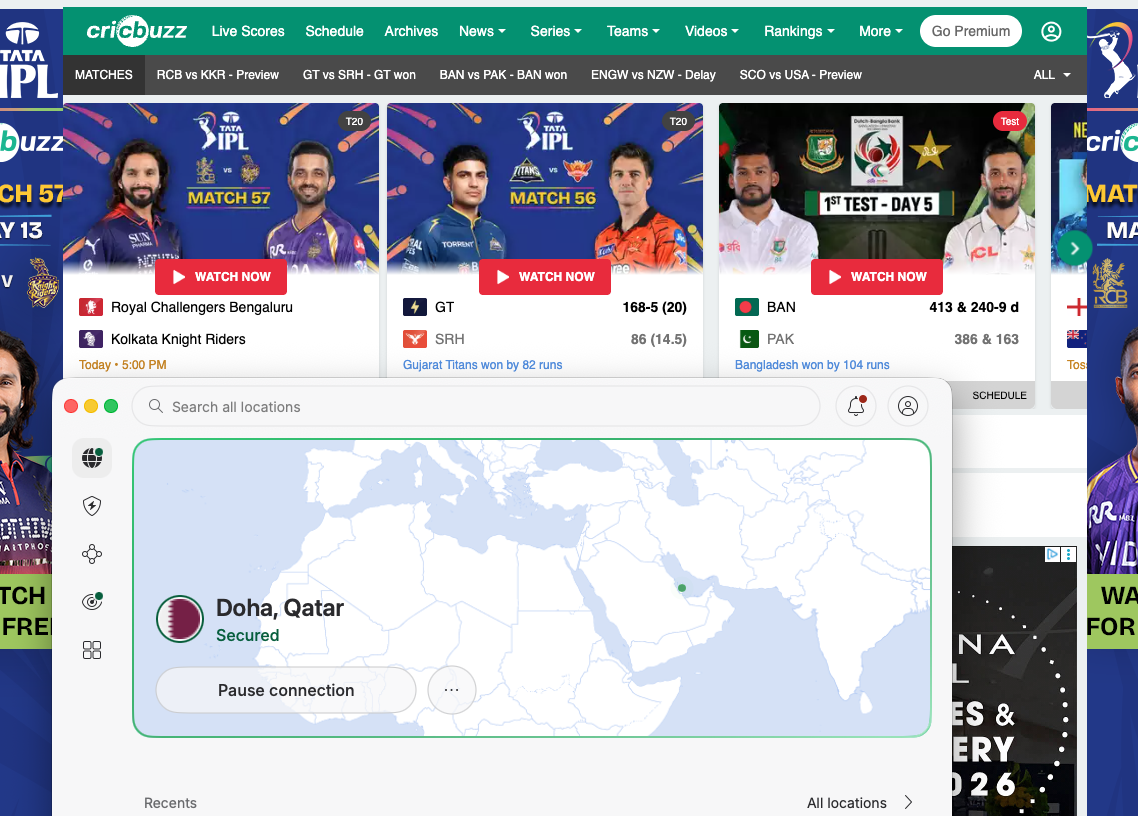
With the VPN connected, open cricbuzz.com in any modern browser like Chrome, Safari, Firefox, or Edge. Use a private window or clear cookies if you have signed in from a non-GCC location before; that prevents Cricbuzz from showing a cached error page. Find the KKR vs MI match card on the homepage and click the live stream button.
Step 5 – Open Cricbuzz on mobile (the harder path with app-store edge cases)
The Cricbuzz iOS and Android apps are listed globally, but the IPL streaming feature is gated inside the app based on your IP and account region. You do not need to change your Apple ID country to install the Cricbuzz app, but if your existing app does not show the IPL stream after connecting the VPN, see our guide on how to change your Apple App Store country as a fallback. The simplest fix is usually to force-close the app, reconnect to a UAE server, then reopen Cricbuzz.
Step 6 – Start the KKR vs MI stream and keep the VPN active
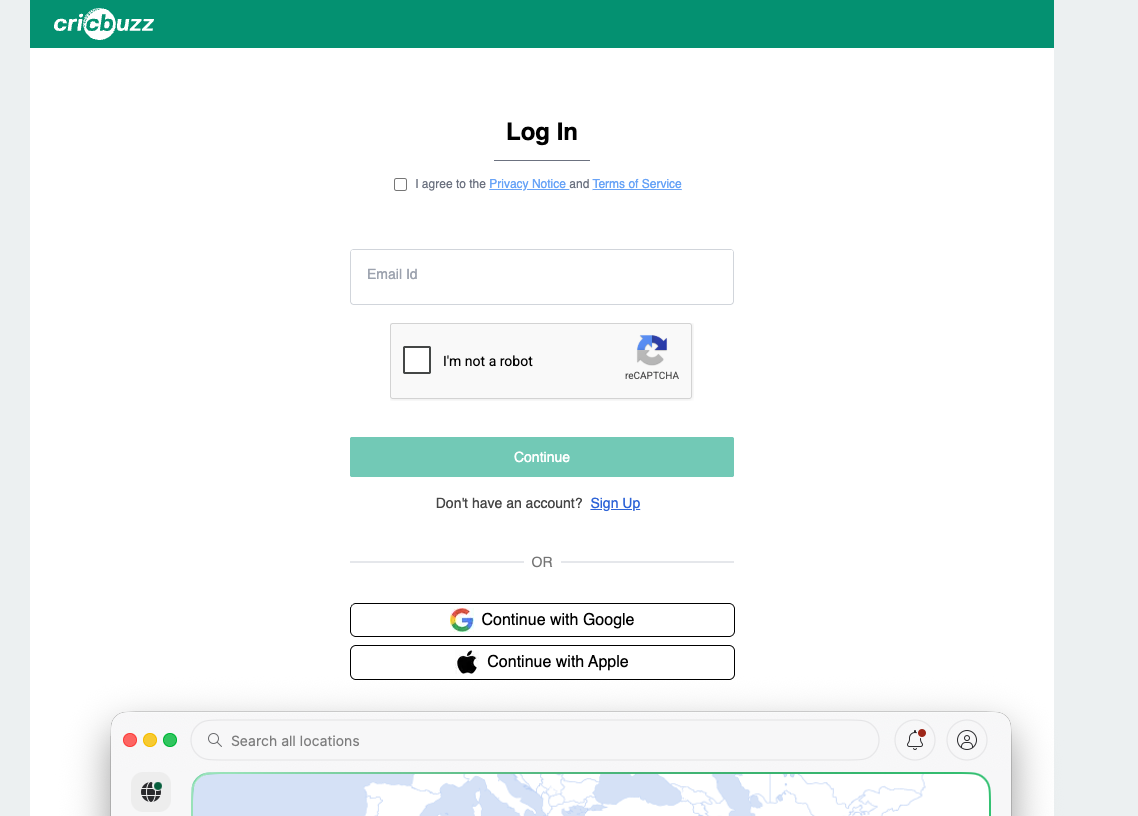
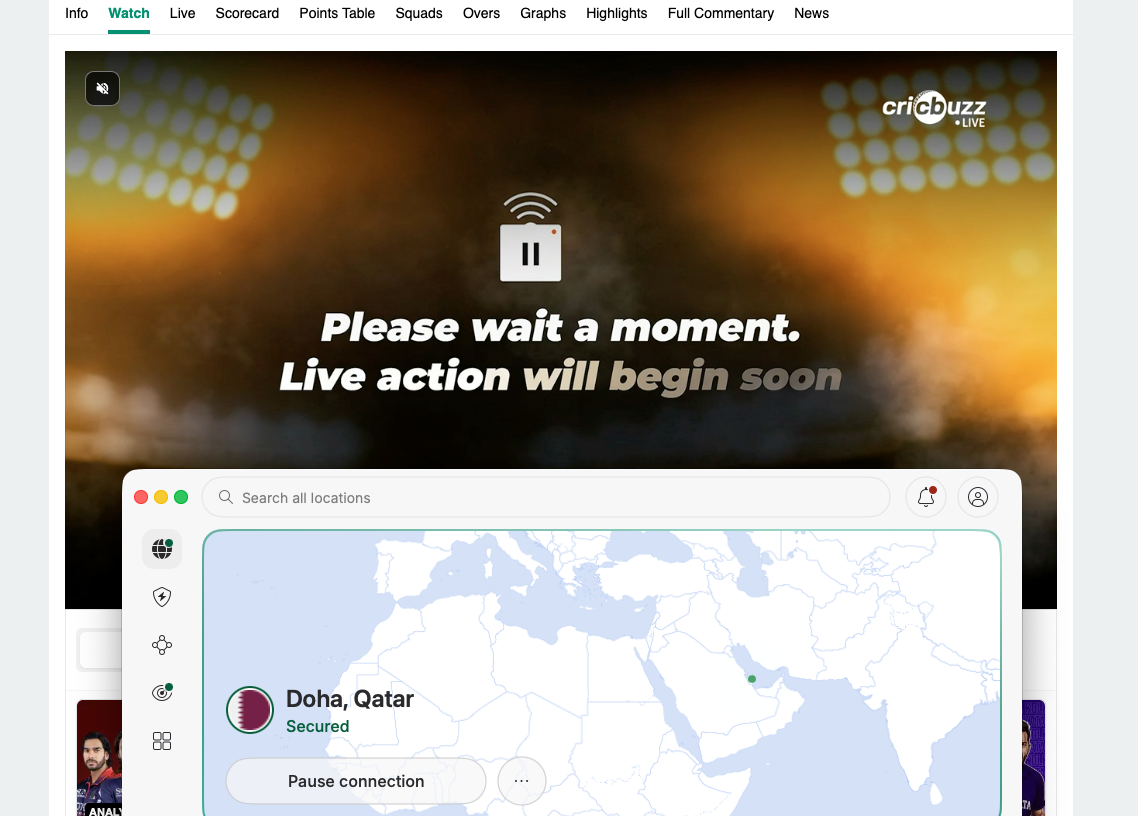
Before the player loads, Cricbuzz shows a login wall: a free Cricbuzz account is required to watch the live stream. Sign in with email, Google, or Apple. No payment method is needed. Keep the VPN connected for the entire match. If playback stutters or stops, switch to another UAE server, restart the app, clear cache, or try a different device. The same flow also unlocks on-demand replays in the GCC.
How to watch KKR vs MI on different devices
Not every streaming service runs on every device, and VPN availability also varies by platform. The table below shows which broadcaster apps and NordVPN support each device, so you can pick the easiest setup for your screen.
| Device | Cricbuzz (GCC) | JioHotstar (India) | Willow TV (US/CA) | Sky / Now TV (UK) | Kayo Sports (AU) | NordVPN | How to use VPN |
| Web browser (desktop) | Web | Web | Web | Web | Web | Yes | Native app |
| Web browser (mobile) | Web | Web | Web | Web | Web | Yes | Native app |
| iPhone / iPad | App | App | App | App | App | Yes | Native app |
| Android phone / tablet | App | App | App | App | App | Yes | Native app |
| Android TV / Google TV | No | App | No | No | App | Yes | Native app |
| Amazon Fire TV | No | App | App | No (Now TV: App) | App | Yes | Native app |
| Apple TV | No | App | App | No (Now TV: App) | App | Yes | Native app |
| Samsung TV (Tizen) | No | App | No | No | App | No | Smart DNS or router |
| LG TV (webOS) | No | App | No | No | App | No | Smart DNS or router |
| Roku | No | No | App | No (Now TV: App) | No | No | Router or Smart DNS |
| Chromecast (older) | Cast | Cast | Cast | Cast | Cast | No | Cast from VPN device |
| PlayStation | No | No | No | No (Now TV: App) | App | No | Router |
| Xbox | No | No | No | No (Now TV: App) | App | No | Router |
The web browser is the easiest path on any device because there is no app install or app store region issue: connect NordVPN to a UAE server, open cricbuzz.com, sign in, and watch. Cricbuzz's iOS and Android apps are globally listed, so users do not need to switch their Apple ID or Google Play country; the IPL streaming feature is geo-gated inside the app, which means a GCC IP via VPN plus a free Cricbuzz account is enough. Smart TVs without a native VPN app (Samsung Tizen, LG webOS) need either a router-level VPN setup or NordVPN's Smart DNS feature; the same applies to Roku and most consoles. For step-by-step setup, see our guide to the best VPN routers.
Top 3 VPNs for streaming IPL 2026
We have tested the VPNs below against live cricket and Cricbuzz GCC streaming. They combine fast speeds, reliable unblocking, and stable HD playback for the free GCC stream and for paid services like Willow TV and Sky Sports. These are our top three picks for watching KKR vs MI and the rest of the IPL 2026 season.
- NordVPN – best overall for streaming. NordVPN starts at $3.49/month and runs servers, including a strong UAE presence that unblocks Cricbuzz reliably in our tests. Smart DNS support, the NordLynx protocol, and consistent HD playback make it the strongest pick for KKR vs MI. Read our full NordVPN review for details.
- Surfshark – best budget option. Surfshark starts at $2.49/month with unlimited simultaneous connections and 4,500+ servers across 100 countries, including the UAE. The WireGuard protocol delivers smooth HD coverage in our tests, which is enough for the Cricbuzz free stream of IPL matches. See our Surfshark review for the full breakdown.
- Proton VPN – best for privacy-focused users. Proton VPN starts at $2.99/month and operates thousands of servers in 148 countries from Switzerland's strict privacy jurisdiction. A solid free plan and reliable streaming performance make it a good fit for fans who want extra privacy while watching the IPL coverage. Our Proton VPN review covers the technical detail.
FAQ
What time does KKR vs MI start?
The toss for KKR vs MI is at 7:00 PM IST on May 20th, 2026, with first ball at 7:30 PM IST at Eden Gardens, Kolkata. That converts to 3:00 PM BST in the UK, 10:00 AM ET / 7:00 AM PT in the US and Canada, and 12:00 AM AEST on May 21st in eastern Australia.
How can I watch KKR vs MI from abroad with my home subscription?
Paid IPL broadcasters are generally region-locked to the markets where they hold rights: JioHotstar in India, Willow TV in the US and Canada, Sky Sports/Now TV in the UK and Ireland, and Kayo Sports in Australia. Travelers and expats often use a VPN to connect to a server in their home country so the service sees a local IP address and serves the stream they already subscribe to, though success can vary because some platforms detect VPN use.
Can I watch KKR vs MI for free?
Yes. Cricbuzz carries every TATA IPL 2026 match for free in the GCC 6: United Arab Emirates, Saudi Arabia, Qatar, Kuwait, Oman, and Bahrain. A free Cricbuzz account is required to start the live stream, but there is no paid subscription tier and no payment method needed. Fans outside the GCC can use a VPN with UAE servers to access the same free stream legally.
Where can I watch KKR vs MI highlights and replays?
Full match replays are available on the broadcaster on-demand catalogs: JioHotstar in India, Willow TV in the US and Canada, Kayo Sports in Australia, and YuppTV in Continental Europe and parts of Asia. Sky Sports offers short highlights and clips on its cricket video page, with limited on-demand replay. Cricbuzz does not host full match replays, but it does publish highlights, interviews, and ball-by-ball text replay worldwide with no geo-restriction. The official IPLT20.com highlights page is the most authoritative source for short clips and magic moments after the game.
Is KKR vs MI on ESPN+ or Hotstar in the US?
No. US rights to IPL 2026 are exclusive to Willow TV. Hotstar lost US and Canada IPL streaming rights to Willow TV in 2024, and ESPN+, Hulu, YouTube TV, and Amazon Prime Video do not carry the live stream. Sling TV is the only secondary path through its $10/month Willow add-on.
Is KKR vs MI on Sky Sports or TNT Sports in the UK?
The match is on Sky Sports and on Now TV through the Sports Day Pass or Sports Month Pass. It is not on TNT Sports, BT Sport, BBC iPlayer, or any free-to-air channel in the UK. Sky Sports holds IPL UK rights through 2027.
What is the head-to-head record between KKR and MI?
Across all IPL meetings, MI lead KKR 25-11 in 36 matches. The two teams met earlier in IPL 2026 on March 29th at the Wankhede Stadium, where MI chased down KKR's 220 with five balls to spare. Eden Gardens has historically been a tougher venue for MI, which adds an extra wrinkle for KKR's home leg of the season series.
Can I watch KKR vs MI on Fire Stick or smart TV?
Yes. Willow TV, Kayo Sports, Now TV, and JioHotstar all have apps on the major streaming platforms (Fire TV, Apple TV, Android TV, Samsung Tizen, LG webOS). For the free Cricbuzz GCC stream, the easiest path on a smart TV is to cast from a laptop or phone running NordVPN, or to set up NordVPN's Smart DNS at the router level. NordVPN, Surfshark, and Proton VPN all have native apps on Fire TV and Android TV. See our best VPN for Fire Stick guide for setup details.