How to watch Yellowstone season 5 from anywhere in 2026
Our in-house cybersecurity experts and journalists, renowned for major reports like The Mother of All Breaches, conduct transparent, unbiased VPN testing and in-depth analysis.
With 750+ articles crafted based on real-world research, we empower readers to make informed purchasing decisions through first-hand expertise.
Learn more

Yellowstone is one of the most popular shows on TV at the moment. Starring Kevin Costner, this wild west drama is already in its fifth season and is available to watch on a number of streaming services in the US.
New episodes of the 5th Yellowstone season were released on Paramount Network and My 5 on Sunday, November 13th. If you don't have cable, the episodes are also available online on the Paramount Plus streaming service.
| Season 5 release date: | November 13, 2023 |
| Watch in the US: | Philo, Sling TV |
| Watch anywhere: | Get NordVPN – 75% OFF |
| Watch in the UK: | Paramount Plus |
However, it’s not currently showing on streaming services outside the US, Canada, and UK.
You’ll be delighted to hear, though, that there’s an effortless way to watch all five seasons of Yellowstone from wherever you are in the world. All you need to do is use a VPN to connect to a server in a country where Yellowstone is available. A VPN will also encrypt your data to keep it safe from hackers, and it will enable you to use sites and services from back home while you’re traveling.
In this article, I'll provide you with a full guide on how to watch Yellowstone season 5, as well as all other episodes on your device. I’ll even recommend the best VPNs to do this. So read on to find out all you need to know.
Watch Yellowstone season 5 with VPN

- Pick a VPN with a good selection of servers in the US. We recommend NordVPN for this, now 75% off!
- Download and install the software, and complete the sign-up process.
- Connect to a server in the US, UK, or Canada.
- Head to any of the TV channels or apps that have the rights to show Yellowstone, such as Philo, Sling TV, or Paramount Plus, and sign up for a subscription.
- Grab a drink and enjoy binge-watching all five seasons of Yellowstone!
Why do you need a VPN to watch Yellowstone?
Yellowstone is an incredibly popular show in the US, but unfortunately, it’s currently only available to watch on US and UK streaming services, such as Sling TV, Philo, and Paramount+. This is due to licensing agreements, distribution rights, and copyright laws. If you try to watch the show on any of these streaming services from outside the allowed countries, you’ll be blocked by an error message, informing you that the content isn’t available in your region.
No need to despair, though. There’s a wonderfully simple, cost-effective way to bypass these location restrictions. All you need to do is use a reputable VPN to connect to a US server, and you’ll be issued with a US IP address. This will then make it appear as though you’re accessing the streaming service from within the USA, meaning that you’ll be able to access all five seasons of the show.

The only tricky bit is choosing a VPN that will be able to unblock the content you want. Helpfully, we’ve made that bit easy too, by pulling together a list of our favorite VPNs for Yellowstone in the next section.
Best VPNs to watch Yellowstone season 5
Finding the most suitable VPN for your needs can be a bit of a minefield. After all, there are so many options to choose from. But it’s important to note that not all VPNs can unblock the streaming services you need to watch season 5 of Yellowstone.
And even if you pick a provider that has a decent selection of US servers, they may not be able to bypass region restrictions on Sling or Philo. And aside from that, VPNs vary hugely when it comes to security, functionality, and price.
To help you out, we’ve tested out a large number of VPNs and have found three providers that can consistently give you access to all of the streaming services that show Yellowstone. These three solutions also offer top-notch security features to protect your online identity, as well as fast and reliable speeds that are ideal for streaming.
So, without further ado, take a look at our roundup of the best VPNs for unblocking Yellowstone.
- NordVPN – best VPN for watching Yellowstone overall
- Surfshark – budget-friendly VPN for watching Yellowstone
- IPVanish – reliable VPN for unblocking content
Top streaming services to watch Yellowstone online
At the moment, Yellowstone season 5 is showing on Sunday evening at 8pm ET on the Paramount network. But don’t worry if you missed it or if you can’t get Paramount because you can catch up on all the episodes on any of these streaming platforms:
| Streaming service | Subscription cost |
| Paramount+ | From $4.99 a month (free 7-day trial) |
| Philo | $25 a month (free 7-day trial) |
| Sling TV | $40 a month |
| fuboTV | $69.99 a month (free 7-day trial) |
| Hulu+ Live TV | $69.99 a month (free 7-day trial) |
| Peacock | $4.99 a month or $49.99 a year |
While these streaming services all have Yellowstone, the 5th season is only available on Philo, Sling TV and Paramount+. Yellowstone should reach other streaming services in no time as well.
How to watch Yellowstone on streaming devices
The majority of popular streaming sticks, including Apple TV, Roku, and Kodi, don’t support VPN apps. However, you can still use a VPN to watch Yellowstone on your streaming device from wherever you are in the world. Just follow these steps:
- Select a VPN with a good choice of US servers. We recommend NordVPN for this.
- Download and install the software and connect it to your Wi-Fi router.
- Connect to a server in the US.
- Insert your streaming stick into your smart TV using the HDMI port.
- Turn on your TV and select a preferred streaming service on your streaming stick’s home screen.
- Sign up for a free trial (if available).
- Invite everyone over to watch the latest episodes of Yellowstone on your TV.
Alternatively, if you have an Amazon Firestick, you have the option of downloading a VPN app directly onto your streaming stick.
If you need more specific advice and recommendations for your streaming stick, we’ve got a selection of guides to help you:
- VPNs for Kodi
- VPNs for Firestick
- VPNs for Roku
- VPNs for Apple TV
How to watch Yellowstone season 5 from your country with a VPN
Season 5 is currently airing in the US, UK, and Canada. And luckily, there are ways to watch all the latest episodes of the show from wherever you are. All you need is a strong VPN for streaming, a subscription to the right streaming service, and a stable internet connection.
However, before you download a VPN, you can actually stream it in the following countries:
- Canada: If you want to watch Yellowstone in Canada, you can find seasons 1-4 on Amazon Prime Video, and season 5 on Paramount+ Canada.
- Australia: You can catch up on seasons 1-4 of Yellowstone in Australia on Stan.
- The UK: You can watch Yellowstone season 5 in the UK on Paramount+.
- The US: The 5th Yellowstone season is available on Philo and Sling TV in the US.
If you live outside these countries, or you want to watch Yellowstone while traveling, just follow our simple step-by-step instructions:
- Choose a VPN with lots of servers in the US. NordVPN is our favorite for this.
- Download and install the software, and sign up for an account.
- Connect to a US server.
- Visit any of the TV channel websites or apps that have season 5 of Yellowstone.
- Enjoy season 5 of Yellowstone!
How to watch Yellowstone online from anywhere with a VPN
As one of the most popular US shows, people from all over the world want to watch Yellowstone. However, the show is geo-blocked, meaning it’s not available in every country. But if you want to watch it from another country, there’s an easy way to do this. Just download a VPN and use it to connect to a server in the UK. You’ll then get a US IP address, which will disguise your true location and unblock the content for you.
Just follow this straightforward guide to access all episodes of Yellowstone:
- Choose a VPN with a range of US servers. We recommend NordVPN for this.
- Download and install the software onto your device and create an account.
- Connect to a server in the US.
- Head to Philo or Sling TV, and sign up.
- Sit back and enjoy watching every episode of Yellowstone!
Stream all Yellowstone seasons online
If you haven’t seen Yellowstone before, you’re in for a real treat! Here’s where you can catch up on previous seasons:
| Streaming service | Seasons available |
| Hulu+ Live TV | All 5 seasons |
| Philo | All 5 seasons |
| Sling TV | All 5 seasons |
| fuboTV | 4 seasons |
| Peacock | 4 seasons |
Can’t access Yellowstone with a VPN?
If you’re trying to use your VPN to watch Yellowstone from outside the US and it still isn’t working, it might be that you’ve connected to a server in the wrong country, or that your VPN isn’t working at the moment.
If you’re still stuck, take a look at our guide on how to use a VPN, or check if it’s one of the following problems:
- Your cookies could be showing your real location
- Your VPN is unable to unblock the location restrictions
- Your actual IP address might be leaking
- The streaming platform may have updated its geo-restrictions so that your VPN is no longer able to unblock it
To fix these issues, you might want to:
- Check you’ve enabled IP leak protection on your VPN provider
- Try another browser
- Clear your cookies and cache
- Connect to a different server on your VPN
- Contact your VPN’s customer service team
If all this fails, it could be time to upgrade to a better VPN. We’ve recommended some great solutions for unblocking Yellowstone earlier in this guide.
How to watch Yellowstone for free
While it’s tempting to try using a free VPN to watch Yellowstone, it’s not likely to work. After all, free VPNs almost always have far fewer servers than their paid-for counterparts, so they’re significantly more likely to be detected and blocked by streaming services. And even if you were able to use a free VPN to bypass region restrictions, you’ll likely get fed up with its slow speeds and limited functionality.
But more concerningly, it could risk your online privacy. This is because a lot of free providers benefit from selling customer data to advertisers and other third parties.
If you want to try it out, though, we’d recommend opting for a freemium, which is a free version of a paid-for VPN. In this category, our favorite provider is ProtonVPN, as it offers reasonable security and don’t impose a monthly data cap. Or alternatively, you could try signing up for a free trial VPN of a paid-for VPN. NordVPN, Surfshark, and IPVanish all offer 30-day money-back guarantees on their subscriptions.
Everything you should know about Yellowstone season 5
The hit show, Yellowstone, currently has 5 seasons. And after the explosive season 4 finale, fans were excited to find out what happens next.
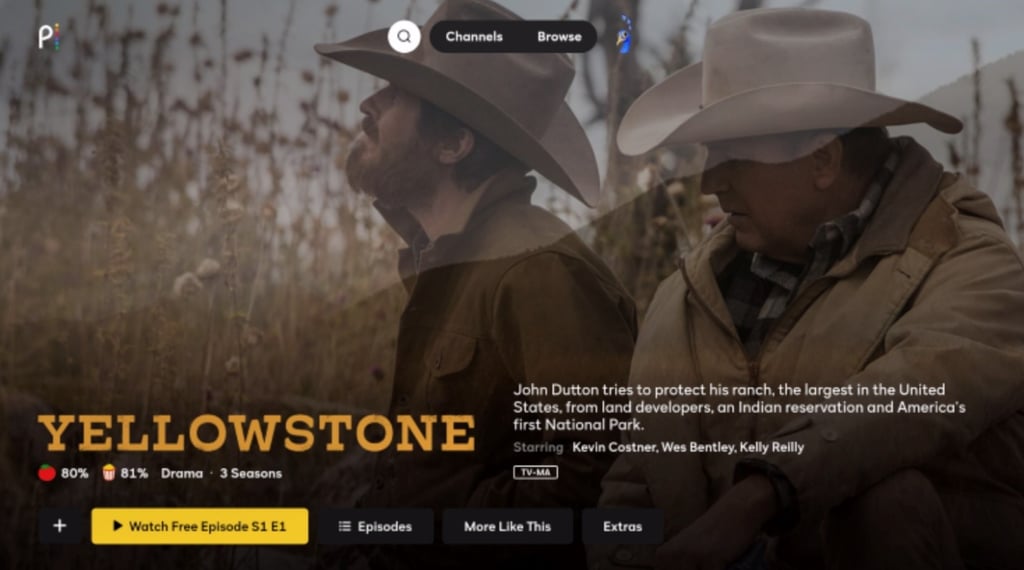
The fifth season of Yellowstone returned to our screens on Sunday, November 13th. The show debuted on Paramount Network, but if you don't have cable, you can watch the show on Philo, Sling TV, Paramount+, and a few other streaming services.
For all the latest gossip, be sure to keep an eye on Yellowstone’s official Twitter page.
Conclusion
If you want to watch all seasons of Yellowstone from outside the US, you’ll need to use a VPN to access a streaming service that has the rights to show it, such as Hulu+ Live TV, Sling TV, or Philo. Once you’ve selected a VPN and signed up for an account, connect to a server in the US. Then sign up for a monthly subscription to one of these streaming services, and you’ll be able to watch every episode.
Perhaps even more importantly though, a VPN has some important security benefits, such as encrypting your data, which will protect it from online snoops, hackers, and other third parties. It will also prevent your ISP from throttling your speeds, and it will keep your traffic safe if you connect to unsecured public Wi-Fi.
Has this answered all your questions about using a VPN to watch Yellowstone season 5 from anywhere in the world? Let us know in the comments section below!
More VPN guides from Cybernews:
How to watch Love Island: watch every episode online
How to watch Friends online: find out the easiest way to watch
How to watch Modern Family on Netflix: binge-watch every episode
How to watch SNL online: watch from anywhere
How to watch It's Always Sunny in Philadelphia: catch every episode
FAQs
Which streaming service is showing Yellowstone?
You can stream seasons 1-4 of Yellowstone on fuboTV or Peacock, while all 5 seasons are available on Philo, Sling TV, and Hulu + Live TV. To find out how to see all episodes of the show from outside these locations, take a look at our step-by-step instructions earlier in this guide.
Is it illegal to watch Yellowstone with a VPN?
No, it’s completely legal to use a VPN to watch Yellowstone. However, it may go against the Terms of Service of the streaming platform you’re accessing. And it’s also worth bearing in mind that there are some countries, such as China, where it’s illegal to use a VPN for any reason.
Will using a VPN reduce the streaming quality of Yellowstone?
Not noticeably, no. While using a VPN might slow down your speeds a bit, a good provider should still deliver fast enough speeds for you to enjoy a smooth, buffer-free viewing experience. For help choosing the right solution, take a look at our list of the best VPNs for watching Yellowstone further up the page.
How do I watch Yellowstone without cable?
While the latest season of Yellowstone is available on the Paramount network, you can also watch it without cable on any of the following streaming services: Hulu+ Live TV, Philo, fuboTV, or Paramount+. If you want to watch it from outside the US, you’ll need to use a VPN to access the content. Take a look at our quick guide to find out how to do this.