Best home security systems for seniors in 2026
Being behind major reports like The Mother of All Breaches and RockYou2024, our in-house cybersecurity experts and journalists provide unbiased, real-world testing and in-depth analysis.
We maintain complete transparency by openly sharing our testing methodologies with our audience.
Learn more
Getting the proper home security system for your household is no simple feat, particularly for older adults who aren't as familiar with technology. Your ideal security arrangement should fit your life and needs, not the other way around.
The need to have a home security system in place is just growing. Per Age Safe America statistics, 55% of fall injuries among older people in the US occur inside the home, and an additional 23% happen outside, but near the house. Yet 85% have done nothing to prepare their homes for aging.
That's why now more than ever, seniors require reliable, easy-to-use home security systems. Together with the Cybernews team, we tested out dozens of them and picked the 6 best home security systems for seniors in 2026. These picks stand out with ease of use, 24/7 monitoring, fall detection, and quick response times – features that can simplify seniors' lives and keep them safer.
Top 6 home security systems for seniors – shortlist
- Vivint – overall best home security system for senior citizens
- ADT – best security system for senior-friendly features
- Cove Smart – best for fast emergency response
- Abode – best DIY security system for seniors
- SimpliSafe – best affordable home security system
- Xfinity – best security system for third-party integrations



Our team combines security industry experts and consumer protection specialists who thoroughly analyze home security systems and services. Our transparent research process includes a systematic evaluation of features, costs, and real-world performance. We maintain independence from manufacturers while staying current with industry developments. Read our full methodology to learn more about our review and testing process.
The best home security systems for seniors compared
If you haven’t yet decided on the best home security system to choose for seniors, I’ve recapped all the key features from our providers in the table below:
| Medical alert integration | Monitoring | Voice control | Installation | User-friendliness | Pricing | |
| Vivint | Emergency pendant | Professional | Amazon Alexa, Google Assistant | Professional | Easy | Monitoring starts at $30.00/month, and equipment packages start at $599 |
| ADT | Medical alert system | Professional | Amazon Alexa, Google Assistant | Professional | Easy | Monitoring starts at $24.99/month, and medical alert systems start at $26.99 |
| Cove Smart | Wearable medical alert button & touchscreen distress signal | Professional | Amazon Alexa, Google Assistant | DIY | Easy | Monitoring starts at $17.99/month, and equipment packages start at $90.00 |
| Abode | Panic button | Professional and self-monitoring | Amazon Alexa, Google Assistant | DIY | Easy | Monitoring starts at $17.00/month, and equipment packages start at $159.99 |
| SimpliSafe | Wireless panic button | Professional and self-monitoring | Amazon Alexa, Google Assistant | DIY and Professional | Easy | Monitoring starts at $31.00/month and equipment packages start at $249.96 |
| Xfinity | ❌ No | Professional and self-monitoring | ❌ No | Professional | Easy | Monitoring starts at $10.00/month, and equipment packages start at $360 |
The best home security system for seniors – my detailed list
After hours of research, with the help of our in-house research team, I narrowed the list to the 6 best home security systems for seniors. Each one has unique features, as we wanted a diverse set of options to meet the unique needs of homeowners.
1. Vivint – overall best home security system for seniors

| Emergency response time: | 30 to 60 seconds |
| Monitoring options: | 24/7 professional monitoring |
| Ease of use: | Easy |
| Medical alert integration: | Emergency pendant for falls and other accidents |
| Starting price and monthly cost: | Monitoring starts at $30.00/month, equipment packages start at $599 |
Vivint is a full-service home security system that provides professional installation and monitoring. It uses motion detectors and security cameras to spot intruders. The system is compatible with Google Assistant and Alexa for voice controls.
Vivint specializes in automation, which means it can be used for automated temperature control or lighting. For example, if you leave your home for a night out, Vivint can automatically turn off all the lights inside your home to conserve energy. As for home automation safety, motion sensors can automatically switch on hallway lights at night to prevent trips and falls. If motion is detected outside a bedroom, Vivint can trigger lights in the hallway or entryway, so you have visibility before you step out of bed.
Equipment. Vivint has all the usual security equipment like sensors, safety alarms, smart locks, indoor and outdoor cameras, and more. It also has an emergency pendant, which can be worn as a bracelet or a necklace. In case of a fall or other emergencies, simply press the button on the pendant, and you will get connected to Vivint’s support team.
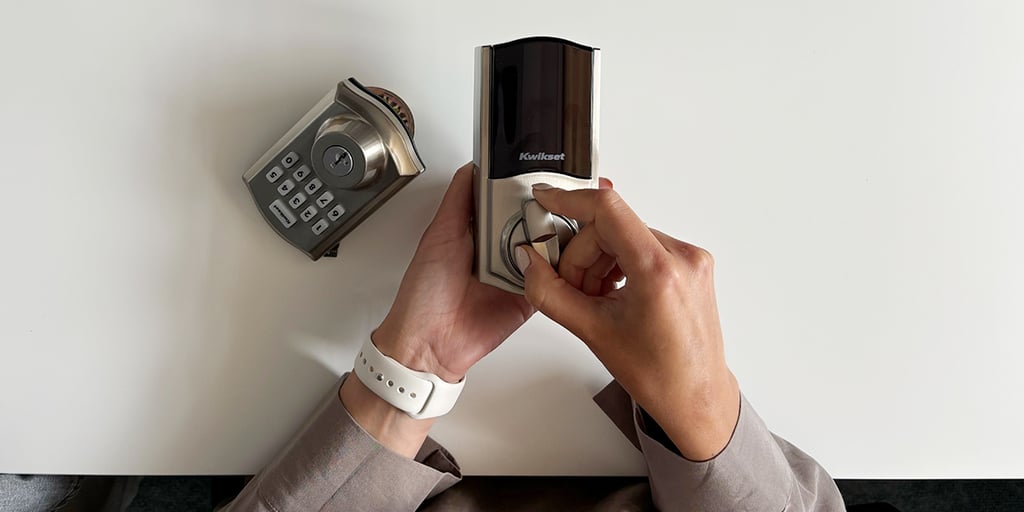
Monitoring. Vivint provides 24/7 professional monitoring, which is great for elderly people who don’t want to self-monitor. It's an additional cost, and I think it’s worth it. With professional monitoring enabled, Vivint will contact authorities if your security alarm goes off.
Cost. Pricing for Vivint’s professional monitoring starts at $30.00/month per month. Its security equipment is purchased separately, with its base package hovering around $599. What makes Vivint stand out for older adults is its approach to contract flexibility. If a customer faces major life changes like moving into an assisted living facility, Vivint offers a clause in its cancellation policy that allows qualifying seniors to end their contract without extra fees. This gives seniors peace of mind, knowing they’re not locked into long-term obligations if things change.
User experience. Vivint offers professional installation, which means seniors don’t have to worry about setting up the system. The control panel may be a little intimidating to use at first, but Vivint has excellent customer support to guide you through the process.
2. ADT – best security system with senior-friendly features

| Emergency response time: | 30 to 45 seconds |
| Monitoring options: | Professional monitoring |
| Ease of use: | Easy |
| Medical alert integration: | Medical alert systems |
| Starting price and monthly cost: | Monitoring starts at $24.99/month, medical alert systems start at $26.99 |
ADT differentiates itself from its competitors by offering senior discounts for AARP members and providing medical alert systems. However, it comes with high equipment costs and locks you into a 36-month contract.
ADT may be a familiar name, as it’s been around since 1874. Its experience in the market shows as its services include medical alert systems for fall detection and more.
Equipment. ADT offers waterproof, on-the-go medical alert systems with GPS (location monitoring) and fall detection. It also has a personal help button to send an emergency alert to ADT’s monitoring center. ADT offers indoor and outdoor cameras, motion detectors, sensors, and more equipment options.
Monitoring. You can get professional monitoring from ADT. This service is required for its medical alert systems. What stood out to me is that ADT offers 24/7 monitoring through trained professionals, with direct access to emergency services if a fall or medical event occurs. I also noted that their medical alert devices include options for wearable help buttons and fall detection, which are particularly reassuring for seniors living alone.
Cost. ADT medical alert systems start at $24.99/month (and a $99.00 activation fee), while professional monitoring starts at $24.99/month.
User experience. ADT is easy to set up and use, and it has a good reputation in the security business. However, there are some complaints about unsatisfactory customer support.
3. Cove Smart – best for fast emergency response
| Emergency response time: | Under 30 seconds (via RapidSOS) |
| Monitoring options: | 24/7 professional monitoring |
| Ease of use: | Very easy |
| Medical alert integration: | Touchscreen distress signal and medical panic features |
| Starting price and monthly cost: | Monitoring starts at $17.99/month, equipment starts at $90.00 |
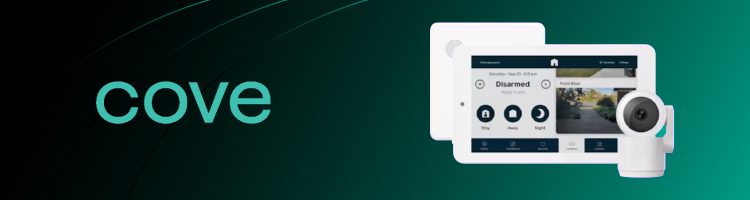
Cove Smart is a budget-friendly DIY security system built for older adults who want fast, reliable protection without high upfront equipment costs or restrictive long-term commitments. Its completely wireless equipment is designed for direct peel-and-stick installation, making setup simple for seniors who want to avoid drilling holes or wiring.
Cove focuses heavily on response speed and straightforward daily operation. The hub features a bright, large-text touchscreen panel that allows seniors to easily arm, disarm, or signal for help without navigating complex app menus.
Equipment. Cove provides a full suite of home monitoring equipment, including door and window sensors, motion detectors, glass-break sensors, environmental hazard alarms (smoke, carbon monoxide, and water leaks), and HD indoor and outdoor cameras. For emergency coverage, the touchscreen control panel includes direct panic and medical distress buttons that instantly signal the monitoring center.
Monitoring. Cove requires a professional monitoring subscription, meaning 24/7 dedicated agents are always watching over your home. The service incorporates RapidSOS digital dispatch and InstaText alarm verification, which sends a direct text to confirm or dismiss an alarm. This feature helps prevent false alarms while dramatically cutting emergency dispatch response times.
Cost. Cove offers one of the lowest entry costs on the market. Equipment packages start at just $90.00, and 24/7 professional monitoring plans start at $17.99/month (Basic), going up to $32.99/month (Plus) and $42.99/month (Premium). Cove requires no long-term contracts, offers flexible payment plans, and backs all hardware with a 60-day money-back guarantee.
User experience. Setting up Cove takes less than 30 minutes thanks to its pre-configured, stick-on hardware. The touchscreen panel is incredibly intuitive for non-tech-savvy users, though smart-home integration is limited compared to competitors – it works primarily with Amazon Alexa and Google Assistant for basic voice controls.
4. Abode – best DIY security system for seniors

| Emergency response time: | 20 to 30 seconds |
| Monitoring options: | Professional monitoring and self-monitoring |
| Ease of use: | Easy |
| Medical alert integration: | Panic button |
| Starting price and monthly cost: | Monitoring starts at $17.00/month, equipment packages start at $159.99 |
If you or your family member would rather manually install your home security system, then Abode is a great choice. DIY installation can help you save on installation fees. Plus, Abode is one of the cheaper options on the list despite having useful features like voice control.
Abode typically appeals more to tech-savvy homeowners, but it can be a good option for seniors who are DIY enthusiasts. Its fast emergency response rate and excellent professional monitoring make Abode a viable option.
Equipment. Abode’s security equipment includes cameras, motion detectors, sensors, smart plugs, and more. It also has a Panic Button that can instantly alert the professional monitoring center about any emergencies, medical or otherwise. The button can be installed on any flat surface, so you can place it next to your bed or inside the bathroom.
Monitoring. 24/7 monitoring is assured with Abode, though it comes at an extra cost in addition to the security equipment you purchase. The benefit here is flexibility. You can choose between on-demand monitoring during travel or full-time professional coverage, so it’s easy to adapt the service to your needs and budget.
Cost. The Abode Pro Monitoring plan costs $17.00/month, making it much more affordable than Vivint. Abode security equipment packages range from $159.99 to $379.99, and the Panic Button costs $19.99.
User experience. Installing Abode is pretty straightforward, and customer support is reliable. Some users report having connection issues, but Abode usually resolves them promptly.
5. SimpliSafe – best affordable home security system

| Emergency response time: | 90 seconds |
| Monitoring options: | Professional monitoring and self-monitoring |
| Ease of use: | Easy |
| Medical alert integration: | Wireless panic button |
| Starting price and monthly cost: | Monitoring starts at $31.00/month, equipment packages start at $249.96 |
SimpliSafe is one of the more affordable home security options, offering flexible payment plans, a 60-day money-back guarantee, and one month of free professional monitoring. Like Vivint and Abode, you can use voice control when interacting with your SimpliSafe security system.
SimpliSafe stands out for its simplicity, which makes it an excellent choice for seniors. The system also includes one of the loudest sirens in the industry, reaching up to 105 dB (about as loud as a car horn). So, if older adults have hearing difficulties, the alarm is strong enough to be heard across the home or even by neighbors. It also offers professional installation for an additional fee (minimum of $124.99).
Equipment. SimpliSafe has a wireless panic button to trigger your alarm instantly. When this happens, the monitoring center will call and check if you’re okay. If you don’t answer your phone, they will alert the police that you’re in danger. This panic button has 5 to 10 years of battery life. SimpliSafe’s security equipment also includes cameras, sirens, a diverse array of sensors, and more.
Monitoring. Professional monitoring is also available from SimpliSafe. It uses artificial intelligence (AI) technology to detect potential intruders and record a video of them on your property. In addition, I found that the monitoring center can quickly verify alerts and dispatch emergency services. This can give seniors and their families added peace of mind that help will arrive when it’s needed most.
Cost. SimpliSafe’s professional monitoring plans start from $31.00/month. Equipment packages start from $249.96, and certain packages allow flexible payment plans.
User experience. As indicated above, SimpliSafe is very user-friendly, with an easy setup process and flexible plans. However, there are often complaints about its poor customer support.
6. Xfinity – best home system for third-party integrations

| Emergency response time: | 30 seconds |
| Monitoring options: | Professional monitoring and self-monitoring |
| Ease of use: | Easy |
| Medical alert integration: | N/A |
| Starting price and monthly cost: | Monitoring starts at $10.00/month, equipment packages start at $360 |
Xfinity Home Security is a good pick for existing Xfinity subscribers, as it can simplify billing. I recommend this security provider if you want automation, as Xfinity is compatible with about a dozen third-party brands. Unfortunately, it does not currently have voice control.
While Xfinity doesn’t have dedicated features to seniors and is quite a pricey service, it’s a decent pick because of its range of equipment and its third-party integrations.
Equipment. You can choose your Xfinity Home Security equipment from a fairly long list. This provider has touchscreen control panels, window/door sensors, pet-friendly motion detectors, indoor and outdoor cameras, video doorbells, and more.
Monitoring. Xfinity provides professional monitoring via its Pro Protection Plus plan, which connects you to a 24/7 monitoring center. I noted that alerts were handled quickly, and the system offers real-time notifications through the Xfinity app. I also found it reassuring that the monitoring team can verify alarms and contact emergency responders on your behalf, which is especially useful for seniors who may not always be able to reach their phone in time.
Cost. Xfinity’s professional monitoring service costs $10.00/month. Equipment packages begin at $360 (or $15.00/month for 24 months).
User experience. Xfinity lets you connect to third-party smart devices like GE lighting bulbs or Yale smart locks. However, it’s quite expensive. Also, there are many complaints about its customer service and tech support.
Why do seniors need a home security system?
As people age, they become more vulnerable to various risks, including falls, health emergencies, and even home intrusions. Here are the benefits I found of a well-equipped home security system:
- Emergency response. As part of the package, you get immediate alerts to medical services in case of falls or health incidents.
- Medical alert integration. Wearable devices and panic buttons some home security systems provide help at the press of a button.
- Smart locks. Those reduce the risk of forgetting to lock doors or struggling with manual locks.
- Intrusion prevention. This deters burglars who often see seniors as vulnerable targets.
- Video doorbells and smart cameras. While an integral part of every trustworthy home security system these days, smart cams and doorbells let seniors see who’s at the door before answering.
- Peace of mind for the family. When you have a smart home security system in place, caregivers can monitor and respond quickly, even from afar.
- Greater independence. Seniors stay safe while maintaining autonomy in their own home.
From automatic emergency alerts to simple smart locks and cameras, a reliable home security system can protect seniors while reassuring their families. Ultimately, investing in a senior-friendly system improves both safety and quality of life.
For caregivers
Home security systems also benefit seniors' caregivers and relatives by giving them not only peace of mind but an option to control the system, too. Remote access capabilities are often allowed with most modern systems, so caregivers can stay connected even when they're not physically present.
With features like camera sharing, caregivers can immediately check in on loved ones through live video feeds. Systems also allow adding emergency contacts, so that alerts can be triggered directly to family members and monitoring centers. What I noted from my research is that some users like the fact that they can:
- Lock or unlock doors remotely
- Adjust thermostats
- View activity logs
This can be especially helpful for seniors with memory issues.
These devices, basically, simplify the management of safety from afar by caregivers and allow their loved ones to stay safe without compromising independence in the home.
What is the difference between a security system and a medical alert tool?
A security system and a medical alert system both serve to protect individuals, but they focus on different aspects of safety.
Security systems are designed to protect a home or property from threats such as intruders, fire, or environmental hazards. Typically, they include devices like motion sensors, security cameras, smart locks, and alarm systems that monitor for unauthorized entry or emergencies. They can also include medical alerts to provide additional safety for seniors.
By contrast, a medical alert system is specifically designed for health emergencies, particularly for elderly or disabled individuals. It typically consists of a wearable device (e.g., a pendant or wristband) with a panic button that users can press if they experience a fall, medical issue, or other emergencies.
What features should seniors look for in a home security system?
The features that make a home security system perfect for each person vary from household to household. Generally, these are some key features to look for in a home security system for seniors:
- Emergency response. The home security provider must respond to emergencies promptly to ensure that much-needed support is delivered on time.
- Fall detection and medical alerts. Ensure the home security system can detect falls and call for help. This is especially useful for accident-prone adults.
- Voice assistance. Check if the system supports voice commands. Seniors with vision issues would benefit from using voice commands to interact with their home security system.
- 24/7 monitoring. Round-the-clock monitoring is essential for seniors who may not be able to self-monitor effectively. Ensure the provider monitors your property 24/7 and alerts law enforcement or emergency services about accidents and potential threats.
- Ease of use (voice, simple controls). Homeowners of all ages will benefit from an easy-to-use home security system. But this is especially important for elderly folks who aren’t very tech-savvy.
- Costs and hidden fees. Numerous providers promote low monthly costs but might include hidden fees for equipment, activation, or termination. Seniors living on a fixed income need to seek clear pricing and avoid long-term agreements with severe penalties.
- Installation preferences and support. A few providers have DIY installation, which will cut costs, but professional installation might be preferable for seniors who don't wish to deal with setup. Reliable customer support is likewise vital, particularly if troubleshooting is required.
- Connection reliability (cellular vs internet). Wi-Fi-based systems can break down during outages. For seniors, a cellular backup connection ensures continuous protection even when the internet goes down.
- Company support and discounts. Many providers offer senior discounts, caregiver add-ons, or relocation policies if a move to assisted living becomes necessary. The choice of a company with excellent customer care can make a difference in daily reliability.
Thankfully, there are home security systems that meet many, if not all, of our requirements.
Our methodology
To determine the best home security system for seniors, we studied various systems and ensured they met our high standards. Here’s a glimpse into the criteria we used to select the home security providers above:
- Equipment quality (30%). We specifically looked for systems with devices like medical pendants, motion sensors, cameras, and more.
- Ease of use (20%). We made sure to choose systems that are easy to use. We also prioritized professional installation but included systems with easy, DIY installation.
- Monitoring options (20%). We evaluated the effectiveness and speed of professional monitoring services.
- Costs and subscriptions (15%). We looked at both upfront and monthly pricing and analyzed whether customers are getting value for their money.
- Customer support and user satisfaction (15%). We studied customer reviews to see how the company responds to and resolves issues.
Other home security systems you might be interested in:
Affordable home security systems: check out the best budget-friendly options
Cellular security systems: are they more resilient than Wi-Fi-based systems?
Wired security systems: learn more about why wired systems might be better for your home
Apartment security systems: take a look at our hand-picked options
Final word on the best security systems for seniors
In a nutshell, reliable home security systems for seniors go far beyond protecting against intruders. It can give them the independence they value and fast access to help in emergencies. In reviewing the top providers for 2026, I found that each one brings something unique to the table, depending on lifestyle and budget.
While ADT is the top pick due to professional installation, trustworthy monitoring, and perks such as AARP discounts that directly target seniors, Vivint is the way to go for seniors who want high-end automation, with smart routines that make everyday life easier and features like emergency pendants for medical protection.
For budget-conscious seniors, SimpliSafe provides budget-friendly DIY protection with one of the loudest sirens on the market, which makes it particularly useful for any senior with hearing issues. Abode and Xfinity provide customizable options as well, showing there's something for every need.
FAQ
Do home security systems for seniors come with medical alerts?
Yes, many home security systems for seniors, like Vivint and ADT, offer medical alert features, such as emergency pendants or panic buttons, which can quickly alert authorities in case of a fall or health emergency.
Is professional monitoring necessary for seniors?
Yes, professional monitoring is highly recommended for seniors, as it ensures 24/7 surveillance and quick response in emergencies, especially when immediate help is needed.
How much does a home security system for seniors cost?
Home security systems for seniors can range from $30.00 to $60.00 per month for monitoring, with equipment costs starting at around $100.00. Prices vary based on features and installation options.
Can seniors install home security systems themselves?
Yes, many home security systems like Abode and SimpliSafe offer DIY installation, which is simple and user-friendly, though some may prefer professional installation for its convenience.