Best WordPress plugins: tools to enhance your website functionality
Our team of experts and researchers rigorously test and evaluate website builders through transparent, in-depth testing procedures and methods using both in-house and industry-approved tools.
Drawing on cybersecurity insights, we provide unbiased, empirical rankings and analysis to help users make informed digital platform choices.
Learn more

Most of you know WordPress — the content management system that powers 42% of the web. The same one that has over 60 million users and is used by massive names like The New York Times, Spotify, and Facebook Newsroom.
One thing that allowed WordPress to reach such popularity is plugins.
These are essentially add-ons that help to extend its functionality. With them, you can conveniently customize the CMS to meet your needs.
At last check, WP offers 58,984 free plugins. Of course, there are also thousands more sold by third parties.
With so many options, it’s very tempting to just go for everything. More has got to be better, right?
Well, not when it comes to plugins, though. A good number to stop at is 20. Too many and you’ll see slow loading speeds, bad performances, and security issues.
But, how do you choose just 20 from tens of thousands of plugins? Well, this article has all the best options to pick from (note that you'll always want to make sure you're using a trusted managed WordPress host to really ensure maximum site performance)
Here are the best WordPress plugins for:
- Search Engine Optimization
- Process automation
- eCommerce, payments, and store enhancements
- Website building and design
- Extending website functionality
- Security and policy
- Booking and reservations
Best WordPress plugins for SEO and performance
Nowadays, SEO goes hand in hand with UX/UI, site performance, and authority. These are all details that go hand in hand when trying to reach the top pages of the search engine listings. For this reason, we picked all the best plugins that won't let you miss out on any of those details.
WiserNotify

| Rating | |
| Features | Blog, social proof, case studies, help documents, and video tutorials |
| Free plan | Yes |
WiserNotify is a next-gen social proof notification plugin designed to help businesses boost their credibility and increase conversion rates. It comes with a fully customizable notification system that allows you to create social-proof notifications in real-time and turn the actions of your website visitors into valuable validation.
The plugin doesn’t require you to have any coding knowledge to display dynamic content on your website, whether it’s live visitor counts, reviews, conversions, or sales. Not only does it allow you to enhance trust and authority but it can also help you boost your conversion rate and sales.
Other important features of WiserNotify include:
- Auto-Sync Sales Data: Sync sales data from popular WordPress plugins, such as WooCommerce, memberpress, learndash, EasyDigitalDownloads, and more.
- Review Collection: Gather reviews from platforms such as Google, Capterra, and Facebook seamlessly.
- Integrations: Connect with a wide range of form and landing page builders, including WP Fluent Forms, Zoho Forms, TypeForm, JotForm, LeadPages, SwipePages, Instapage, Unbounce, and ClickFunnels.
- Platform Compatibility: Can be integrated with popular website building platforms like Magento, Wix, Shopify, SendOwl, webflow, 3DCart, Thinkific, Thrivecart, and Teachable.
- Advance Customization: Customize notifications to match your website's look and feel perfectly.
- Detailed Visitor Insights: Gain insights into visitor behavior with detailed reports and visitor profile cards.
- Comprehensive Analytics: Track unique visitors, notification impressions, clicks, hovers, and more with advanced analytics and goal reports.
- A/B Testing: Conduct A/B testing efficiently by creating notification variants with different copies, CTAs, images, and settings.
WiserNotify can be an ideal option for people looking for a WordPress plugin to elevate their website's performance and drive tangible results.
WordLift – AI powered SEO – Schema

| Rating | |
| Features | Adds schema markup, enrich content, content recommendations |
| Free plan | Free trial |
If you’re looking for the best WordPress SEO plugins that offer professional tools for businesses, you should check out WordLift first. The plugin does a variety of things that might sound complex to newbies. But, it essentially translates your website content into a language that’s understandable and friendly to search engines.
To start, WordLift uses AI to analyze web content and adds schema markup. What this does is that it increases the number of crawlers within your website, making it easier for search engines to access your web pages. This, in turn, boosts your site’s visibility on search results pages.
Beyond that, WordLift also comes with various widgets that allow you to enrich your content to aid with user experience and engagement. This includes:
- Semantic interlinking
- Content recommendations
- Links
- Event timeline
- Interactive visuals
With the above, your WordPress site should see a better number of visitors, page views, time spent on the page, and the duration of a session.
And, if you’re wondering about how technical it would be to install, I can tell you that WordLift’s setup is fairly easy. You’ll need to activate the plugin with a key — provided upon purchase — then, it’s all guided from there.
Overall, WordLift is very useful for all WordPress sites. But, it’s especially indispensable to web publishers, bloggers, and SEO managers looking to grab readers’ attention and grow websites’ organic traffic.
SeoSamba for WordPress Webmasters

| Rating | |
| Features | Website analytics, Google search rankings tracking, multi-site analytics |
| Free plan | Yes |
SeoSamba for WordPress Webmasters plugin helps to improve your site's SEO and boosts your site’s performance with access to great digital marketing tools.
This plugin is an ideal solution for people with large volume WordPress sites or networks of multiple WordPress websites.
By installing it, not only do you get your website automatically added and verified with Google Webmasters tools but it also allows you to check your search engine results rankings with Google. The SeoSamba plugin lets you add as many websites as you wish to your free account. Better yet, you can get analytics on all of them.
More so, you even have several choices on how to view your site’s performance – it’s possible to get a birds-eye view of all your site’s search ranking performances, or you can check each individual site to find out what key phrases generate traffic.
Overall, SeoSamba is a great plugin that helps you track keywords rankings, improve your site for better search engine optimization, and let you manage many aspects of your digital marketing including reviews, social marketing - including with an app! and more. The Enterprise WordPress plugin version offers continuous rule-based on-site search engine optimization, making it ideal for owners of online businesses, especially when marketing multiple websites.
Gumlet

| Rating | |
| Features | Image optimization, lazy-load, CDN delivery |
| Free plan | Yes |
Gumlet is an all-in-one plugin that deals with all-things-image-optimization: compression, resize, conversion, lazy-load, caching, and CDN delivery. Especially useful for websites that are image-based, Gumlet can save you loads of time, not to mention the increased loading speed. And by increasing your site speed, you get better chances of ranking on Google. User experience boost comes as a nice bonus too.
Most of the websites have many visuals. That's what keeps audiences engaged. But that comes with certain problems that tools like Google Page Speed Insights or GTMetrix spot. So if any of the below show up on your page speed analysis, Gumlet can help – it's a single tool that's equipped in solving all of these issues:
- Optimize images
- Size images properly;
- Serve images with correct dimensions
- Serve images in next-gen formats
- Defer offscreen images
- Use WebP images
Meanwhile, it’s completely free to start and try out the plugin – it only charges for the bandwidth use if you set up the CDN service. Plus, you get 1GB free to try it out.
The setup is easy as well. You shouldn’t take more than 15 minutes and the rest will be automatic – you set it up and forget it. To help you out, the developer has also prepared an extensive guide.
Altogether, Gumlet is an exceptional image optimization plugin – you set it up and can forget it. It is easy to set up and use, plus, the prices are seriously low.
RabbitLoader

| Rating | |
| Features | Website speed optimization, image optimization and lazy loading, automatic CSS size reduction, enhanced core web vitals, user-friendly interface, cache management, and CDN integration |
| Free plan | Free to use |
RabbitLoader is a speed optimization plugin that allows you to increase your WordPress website speed. It uses CDN (Content Delivery Network), caching, and other techniques to carry out the website optimization process and eliminates the need for hiring costly developers.
The results it offers help you reduce your website loading times, increase the score rating on Google PageSpeed Insights and enhance SEO rankings.
Here’s the list of main features RabbitLoader offers:
- Uses the “Track Every URL” feature to monitor the PageSpeed score for all URLs on the website, which helps in achieving PageSpeed scores of 95 or higher for each page.
- Uses advanced formats like NextGen AVIF/WebP to reduce image size by 40% for faster loading times.
- Reduces the CSS size by 98%, leading to more efficient loading and improved Core Web Vitals metrics.
- Enhanced Core Web Vitals: RabbitLoader guarantees an overall improvement in Core Web Vitals metrics.
- Eliminates the need for multiple plugins for website optimization.
- Uses caching mechanisms, including CSS and JavaScript caching, image caching, and browser caching for efficient content delivery.
- Implements lazy loading for images and utilizes inline image placeholders for a seamless user experience.
- Integrates CDN capabilities to ensure content caching across multiple servers worldwide for improved global accessibility.
RabbitLoader makes for an all-encompassing solution that not only optimizes images and CSS but also enhances SEO, user experience, and overall website performance.
Best WordPress plugins for eCommerce, payments, and store enhancements
The apps in this category make it easier for you to sell online as well as enhance your online store. This includes an all-in-one sales solution, abandoned cart option, and payment solutions.
FooEvents

| Rating | |
| Features | Event management, ticketing, and booking, support for a wide range of event types, free check-in apps, customizable ticket themes, POS (Point of Sale) solutions, and ownership of customer data |
| Free plan | No (14-day money back guarantee) |
FooEvents is considered by many to be the best WooCommerce events platform. It includes a comprehensive suite of plugins for adding event, ticketing and booking functionality to any WooCommerce website. FooEvents also offers free check-ins apps for iOS and Android as well as free ticket themes that you can use for your event. If you are running a virtual or hybrid event, they also have you covered thanks to a direct integration with Zoom meetings and webinars.
FooEvents can be used for a wide variety of event types including:
- Conferences
- Virtual Events
- Concerts & Shows
- Courses, Classes & Training
- Venue & Event Admissions
- Sports Events
You can even sell tickets and bookings in-person using FooEvents POS, which is a unique feature that is not offered by any other WordPress-based solution. The best part about FooEvents is that you own your customer data and they don’t charge any ticket or commission fees, unlike many other event ticketing platforms such as Eventbrite.
We really love how flexible FooEvents is which caters for almost any event requirement and assuming that you already have WordPress and WooCommerce setup, you can get up and running quickly with FooEvents without any help from a developer.
MembershipWorks

| Rating | |
| Features | Membership management & database, responsive and flexible plugin, secure and fast, user-friendly |
| Free plan | Yes |
MembershipWorks is an online tool that comes with a comprehensive suite of features, designed to help businesses with membership management.
The WordPress plugin of this software allows you to create feature-rich membership websites through MembershipWorks shortcodes. Using this plugin, you can easily access all administrative tasks within the WordPress dashboard, which simplifies both front-end and back-end operations.
Having all these membership features in a single software solution offers benefits for both the businesses and their members. It enables organizations to provide their members with a wider range of perks, such as events, registrations, announcements, merchandise, job listings, and even classified ads, which leads to a more valuable membership experience.
In addition, it also helps organizations generate more revenue membership fees through job posting charges, additional membership tiers, and donations.
The MembershipWorks plugin is also fully responsive, allowing it to adapt to different screen sizes. It ensures a smooth experience for your members on desktops, tablets, and smartphones. The plugin is also compatible with most WordPress templates.
When it comes to security, MembershipWorks uses a triple-redundant database to protect its user data. Additionally, it allows you to switch to a different template without compromising data security and integrity.
ReachShip WooCommerce Multi-Carrier and Conditional Shipping

| Rating | |
| Features | Real-time shipping rates, advanced parcel packaging, accurate label printing and pickup scheduling information, automatic label generation, bulk operations for efficiency, and a user-friendly interface |
| Free plan | Yes |
ReachShip WooCommerce Multi-Carrier and Conditional Shipping is a comprehensive WordPress plugin that allows you to meet all your shipping needs. It enables you to display real-time shipping rates on your website from leading carriers, including Australia Post MyPost Business and DHL Express, to help your customers make informed decisions.
One of the best features of the ReachShip plugin is that it comes with an advanced packaging algorithm. It intelligently organizes items in the cart into the most suitable boxes based on dimensions. This approach optimizes space utilization for accurate shipping rate calculations and saves costs.
Additionally, you can set flat rate shipping based on flexible rules and conditions by using the WooCommerce Conditional Shipping/Table Rate Shipping feature. What’s special about this feature is that you can define the rules based on multiple parameters, like destination address, product category, cart value, and shipping class.
Other features of the ReachShip plugin are:
- Convenient printing of shipping labels directly from the WooCommerce order admin page.
- Schedule pickups effortlessly through the WooCommerce order admin page.
- Shipment tracking with detailed transit information within WooCommerce.
- Automatic label generation for immediate labeling post-order creation.
- Multiple carrier accounts and addresses for enhanced flexibility.
- Bulk operations for shipment creation and pickup scheduling.
- Intuitive dashboard for reports and analytics.
If you’re looking for an all-encompassing WordPress plugin that allows you to meet all your shipping needs, you can consider using ReachShip.
WP Posts Table by Press Cargo

| Rating | |
| Features | Displaying up to 100 posts in a tabular form, quick search option with highlighting, sortable columns with multi-sort option, support for multiple themes, and collapsable columns |
| Free plan | Free to use |
Press Cargo is an online platform that specializes in offering useful plugins and themes for WordPress. One of the most innovative plugins that the platform offers is known as WP Posts Table. It’s a user-friendly tool that allows you to display your posts and articles in the form of a table.
You can use this plugin to create a table, containing your posts, with multiple columns, including title, date, author, and categories. The table is also sortable and searchable and allows you to pick a specific column to collapse while using a small screen.
Another great feature of that table is that it comes with a built-in search function to help you find the required post. Additionally, it also offers a valuable and fun feedback interface to keep users engaged.
Other than WP Posts Table, Press Cargo offers several other WordPress plugins, including Beaver Builder Toolkit, Pyxis for responsive mobile menus, and Sidebar Widget Blocks.
If you’re looking for a user-friendly and straightforward way to organize posts on your WordPress website, you can consider using the WP Posts Table by Press Cargo.
WooCommerce Ajax Cart by HashThemes

| Rating | |
| Features | Custom cart creation, 6 card positions, custom icon and background support, WP editor support, multiple card animations, cart layouts, and advanced typography |
| Free plan | Yes |
WooCommerce Ajax Cart by HashThemes is a WooCommerce extension, designed to enhance the user experience of your online store visitors. It allows you to place a stylish cart in different places on your eCommerce store to help your customers view and manage their selected products conveniently.
The plugin offers three different cart options including:
- SlideIn Cart - Offers a variety of slide effects to display cart items from the left or right of the desktop.
- Floating Cart - Allows you to choose the ideal location for cart display.
- PopUp Cart - Creates an attractive popup view when a product is added to the cart.
Another excellent feature of WooCommerce Ajax Cart is that it comes with custom icon support for desired menu item personalization. Additionally, you can customize your cart layout with options like grid, list, slider layouts, and over 20 cart animations.
Other features that WooCommerce Ajax Cart offers include custom backgrounds, WP editor support, and advanced typography.
All in all, WooCommerce Ajax Cart by HashThemes is an excellent plugin that can elevate the shopping experience on your eCommerce site with its advanced customization options.
WooCommerce

| Rating | |
| Features | Central dashboard, dozens of integrations, extensive built-in features and tools |
| Free plan | Yes |
If you’re curating a list of the best WordPress eCommerce plugins, WooCommerce has to be on it and at the top. The plugin has everything you need to create and run an online store. And, you can keep track as well as configure everything from a central dashboard.
The plugin comes with a slew of built-in tools, integrations, and handy features. Some of the most noteworthy ones include payment solutions, integration with carriers, and integration with various marketing and social platforms.
All of the above plus more paid and free features are available in the WooCommerce Marketplace and can be easily added to your site with just a click. You’ll even be guided through the setup process.
Powerful, streamlined, and feature-rich, WooCommerce is heaven-sent for all eCommerce sites looking for an all-in-one plugin.
MemberPress
| Rating | N/A |
| Features | Fine-grained control, plenty of integrations, easy setup |
| Free plan | No |
In search of the best WordPress membership plugins? MemberPress should be your first pitstop. The plugin offers an all-in-one solution to help you create and manage profitable membership sites.
One of the plugin’s main pulls is that it provides a range of features and tools that simplify the creation, management, and tracking of subscriptions as well as digital download products.
For starters, I particularly liked that Member Press allows you great control over your users’ access to content. You can grant, revoke, and restrict access to pages, posts, videos, categories, and almost every other file. On top of that, you can also time the release of your content with its content dripping feature.
Plus, MemberPress integrates with a range of third-party solutions, too. This includes payment gateways, affiliate solutions, podcasting apps, and more.
As for ease of use, the setup is straightforward and smooth. Just install the plugin, fill in your payment gateway details, add your products, and you’re good to go!
In brief, MemberPress is a top-notch addition for membership and subscription sites with its complete and feature-rich solution.
CloudSponge Contact Picker

| Rating | N/A |
| Features | Sharing with address books, referral email personalization, analytics reports |
| Free plan | No |
CloudSponge Contact Picker is a WooCommerce supported plugin that lets users increase their e-commerce store’s visibility by increasing referral email open rates. It supports various services, including Gmail, Yahoo!, AOL, Hotmail, and many more.
Some of the features include that CloudSponge provides include:
- Allows users to share via their address books straight from your site
- Personalized “from” and “subject” fields in referral emails
- Personalized body with data field from address books
- Analytics reports that give insights about optimization opportunities
The plugin is not difficult to set up but in case you run into any issues, the experts in the customer success team will give you clear guidance and solutions. The platform is private and GDPR compliant, making your data secure with this provider.
While there is no free version, CloudSponge does offer a 14-day free trial. All premium plans are very comprehensive and come with auto-updates, local/remote debugging, unlimited connected address books, and a universal contact picker for at least 1 website.
To conclude, the CloudSponge plugin is a must-have for all WooCommerce stores with a referral program.
CoDesigner

| Rating | |
| Features | Custom shop designs, product filters, pricing tables, notifications for WooCommerce |
| Free plan | Yes |
Elementor is a powerful WordPress website builder but even it can feel a little restrictive on the free version, especially when talking about WooCommerce stores. Here comes CoDesigner, which extends Elementor’s functionalities so you could edit each and every page of your WooCommerce store. Including the shopping cart and the checkout.
CoDesigner comes with 60+ widgets, 33 of which are completely free. That includes:
- 4 free storefront designs
- Horizontal product filter
- 16 product components you can customize
- 2 pricing tables
- 3 related product design options
- Gallery sections
- Cart page customization
If you’d like to have even more options in each of the categories, edit your checkout page, and add a wishlist – the Pro version is available.
And the biggest plus of them all is that CoDesigner is easy to use. It works together with Elementor, so the learning curve is as flat as they get.
Altogether, if you’re looking to extend the capabilities of Elementor for your online store, CoDesigner is one of the best options around. It’s flexible, the free version has many widgets, and the ease of use is there too.
Abandoned Cart Lite for WooCommerce

| Rating | |
| Features | Automatic abandoned cart emails, notifications for recovery, personalized abandoned cart emails |
| Free plan | Yes |
For those with WooCommerce, the Abandoned Cart Lite is a great plugin to pair it with. While the plugin does offer the same services as many of its competitors, it does what it does well and pays attention to the little details. It guarantees that you can start recovering at least 30% of lost sales with it.
Abandoned Cart Lite for WooCommerce helps you to recover abandoned shopping carts in your WooCommerce shop by sending email reminders to your visitors and customers about their almost completed orders. That is if they have abandoned their shopping carts without checking out.
On your end, you can use the plugin to create unlimited email templates to be sent at intervals. Also, you can add custom variables like customer’s first name, last name, and link in the email template for a more personalized approach.
And, for your customers, they can recover the abandoned carts with one click. Plus, they will also get information on the products that were abandoned. All of these features help to make checking out easier and help recover your lost sales.
Setup shouldn’t take you more than a minute. The plugin even works off-the-shelf as there’s already a default template in place.
An easy-to-use and shrewd plugin, those with WooCommerce will find it to be a great sales tool.
APIExperts Square for WooCommerce

| Rating | |
| Features | Fast and easy purchases, contactless purchases on mobile devices, card tokenization |
| Free plan | No |
APIExperts Square for WooCommerce is a payment gateway solution for managing payments, orders, products, and refunds between Square POS and WooCommerce.
The main feature of this plugin is the management of payments and refunds between WooCommerce and Square. Additionally, the APIExperts Square for WooCommerce plugin synchronizes both products and orders from Square to WooCommerce. It also lets set up bookable products for your customers to book reservations, appointments, or rentals on their own – no phone calls required.
The setup process is surprisingly easy, even though payment gateways are known to cause headaches to store owners. So briefly, this is a good option if you use Square and want to integrate it with your WooCommerce store.
All in all, this plugin helps to accept Square payments, sync orders between platforms, manage product inventory, and more. It’s a great addition to WooCommerce and makes managing it way easier.
Email Verification for WooCommerce

| Rating | |
| Features | New user verification through email, content blocking, user re-verification |
| Free plan | Yes |
Email Verification for WooCommerce is an easy way to automatically confirm actual customers and filter out bots. If you’re running an online store you’re most likely asking users to register before they make a purchase. If you’re not asking users to verify the email address it’s highly likely that you will get loads of fake registrations or even bots.
Email verification helps to sift the traffic and keep only valid users. The app generates a verification link that is sent to your clients either in a separate email or as a part of the “Customer new account” email from WooCommerce.
You can choose from two versions of this app – free and paid. With a free version, you can request an email verification for new and already existing registrations, manually verify and unverify users or send a new verification email. You can also set it up to automatically remove unverified users to avoid scam registrations.
If you choose the paid version, on top of all the free features, you’d also get to customize your verification emails, selectively restrict unverified users from accessing specific pages like a checkout. More so, you can expire existing verification links.
The setup is a breeze and this is one of the most useful plugins to have if you have an online store.
All in all, if you’re looking to prevent unnecessary scammy registrations on your eCommerce site, Email Verification for WooCommerce will do the trick.
Smart WooCommerce Search

| Rating | |
| Features | WooCommerce search filters, search predictions, personalized product suggestions |
| Free plan | Free trial |
Are you looking to optimize your online shop’s search page to better user experience and increase conversion? Smart WooCommerce Search plugin by Searchanise allows you to add smart search engine and product filters to the site search function.
By enhancing your website’s default site search functionalities, you increase the chances of conversion. Visitors are more likely to purchase products if the search is quick and effortless.
Here’s what you can expect from the Smart WooCommerce Search plugin:
- Integrated advanced search that predicts, autocorrects, or suggests searches according to what the user is typing into the search bar
- Filters on the search page for more effective query results narrowing
- Personalized product suggestions based on visitors’ search history
- Live product preview option in the drop-down menu after getting the query in the search bar
- Analytics tool that analyzes your visitors’ behavior on the site
- Customizable settings to seamlessly integrate plugins design to your WooCommerce site
- Automatically customized for mobile device searches
Simply put, Smart WooCommerce Search makes the search much more simple and organized.
As a whole, Smart WooCommerce Search is a useful plugin that helps to better organize online store item search functionality.
EAN for WooCommerce

| Rating | |
| Features | Manage product EAN code, product search by EAN, save product’s EAN in backend |
| Free plan | Yes |
EAN for WooCommerce plugin that helps to manage products’ EAN code in WooCommerce easier.
Once installed, the plugin allows you to automatically or periodically generate, copy, assign and delete EANs in bulk.
Here are the main features that come with the EAN for WooCommerce plugin:
- Save product’s EAN in backend
- Product search by EAN in frontend and backend
- Show EAN in order items table
- Set EAN code for variable products
- Export and import EAN
In addition to the free plugin, there’s also a premium version too. If you opt for the paid versions, you can also generate and display barcode images for your product’s EAN. On top of that, you get the ability to print multiple EANs and barcodes to a PDF file.
All things considered, the EAN for WooCommerce plugin works wonders for everyone who wants to optimize their eCommerce functionalities by managing the product’s EAN.
Order Delivery Date Pro for WooCommerce

| Rating | |
| Features | Setting delivery time and date, a number of orders per day limit, “As soon as possible” deliveries |
| Free plan | Yes |
Order Delivery Date Pro is a plugin for delivery optimization and improved customer experience. It’s compatible with WooCommerce and lets you deliver products on the client’s preferred date and time.
This plugin is great for online stores as it allows customers to choose the delivery date in the shopping cart and can even help reduce the number of cart abandonments. And if your store includes virtual products, you can disable the delivery function for them.
Here are the main benefits that the free plugin offers:
- Delivery date and time selection
- Estimated delivery time selection
- Ability to limit the number of orders per day
- “As soon as possible” deliveries
- Ability to disable delivery for virtual or featured products
Although the free version is quite thorough, you can enjoy even more benefits with the paid Pro version. These include letting the customer (or admin) change delivery date and time, setting dates or excluding weekdays when you don’t deliver, and more.
All in all, if you’re looking for convenient delivery management tools, Order Delivery Date Pro is a very functional plugin that can help you create complex delivery schedules simply.
AbanteCart

| Rating | n/a |
| Features | Easy integration between WordPress and AbanteCart, no coding required, and support for AbanteCart features |
| Free plan | Free to use |
AbanteCart is a feature-rich, free, and open-source shopping cart application that provides a comprehensive toolkit for establishing and managing eCommerce stores. It features a 100% mobile-friendly design to ensure accessibility on different devices and has an SEO-friendly storefront to optimize your site's visibility on Google.
What sets this platform apart is its user-friendly interface, which means you don’t need any special training to manage your online store. Additionally, it comes with enterprise-grade features out of the box and continually evolves to enhance the eCommerce experience.
The WordPress Plugin of this platform allows for eCommerce integration into your WordPress site effortlessly. With a simple plugin installation and an embed link, you can showcase “buy now” products and categories from your AbanteCart store directly within your WordPress blog posts or pages.
The entire process requires no coding expertise and it enhances the overall functionality and reach of your eCommerce endeavors.
The AbanteCart WordPress Plugin is designed for online sellers who want to incorporate AbanteCart's robust eCommerce capabilities into their WordPress site.
MultiVendorX

| Rating | |
| Features | Quick and easy marketplace creation, multiple payment options, multilingual and multi-currency support, user-friendly dashboard, vendor verification, order/refund/coupon management, Elementor compatibility, and advanced analytics |
| Free plan | Yes |
MultiVendorX is a powerful WooCommerce multi-vendor marketplace plugin designed for WordPress. It comes with a user-friendly setup wizard and allows you to easily create your envisioned online marketplace, whether it’s a virtual eCommerce, booking, or rental platform.
The main features that MultiVendorX offers are:
- Supports multiple payment gateways for online transactions, such as PayPal, Direct Bank Transfer, MassPay, and Stripe.
- Offers features to create and implement different commission plans based on your marketplace's unique requirements.
- Supports multiple languages and currencies to cater to a global audience.
- Utilized a dedicated “Seller Identity Module” for identity verification to ensure vendor authenticity.
- Provides vendors with a simple yet feature-rich dashboard for efficient task management and tracking.
- Offers a built-in “Order Manager” with advanced features like order lists, order details, and order status manager to handle orders flawlessly.
- Features refund management capabilities to set customizable refund options for enhanced customer satisfaction.
- Allows vendors to create, renew, and manage coupon codes, discount codes, and promo codes easily.
- Can be integrated with Elementor to ensure drag-and-drop functionality for page creation.
- Enables vendors to set desired shipping rates based on different factors, such as product category, country, and weight, with an added shipping tracking option.
- Comes with advanced analytics features, including Store SEO for actionable data, and compatibility with leading SEO plugins like Yoast and Rank Math for improved SERP ranking.
In short, MultiVendorX is a comprehensive WordPress plugin that you can use to create feature-rich multi-vendor marketplaces conveniently.
Ultimate Auction Pro - Best WordPress Auction plugin

| Rating | |
| Features | Online auction management, WooCommerce Multi-Vendor integration, AJAX admin panel, live auction display, and “Buy Now” option with PayPal |
| Free plan | Yes |
The Ultimate WordPress Auction plugin is an affordable and feature-rich tool for setting up online auctions on your WordPress site. It comes with advanced auction features, such as user registration, starting bids, bid increments, and reactivation of expired auctions.
The key features of Ultimate WordPress Auction include:
- Supports standard bidding engines for reverse, silent, and proxy auctions.
- Can be integrated with WooCommerce Multi-Vendor, which allows users to become vendors and add auctions effortlessly.
- Generates email notifications for bids and payments to ensure timely alerts for users and comprehensive oversight for admins.
- Offers a “Buy Now” function with PayPal integration for instant purchases.
- Features a live auction display in the auction feed section for real-time user engagement.
The Ultimate WordPress Auction plugin is a straightforward and powerful WordPress plugin that allows you to manage your online auctions efficiently.
Best WordPress plugins for website building
Website-making can be a landmine to navigate: complicated and time-consuming with plenty of things to do. To simplify the process, website builders remove the need for coding, design skill, and technical know-how. Instead, it lets you quickly and easily get a site up and running.

| Rating | |
| Features | Easy website building, affordable hosting plans, WordPress optimized hosting, VPS servers, easy website transfer, 24/7 customer support, seamless payments via WordPress/WooCommerce plugin |
| Free plan | Free to use |
TurboHost is an online platform that offers an easy and affordable website builder, WordPress-optimized hosting, VPS servers, free and quiet website transfer, and 24/7 customer support.
The WordPress plugin of this platform allows you to receive payments directly in your WordPress and WooCommerce stores through Vodacom Mozambique's M-Pesa API.
If you’re managing a WooCommerce store, then using this plugin will enable your customers to shop for services/products from your store using the phone number linked with their M-Pesa account.
In short, it makes for a comprehensive online platform that offers everything you need to guarantee your business’s online presence.
DiviTheme
| Rating | |
| Features | No-code visual drag-and-drop builder, real-time design changes with divi visual builder, extensive library of pre-made layouts, seamless responsiveness across devices, and partnership with securi.net for advanced security |
| Free plan | No (30-day money back guarantee period) |
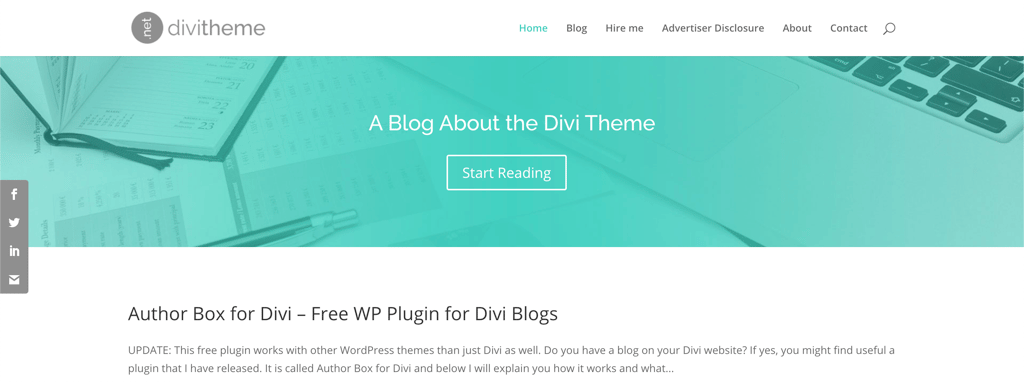
DiviTheme is an innovative, no-code, and visual drag-and-drop website builder, designed specifically for WordPress. You can use it to create stunning WordPress websites without having advanced development or coding expertise. The Visual Builder of the platform allows you to witness real-time changes during the website designing process, which makes the overall experience truly immersive.
Unlike traditional themes and website builders, Divi makes for a comprehensive website-building framework. It means it provides you with all the tools and features you need to create a fully functional website without going through the hassle of installing multiple plugins.
DiviTheme comes with a wide selection of pre-made layouts, including Portfolio Full Width Grid and Project Extended, to accelerate page creation significantly. These layouts, paired with drag-and-drop functionality, enable you to achieve what would traditionally require hours of coding in just minutes.
Another great feature of this tool is its responsiveness, which ensures optimal user experience across different devices. It seamlessly adapts to tablets, smartphones, laptops, and PCs alike, in order to protect you against potential loss of traffic due to non-responsive design.
Lastly, DiviTheme also boasts robust security measures through its partnership with Securi.net to ensure the security and privacy of user data.
Because of its advanced functionality and ease of use, DiviTheme makes for an excellent tool for both novice and experienced website creators looking to build visually stunning and responsive websites.
ZoloBlocks by BdThemes

| Rating | |
| Features | Powerful plugin for Gutenberg site building, seamless Gutenberg integration, lightweight and responsive, pre-designed templates, and continuous development |
| Free plan | Yes |
Zoloblocks by BdThemes is a powerful tool that allows you to create stunning WordPress websites. It integrates seamlessly with Gutenberg, the native WordPress block editor, and extends its customization options to enhance website design capabilities. This integration provides you with advanced layout options, styling controls, and content elements that are typically found in traditional page builders.
With over 25 blocks available, that tool offers a wide range of functionality to streamline content creation within the Gutenberg editor. These blocks cover different purposes, including text, images, sliders, and call-to-action sections, to help you create sophisticated layouts without external plugins or coding expertise.
Zoloblocks also includes a library of pre-designed templates and patterns tailored to specific niches and use cases. Using these templates, you can jumpstart your website design process and achieve professional-looking results quickly and efficiently.
All the blocks the platform offers are built using standard WordPress-compatible code to ensure seamless integration and minimal compatibility issues. It also keeps the blocks lightweight to maintain website speed and responsiveness.
Currently offered for free, Zoloblocks is continuously being developed and improved by the BdThemes team. While some features may still be in development, the team is committed to addressing user feedback and enhancing Zoloblocks' functionality over time.
Despite its robust feature set, Zoloblocks is offered as a free plugin (for now), making it accessible to a wide range of WordPress users. However, users should be aware that Zoloblocks is still in development, and some features may be missing or incomplete. However, the development team is actively addressing issues and integrating user feedback for continuous plugin improvement.
Zoloblocks by BdThemes is an excellent tool for creating responsive and beautiful WordPress websites with advanced customization options.
Zakeke Interactive Product Designer for WooCommerce

| Rating | |
| Features | Advanced product customization, design task automation, 3D and AR previews, user-friendly setup, dynamic pricing mastery, and sales channel management |
| Free plan | Free Trial |
Zakeke is an all-in-one, fully interactive WooCommerce product designer and customizer. What makes this product different is that it’s a comprehensive visual commerce platform that offers real-time 2D customization, 3D configuration, AR (Augmented Reality), and virtual try-on experiences.
Here’s a list of features that Zakeke offers:
- Offers limitless customization options to allow customers to personalize products by adding texts, photos, and colors, either from pre-designed templates or starting from scratch.
- Integrates seamlessly with WooCommerce and other eCommerce platforms and offers plug-and-play functionality, along with easy integration with POD (Print on Demand) services.
- Automates design tasks and generates print-ready files in different formats and resolutions.
- Minimizes lead times and reduces returns by providing cutting-edge 3D and AR previews to let customers know exactly what they’re purchasing.
- Doesn’t require any design or coding expertise to ensure a user-friendly customization experience.
- Allows you to implement advanced pricing rules to set mark-up prices on customizable products and display dynamic prices based on customer choices.
- Helps you manage all your sales channels from a single Zakeke account to simplify the sales process.
- Being a GDPR-compliant product, Zakeke ensures the security and privacy of user data.
In simple words, if you're in search of the best WooCommerce product customizer, Zakeke can be the ideal choice.
Brizy – Page Builder

| Rating | |
| Features | Drag-and-drop page builder, over 500 ready-made blocks, more than 4000 icons, smart text editor, responsive design, and content and image customization |
| Free plan | No |
Brizy is a next-gen, secure, fast, and easy website builder that both beginners and experienced software developers can use. The best aspect of using this page builder is that you don’t need designing or development skills to utilize its full potential, thanks to its drag-and-drop functionality.
The main features of Brizy – Page Builder include:
- Smart and clutter-free: Displays only the essential tools right beside the element being edited for a focused and efficient workflow.
- Page Builder Design Elements: Offers a variety of design elements, including text, buttons, images, icons, videos, and maps, to simplify the process of creating a visually appealing page.
- Global Styling: Single click functionality to change all similar colors or texts with shared properties across the webpage, which saves a whole lot of time.
- Mobile Friendly: Offers a Mobile View mode that allows you to make device-specific changes to optimize and differentiate your page design for smaller screens.
- Smart text editor: Allows you to modify colors, fonts, and alignments with the click-and-type functionality, and provides a real-time representation of the final design.
- Image Customization: Provides you with complete control over website images, including uploading, focusing, zooming, and resizing.
- Content adjustments: Offers intuitive options for adjusting content width, height, and alignment for quick adjustments with just a couple of clicks.
- Undo and Redo: Features Undo/Redo functionality to make sure that you can revert changes or retrieve deleted content.
Brizy – Page Builder makes for a versatile and accessible WordPress plugin that allows you to create stunning websites with ease.
Hash Form by HashThemes

| Rating | |
| Features | Drag and drop functionality, beginner-friendly, import and export form settings, advanced customization options, and support for conditional logic |
| Free plan | Free to use |
Hash Form by HashThemes is a versatile drag-and-drop form builder, designed for seamless form creation on your WordPress website. Whether you need forms to conduct surveys, enable easy contact options, or collect user feedback, you can use this plugin to design visually appealing forms without the need for coding skills.
What sets HashThemes apart from the competition is the advanced customization options it offers. It allows you to adjust font size, line height, letter spacing, and color schemes to create forms that perfectly align with your website's design and brand identity.
Whether you're an experienced developer or a beginner, Hash Form's versatility empowers you to experiment and iterate. You can use it to come up with forms that not only serve their functional purpose but also improve the overall user experience on your professional website.
Hash Form plugin makes for a user-friendly and robust solution for form creation that helps you meet the specific requirements of your professional website.
Droit Dark Mode

| Rating | |
| Features | Compatable with the majority of the themes, floating switch, multiple color presets |
| Free plan | Yes |
Dark mode is known to boost user satisfaction as well as conversion rates. Droit Dark Mode plugin is what allows you to enable dark mode on your WordPress website and works with the majority of the themes available on the market.
The plugin is fully functional even on its free version and includes:
- Multiple switch styles
- Floating switch button
- Setting dark mode as default for the website
- Compatability with Elementor widget and Gutenberg blocks
- Multiple color presets
- And more
This allows for fully compatible dark mode design to be applied on your theme for free. However, a paid option is also available.
In the Pro version, you’ll also be able to configure image brightness, opacity, and contrast as well as set dark mode to specific pages, posts, and categories or even WooCommerce products. It has a bunch of advanced settings for unique needs.
Best of all, the plugin is very intuitive and requires no coding on your side.
All in all, Droit Dark Mode is one of the best plugins for enabling dark mode on your WordPress website. It is very compatible and functional, no to mention easy to use.
Kali Forms

| Rating | |
| Features | Contact, payment, feedback forms |
| Free plan | Yes |
The Kali Forms WordPress plugin makes it easy to create contact forms, payment forms, and feedback forms for your website using a flexible and user-friendly drag-and-drop builder. The way that this WordPress plugin works is that you can easily create and customize forms for your WordPress website all without writing a single line of code.
It gives you two choices when building forms – start from scratch with their easy-to-use drag and drop builder or build a form with their predesigned templates.
The free plan comes with two predesigned templates for a standard contact form and an employee information form. The Pro plan offers 13 additional template designs, such as customer feedback forms, art contest forms, and donation forms just to name a few. The forms built with the Kali Forms plugin are fully mobile responsive, so they will look great on mobile, laptop, and desktop devices.
While Kali Forms was designed to be user-friendly, that doesn’t mean you’re able to create simple, basic forms – this plugin allows you to make visually appealing multi-page forms that even use conditional logic.
Briefly, if you're looking for one of the best WordPress plugins for form creation, Kali Forms is definitely capable of making you look professional.
WP VR – 360 Panorama and Virtual Tour Builder For WordPress

| Rating | |
| Features | 360-degree video support, full-window virtual tours |
| Free plan | Yes |
WP VR is a panorama and virtual tour builder for WordPress by rextheme.com that allows your visitors to take a tour of your place remotely to keep them engaged.
Even just viewing a simple scene with one 360-degree image will add extra appeal to your site – and that is made possible with WP VR. If you run a blog or sell properties as a real estate realtor, a virtual tour will make your site more interactive.
WP VR has both free and premium versions that offer features such as:
- Virtual tours
- Panorama images
- Scene gallery
- Background music
- Gyroscope support
- WooCommerce product support
After utilizing those, you can implement other features that the plugin offers, such as setting your custom rotation settings, applying zoom settings, and control buttons of your choice.
WP VR – 360 Panorama and Virtual Tour Builder For WordPress plugin engages the visitor and is easy and intuitive to use – perfect for beginners at web development and users experienced with interface design.
JetFormBuilder

| Rating | |
| Features | Drag-and-drop editor, pre-built form fields, payment integration |
| Free plan | Yes |
JetFormBuilder is a multifunctional form builder working on Gutenberg block editor. It allows you to easily build and customize any type of forms for unique needs.
The plugin includes a bunch of tools and functionalities to be the only form builder you might ever need:
- 21+ pre built form fields that you can mix, match, and customize
- Multiple form types including single-step and multi-step ones
- Various actions upon the submission of the form, including sending an email, registering an user, redirecting to a page, and so on
- Integration with payment methods
One of the best parts is that the plugin is absolutely easy to use, designed with beginners in mind. It works on Gutenberg, and forms are customized using a drag-and-drop editor. This also allows completely unique looks.
And while most of the functionalities can be enjoyed for free, a paid version also includes payment integrations, marketing automation, autocomplete functionality, and more.
All in all, if you’re looking for a simple to use yet powerful and good-looking form builder, JetFormBuilder is among the top plugin options to consider.
Droit Addons for Elementor

| Rating | |
| Features | Widgets for Elementor, responsive page templates, presets |
| Free plan | Yes |
Droit Elementor Addons extends the Elementor builder functionality by adding a bunch of widgets, preset library, on-demand asset loading, and more. With the help of the plugin, it is easy to design unique and functional WordPress websites.
Among the key features, Droit Addons for Elementor will supercharge your site with:
- Beautiful and professionally made widgets
- Prebuilt responsive template blocks
- Prebuilt responsive page templates
All of the above can be found in the free version of the plugin, but to take advantage of all of the functionalities, Pro version will be needed. It will add:
- Header and footer builder
- Mega menu builder
- Popup builder and widgets
- Parallax effects
- WooCommerce addons
- And much much more
The plugin is as easy to use as Elementor itself, so you’ll have no problem customizing and creating beautiful designs. I must mention though, that while free version already expands Elementor by quite a bit, Pro is very much worth it.
All in all, if you’re looking to expand your website design with Elementor, Droit Addons for Elementor adds a lot of flexibility thanks to its responsive and professional widgets.
JetSticky For Elementor

| Rating | |
| Features | Allows to make sections sticky in the Elementor builder |
| Free plan | Yes |
JetSticky is a free WordPress plugin for websites built with Elementor. This plugin extends Elementor’s functionality by making sections and columns built with this builder sticky.
If you wish for some sections of your website to remain visible no matter if the user scrolls up or down the page, JetSticky makes it possible. This plugin is very easy to use as all you need to do is choose a section in your Elementor builder and go for the Advanced settings. Just flip the On slider in the JetSticky section and that’s it.
In addition to ease of use, the plugin also includes a few useful features:
- Ability to choose devices (desktop, mobile, tablet) that these sticky sections should appear
- The option to style the design of the sections
- Ability to change the transition duration
While these features are available with the free plugin’s version, there’s also a premium solution. The paid JetSticky version is called JetTricks and includes more features like HotSpot widgets for elements, the ability to unfold elements, section particles, and many more.
Overall, JetSticky is a functional solution for those looking to add stationary sections to their website.
Magic Content Box

| Rating | N/A |
| Features | Page content builder, pre-designed block, header, and button layouts, image masking shapes |
| Free plan | Yes |
Magic Content Box is a page content builder working on Gutenberg block editor. It’s a great assistant when you want to build a neat-looking website quickly.
It’s a very comprehensive premium plugin which includes a handful of features that will help you achieve your vision:
- 9+ layouts for the header section with reverse option
- 9+ block layouts with reverse option
- Over 30 image masking shapes
- Multiple button layouts with icon option
- Inner custom content container
- 12+ top/bottom shape dividers
- Typography and color controls
- Gradients Color Effect
And that’s not all – the plugin is regularly updated, adding new features and staying up to date with the latest versions of WordPress. For your comfort, the plugin is fully responsive and can be used on mobile devices as well as tablets.
While there is a free version available, it’s fairly limited in terms of layouts, typography, color controls, and masking shapes.
With easy setup, a bunch of functionalities, and great support, Magic Content Box is an ideal solution for building your dream website fast.
Smartsupp

| Rating | |
| Features | Live chat integration, e-commerce data about customers, mobile apps |
| Free plan | Yes |
Smartsupp plugin is a personal shopping assistant which helps your visitors become your clients.
The way this plugin works is it combines live chat, chatbots, and video recordings to save your and your customers’ time.
The Smartsupp plugin is a very useful tool for businesses of any size. Some of the main perks it provides you with are:
- Live chat integration
- 1 support agent
- 14-day conversation history
- Basic visitor information
- iPhone, iPad, Windows, and Android app
- Chat box customization options
The free tier of the plugin is extensive in terms of benefits, but if your website receives a lot of traffic, the paid plans are worth taking a look at. For instance, with a paid subscription, you’ll be able to integrate email and FB messenger on top of the live chat. Plus, you can put 3 agents to work (upgradable to 20) to avoid your customers waiting in a queue.
It’s worth mentioning that no matter whether you end up investing in a premium tier or want to enjoy the free plan, the plugin complies with strict EU data protection laws.
Overall, Smartsupp is an inexpensive customer support service solution for any company, no matter how big or small.
FooGallery PRO Commerce

| Rating | |
| Features | Unique and eye-catching themes, responsive plugins, easy to use, money-back guarantee, detailed documentation, and developer-friendly |
| Free plan | Yes |
FooGallery PRO Commerce is an essential tool for those wanting to create advanced product galleries, sell images online, or just take their online store to the next level.
With this plugin, you can create beautiful image galleries with advanced customization, as well as filtering, video, gallery search and pagination. It also allows for WooCommerce integration, giving you the ability to sell products directly from your product galleries. Create dynamic galleries generated from your WooCommerce products and display them in Product Gallery layout, tailored for commerce, with product category filters. Plus you get product variation support, with variable products being displayed in the lightbox.
Call to action buttons give customers the ability to add products directly to their cart, or view more product info, and Sale Ribbons can be used to highlight sale or featured items, show Out-of-Stock products or let customers know about backorder products.
Other features worth noting include:
- File downloads and
- A gallery blueprint
- Image protection (right-click protection and watermarking)
- White labeling
All of these features are aimed at helping you take your product galleries to the next level, boosting customer engagement and driving sales.
Superb Addons by SuperbThemes

| Rating | |
| Features | Hundreds of Patterns, blocks, elements, themes, and sections for WordPress website building, easy integration with Elementor and Gutenberg editors, fast and responsive design, and lightweight and SEO-optimized |
| Free plan | Free to use |
Superb Addons by SuperbThemes is a game-changing plugin that streamlines the WordPress website-building process. It features an extensive array of over 500 patterns, blocks, elements, themes, and sections, and allows you to create professional websites in minutes without the need for advanced design skills.
Additionally, you can integrate it with popular editors like Elementor and Gutenberg to unlock the full potential of WordPress.
The key features of Superb Addons include:
- Features more than 400 ready-to-use WordPress sections that can be inserted with a single click.
- Comes with a library of over 40 WordPress themes for diverse design options.
- Helps users attract more traffic and ensure high search engine rankings with a fast and SEO-optimized structure.
- Offers more than 400 beautifully designed patterns to choose from.
- Contains over 300 pre-built Elementor sections for efficient site construction.
- Provides advanced Elementor functionality with numerous additional elements.
- Boasts a responsive design for a flawless appearance on all devices.
- Being lightweight and SEO-optimized, the plugin ensures fast-loading websites that rank high on search engine results.
- Offers 7 custom WordPress Gutenberg blocks, including Superb Animated Heading, Ratings, Recent Posts, Google Maps embedding, Table of Contents, Cover Image, and About the Author.
Because of these comprehensive features, Superb Addons makes for a versatile and user-friendly WordPress tool for users seeking efficient and visually appealing website creation.
Best WordPress plugins for extending site functionality
The plugins in this category are used to add custom functions to your WordPress site that might not be readily available in the default version. For example, podcasting, eLearning, and event management. They are a great help if your site has a more niched function.
Tagembed

| Rating | |
| Features | Aggregates feed from over 15 social media networks, supports hashtags, handles, pages, and albums, intuitive user interface, and dedicated support team |
| Free plan | Yes |
Tagembed is a social media aggregation tool that streamlines the process of incorporating content from different social media platforms into your website. It allows you to create specific feeds (page fees, handle feed, album feed, and hashtag feed) from over 15 social media channels, and embed them within your WordPress website's design.
One of the best features of this plugin is the customization options it offers. It allows you to curate the feed’s appearance just the way you want to make sure that matches your website's aesthetic and brand identity.
Additionally, it provides a content moderation panel that you can use to filter and approve posts before they go public on your website. This functionality makes sure that only the most relevant and brand-aligned content reaches your audience.
Tagembed also offers valuable performance insights through its analytics feature. It enables you to measure the effectiveness of your social media feed integration to optimize your strategy for maximum engagement and brand awareness.
If-So Dynamic Content Personalization

| Rating | |
| Features | Personalized website content delivery, multiple methods for dynamic content creation, integration with all page builders, compatibility with caching plugins, a wide range of conditions, and built-in analytics |
| Free plan | Yes |
If-So is a dynamic content personalization plugin that allows you to enhance user engagement and boost conversion on your WordPress website. As the name suggests, it allows you to add or replace dynamic content based on the visitor’s profile or interactions with your site to encourage action.
The plugin provides you with four flexible methods to create content, including conditional triggers, conditional Gutenberg blocks, conditional Elementor elements, and DKI (Dynamic Keyword Insertion) shortcodes.
What makes If-So WordPress special is that it’s incredibly simple to use and requires no prior coding knowledge. Additionally, it integrates with any page builder and can work with all caching plugins, which means there’s no need to disable the cache to use it.
The plugin offers a wide range of conditions that you can use to personalize your web content. From geolocation-based content, custom profile fields, and conditional pop-ups/CSS to dynamic links, referral sources, and UTM-based content, you can personalize the user experience just the way you want.
If-So Dynamic Content Personalization also comes with built-in analytics to help you track the performance of your personalized content. It offers valuable insights into views and conversion rates for each variation to help you optimize your content strategy and maximize efficiency.
AppMySite – Create an App with the Best Mobile App Builder

| Rating | |
| Features | Website builder, code-free development, multi-platform support |
| Free plan | Yes |
AppMySite is a free platform that enables you to create mobile apps for your WordPress site. With the use of the AppMySite plugin, you’ll be able to connect and sync all of the content on your website with your app.
Some of the key AppMySite benefits that users can enjoy for free are:
- Multi-platform support, including Android and iOS
- Compatibility with WooCommerce and WordPress sites
- Support for posts created by third-party plugins
- Real-time syncing between the site and the app
- App preview with live emulators
- Social media integration
AppMySite is very simple to get a hang of as you get to build and design an app without any technical knowledge or coding. Once your final result is ready, your website will be automatically connected to your app with the help of the AppMySite plugin.
The free version is very inclusive but you can also take advantage of the extra functionalities that the paid version offers. The premium features include instant app delivery, unlimited app updates, premium customer support, and more!
To conclude, if you’re not into coding but want an affordable solution to turn your website into an app, AppMySite is what you’re looking for.
Seriously Simple Podcasting

| Rating | |
| Features | RSS feed generation, embeddable widgets, Castos integration |
| Free plan | Yes |
If you’re in search of the best WordPress plugin for podcasts, Seriously Simple Podcasting is a good place to start. Easy to use, filled to the brim with features, and plenty of customization options, the plugin is a fan-favorite.
Despite being free, Seriously Simple Podcasting offers quite a few advanced features catering to your podcasting needs. This includes:
- Generating an RSS feed on your WordPress site that’s compatible with multiple platforms, including Apple Podcasts, Spotify, Google Podcast, and more
- Embeddable widgets to curate, display, and feature custom playlists
- Embed and display a range of video players anywhere within your podcast post. This includes players from YouTube, Vimeo, and VideoPress
- Free analytics
One thing to note here is that Seriously Simple Podcasting allows you to host your audio file wherever you want. Most people will opt for the WordPress media library.
However, the plugin does heavily suggest that you go with its parent company, Castos. Fair enough. And, if you do integrate the two, you get to enjoy some additional benefits. For instance, automatic syncing and advanced analytics.
In any case, there’s no reason to worry about ease of use as the plugin lives up to its name. To set up Seriously Simple Podcasting is seriously straightforward. Just click install, proceed with some basic configurations, and you’re good to go.
Packed with features, the easy-to-use Seriously Simple Podcasting is suitable for most podcasters — particularly those on tighter purse strings.
WP Event Manager

| Rating | |
| Features | Frontend forms, previews, easy interface |
| Free plan | Yes |
WP Event Manager is a good plugin to have in your arsenal if you’re dabbling in event management. Feature-rich, intuitive, and streamlined, the plugin makes event management a breeze.
With the plugin, you have all the tools you need to create, manage, and promote event listings. Plus, all of these tools are easily accessible via one dashboard.
Now, WP Event Manager has an extensive list of tools and features. But, some that caught my eyes are:
- Frontend forms for guests and registered users to submit and manage event listings
- Preview of listing before it goes live
- RSS links to allow attendees to be notified of new events that match their search
- Custom event fields
And, if you’re willing to invest, you get more comprehensive and advanced features. For instance, Google Map, WooCommerce’s Event Sell Tickets add-on, and event alerts.
Setup is a breeze with WordPress’ one-click automatic installation. Plus, when it comes to user-friendliness, WP Event Manager doesn’t require coding skills so it’s great for rookies. However, the plugin does make things easier for developers with developer-friendly code, debug mode, and more.
In brief, event organizers, managers, and anyone in the field will undoubtedly find WP Event Manager a boon and one of the best solutions in the market.
Echo Knowledge Base for Documentation and FAQs

| Rating | |
| Features | Designing and managing knowledge bases |
| Free plan | Yes |
The Echo Knowledge Base for Documentation and FAQs WordPress plugin offers intuitive features that give the ability to quickly set up and customize articles, categories, and multiple knowledge bases.
Echo Knowledge Base for Documentation and FAQs combines ease of use with more advanced features tailored for businesses and organizations, such as:
- Easy setup
- Organization of your documentation by team, product, and service using the Tabs Layout
- Fast search bar with listed results
- Ordering of articles and categories alphabetically, chronologically, or in any other order
- Multiple knowledge bases
- Tags, breadcrumb, back button, and comments for documents
- Auto-generated TOC
- Access managers
- Article rating for your site’s visitors
- Search analytics
This plugin was coded in a way that it will provide the best SEO results, and it is visible by the features that it offers – TOC, organization, tags are there for you to rank better on search engines.
The Echo Knowledge Base for Documentation and FAQs WordPress plugin helps to create knowledge bases that not only look good but are easy to manage and rank great on search engines.
FooGallery – Best Responsive Image Gallery

| Rating | |
| Features | Pre-built layouts, lazy loading, drag-and-drop editor |
| Free plan | Yes |
FooGallery is an easy-to-use WordPress plugin meant to enhance your website’s gallery.
If you’re looking for a plugin that can transform your gallery page from a cluster of images to a sleek and customizable layout, FooGallery’s got you. The plugin comes with stunning pre-built gallery layouts that can be easily edited to fit your personal needs.
Here are some of the main free FooGallery features:
- Responsive layout templates that adapt to any screen
- Loads of customization options – rearrange images with a drag-and-drop editor, adjust borders, spacings, colors, and shadows
- Performance-focused approach – supports lazy loading, reduces content layout shift, and optimizes code
- Heavy focus on SEO
Alongside the free version, FooGallery also has 3 paid options. By purchasing the plugin, you 3 more layout templates. Then, depending on the plan you choose, you get multi-level filtering for the gallery, dynamic gallery functionalities, watermarking, no right-click functionality, and many more.
As a whole, FooGallery will most benefit those looking to integrate a responsive and sleek-looking gallery page onto their WordPress site.
Pretty links – Link Management, Branding, Tracking & Sharing

| Rating | |
| Features | Shortening links with your own domain, tracking URL hits, reporting on click details |
| Free plan | No |
The Pretty Links WordPress plugin unlocks more affiliate revenue from your existing and new content automatically by simplifying, tracking, managing, and sharing any URL on or off of your WordPress website.
The Pretty Links plugin enables you to shorten links using your own domain name, instead of using a different service such as tinyulr or bit.ly. In addition to creating clean links, this plugin tracks each hit on your URL and provides a report of where the hit came from, the browser, OS, and host.
While it mainly shortens links, the Pretty Links plugin also:
- Tracks the number of clicks per link
- Provides a report where you can see a chart of clicks per day
- Allows to view click details including IP address, remote host, browser, and referring site
- Enables to send your links via Email directly from your WordPress admin
The Pretty Links WordPress plugin is the best tool to make your links look cleaner with the added benefit of providing tracking data from your URL hits.
Estatik – Real Estate Plugin

| Rating | |
| Features | A theme, photo gallery, listing, sorting filter |
| Free plan | Yes |
Estatik is a WordPress plugin for real estate agencies and realtors looking to build a real estate website.
The plugin easily and quickly transforms a WordPress site into a real estate website. It comes with a single free theme and the setup takes barely any time.
Here are some of the functionalities you can expect with a free Estatik plan:
- Filter to sort by price, date, popularity
- Customizable categories, types, statuses, and slideshow
- Photo gallery
- Widgets like search, mortgage calculator, and slider
- Saved searches & wishlists
In addition to the free plan, there’s also a paid plugin version. If you purchase any of Estatik’s premium plans, you get additional features like a map widget, a subscription option (PayPal), more themes, white-label, field builder, and many more.
As a whole, Estatik is a WordPress plugin that will best benefit real estate agencies or agents looking to build a functional real estate website quickly.
ProfileGrid – User Profiles, Memberships, Groups, and Communities

| Rating | |
| Features | Create, customize and manage user profiles |
| Free plan | Yes |
ProfileGrid is a user profile builder plugin meant for any WordPress website.
If you’re looking to create a user profile on your site or a membership account interface, ProfileGrid is there to help. The plugin provides you with a beautifully laid out and customizable front-end and a simplistic and functional dashboard for management.
If you’re curious to know more about what ProfileGrid does? Here are a few main functionalities:
- It is compatible with a WooCommerce site
- Allows building and managing complex registration forms
- Enables to create group events
- Allows content restriction (only for registered users),Makes it possible to add dynamic slugs to your user profile permalinks
These are only a few out of many free plugin functionalities. However, in addition to the free plugin, ProfileGrid also offers a paid version. If you choose to invest, you can unlock such features as Strip payments for memberships or subscriptions, MailChimp integration, custom group fields, and many more.
In sum, ProfileGrid is a powerful and functional WordPress plugin that will make online profile creation that much simpler.
Social Chat

| Rating | |
| Features | Live WhatsApp chat on the site integration |
| Free plan | Yes |
Social Chat is a free WordPress plugin that integrates WhatsApp chat functionality directly into your website.
Are you looking for an easy way to implement WhatsApp into your website, so your visitors can reach you right from your site? Social Chat can help with that. This plugin allows your site visitors to open a conversation directly to your WhatsApp phone number right from your website.
Additionally, you can also pre-set a message that will greet your visitors automatically whenever they first contact you.
Now core functionalities come with the free plugin version. However, a paid option also exists. If you choose to invest, you unlock additional functionalities like adding multiple agents into the chat and an icon, agent message, and chat color customization.
Overall, Social Chat is a very straightforward solution for those who want to add WhatsApp live chat functionality to their site.
Click to Chat

| Rating | |
| Features | WhatsApp chat integration, pre-configured messages, Google Analytics integration |
| Free plan | Yes |
Click to Chat is a WhatsApp plugin for WordPress, which adds WhatsApp chat functionality to your site so the website visitors can reach you just with one click. Once the plugin is activated, the WhatsApp icon button will be added to the bottom-right corner of your site. This will improve your customers’ user experience and enhance engagement.
Here are the main things you can do with the Click to Chat plugin:
- Add pre-configured messages
- Integrate with Google Analytics or Facebook Pixel
- Notify people about working hours/holidays
- Customize the chat integration to match your site’s design
This is what the free version covers, but a premium one also exicts. If you opt for the latter one, you get more advanced features like the ability to add numerous team members (including their names and labels), customize colors, icons, and so much more.
Click to Chat is strongly recommended for everyone who wants to improve their customer service, enhance engagement and boost sales.
PDF & Print by BestWebSoft

| Rating | |
| Features | Generates PDF files and printing pages |
| Free plan | Yes |
PDF & Print is a WordPress plugin for creating PDF files and printing pages instantly.
The plugin comes with multiple perks. You can add PDF & print buttons to your website’s pages, posts, and widgets. Plus, it allows you to generate customized documents with useful data for archiving, sharing, or saving.
Here’s what the PDF & Print plugin does for you:
- Adds PDF & print buttons to your website automatically
- Allows to choose the button positions in your website
- Adds buttons to the widget area
- Changes PDF button action
- Displays PDF & print buttons for specific user roles
- Adds custom code
Even though the free plugin version should be more than enough for most, the premium version provides you with pro features such as adding an image or text watermark, creating a custom document footer and header, adding and managing custom fields/data, and so much more.
Saving time and increasing sales are the main reasons why one should go for PDF & Print plugin.
Masks Form Fields

| Rating | |
| Features | Add period, comma, percentage, and other characters automatically |
| Free plan | Yes |
Masks Form Fields is a 100% free WordPress plugin that allows you to add masks in the form’s fields. When using this plugin, all you have to do is add a class of your choice in the form field that you want to apply the mask to. Here's an example of use with Contact Form 7: [tel your-phone class:phone placeholder "Phone"].
This plugin can also work with WooCommerce, yet for that, you need to add a custom script.
Now talking about simplicity, the plugin is easy to install. There are 2 different ways to do that. The simplest one is to search for the “Masks Form Fields” plugin in your WordPress dashboard, or you can follow these quick steps:
- Go to WordPress.org and download the plugin.
- In your WordPress dashboard, upload the ZIP file through the ‘Plugins > Add New > Upload’ screen.
- Activate the plugin via the ‘Plugins’ menu.
The only drawback is that the plugin doesn’t support WooCommerce.
Masks Form Fields is recommended for everyone who wants to improve their website’s user experience when filling in the field.
TextUnited – WordPress website translator

| Rating | |
| Features | Simple installation, theme and plugin compatibility, professional translation tool |
| Free plan | Yes |
TextUnited is a plugin that lets you rapidly set up your website to be available in multiple languages. Not only can this help boost your conversion rates, but it can also make your visitors feel more welcome.
Some of the best features that TextUnited offers are:
- Quick and simple installation
- Maximum compatibility across different themes and plugins
- A professional and constantly improving translation tool
- Translated pages indexed by search engines
- Possibility to tweak translations on the go
With TextUnited, you won’t break a sweat trying to figure it out. All you have to do after the installation is create a TextUnited account straight from your WordPress dashboard. Then, just pick any languages you want, select the pages you want to be translated, and that’s it!
The free version lets you translate up to 1000 words per month in any language of your choice.
Now if that’s not enough, premium plans allow you to translate 50,000/mo. Best of all, paid plans come with a free 14-day trial and the full TextUnited translation management system.
Overall, if you want a quick and affordable solution for translating your website and expanding your target audience on a global scale, TextUnited is a great pick.
Advanced Ads

| Rating | |
| Features | Ad management, support for all types of ads and ad networks, integration with Google AdSense and Google Ad Manager, automated ad injection, Flexible ad rotation options, and multiple display conditions |
| Free plan | Yes |
Advanced Ads is a versatile WordPress plugin designed for comprehensive ad management to help businesses maximize their website revenue. It can handle all types of ads and ad networks and offers a seamless process for embedding ads without the need for complex theme file edits.
What sets this plugin apart is its unparalleled integration with Google AdSense, which allows you to import all ad units with a single click. Additionally, it also conducts AdSense policy violation checks and displays revenue metrics and warnings directly within your WordPress backend.
Another great feature of Advanced Ads is that it provides you with full control over your ad placement. You can use it to schedule ads effortlessly and target them to specific content/visitors based on different conditions.
Other features of the plugin include:
- Support for a wide range of ad networks and codes
- Specialized integration with Google AdSense and Google Ad Manager
- Automated ad injection
- Flexible ad rotation choices, including sliders and ad refresh
- Conditions tailored to visitors, such as browser width, device type, or geographic location
- Customizable display conditions, covering categories, URL parameters, keywords, and content length
- Adherence to GDPR and TCF standards
- Compatible with popular WordPress plugins like BuddyBoss, BuddyPress, WPML, GamiPress, and Paid Memberships Pro
- Click fraud protection, lazy loading, and ad blocker options for enhanced functionality
If you’re looking for a seamless and efficient approach to managing and optimizing your WordPress website's advertising revenue, you can consider using Advanced Ads.
Academy LMS

| Rating | |
| Features | E-learning management, single page application, course, and quiz builder, student and teacher registration, course difficulty level settings, progress tracking, support for video content, and analytics and reports |
| Free plan | Yes |
Academy LMS is a reliable, fast, and efficient WordPress LMS plugin designed to enhance your online learning experience. It allows you to transform your WordPress website into a full-fledged e-learning management system where you can create, customize, and sell both free and paid courses easily.
One of the best features of this platform is that it offers a user-friendly, fast, intuitive, and SPA (Single Page Application) interface. It means that you can use it to create and offer personalized courses and quizzes without needing to have any technical expertise. Additionally, the plugin can be integrated with WooCommerce to create and sell paid courses.
Other notable features of Academy LMS include a comprehensive student/instructor dashboard, import/export option from CSV files, multi-instructor revenue sharing, student progress tracking, and detailed LMS analytics and reports. Lastly, the plugin offers earning and withdrawal management functions to track your finances efficiently.
In short, if you want to create, customize, and sell online courses and quizzes, quickly and conveniently, Academy LMS WordPress can be the best WordPress plugin to use.
Goaffpro Affiliate Marketing

| Rating | |
| Features | Affiliate and influencer marketing, customer-to-affiliate conversion, affiliate commission, mobile optimized, affiliate order tracking, affiliate link sharing, multiple payment methods, and multi-level marketing |
| Free plan | Yes |
Goaffpro Affiliate Marketing, as the name suggests, is a single-stop WordPress plugin that allows you to meet your store's affiliate and influencer marketing needs. It allows you to create an affiliate portal on your online store where your customers can register to become partners and get a referral link to promote your products on different online platforms.
Here’s a list of features that the Goaffpro Affiliate Marketing plugin offers:
- Allows you to establish a personalized portal for affiliates to register, monitor earnings, and generate referral links.
- Transforms customers into affiliates to make them advocates/ambassadors for your products.
- Features options to set default and specific commissions for products and affiliates, and can exclude low-margin items.
- Comes with a mobile-friendly admin dashboard and affiliate portal, along with dedicated iOS and Android apps.
- Allows you to pay your affiliates through PayPal or choose any custom payment mode.
- Supports up to 10 levels of affiliates, with different commission options for each level.
- Offers multiple tracking methods, including referral links and coupon codes.
- Generates instant updates and notifications for affiliate orders in real time.
- Enables affiliates to share their referral links and coupons on social media platforms like Facebook, Instagram, and Twitter, as well as through emails and web pages.
- Supports multiple languages, including French, Italian, German, Spanish, Portuguese, Swedish, and Russian.
All these features collectively make Goaffpro a robust and flexible solution for managing and optimizing your affiliate and influencer marketing efforts effectively.
Best WordPress plugins for booking
Whether you have a travel agency, a restaurant, or provide services – booking online is a way to go. Booking plugins will help you automate the workflow and avoid those unpredictable calls and emails at odd hours.
Webba Booking
| Rating | |
| Features | Booking management, flexible scheduling, straightforward administration, easy set-up and configuration, no coding required, and professional design |
| Free plan | Yes |
Webba Booking is a comprehensive online booking plugin designed for WordPress websites. It serves as a single-stop solution for professional-looking booking forms and seamless schedule management.
The platform caters to all types of businesses that rely on appointments and service bookings, such as wellness, sports, events, rentals, salons, medical clinics, and consulting.
Here’s a list of the main features that Webba Booking offers:
- Create and categorize an unlimited number of bookable events/services to meet your business needs.
- Integrate and manage your bookings easily without the need for coding skills.
- View all your bookings and schedules easily and add, edit, and cancel them whenever needed.
- Take control of your business hours, holidays, and pricing settings with advanced customization options.
- Utilize flexible pricing based on time, day, and the number of booked time slots.
- Leverage customizable templates to personalize email notifications and reminders.
- Use more than 20 different booking settings for specialized cases and rules tailored to your business.
- Reach a global audience with built-in translations and WPML compatibility.
Other features of the Webba Booking plugin include automatic Zoom events, promotional coupons, online payments, Google Calendar integration, SMS reminders, GDPR compliance, and mobile and desktop responsiveness.
All these features make Webba Booking an excellent option for people looking for an all-around online booking plugin for their WordPress websites.
WP Travel

| Rating | |
| Features | Unlimited tour packages, tour filters, payment integration |
| Free plan | Yes |
WP Travel is a travel engine that is meant for setting up a travel agency or a tour operator website. By using this plugin you can easily set up a clean-looking website with all the destinations, tours, and information regarding it all.
You can either go for a free or a paid version. The main difference between the two is the variety of options available.
The free site allows you to set up a gallery, multiple pricing, and dates, a trip booking tool, partial payments, standard PayPal integration, as well as unlimited trip options. This way you can create tour packages, accept travel bookings, and receive payments.
Paid option adds an abundance of extra features on top of free options. You will get more payment options like Paystack, PayU, PayFast, PayPal Express, and many more. Additionally, it includes itinerary PDF downloads so you could send itineraries to your clients. There’s also MailChimp inclusion that allows to set up an email marketing campaign.
The setup is pretty easy as all you have to do is download the plugin, activate it.
In other words, if you’re looking to create a customized travel-related page, WP Travel is just the tool.
eaSYNC – Free Booking Plugin for Hotels, Restaurant and Car Rental

| Rating | |
| Features | Responsive booking forms, automatic email confirmations, easy integration |
| Free plan | Yes |
eaSYNC plugin allows you to set up an easy booking system for car rentals, hotels, or restaurants. This is a useful tool if you’re looking to integrate booking options onto your website, may it be car booking, table booking for special occasions, or an overnight stay, the tool includes it all.
The plugin comes free of charge and it is very easy to use for you and your visitor.
The visitor gets a clean and well-organized page where they can choose the dates of the reservation. If it’s a hotel or a car rental, the user gets to choose either the type of room or the model of the car. More so, there are options to set up a car pickup point. Overall, the plugin is PayPal-ready, so the fee part is simple to manage too.
All you have to do is download the plugin and activate it. Once that’s done, on the back-end, you can manage plugins setups to include your terms and conditions, customize booking confirmations by email, add a special request section, and many more.
Simply put, if you’re running a car rental service, a restaurant, or a hotel website, Easync bookings will help you to manage your bookings quicker and easier.
Rentle

| Rating | |
| Features | Booking calendar, deposit support, multiple languages |
| Free plan | Yes |
Rentle is an all‑in‑one eCommerce rental software for handling rental and activity bookings on your WordPress website.
This WordPress plugin has two plans – a free Rentle Lite and a premium Rentle Core.
Even if you choose the free plan, you get plenty of features that make renting as smooth as selling and buying. You get access to a booking calendar with real-time inventory availability, as well as easy payment handling with deposit support. With Rentle Lite there’s no risk of overbookings, not to mention, it has barcode scanning and chat support.
The Rentle Core plan scales to the needs of larger rental businesses. It has several additional features that make it worth considering, for example, multi-location support and multiple languages for your WordPress site. More advanced online store settings are included, too. Not to mention, you can also handle walk-in rentals with this plan as well.
This plugin really believes in rentals becoming the future of consumption with its ways to remove friction in the renting industry. The solutions offered by this plugin guarantee better experiences both for the customers of the plugin and the end-user.
Bookly – WordPress Online Booking and Scheduling Plugin

| Rating | |
| Features | Booking calendar, reminder SMS to clients |
| Free plan | Yes |
If you’re looking for an add-on to help you with your online booking system, this might just be it. Bookly is a free scheduling plugin that allows you to take online bookings in an automated manner.
The plugin is meant to make your scheduling experience much quicker and easier. Depending on which version you choose, free or paid, you will get a slightly different variety of options.
The free plugin allows you to:
- Customize your booking form
- Easily manage your clients’ list and their appointments
- Color-code your appointment calendar
- Automatically approve or cancel appointments
- Set up, customize, and automatically send your clients’ reminder SMS
Now talking about the paid version, Bookly PRO - there are a few additional perks. You will get Google Calendar integration, built-in Zoom & Zapier integrations, analytical reports, an unlimited number of services, and staff members.
All in all, Bookly is an amazing addition to your website if you’re looking to make your appointment booking process simple and easily manageable.
Salon booking system

| Rating | |
| Features | Payment options, booking options, automated registration, easy management |
| Free plan | Yes |
Salon Booking System is a free WordPress plugin that offers a fully complete and easy to manage appointments scheduling system.
The main purpose of the Salon Booking System plugin is to save you time and money by making your appointment booking process quick and structured.
Here are the main features you can expect from Salon Booking System:
- Allows adding unlimited staff members and services
- Offers Google Calendar two ways synchronization
- Includes a discounts and couponing system
- Allows setting up email and SMS notifications
- Front-end shortcodes
- Monthly updates
While a free version is very functional, the paid option adds a few extra functionalities. For a few $ per month you’ll get a quick booking overview functionality, online payment option, and a free mobile app for staff members.
Overall, Salon Booking System is a great plugin for automating registration processes so you can be focused on what you do best.
Appointy – WordPress Appointment Booking and Online Scheduling

| Rating | N/A |
| Features | Online appointments, calendar bookings, payments |
| Free plan | Yes |
Appointy is a popular WordPress appointment scheduling and booking calendar plugin.
If a simplistic yet functional online booking interface is something you’re after, give Appointy a look. The plugin is easy to integrate onto your website and enables you to accept online accept appointments, calendar bookings, and payments 24×7.
With the free Appointy version you get:
- Single staff account
- 5 services
- 100 appointments a day
- Clients self-schedule
- Accept payments through Square
- Daily, weekly, and monthly availability
- Automated reminders
- Client verification
Additionally, there is a paid version of this plugin. By purchasing Appointy, you unlock such functionalities, like unlimited services, more staff accounts, 2 000 appointments a day, two-way Google Calendar synchronization, Google Analytics, and accepting prepayments through Stripe, PayPal, and Authorize.Net.
All in all, Appointy is a very functional and simplistic booking plugin for any business that is planning to accept online bookings.
KiviCare by IQONIC

| Rating | |
| Features | Clinic and patient management solution setup, appointment booking, patient visit/record management, dedicated patient portal, doctors scheduling and services, role-based access, email reminders, and multilingual support |
| Free plan | Yes |
KiviCare Clinic and Patient Management System EHR by IQONIC is a well-known self-hosted solution designed for WordPress. With a quick setup process (that takes about a minute), it transforms your WordPress platform into a fully functional online clinic and offers an array of features for efficient and affordable clinic management.
Here’s a list of key features of the KiviCare by IQONIC WordPress plugin:
- Built with Vue JS, it ensures smooth user experiences without the need for page reloads.
- From appointment scheduling to billing, it covers all aspects of managing clinic and patient records.
- Keeps detailed and organized patient records for efficient healthcare service provision.
- Manages patient visits comprehensively to ensure a streamlined healthcare process.
- Empowers patients with access to their health records and facilitates secure communication through a patient portal.
- Schedules doctor appointments, optimizing clinic workflow.
- Offers doctor services detail for clear communication with patients.
- Supports multiple roles including Super Admin, Clinic Admin, Doctor, Receptionist, and Patient for tailored access levels.
- Enables secure and convenient online payments through seamless PayPal integration.
- Keeps everyone in the loop with timely email reminders and notifications.
- Ensures personalized interactions with custom email templates.
- Offers a user-friendly control panel to configure different settings.
- Support multiple languages via translation plugins for enhanced accessibility.
- Features an insightful dashboard to offer a comprehensive overview of clinic activities.
- Can integrate booking forms, doctor lists, and login/register pages seamlessly into your website.
The pro version offers even more features including, multi-clinic setup, WooCommerce payment integration, Google Calendar integration, SMS alerts via Twilio integration, WhatsApp alerts via Twilio, and more.
In short, KiviCare is an invaluable WordPress plugin for those seeking a straightforward and cost-effective way to equip their WordPress website with clinic and patient management capabilities.
Best WordPress plugins for security and policy
Featuring vital additions, the plugins in this category keep your site and its content safe as well as compliant with regulations. Among their functions are regulatory compliance, protection against malicious attacks, and backups.
Token of Trust

| Rating | |
| Features | ID and age verification, regulatory compliance, WooCommerce integration, multilingual support, and optional selfie match |
| Free plan | Free trial |
Token of Trust is an AI-driven, age and identity verification tool that you can easily integrate with WordPress account registration or the WooCommerce checkout process.
It can be used for:
- Age Verification Compliance: Comply with age-related regulations in industries like cannabis, tobacco, gaming, alcohol, and firearms.
- Identity Verification and KYC/AML: Stay compliant with regulations related to financial services, gambling, crypto, web3, and healthcare sectors.
- Safety and Security (Fraud Prevention): Build trust on social media, marketplaces, communities, and dating sites with robust safety measures and fraud prevention.
The main features of Token of Trust include:
- Covers more than 5000 ID types from over 240 countries.
- Comes with an additional security layer with an optional selfie-match feature.
- Offers verification results in the WooCommerce order summary.
- Verifies age within the US without image collection.
- Allows returning customers to skip verifications for 90 days.
- Initiates verification based on location, product, or shipping methods.
- Supports multiple languages to cover a global audience.
- Ensures compliance with privacy regulations, including GDPR (UK & EU), LGPD, PIPEDA, and CCPA.
Token of Trust makes for a comprehensive platform for businesses seeking reliable solutions for identity verification, age compliance, and fraud prevention.
humanID – Anti-Spam Comment Filter

| Rating | |
| Features | Open-source anti-spam comment filter, enhanced website security, CAPTCHA-free experience, and improved user privacy |
| Free plan | Free to use |
humanID is an open-source, anti-spam comment filter that works as a single-stop solution to eliminate junk comments from WordPress sites. Not only does it allow you to enhance your website’s security but it also helps you safeguard your users' privacy.
What sets “humanID – Anti-Spam Comment Filter” apart is that it was developed by “Foundation for a Human Internet”, a non-profit organization backed by Mozilla and Harvard. It ensures seamless access and anonymity for your real website users while preventing automated and previously blocked users at the same time.
Lastly, it also enables you to bid farewell to the annoyance of CAPTCHAs and reclaim up to 90% of your time spent sorting through comments.
humanID is an excellent platform for people looking for an easy solution to get rid of junk comments from their WordPress website to keep their actual users safe.
WP Hardening – Fix Your WordPress Security

| Rating | |
| Features | Hardening audit, security fixes |
| Free plan | No |
WP Hardening performs real time security audits of your website to see missing security practices.
If you're looking to maintain your WordPress security, WP Hardening offers you multiple solutions. By implementing this one-step solution, you’re able to maintain admin and API security, perform basic security hardening and disable information disclosure.
Here some of the main security features you can expect:
- Rock-solid website firewall
- Virtual patching
- Malware cleanup
- Bad bot protection
- Blacklist monitoring
- File upload scanning
- IP & country blocking
Additionally, you also get a visual dashboard where you can see all the information on how many attacks have been blocked and other details.
This single plugin makes sure that all possible security gaps are detected before any damage can be done. Additionally, if your site gets effected, WP Hardening is the first to jump and fix the issue.
WP Hardening – Fix Your WordPress Security by Astra is an admirable WordPress plugin that effectively detects and patches all potential security issues your site might have.
RSFirewall!

| Rating | |
| Features | Firewall, reCAPTCHA, system checks |
| Free plan | Yes |
The name itself says it all — RSFirewall! is enthusiastic about protecting your WordPress site from malicious users and attacks.
The plugin covers a variety of known vulnerabilities and security gaps with a range of features. This includes:
- WordPress Firewall
- SQL injection protection
- reCAPTCHA for all registration, login, and commenting forms
- Active monitoring of files
- Automatically block repeated offenders’ IP addresses
- Email notifications for detected threats
- WordPress and server configuration checks
While the list of features is a good start, you might need even more protection. In that case, you’ll need to fork out for its paid version. Here, you’ll get more advanced and comprehensive features such as Two Factor Authentication, country blocker, and whitelisting of blocked PHP files.
Whether paid or free, you can use WordPress one-click install to easily set up in no time. Upon activation, out-of-the-box protection is available. But, you’d do well to still configure the options to better fit your site.
No-nonsense and comes with various measures, the RSFirewall! is a good plugin for those serious about security.
Quttera Web Malware Scanner

| Rating | |
| Features | One-click scanning, malware detection, blacklist statys, reports |
| Free plan | Yes |
Quttera Web Malware Scanner is a free and open-source plugin for detecting malware, trojans, backdoors, and other common WordPress vulnerabilities. It scans your website and alerts if an issue is found.
While it is always better to prevent a problem in the first place, Quttera Web Malware Scanner stands in the last line of defense – notifying you in case there is a problem.
So, what can this plugin find?
- Malware, trojans, backdoors, worms, viruses, shells, spyware;
- JavaScript code obfuscation;
- Exploits;
- Malicious iframes, code injection, and obfuscation;
- Auto-generated content and redirects;
- If your website has been blocklisted by Google.
All of this comes for free. However, if you do have a positive on any of the issues, Quttera developers provide a paid service to get the problem solved. Starting at $179/year, the experts will automatically scan your site and remove any of the found issues.
The plugin is very easy to set up and use. Once you install it, you can scan the website with a single click of a button.
Briefly, Quttera Web Malware Scanner is the essential security tool for finding the vulnerabilities that have made their way to your website already.
DeBounce.io Email Validator

| Rating | |
| Features | Removes invalid email addresses and spam, checks mailbox existence |
| Free plan | No |
DeBounce is a WordPress plugin that helps to validate emails on all WordPress forms.
Are you dealing with online registrations or are just looking to collect your visitors’ contact information? DeBounce helps you to catch and remove invalid email addresses. DeBounce.io API platform and is well compatible with Contact Form 7, Gravity Forms, WordPress comments, WordPress registration forms, WooCommerce, Ninja Forms, Jetpack/Grunion, and with any other form with the is_email() function.
Here’s what the plugin does for you:
- Checks mailbox existence
- Removes invalid and hard bounce email addresses from your database
- Verifies catch-all domains
- Removes email addresses with invalid syntax from the mailing list
- Can remove duplicate email addresses
- Removes spam
All things considered, DeBounce is a highly valuable addition to those that are dealing with high volumes of registration forms. It’s an easy and quick way to sort out your mailing list.
reCaptcha by BestWebSoft

| Rating | |
| Features | Adding reCAPTCHA to your website forms |
| Free plan | Yes |
The reCaptcha by BestWebSoft WordPress plugin helps to protect WordPress website forms from spam entries.
The reCaptcha by BestWebSoft plugin is an effective security solution that protects your forms from spam entries by generating reCAPTCHA forms where your website users are required to confirm that they are not a robot before their form can be submitted. It has many uses, but just to name a few, you can add reCAPTCHA to logins, registrations, password recoveries, comments, and contact forms.
Even in the free version of the plugin, you get to:
- Add reCaptcha to logins, various types of forms, and testimonials
- Hide reCaptcha for the allowlisted IP addresses
- Hide reCaptcha in your forms for certain user roles
- Add custom code via the plugin settings page
The reCaptcha by BestWebSoft WordPress plugin adds another layer of spam protection to your website with ease.
Best WordPress plugins for automation
Running a WordPress site often involves tackling a range of multi-natured time-hogging tasks. This includes content creation, scheduling, and social media marketing. The apps below help to automate, simplify, and accelerate the workflow.
MultiPOS - Point of Sale for WooCommerce
| Rating | |
| Features | Efficient handling of transactions, ability to conduct contactless transactions using mobile devices, securely stored and tokenized card information for future transactions |
| Free plan | No |
The WooCommerce POS plugin, created by DevDiggers, helps businesses manage their sales online or in physical stores. It makes things easier by bringing together online and offline sales in one place. Here's what makes it worthwhile:
- Managing Sales: With WooCommerce POS, you can handle transactions, keep track of inventory, and see how sales are going—all in one spot. It's like having a control center for your business.
- Easy to Use: It's designed to be simple so that cashiers can make purchases quickly without any fuss. That means happier customers and less waiting in line.
- Various Payment Options: Customers can choose between paying with cash, credit cards, or digital wallets, ensuring that their preferred payment method is accommodated.
- Keeping Track of Stock: You'll always know what's in stock and get a heads-up when supplies run low. Plus, it syncs up with your online store, so you're never caught off guard.
- Seeing What's Working: WooCommerce POS gives you reports and data on your sales, what customers are buying, and trends in your products. That way, you can make smarter decisions to grow your business.
- Fitting Your Needs: Whether you run a small shop or a big chain, you can customize WooCommerce POS to suit your needs. There are lots of extras you can add on to make it work just right for you.
Overall, WooCommerce POS is a handy plugin for businesses looking to streamline their sales operations, improve customer service, and grow their online and offline business. It's easy to use, flexible, and adaptable, making it an excellent choice for any retailer.
ONLYOFFICE DocSpace

| Rating | |
| Features | Seamless integration of ONLYOFFICE DocSpace with WordPress, user export to DocSpace, sync status tracking, document collaboration, document embedding into WordPress pages, and customization options |
| Free plan | Yes |
ONLYOFFICE Docs is an AI-powered office suite that allows you to view, edit, and share documents, PDFs, sheets, forms and presentations. It’s a security-first tool, designed to make document collaboration and management easy,
Using the ONLYOFFICE DocSpace WordPress plugin, you can utilize the power of this office suite within your WordPress environment. It allows you to create rooms and edit and share office documents to streamline your workflow. Additionally, you can also add DocSpace rooms and files directly to your WordPress pages while creating new posts.
Additionally, if multiple users have admin rights, they can collaboratively edit the same document, and the plugin ensures that all the changes are saved in the same file.
When you’re creating a new post in WordPress, the plugin allows you to add the ONLYOFFICE element to your content. You can use this element to upload files or embed entire DocSpace rooms. When embedded, a DocSpace room can be accessed by visitors of your WordPress website who will be able to view and interact with office documents right on the web page instead of downloading the attached files.
Overall, ONLYOFFICE DocSpace is an integrated solution that brings an AI-powered office suite into the WordPress environment for seamless document collaboration and secure file management.
StoreCustomizer by Kaira

| Rating | |
| Features | No-code customization for WooCommerce stores |
| Free plan | Free to use |
Kaira is an online platform that offers a wide range of easy-to-use and professional WordPress themes and plugins. All products that it offers meet the following:
Coded to WordPress Standards: All themes and plugins adhere to WordPress.org coding standards for a high level of security and reliability.
Flexibility: Each theme is designed with flexibility in mind so that you can customize your website just the way you want.
Responsive Design: All products that Kaira offers are fully responsive, which means they can adjust to different screen sizes flawlessly.
Free and Premium Support: The team behind the platform offers free and premium support for all their products to help you build the website you want.
Integration with other Plugins: The themes Kaira offers integrate with all popular WordPress plugins, which allows you to build anything from an online store to a blog.
One of the most popular plugins that Kaira offers is known as StoreCustomizer. It allows you to customize all elements of your WooCommerce store without making any changes to the code.
Using this tool you can perform a vast array of functions, including:
- Integrate a “Login” or “Logout” menu option into a specific WordPress theme menu area.
- Include sales stats for admin users on your WooCommerce shop page.
- Customize WooCommerce shop and product pages by adding/removing elements.
- Adjust font size/colors for WooCommerce pages and checkout.
- Customize the design of WooCommerce buttons.
- Modify user account tabs and headings.
- Add different buttons, like “Continue Shopping” on product pages and “Back to Shop" on the cart page.
- Enable auto-update of the cart when changing quantities.
- Set minimum and maximum values for “Add to Cart” inputs.
Other popular plugins and themes that Kaira offers include Elation, Overlay, Vogue, Blockons, Linkt, and Kaira Site Chat.
Zenkit

| Rating | |
| Features | All-in-one project management solution, data lifecycle management, visualization and manipulation of data, versatile analytics tools, GDPR compliance, multilingual support |
| Free plan | Yes |
Zenkit is a well-known project management solution designed for organizations and businesses dealing with sensitive data. It’s basically a SaaS platform that makes for an all-in-one software for your tasks, projects, team communication, documents, databases, and appointments
The platform is designed to help you manage your business data through its entire lifecycle, from research and brainstorming to structured system and data use. It allows you to visualize and manipulate your data in multiple ways to gain insightful information regarding your projects. For example, you can create tables with additional data to view analytics or use a simple Kanban board or list to plan processes.
When it comes to security, Zenkit checks all the boxes, as it’s GDPR compliant, with Europe (Germany) based servers. Additionally, you can connect it to more than 1500 different tools and apps, including WordPress, through Zapier to integrate crucial parts of your business.
Another notable feature of this platform is its multilingual support. It’s translated into more than 10 popular languages, including English, Spanish, French, and German, to make sure that people from different parts of the world can use it. Lastly, you can easily migrate data from other tools, such as Microsoft To Do, Asana, and Trello, to Zenkit with just a single click.
Appsero Helper

| Rating | |
| Features | WordPress license management, advanced WordPress analytics, premium product release management, deactivation data analysis, bundle product selling, and team collaboration |
| Free plan | Yes |
Appsero is a top-of-the-line WordPress analytics, licensing, and deployment tool designed for both premium and free themes and plugins. It’s an affordable and easy-to-use WordPress plugin management tool for developers that comes with a wide range of useful features.
The best thing about this tool is that you can use it with your preferred platform, including WooCommerce, Easy Digital Downloads, Paddle, FastSpring, and Gumroad, where you sell plugins.
Although Appsero is a SaaS (Software as a Service) product, you need to use its own WordPress plugin, called Appsero Helper, to utilize its full potential. It serves as a crucial link between your website and the Appsero service and allows you to manage all your plugins directly from Appsero.
The main features of this helper plugin include:
- Simplifies the licensing process by generating licenses as soon as your customers complete their purchase.
- Offers product insights, such as sales and revenue analytics, customer behavior, WordPress version usage, product usage reporting, and server software analytics.
- Streamlines deployment of WordPress products, as it can integrate with GitHub, Bitbucket, and GitLab, and push updates to WordPress.org automatically.
- Provides insights into deactivation statistics, like reasons for deactivation, to help you better understand your customer preferences.
- Allows you to create bundles by combining multiple themes and plugins in Appsero to sell them together.
- Enhances team collaboration with superior permission management through the Teams feature.
Chartify – WordPress Chart Plugin

| Rating | |
| Features | User-friendly chart and graph creation, responsive design, live preview on the dashboard, manual data entry, database entry, google integration, and a wide range of chart type |
| Free plan | Yes |
Chartify – WordPress Chart Plugin is designed to help users create both static and dynamic charts and graphs effortlessly. It comes with more than 20 readymade chart options, including pie charts, donut charts, histograms, and geo charts to make sure that you can visualize your data exactly the way you want.
Another excellent feature of this WordPress plugin is that it offers multiple data input options. You can manually input your data, seamlessly pull from Google Sheets, or import data via CSV file or SQL Builder for DB Queries.
Chartify – WordPress Chart Plugin is built with ease of use in mind. It means you can craft stunning and engaging charts and graphs without requiring any background knowledge or experience. Lastly, the plugin automatically updates charts and graphs whenever data changes to provide real-time insights.
So, if you are looking for a WordPress chart plugin that will allow you to create both static and dynamic charts and graphs, the WordPress chart plugin can be your best choice.
Form Builder by Happyforms

| Rating | |
| Features | Drag and drop form builder, livre preview option, flexible placement of forms, multi-form capability, responsiveness design, a wide range of form fields, spam prevention, and customization options |
| Free plan | Free to use |
Form Builder by Happyforms, as the name suggests, is a user-friendly, drag-and-drop form builder for WordPress websites. It’s designed to help you create all types of forms, such as survey forms, quote forms, feedback forms, lead generation forms, and contact forms.
Here’s a list of the main features that Form Builder by Happyforms brings to the table:
- Gutenberg-ready drag-and-drop interface for ease of use.
- Live preview to see your forms come to life, as you build them.
- Flexible placement feature to add forms anywhere on your pages, posts, or widget areas.
- Multi-Form capability to add multiple forms on the same page for enhanced engagement.
- Mobile responsiveness to make sure that each form adapts to all screen sizes perfectly.
- Duplicate forms with a simple click to save time and effort.
- Confirmation message upon form submission for immediate feedback.
- Over 50 built-in style controls to match your website's aesthetics and brand identity.
- Compliance with GDPR and 508 to ensure data security.
Whether it’s contact inquiries, email list growth, payment collection, or anything else, Happyforms helps you simplify communication with your website visitors for improved user experience.
Booking Calendar by WP Booking System
-system

| Rating | |
| Features | Quick booking system creation, comprehensive booking management, customizable calendars and forms, real-time availability display, integration options, and multilingual support |
| Free plan | Yes |
WP Booking System is a powerful WordPress plugin that allows you to streamline the process of booking management, with its customizable calendars and forms. It comes with a quick and straightforward setup process to make sure that you can get your booking system up and running, within minutes, even without technical expertise.
One of the standout features of this plugin is its ability to showcase available dates with just a click. Whether you’re managing a holiday home or a rental business, the plugin ensures that your calendar is always updated with the latest bookings and available dates.
WP Booking System comes with an intuitive and customizable interface, which allows website visitors to make instant bookings through a fully adaptable form. Not only does it enhance customer satisfaction, but it can also improve the overall efficiency of your rental business.
Other important features that you get in the free version include shortcode generation for easy integration, support for multiple languages, and compatibility with the Gutenberg block for embedding the booking calendar.
The premium version of the WP Booking System comes with advanced features, such as online and offline payment acceptance, iCalendar sync, unlimited booking calendars and forms, customizable rental calendar legends, split-day selection, and the ability to display multiple months.
In short, the WP Booking System is a reliable and versatile solution for rental businesses that offers a clear and consistent booking experience through its user-friendly interface and customization options.
MeetFox

| Rating | |
| Features | Real-time calendar syncing, automatic mail and text reminders, video meetings on website |
| Free plan | Yes |
Meetfox is basically a plugin that streamlines your business online. Unlike other plugins that cater for everything, it mainly focuses on three aspects: scheduling meetings, hosting video calls, and collecting payments.
To start, the plugin simplifies the scheduling process for meetings. Some of the features designed for this include customized booking page, real-time calendar syncing, and automatic reminders to the parties involved.
Beyond that, Meetfox also makes it easier to meet your clients online with its in-browser video conferencing solution. Just like other similar solutions, it allows for screen-sharing and recording.
Finally, Meetfox also offers various features that handle payments. For instance, integration with payment gateways, automatic invoices, and customizable cancellation policies.
With its many tools and features, you wouldn’t fault Meetfox for being complicated. But, surprisingly, it’s easy to navigate and extremely organized. Setup requires that you create a MeetFox account but, once done, the entire process can be completed in under two minutes.
All things considered, Meetfox will best suit those with clients that require a lot of face-time or back-and-forths.
Easy Drag And drop All Import: WP Ultimate CSV Importer

| Rating | |
| Features | Drag-and-drop upload, multiple file types like .csv, .xml, .txt & .zip, WooCommerce data upload |
| Free plan | Demo version |
WordPress Ultimate CSV Importer is an import tool that lets you easily get all your CSV/XML data into your WordPress website.
What is this plugin’s selling point?
Well, this plugin allows you to import/update data with a scheduled import or all in one go – all depending on your needs and preferences. Multiple file formats are supported.
WordPress Ultimate CSV Importer is also capable of importing not only data but also images in bulk either from your local computer or from any external URLs as well. The images are promised to retain their SEO options, making your job of managing your WordPress website way easier.
The plugin imports/updates most of WordPress’s default modules and other WordPress third-party add-ons. Thanks to drag-and-drop functionality, it also takes almost no time to get your files ready.
WordPress Ultimate CSV Importer is a great tool that helps to make website development easy.
Advanced Database Cleaner

| Rating | |
| Features | Delete orphaned items, overview database, automatically run clean up |
| Free plan | Yes |
Advanced Database Cleaner is a must-have WordPress plugin that cleans up and optimizes your database by deleting unnecessary data.
Clean and optimized databases contribute to a faster website performance. There are quite a few useful tools the plugin offers.
Here’s what you can expect Advanced Database Cleaner to do for you:
- Clean up posts table, orphaned metadata, comments table, and expired transients
- View and manage tables, options, and cron jobs
- Keep the last x days' data
- Overview database
- Reduce database size
- Automatically run a clean up/optimization
In addition to the free version, Advanced Database Cleaner Pro version is also available. If you opt for the paid option, you’ll get advanced features such as technical support, the ability to detect and delete orphaned options, tables, cron jobs, scan and edit categorization, and even more.
In sum, Advanced Database Cleaner is recommended for those who want to speed up their websites and keep their databases free of outdated files.
LinkGather by TechyGeeksHome

| Rating | |
| Features | User-friendly link collection, easy export in CSV format, and simple installation and activation process |
| Free plan | Free to use |
LinkGather by TechyGeeksHome is an easy-to-use WordPress plugin that offers three different methods to collect and export links from your WordPress site. These methods include blog post links, page links, and JetPack wp.me shortlinks.
The Post Links option allows users to view all published post links on their WordPress site. It redirects you to a new page with two columns, one for post titles and another for post links. From that table, you can easily download all post links in CSV file format by clicking the “Download Post Links” option.
Similar to the procedure for post links, selecting the Page Links option fetches all published page links on the website. It also redirects you to a table that showcases page titles alongside their corresponding links, and you can download them using the "Download Page Links" option.
For JetPack users with enabled wp.me shortlinks, selecting the wp.me Links option retrieves these shortened URLs. However, if JetPack short links are not enabled, the plugin defaults to retrieving basic post links. Just like the other two options, you can download all wp.me shortlinks in CSV format by clicking “Download wp.me Shortlinks”.
If you want a dedicated tool that simplifies the link collection process on your WordPress website, then LinkGather by TechyGeeksHome can be the best option.
Best WordPress plugins video review
You can watch a full test and detailed review of the top WordPress plugins in the video below:
Best WordPress plugins: final recommendations
Frankly, it’s an exercise in restraint to choose just a few plugins when there are thousands of options out there. But, just like in life, you can’t have it all.
Hence, below, you’ll find just 86 of the best WordPress plugins and a quick reminder of why they deserve a spot on your site:
- Maya Mobile – a leading eSIM provider renowned for its simple and usage-based pricing plans and secure and cost-efficient mobile internet solutions for international travelers.
- Payment Gateway by TurboHost – a well-trusted online platform that offers easy website building, affordable hosting, VPS servers, and seamless M-Pesa payments through a WordPress/WooCommerce plugin.
- Appsero Helper – a helper plugin for Appsero that helps you with theme and plugin management for WordPress.
- If-So – a user-friendly plugin that empowers WordPress website owners to enhance engagement and conversion rates by delivering personalized content based on visitor profiles and interactions.
- Zenkit – a secure project management SaaS platform designed for businesses to streamline their tasks, projects, team communication, documents, databases, and appointments.
- ONLYOFFICE DocSpace – an AI-powered office suite that integrates into WordPress and allows for easy document management, creation, and collaboration.
- FooEvents – a versatile and user-friendly events platform that offers a range of features and functionalities to help businesses manage events of all sizes and sell tickets on their own terms.
- StoreCustomizer by Kaira – a powerful plugin that allows you to customize all elements within your WooCommerce store without making any code changes.
- MembershipWorks – an all-in-one membership management plugin for WordPress that streamlines administrative tasks and enhances member engagement.
- WiserNotify – a social proof notification tool designed to boost credibility, drive conversions, and optimize website performance.
- Tagembed – a leading social media aggregator that helps users gather feeds from over 15 social networks effortlessly.
- WordLift – schema markups and widgets to boost your site’s ranking and engagement.
- SeoSamba – helps to improve website's SEO and boosts its performance.
- Gumlet – all-in-one image optimization plugin.
- RabbitLoader – a comprehensive speed optimization plugin for WordPress that utilizes CDN, caching, and advanced image formats to significantly enhance website performance.
- ReachShip WooCommerce Multi-Carrier and Conditional Shipping – a powerful tool that integrates multi-carrier shipping with advanced packaging algorithms and conditional shipping options to offer real-time rates and personalized shipping solutions.
- WP Posts Table by Press Cargo – a simple yet extremely useful WordPress plugin that allows you to display your posts in a feature-rich table.
- WooCommerce Ajax Cart by HashThemes – a feature-rich WooCommerce plugin designed to help you create a personalized and easy-to-use cart for your online store for an elevated shopping experience.
- WooCommerce – best WordPress eCommerce plugin to run an online store.
- MemberPress – a complete set of tools and features for membership site management.
- CloudSponge – allows to import contacts from the Address Book of many different email service providers.
- CoDesigner – custom design widgets for WooCommerce stores built on Elementor.
- Abandoned Cart Lite for WooCommerce – helps to recover abandoned shopping carts.
- APIExperts Square for WooCommerce – seamless connection between Square and WooCommerce.
- Email Verification for WooCommerce – automatic email verification emails for users.
- Smart WooCommerce Search – optimize your online shop’s search page.
- EAN for WooCommerce – helps to management products’ EAN code in WooCommerce easier.
- Order Delivery Date Pro for WooCommerce – allows customers to choose the delivery date.
- AbanteCart – a WordPress plugin that serves as a bridge between AbanteCart's feature-rich shopping cart application and WordPress to incorporate features and elements of the AbanteCart store into your site.
- MultiVendorX – a versatile WooCommerce multi-vendor marketplace plugin for WordPress to create customizable online marketplaces to grow your business.
- Ultimate WordPress Auction – a cost-effective and feature-packed WordPress plugin for organizing online auctions conveniently.
- Visual Composer Website Builder – an all-in-one solution to get your site up quickly and easily.
- DiviTheme – a well-known WordPress website builder that allows users to create visually appealing and responsive websites without any coding expertise.
- ZoloBlocks by BdThemes – a powerful WordPress plugin that enhances website design capabilities through seamless integration with Gutenberg.
- Zakeke Interactive Product Designer for WooCommerce – a powerful and user-friendly product customizer that empowers businesses with innovative 3D and AR previews to ensure an engaging shopping experience for customers.
- Brizy – Page Builder – a cutting-edge, user-friendly website-building tool that offers intuitive drag-and-drop functionality for effortless and efficient website creation.
- Hash Form by HashThemes – a feature-rich form builder that allows for quick form creation for professional websites without the need for coding skills.
- Droit Dark Mode – fully compatable and functional dark mode plugin for WordPress websites.
- Kali Forms – one of the best WordPress plugins for form building.
- WP VR – create virtual tours on your WordPress website.
- JetFormBuilder – multifunctional and beginner-friendly form builder.
- Droit Addons for Elementor – beautiful and responsive widgets for Elementor.
- JetSticky for Elementor – allows to add sticky sections to Elementor.
- Magic Content Box – is a page content builder that works on Gutenberg block editor.
- Smartsupp – works as a personal assistant in advising online store's visitors.
- FooPlugins – a reliable provider of premium WordPress plugins that offers fully responsive, easy-to-use, and developer-friendly plugins with a money-back guarantee.
- Superb Addons by SuperbThemes – a multifaceted WordPress plugin that empowers users with over 500 patterns, blocks, themes, and elements for quick and convenient website development.
- AppMySite – it enables you to create mobile apps for your WordPress site.
- Seriously Simple Podcasting – an easy-to-use plugin to meet various podcasting needs.
- WP Event Manager – streamlines the event management process on your site.
- Echo Knowledge Base for Documentation and FAQs – design and manage knowledge bases.
- FooGallery – pre-built gallery layout templates.
- Pretty Links – enables you to shorten links using your own domain name.
- Estatik – offers various functionalities and a custom-built theme for real estate websites.
- ProfileGrid – a profile builder plugin for WordPress.
- Social Chat – WhatsApp live chat integration.
- Click to Chat – adds WhatsApp live chat functionality to your site.
- PDF & Print by BestWebSoft – it generates PDF files and printing pages.
- Masks Form Fields – this plugin adds masks in the form’s fields.
- WPBot – plugin for integrating a chatbot into your WordPress website.
- TextUnited – plugin for translating WordPress website's pages to multiple languages.
- Advanced Ads – a powerful WordPress plugin that can handle various ad types, offers robust integration with Google AdSense and provides extensive control over ad placements for optimal revenue maximization.
- Academy LMS – an efficient and user-friendly WordPress plugin, with a fast SPA interface, that allows you to turn your website into a fully functional e-learning platform.
- Goaffpro Affiliate Marketing – a versatile and user-friendly WordPress plugin that empowers businesses to establish, manage, and optimize custom-branded affiliate programs.
- WP Travel – plugin for establishing a travel agency or tour guide and selling services online.
- eaSYNC – free booking plugin for hotels, restaurants, and car rental.
- Rentle – all-in-one rental software solution with free option available.
- Bookly – free plugin for automated online bookings.
- Salon Booking System – a functional and easy to manage appointments scheduling system.
- Appointy – an appointment scheduling and booking calendar plugin.
- KiviCare by IQONIC – an all-encompassing self-hosted WordPress plugin that transforms your platform into a sophisticated online clinic equipped with advanced clinic and patient management capabilities.
- Token of Trust – an AI-driven WordPress plugin that ensures seamless compliance with identity verification, age verification, and KYC/AML regulations.
- humanID – Anti-Spam Comment Filter – an open-source anti-spam comment filter that eliminates junk comments, ensures user privacy, and streamlines website security.
- WP Hardening – performs security audits on your website to detect missing security practices.
- RSFirewall! – offers various security measures for your WordPress site’s protection.
- Quttera Web Malware Scanner – offers free malware and other common WP vulnerabilities detection.
- DeBounce – a plugin that helps to validate emails on all WordPress forms.
- reCaptcha – a plugin to add reCAPTCHA to various forms on your WordPress website.
- Chartify – WordPress Chart Plugin – a powerful WordPress chart plugin that comes with more than 20 chart options and intuitive and beginner-friendly design for effortless chart creation.
- Form Builder by Happyforms – a user-friendly WordPress plugin, with drag-and-drop functionality, that simplifies form creation, enhances user experience, and keeps communication with website visitors hassle-free.
- Booking Calendar by WP Booking System – a user-friendly WordPress plugin for rental businesses that provides seamless booking management with customizable calendars and forms.
- Webba Booking – a user-friendly online booking management solution for WordPress websites that offers customizable forms, easy setup, and seamless schedule management.
- Meetfox – streamlines your business and meetings online.
- WP Ultimate CSV Importer – drag-and-drop import plugin for WordPress.
- MultiPOS – Point of Sale for WooCommerce plugin allows owners to sell products in physical stores and accept payments in person.
- Advanced Database Cleaner – it cleans up and optimizes your database by deleting unnecessary files or data.
- LinkGather by TechyGeeksHome – a simple yet practical WordPress plugin that simplifies link collection through three methods, including blog post links, page links, and JetPack wp.me shortlinks.
Best WordPress plugins FAQs
What are the necessary plugins for WordPress?
The necessary plugins for WordPress depend on your needs and preferences as well as the nature of your site. But, generally, you’ll find that the ones meant for security, search engine optimizations, and workflow optimizations are must-haves.
How many plugins can WordPress handle?
There’s no hard and fast rule on how many plugins WordPress can handle. Not only does this depend on each plugin’s specifications but also the quality of the plugin.
How many WordPress plugins are too many?
There’s no specific number or guideline on how many WordPress plugins are too many. However, most would recommend keeping it to around 20 plugins overall.
Are WordPress plugins free?
Yes, there are free WordPress plugins. Additionally, there are also freemium plugins where certain features are only available with their paid plans.