Best AI chatbot 2026
Being behind major reports like The Mother of All Breaches and RockYou2024, our in-house cybersecurity experts and journalists provide unbiased, real-world testing and in-depth analysis.
We maintain complete transparency by openly sharing our testing methodologies with our audience.
Learn more

Ever since ChatGPT launched in 2022, AI chatbots have transformed the way we interact with technology and even changed entire industries. However, each chatbot has its own pros and cons, and it's sometimes hard to find one that will suit your specific needs.
That’s why, in this article, I teamed up with the Cybernews research team to review the most popular AI chatbots, and pick the best AI chatbots in 2026. I picked 11 products, from which I’m sure you’ll find one that suits your needs best.
Best AI chatbots in 2026 – shortlist
- nexos.ai – best AI chatbot in 2026
- ChatGPT – best AI chatbot for personal use
- Gemini – excellent chatbot for Google ecosystem
- Claude (Advanced) – great chatbot for academic research
- Microsoft CoPilot – excellent chatbot for Windows users
What is an AI chatbot?
AI chatbots are interfaces that allow you to use large language models (LLMs) to perform various tasks. Essentially, they allow you to use normal, conversational language to get AI to do what you want. This can range from answering a simple question to writing code for an entire complex app.
When AI chatbots rose in popularity with the release of ChatGPT in November 2022, they changed the way many people interacted with software. Chatbots allow non-technical people to code, non-artistic people to generate graphics, while also providing quality of life improvements by automating a lot of things that previously required extensive manual work. Whether used for business operations or personal productivity, AI chatbots are reshaping how we connect, solve problems, and achieve goals. And as they evolve, they become more and more indispensable for tackling everyday challenges.
The best AI chatbots – our detailed list
I’ve picked the 11 top chatbots of 2026 and compared each one’s strengths, weaknesses, and use cases. So, whether you’re looking for an assistant for your everyday needs or a superpowered bot for a specific task, in this article, you will find bots that can do both.
1. nexos.ai – the best AI chatbot in 2026
| Starting price: | $9.75/month |
| Language model: | GPT-5.5, Claude 4.7, Gemini 3.1, Llama 4 |
| Free version: | ❌ No, 14-day money-back guarantee only |
| Top features: | Real-time search, 200+ AI models, no-code Custom AI Agents, cost tracking and intelligent caching |
Created by the team behind NordVPN, this platform is an all-in-one workspace that consolidates over 200 leading language models into a single interface. It’s my top choice for businesses and teams looking to stop subscription bloat while accessing the world’s best AI models under one roof.
Key features
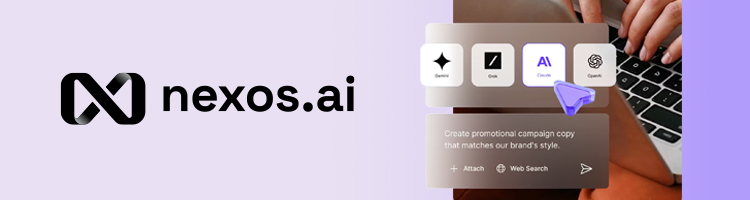
nexos.ai provides a unified chat interface that lets users interact with models from OpenAI, Anthropic, Google, and Meta simultaneously. You can prompt multiple models at once and compare their outputs side by side.
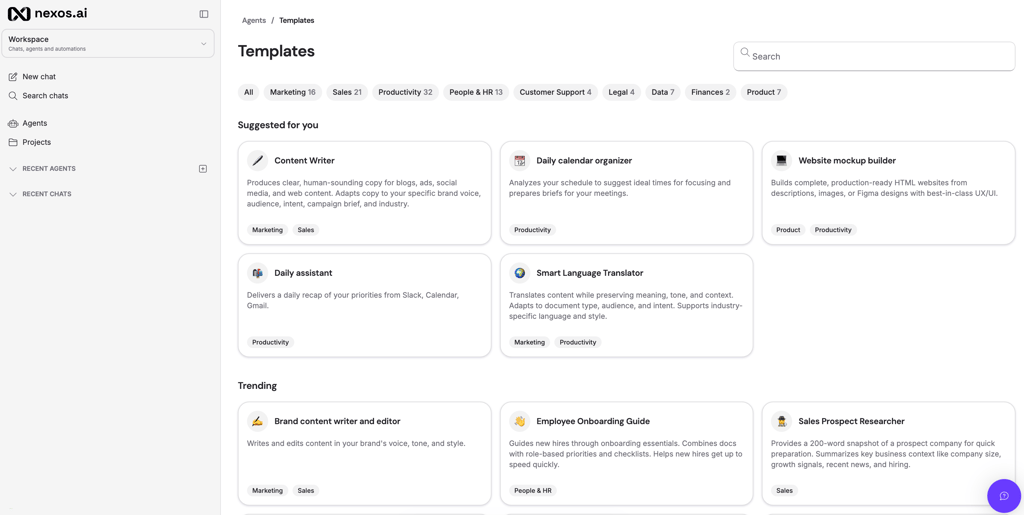
It also has a no-code Agent Builder that enables non-technical users to create custom AI agents to handle repetitive workflows, generate files, and perform deep research. Rather than starting from scratch, you can pick from a library of expert-built agent templates for teams like Marketing, Sales, HR, and Recruitment, then simply adjust the instructions, tone, or connected tools to fit your workflow.
Integrations and customization
nexos.ai seamlessly integrates with your team’s existing tools, including Google Drive, SharePoint, and Slack, ensuring your custom agents use real business context rather than generic web data. For developers, the platform offers an AI Gateway – a single API endpoint that lets engineering teams route, switch, and back up models programmatically without rewriting any underlying code.
Privacy and security
Because it is built and hosted in Europe, nexos.ai is fully GDPR-compliant. The platform enforces a strict policy that prevents your data from being used to train external LLMs by default. It also provides zero data retention options at the LLM level, single sign-on (SSO), and role-based access control (RBAC) to keep corporate data secure.
Pricing
nexos.ai offers monthly and annual plans, with the monthly plan costing $19.50/month, while the annual plan costs $9.50/month. Both plans include a 14-day money-back guarantee, unlimited AI Agents, access to 200+ top AI models, 1,000 monthly credits, integrations with existing work tools, and AI-generated files like slides, documents, and charts.
2. ChatGPT – best premium chatbot for personal use

| Starting price: | $20.00 |
| Language model: | GPT-5.3, GPT-5.5, Sora |
| Free version: | ✅ Yes, with ads and limited prompts |
| Top features: | Real-time search, text, code, image, and video generation, image analysis |
ChatGPT was the first chatbot to burst onto the scene and began the AI revolution. Now, a few years down the line, it has some strong competition, but after releasing its newest GPT-5.5 model and the Sora 2 image generation model, it's one of the top choices.
Key features
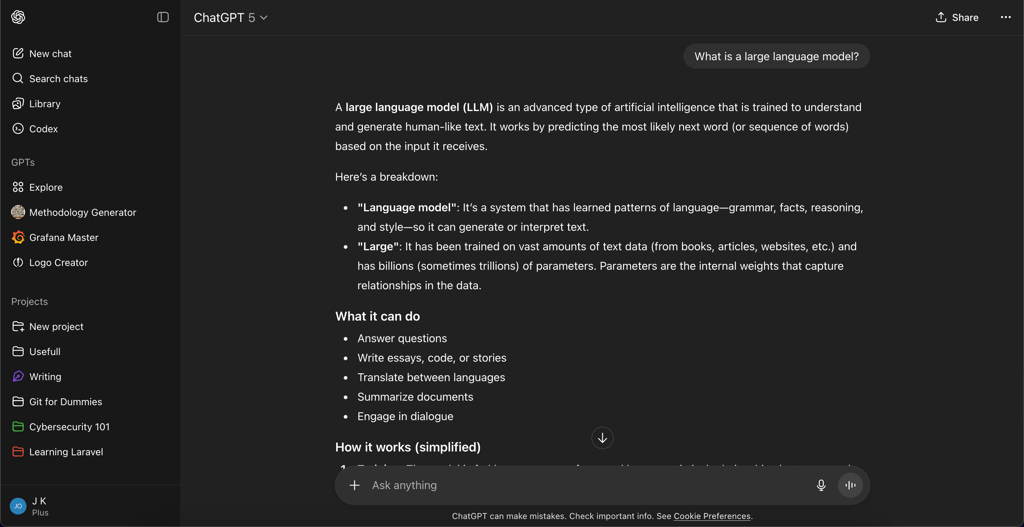
ChatGPT offers virtually anything you’d want from a chatbot. It generates text, code, video, and images. In addition, it has special modes, like Study Mode, which enables guided learning, and Codex, which gives users a real-time preview of coded web pages and apps.
If you don't like writing, ChatGPT also offers a voice mode, which also enables video and screen sharing for added ease of use.
Integrations and customization
ChatGPT easily integrates with software like Google Drive, Google Calendar, Microsoft Teams, Canva, and GitHub. This allows users to easily integrate ChatGPT into their workflows.
Additionally, thanks to Zapier integration, ChatGPT can easily be brought to Slack, enabling your team to collectively prompt the chatbot. What’s more, thanks to its Agent functionality, you can further customize ChatGPT to serve the exact role of the employee you need.
Privacy and security
When ChatGPT launched, it faced multiple privacy concerns. However, since then, it has instituted a transparent policy regarding training its models with the use of user data. You can opt out of OpenAI using your data for model training in the settings, and I would definitely advise you to do so before prompting ChatGPT.
Pricing
ChatGPT offers 3 pricing tiers for consumers and 2 for businesses. A free version, which gives you limited access to its newest GPT-5 model, a $20.00/month Premium plan which gives access to Sora image generation and Agents, and finally a $200/month Pro subscription, which gives unlimited access to GPT-5, along with GPT-5-pro.
Business plans start at $25.00/month per user, with the Business plan giving companies access to advanced integrations. OpenAI also offers custom enterprise plans.
3. Gemini – best AI chatbot for Google ecosystem integration
| Starting price: | $19.99/month |
| Language model: | Gemini 2.5 Pro, Gemini 2.5 Flash |
| Free version: | ✅ Yes, with limited features |
| Top features: | Deep research, text, code video, and image generation, guided learning mode, real-time voice assistant |
Gemini is Google’s answer to ChatGPT, and it’s neck-and-neck with it. The two products have much in common, and before ChatGPT’s latest Sora 2 update, I’d probably have given the edge to Gemini. In this case, you essentially can’t go wrong either way. Gemini offers excellent integration with the Google ecosystem, while also providing reliable real-time search and content generation.
Key features
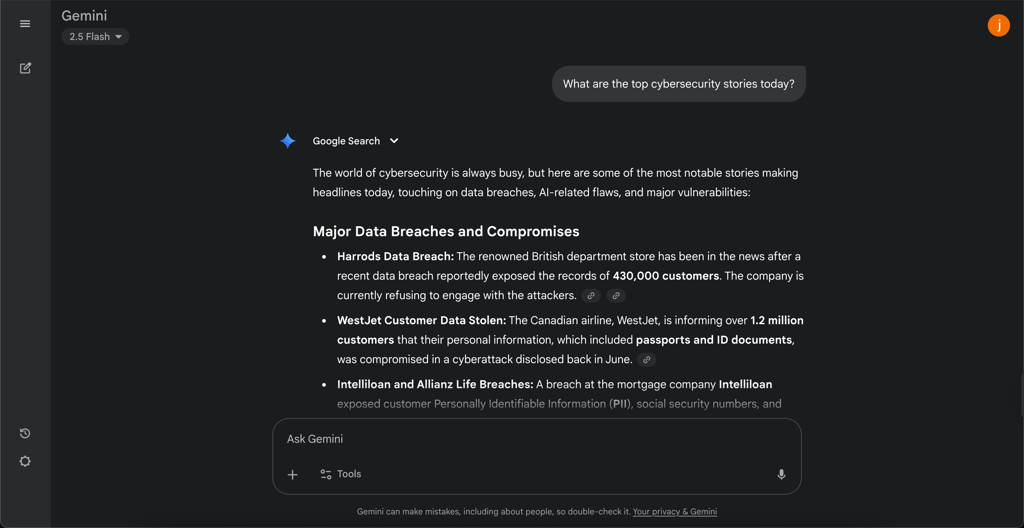
Similar to ChatGPT, Gemini offers a wide array of generative AI options. It can easily generate text, video, images, and code, while also offering excellent real-time search and deep research capabilities.
Like ChatGPT, Gemini also offers voice assistant capabilities, as well as code previews for when you’re creating a web page or app. They work pretty similarly to ChatGPT as well.
Integrations and customization
If there is one big advantage Gemini has over other chatbots, is its integration into the Google suite. It’s connected to Google Docs, Sheets, Slides, Gmail, and Google Calendar, with multiple third-party integrations as well.
Gemini also offers the creation of your own agents through a feature it calls Gems, allowing you to customize the model to your or your company’s needs.
Privacy and security
Gemini is protected by requiring a Google account to sign in, which you can then further protect with two-factor authentication (2FA). Privacy-wise, Gemini’s training policy is a bit murky. While it certainly doesn’t use Workspace data for training, its policy towards non-business users is unclear.
You can technically disable data training, but it has been found to deactivate features like the voice assistant. It’s a very user-unfriendly approach and one of the reasons why Gemini isn’t first on this list.
Pricing
Gemini offers three consumer plans, with a free plan with limited prompts and access to features. The paid plans start at $19.99/month, the Google AI Pro plan with higher limits on Gemini 2.5 Pro, Deep Research, and Veo 3, with 2TB Google Drive storage. Then there’s the $124.99/month Google AI Ultra plan, with the highest limits, and 30TB of Google Drive storage.
Google also offers custom corporate plans to Google Workspace users.
4. Claude – great AI for academics

| Starting price: | From $17.00/month |
| Language model: | Claude Opus and Sonnet |
| Free version: | ✅ Yes, with limited features |
| Top features: | Deep research, text and code generation, image analysis |
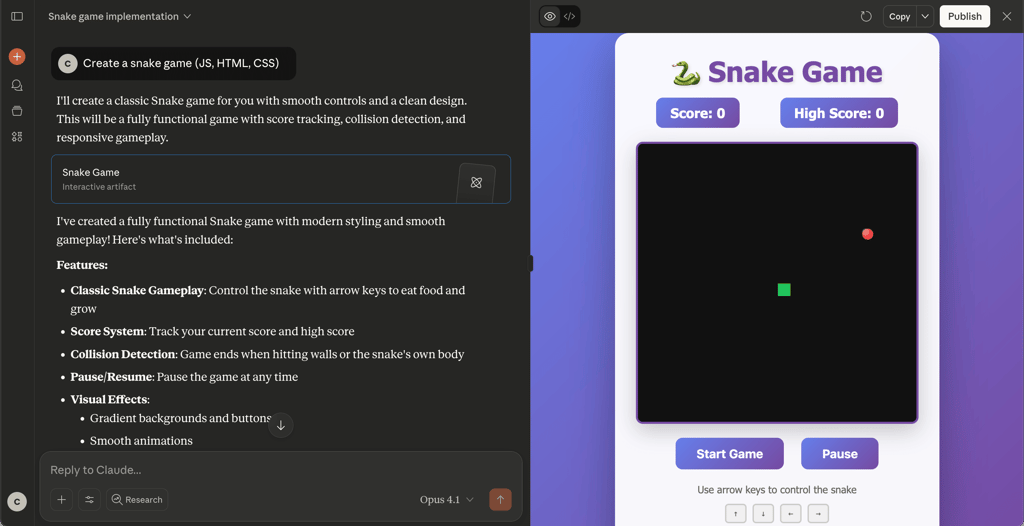
Created by former OpenAI employees, Anthropic’s Claude is very similar to earlier builds of ChatGPT. Rather than focusing on image and video generation, Claude is instead focused on bringing the best text generation capabilities possible. While more limited in its uses, it’s an excellent tool for academics and students looking for a bot suitable for advanced education.
Key features
Unlike ChatGPT and Gemini, Claude doesn’t feature image or video generation, instead focusing on code and text generation. It has deep research and real-time research capabilities, and a voice mode on its mobile apps.
It does offer a separate coding preview interface, although it’s a bit limited compared to those of ChatGPT and Gemini, given that it’s almost entirely offline only.
Privacy and security
When Anthropic created Claude, its main goal was to be a more private alternative to ChatGPT. Claude achieves this by offering a fully private bot, even on its free plan. This means that Claude won’t use your data to train its model, and all chats can be easily deleted with a few clicks.
Integrations and customization
Claude offers multiple integrations through its MCP (multiple context protocol) functionality. The model allows developers to create links between Claude and their software. This means that Claude has near-limitless expandability, without the need to deal with a full-on API. In addition, Claude has native integrations with Google Drive, Google Calendar, GitHub, and Gmail.
Pricing
Claude offers three plans, with a free plan with limited features. Paid plan-wise, you can get a $17.00/month Pro plan offering larger usage limits and access to the Code interface, and a $100.00/month Max plan, which gives the widest limits and early access to new features.
5. Microsoft CoPilot – best chatbot for Microsoft 365 users

| Starting price: | $9.99/month |
| Language model: | GPT-4, GPT-5 |
| Free version: | ✅ Yes, with limited features |
| Top features: | Text, code, image, and video generation, real-time search, deep research, image and data analysis, Office 365 integration |
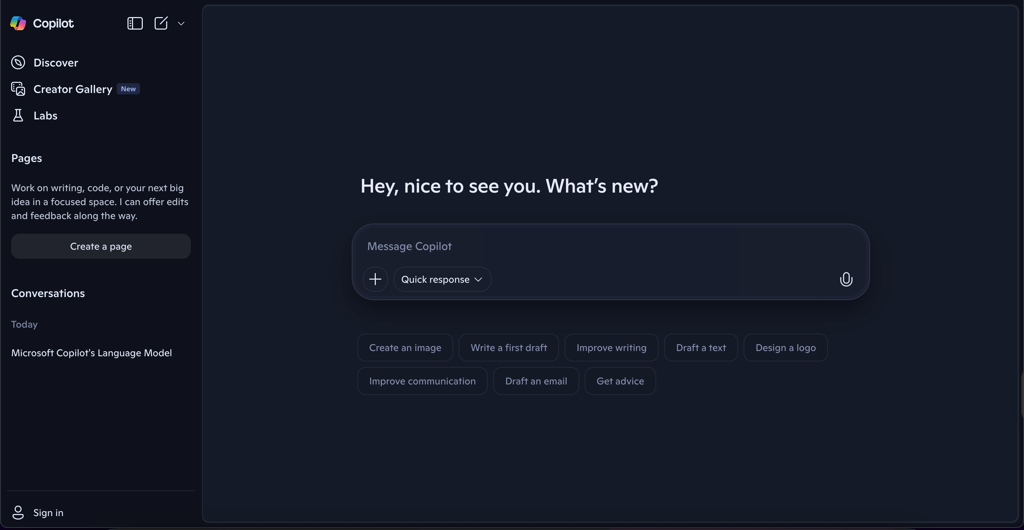
Microsoft CoPilot is a chatbot built around the GPT models, which is an excellent choice for users who are heavily integrated into the Microsoft 365 ecosystem. It integrates easily with apps ranging from Excel and PowerPoint to Microsoft Graph.
Key features
Unlike ChatGPT, Gemini, and Claude, Microsoft doesn’t offer its own LLM. Instead, it built its service around existing GPT-4 and GPT-5 models, customizing them to better integrate with Microsoft 365 and Windows.
That’s why it’s pretty much capable of everything ChatGPT is, including text, code, and image generation, as well as real-time and deep research. Additionally, it offers basic video generation, allowing you to turn your PowerPoint presentation into a full video. Finally, it also supports voice mode, which I found very helpful on the go.
Privacy and security
CoPilot leverages Microsoft’s built-in security features to ensure threat actors won’t access your data. Privacy-wise, Microsoft doesn’t use your data to train its models, and you have full control over deleting your conversations with the model.
Integrations and customization
CoPilot’s biggest strength is its strong integrations with the Microsoft 365 ecosystem. It’s present in the entire Microsoft Office suite, Microsoft Teams, Outlook, and other Microsoft programs like Power BI. Thanks to this, it’s able to leverage the data from these applications to generate better responses to your prompts.
Pricing
While a limited free version is freely available on the web, the premium version is included in Microsoft 365 plans, which start at $9.99/month for its most basic personal plan. It also offers a Family plan, supporting up to 6 users for $12.99/month, and a Premium plan, which introduces higher limits and exclusive functionalities for $19.99/month.
Microsoft CoPilot also includes business plans. CoPilot chat is included in the basic Microsoft 365 subscription, but grounding it in your business’ data will require purchasing a $30.00/month per-user plan.
6. Perplexity.ai – chatbot answers with traceable sources for research

| Starting price: | $20.00/month |
| Language model: | GPT-4, GPT-5 |
| Free version: | ✅ Yes, with limited features |
| Top features: | Real-time research, deep research, academic source interpretation |
Perplexity.ai is exceptional at assisting users in research and information discovery. By providing source-linked answers, it combines the power of conversational AI with the reliability of verifiable information.
Key features
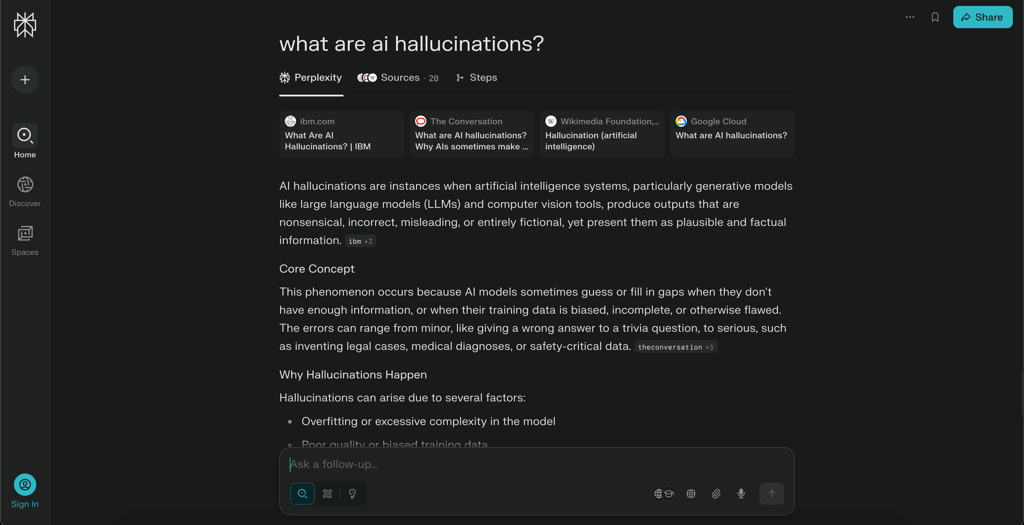
Perplexity.ai’s headline feature is its real-time search. It pulls data directly from the internet and cites reliable sources, making it an invaluable tool for researchers, students, and professionals who require credible, up-to-date information. All of this is wrapped up in a very clean UI that can help you easily confirm that the chatbot is not hallucinating.
Privacy and security
Perplexity.ai secures data with end-to-end encryption. While it sources real-time information from the internet, the platform ensures that user interactions are anonymized and not stored permanently.
Integrations and customization
Perplexity.ai offers suggested prompts to guide users in their research journey. Whether you're exploring a topic for the first time or conducting advanced research, these prompts encourage discovery and provide new angles to consider.
In terms of integrations, the chatbot can integrate databases like Crunchbase into its knowledge base. This helps cross-reference research with your own data, guaranteeing deeper insight.
Pricing
Perplexity.ai offers a free version that includes many of its key features, making it one of the most accessible AI chatbots. For advanced capabilities such as better models, users can opt for the premium subscription at $20.00/month.
7. Grok – excellent chatbot for content creators

| Starting price: | $25.00/month |
| Language model: | Grok 4 |
| Free version: | ✅ Yes, limited |
| Top features: | Text, code, image, and video generation, real-time search, chat personas, X integration |
Grok is an LLM created by X (formerly Twitter) after Elon Musk took it over. Known for its unique quirky tone and creative output, Grok is a great choice if you’re looking to create content. That said, Grok can also be unpredictable due to its creator constantly tinkering with its algorithm.

Key features
Grok is capable of generating text, code, images, and video. It can also do real-time and deep research. However, I wouldn’t advise using it for research, due to Elon Musk’s tendency to use the software as a political tool. Because of this, it can be unreliable or use controversial sources. Like many other models on my list, Grok also includes a voice mode, allowing you to converse without typing.
Privacy and security
Grok is secured by standard security solutions and should be resilient to threat actors wanting to hack your account. Privacy-wise, Grok uses your prompts to train its model by default, but you can opt out of it in the settings, which many users may forget.
Integrations and customizability
Grok enables third-party custom integrations through its API and SDK. Thanks to apps like Zapier or Albato, you can integrate it with thousands of other apps. That said, these often require additional payments, and it’s a real shame that Grok doesn’t offer more native integrations.
When it comes to customizability, you can adjust the way Grok interacts with you through Personas, which can make it more matter-of-fact or more comedic. Projects also allow you to further tailor Grok to your needs.
Pricing
Grok offers a free version, which is limited to Grok 3, the Aurora image model, and a small context window. Its SuperGrok plans start at $25.00/month when paying annually, and offer Grok 4 and the Imagine Image model. The $250.00/month SuperGrok Heavy model offers access to the strongest Grok 4 Heavy model along with increased limits and context window size. Grok also offers a SuperGrok Business plan starting at $30.00/month per seat.
8. Duck.ai – chatbot with excellent free plan

| Starting price: | $8.25/month |
| Language model: | GPT-4, GPT-5, Llama 4, Claude 3.5 |
| Free version: | ✅ Yes, with limited features |
| Top features: | Text, and code generation, real-time search |
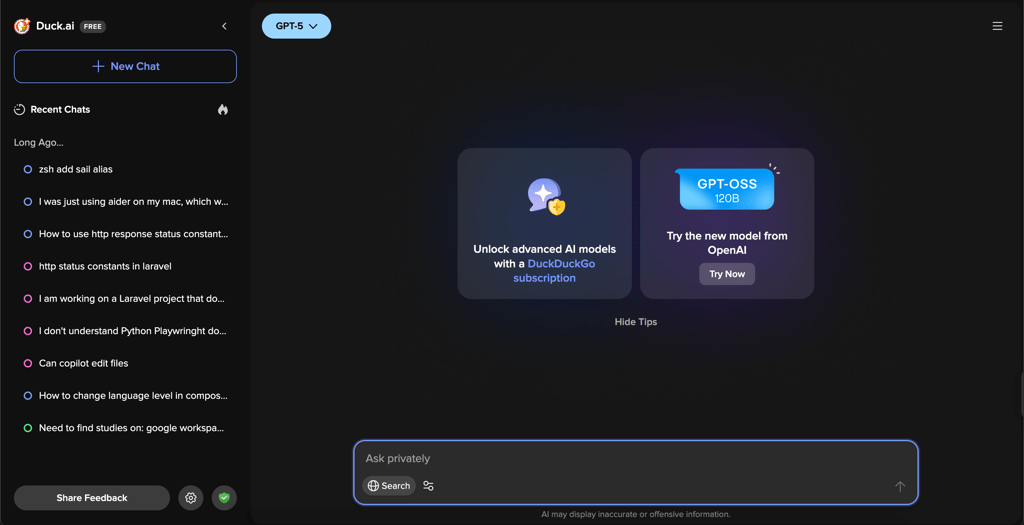
Duck.ai is a chatbot from the creators of DuckDuckGo, a browser that became very popular as a privacy-friendly alternative to Google. It focuses on providing a simple, privacy-friendly chatbot that will help you with your day-to-day work.
Key features
Duck.ai is a simple chatbot that focuses on providing access to a variety of models, including GPT-5, Claude 3.5, and Llama for text and code generation. While it doesn’t support image or video generation, it does offer a voice mode on iOS and Android, which can be helpful.
Security and privacy
Duck.ai is committed to security by anonymizing all chats and offering full privacy for each user. It’s a great way to utilize some of the top models without training them using your data.
Integrations and customizability
Duck.ai doesn’t offer any integrations, although a third-party integration does give users access to the bot through the OpenAI API. However, if you’re looking for deep integrations, it’s definitely not the best choice.
Pricing
Duck.ai offers a rather robust free version with usage limits. However, if you want access to top models from ChatGPT or Claude, you’ll need to get a subscription that starts at $8.25/month if you pay for the software annually.
9. OpenRouter.ai – the best chatbot for developers
| Starting price: | Usage based |
| Language model: | GPT-4, GPT-5, Llama 4, Claude 4.5, Gemini 2.5, and more |
| Free version: | ✅ Yes, with limited features |
| Top features: | Text and code generation, real-time search |
OpenRouter.ai is a unique service that offers multiple models in its chatbot, while also offering a powerful API to help developers use these chatbots in their day-to-day work. This is a unique product that is aimed toward people who need to find a specific model for their needs.
Key features
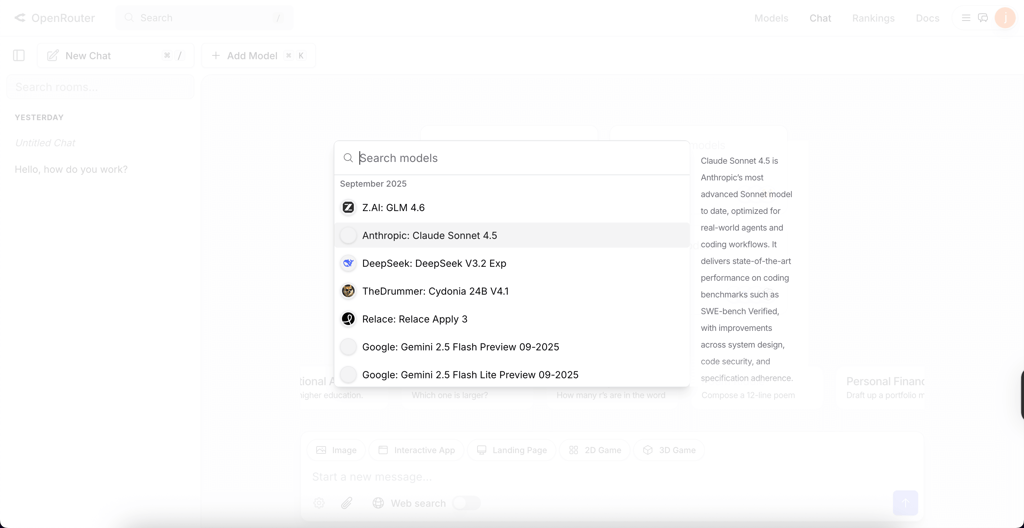
OpenRouter.ai offers a chatbot with dozens of models, ranging from popular LLMs like GPT-5 or Claude 4.5 to niche products like Nous or Step3. This makes it very robust if you know what certain models are great at. Then again, it can also be confusing, and it’s not great for everyday use.
Security and privacy
OpenRouter.ai doesn’t store your chats in its ecosystem, instead allowing you to store them locally. This allows for strong privacy and anonymity while using the service.
Integrations and customizability
Since OpenRouter.ai allows you to easily integrate its API into your apps, its integrations are almost limitless for skilled developers. Similarly, the models can be customized to your needs by picking the right model and leveraging the API the right way.
Pricing
Access to both the OpenRouter.ai chatbot and API is free, subject to usage limits. To expand your usage, you’re going to have to pay a custom fee depending on the model you use and the amount of tokens you spend. For businesses, I would recommend using nexos.ai, which serves similar purposes, with better adjusted pricing.
10. Brave Leo AI – great AI with browser integration
| Starting price: | $12.49/month |
| Language model: | Mixtral, Claude 4.5, Llama 4 |
| Free version: | ✅ Yes, with limited features |
| Top features: | Text generation, real-time search, tone picker |
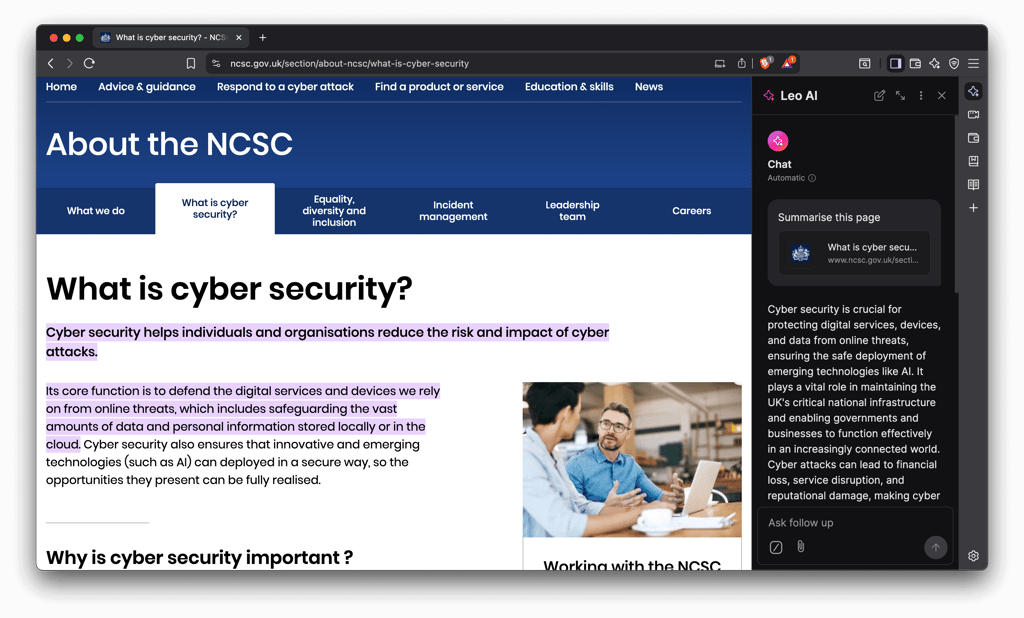
Brave Leo AI is a chatbot that’s built into the Brave browser, allowing you to leverage AI as you use your browser for various tasks. While it doesn’t offer many features, it has wide use if you need an AI that just integrates with your internet activities.
Key features
Brave Leo AI has a limited number of features. It offers text generation and real-time search. It can also be adjusted to respond in a given way, including comedic, academic, or professional responses.
Security and privacy
Brave Leo AI maintains user privacy and ensures your prompts won’t be used for training by only processing them locally. If you purchase a subscription, your usage can’t be linked to your prompts.
Integrations and customizability
Brave Leo AI has limited integrations with the Brave browser ecosystem. Other than the browser itself, it also integrates with features like Brave’s conference call system. Unfortunately, it doesn’t offer integrations with third-party software.
Pricing
In addition to a limited free version, Brave Leo AI has a premium plan that costs $12.49/month if you buy a yearly subscription, or $14.99/month if you pay monthly. The latter offers higher rate limits and early access to new features.
11. Mistral AI – accessible open-source chatbot

| Starting price: | $14.99/month |
| Language model: | Mistral 3.1, Mixtral |
| Free version: | ✅ Yes, with limited features |
| Top features: | Text, code, and image generation, real-time search, deep research |
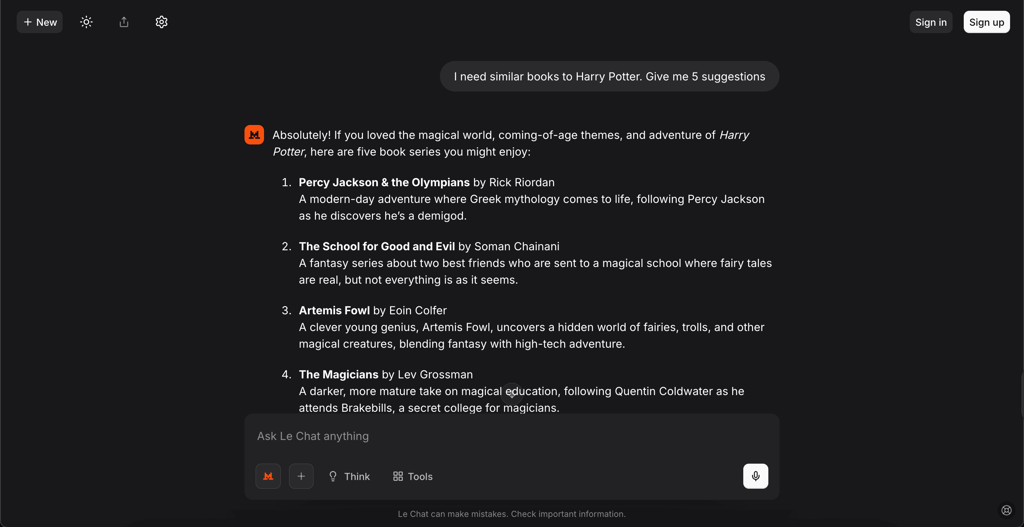
Mistral is a French open-source LLM that produced a chatbot called Le Chat. The chatbot is a solid pick for people looking for a trustworthy and private AI with a wide variety of use cases.
Key features
Mistral can generate text, code, and images. It also features a flash answer mode, which can provide up to 1000 words a second to ensure near-immediate output. It can also perform real-time and deep research to help with complex tasks. Its Canvas mode will help you easily code software with a live preview, and its Voice mode is great for AI assistance on the go. Unfortunately, during my tests, I found that Mistral isn’t as strong at performing these tasks as the top chatbots on the list.
Security and privacy
Being built in Europe, Mistral is fully GDPR compliant. You can opt out of the model using your data for training, and all your information can be deleted with a single request. It’s not perfect, but given the scope of GDPR violation fines, it’s unlikely that your data will leak or be used without your consent.
Integrations and customizability
Mistral offers an API that can be used to extend its functionalities to other software and ecosystems. Unfortunately, it doesn’t have any direct integrations, so you will need some coding knowledge to get it working. Mistral also allows you to create custom agents to tailor the model to your needs and workflow.
Pricing
Mistral has a limited free version, along with a $14.99/month Pro plan that offers increased limits, along with chatbot customer service. The Team plan costs $24.99/month per user, and expands usage limits, along with adding business-specific features like domain verification or data export.
The best AI chatbots compared
To help you pick a chatbot that will suit your needs, I created a simple table comparing the top AI chatbots in 2026. In this overview, you can quickly check each product’s price, use cases, and top features.
| Chatbot | Starting price | Language model | Free version | Top features | Best for |
| nexos.ai | $9.75/month | GPT-5.5, Claude 4.7, Gemini 3.1 | ❌ No | 200+ models, deep research, file generation, personalization | All-around use |
| ChatGPT | $20.00/month | GPT-5, Sora | ✅ Yes, limited features | Real-time search, text, code, image, and video generation | Personal use |
| Gemini | $19.99/month | Gemini 2.5, Veo | ✅ Yes, limited features | Text, code, image, and video generation, Google integrations | Users integrated in the Google ecosystem |
| Claude | $9.00 | Claude 3.5 | ✅ Yes, limited features | Deep research, academic-style outputs | Academic writing and research |
| Microsoft CoPilot | $9.99/month | GPT-4, GPT-5 | ✅ Yes, limited features | Integration with Microsoft 365 tools | Individuals and businesses using Microsoft 365 |
| Perplexity.ai | $20.00/month | GPT-4, Claude 3 | ✅ Yes, limited features | Source-linked research tools | Knowledge discovery and research tasks |
| Grok | $25.00/month | Grok 4 | ✅ Yes, limited features | Creative and unique outputs | Content creators |
| Duck.ai | $8.25/month | GPT-4, GPT-5, Llama 4, Claude 3.5 | ✅ Yes, limited features | Text and code generation, real-time search | Privacy-focused users |
| OpenRouter.ai | Usage based | GPT-4, GPT-5, Llama 4, Claude 4.5, Gemini 2.5, and more | ✅ Yes, limited usage | API, real-time search | Developers |
| Brave Leo AI | $12.49/month | Mixtral, Claude 4.5, Llama 4 | ✅ Yes, limited features | Text generation, real-time search, tone picker | Users who want a browsing companion chatbot |
| Mistral AI | $14.99/month | Mistral 3.1, Mixtral | ✅ Yes, limited features | Text, code, and image generation, real-time search, deep research | Users who want a trustworthy, open-source model based in Europe |
How we tested AI chatbots
Our goal at Cybernews is to bring you reliable and up-to-date information through research and analysis. That’s why our AI-testing methodology focuses on a few key factors to ensure that you can pick the best chatbot for your needs.
- Features (30%). We dive deep into the chatbot’s capabilities, assessing the sophistication of its language models, integration with third-party tools, and customization options.
- Security and privacy (25%). We look at each provider’s security setup and privacy policy to ensure that your data is safe.
- Integrations and customizability (25%). We analyze how easily each chatbot can be tailored to your needs, and check whether it can integrate with existing tools.
- Pricing (20%). Affordability is a crucial consideration. We compare subscription plans, examining what each tier offers and evaluating the balance between cost and value.
How to choose the best AI chatbot for your needs?
Selecting the best AI chatbot involves evaluating how well it aligns with your specific goals, whether for business or personal use. Here are some practical tips to guide your decision.
- Integration capabilities. Start by assessing how the chatbot integrates with your existing tools and systems. For businesses, compatibility with CRMs like Salesforce, messaging platforms like Slack, or customer-facing apps like WhatsApp is crucial. A chatbot that syncs with your workflows enables seamless data sharing and efficient operations. Personal users might value integration with email clients or task management apps for everyday productivity.
- Customization. The ability to tailor the chatbot to your needs is essential. For businesses, customization can mean aligning responses with your brand’s tone or designing conversation flows that address specific customer queries. Individuals may appreciate chatbots that adapt to their preferences, such as language or content style, to provide more personalized interactions.
- User-friendly interface. Ease of use is critical for both beginners and tech-savvy users. Choose a chatbot with an intuitive interface that simplifies setup and operation. Look for features like drag-and-drop builders for conversation flows or pre-built templates that save time. The less technical knowledge required, the faster you can get started.
- Budget. Finally, consider your budget and the value offered by the chatbot. Compare pricing plans to ensure the features align with your needs. Free or trial versions are an excellent way to test capabilities before committing. Businesses should prioritize cost-effective chatbots that offer scalability as their operations grow.
AI chatbot vs AI writer: what's the difference?
AI chatbots and AI writers are distinct tools with unique purposes, each designed to solve specific challenges. AI chatbots focus on conversational interfaces, facilitating real-time interactions between users and systems. They simulate human-like conversations, making them ideal for customer service, answering FAQs, managing bookings, and providing instant support. Their ability to handle multiple interactions simultaneously enhances operational efficiency, especially for businesses handling high volumes of customer queries.
On the other hand, AI writers specialize in generating structured content like articles, reports, blog posts, and marketing copy. These tools excel in creative and professional writing tasks, often producing SEO-optimized content that aligns with a brand’s tone and messaging. They are invaluable for businesses seeking to streamline content production or scale their marketing efforts without relying solely on human writers.
Despite their differences, AI chatbots and AI writers complement each other in business settings. A chatbot might handle customer inquiries in real time, while an AI writer generates personalized email follow-ups, product descriptions, or blog content to support broader engagement strategies. Working together, these tools create a seamless workflow and complement each other’s capabilities.
What’s the best AI chatbot in 2026?
2026 has seen increased competition in the AI space, and picking the best chatbot wasn’t easy. That said, if I had to pick one right now, nexos.ai is the best chatbot in 2026, winning over ChatGPT. Both of them are excellent products, and seem to go back and forth between each other depending on the latest update.
That said, if you’re looking for reliable chatbots, you can’t really go wrong with Gemini, Claude, Microsoft CoPilot, or Perplexity.ai, with each fitting a niche that you can leverage. By matching your chatbot to your needs and ecosystems, you’ll be able to find the perfect product for you.
Other AI tools you might be interested in:
FAQ
What is the best AI chatbot for small businesses?
The best AI chatbot for small businesses depends on your specific requirements. If you’re using Google Workspace, Gemini is the best choice, but if you’re using Microsoft 365, Microsoft CoPilot will be the winner. Finally, if you want a general recommendation, nexos.ai offers excellent features at affordable prices.
Are there free AI chatbots available?
Yes, several AI chatbots offer free versions to explore their features. These include ChatGPT, Gemini, and Claude, among others.
How does an AI chatbot improve customer service?
AI chatbots revolutionize customer service by providing instant, 24/7 support and handling multiple conversations simultaneously. They automate tasks like booking, order tracking, and FAQs, freeing human agents for more complex issues. With integration capabilities and customizable responses, chatbots ensure consistent, personalized interactions.
What is the most advanced AI language model in chatbots today?
The most advanced AI language models include GPT-5.6 and Gemini 3.5, which power leading AI chatbots. GPT-5.6 excels in generating detailed, context-aware responses for complex reasoning and agentic tasks, while Gemini 3.5 offers exceptional multimodal depth, fast execution, and content generation.
How do I integrate an AI chatbot with my website or CRM?
To integrate an AI chatbot with your website or CRM, you’ll typically use APIs, plugins, or built-in integration tools provided by the chatbot platform. Solutions like ChatGPT or Gemini offer clear guides for setup. Integration ensures seamless data sharing with CRMs like Salesforce, automating workflows and enhancing customer interactions.