Your questions, answered by Cybernews: What can Instagram see on your phone?
Is Instagram secretly rummaging through your camera roll? Our team has selected one pressing and common reader issue and deconstructed it to help you stay safe online.

 Follow us
Is Instagram secretly rummaging through your camera roll? Our team has selected one pressing and common reader issue and deconstructed it to help you stay safe online.
Have you ever gotten that creeping feeling that Instagram knows a little too much about you? Like, has it seen those 47 terrible selfies you swore no one would ever see? Or even worse – the extremely private images that sit in your camera roll?
One Redditor recently threw yet another digital grenade into the privacy paranoia, asking: “Do apps like Instagram or Facebook scan each and every file in your gallery or only the ones you post or send?”
This week, Cybernews stepped in to explain how the “storage access” permissions actually work on your device and what kind of data apps can actually access.
Three types of storage permissions





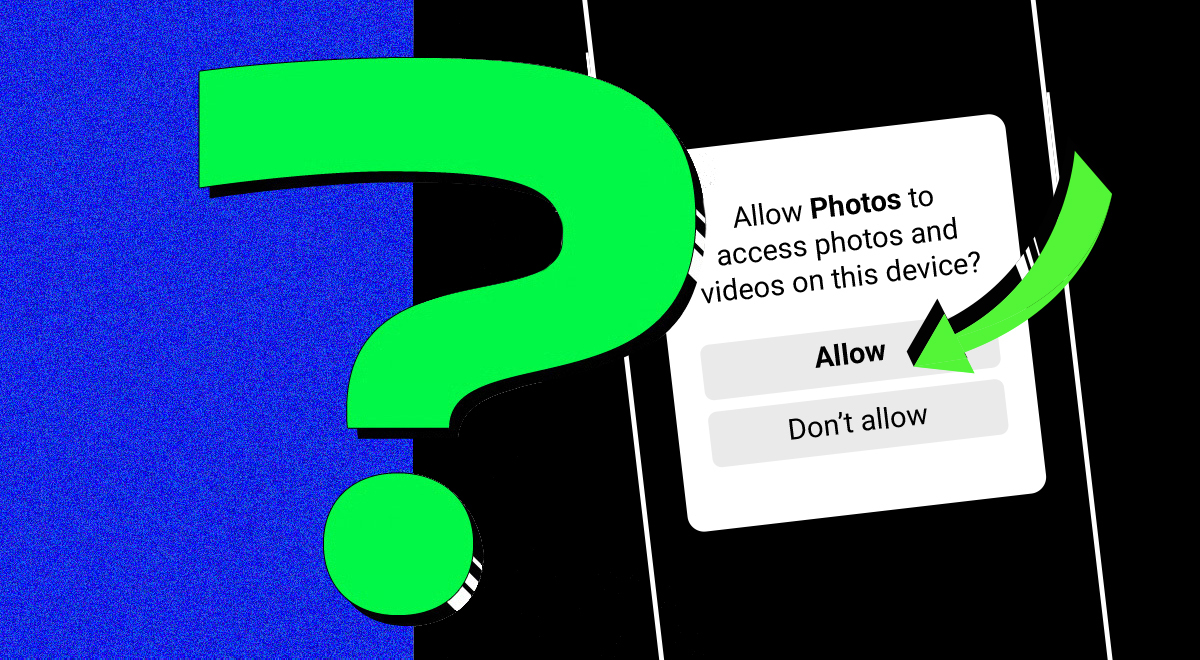
These days, there are rarely any apps that don’t request permission to access your storage. Apps require this functionality for various reasons, such as saving downloaded files or uploading files into the app's interface. However, there is always a risk that the app may access more data than intended.
According to Cybernews researchers, when you give an app access to your files, you’re usually choosing from three tiers of exposure.
1. Access to specific files only.
This is the “safer” route. You pick what to share, e.g, one photo for your story, and your phone opens a built-in file picker. The app only sees what you hand over.
“This is the most privacy-preserving way of giving access to files on your device. This way, only the specific files you chose get sent to the app or servers used by the app,” Cybernews researchers explain.
2. Access to all photos, videos, and audio files
Here’s where it gets slippery. Instead of using your phone’s file picker, the app has its own internal gallery. Convenient, sure. But this also means the app can see everything.
“Theoretically, it could allow the app to access all media files stored on the phone and potentially exfiltrate files from the device,” our researchers warn.
3. Access to literally everything on your phone.
This is the worst possible option, as the app can access all your files, including documents and downloads. Android requires you to manually approve this deep dive, typically for apps like antivirus or file manager software.
“This permission has the same privacy implications as with the second permission type, but with access no longer limited to only media files,” our team says.






However, there is a catch. You can’t just decide to use Option 1 for every app. It’s up to the app’s developers to determine the type of access they request.
“Some apps may support all three approaches, but most of them stick with only one that the developers chose as most fitting.”
What do Redditors think?
The question also triggered privacy evangelists on a Reddit thread. Redditors admitted that it is hard to figure out what kind of access the app is getting, as most apps, especially those created by Meta, are not open source and cannot be audited.
“I think it is safe to assume that apps made by data collectors like meta will sniff every file they get access to,” raged one Redditor.“As long as the right storage access is granted, the app, even in the background, can reach files that it has permission to,” said another.
Some other users discussed whether it’s possible to catch the app red-handed.
“If Meta uploaded every file they could get access to, wouldn't you be able to verify this through network monitoring? E.g., inspect the size of packets when the phone is left idle,”asked one commentator.
Other internet sleuths responded that it might require “serious digital forensics skills” to investigate this.
“I don't think they'd just 1:1 copy all available files, given the chance. It could be more likely that they'd scan stuff locally and just exfiltrate the useful (meta)data,” opined another Redditor.
Research uncovers invasive app permissions
The question of app permissions is extremely sensitive. While we might quickly click “allow” without giving a second thought, agreeing to invasive permissions could really impact our privacy.
In an ideal scenario, app developers should require only the essential permissions necessary for the app to function. However, Cybernews's previous research into popular airlines, most popular educational apps, travel planning apps, and top banking apps showed that this is not always the case.
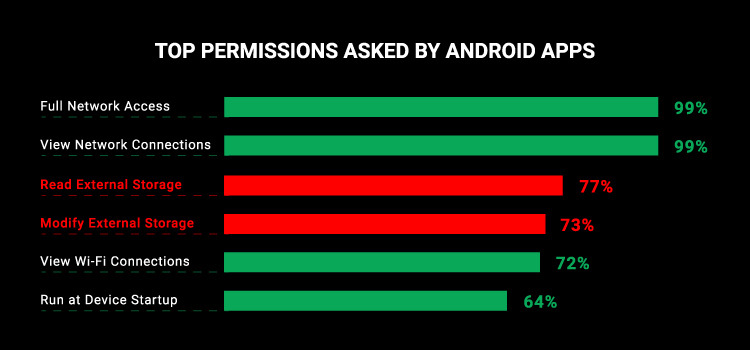
A large-scale study of Android apps revealed that top apps require, on average, 11 dangerous permissions. A whoppping 77% of the top 1,020 apps analyzed asked permission to access user storage, and 73% of the apps asked for permission to modify the files on storage.
So are you being watched?
Short answer: probably not every photo.
Long answer: it depends on how much you’ve handed over and to whom.
While full-storage access could let an app snoop through everything, most companies stick to what’s “necessary” (fingers crossed). However, users should remain cautious when granting access to such data-hungry giants as Meta.
So the next time an app politely asks for “access to all media,” ask yourself: Do I trust this thing with my weird memes, screenshot of private chats, nudes, or questionable 2 a.m. selfies?
Unlock more exclusive Cybernews content on YouTube.