If you store passwords in Microsoft Authenticator, you must act now
Earlier this year, Skype rang for the last time as Microsoft retired the 20-year-old internet calling service to focus on its Teams Service. Although Microsoft Authenticator has survived the axe, on August 1st, users will notice a downgrade to the service when it permanently deletes all saved passwords.

By Cybernews.

 Follow us
Earlier this year, Skype rang for the last time as Microsoft retired the 20-year-old internet calling service to focus on its Teams Service. Although Microsoft Authenticator has survived the axe, on August 1st, users have noticed a downgrade to the service when it permanently deletes all saved passwords.
So, what's going away, why is Microsoft making this change, and what exactly do users need to do to prepare? Cybernews has your back.
What's changing in Microsoft Authenticator
Millions use Microsoft Authenticator to generate time-based codes for two-factor authentication, store passwords, and autofill credentials in apps and websites. But that convenience is about to change.
The downgrade rollout began quietly in June when users were blocked from saving new passwords in the app. In July, autofill stopped working entirely. The final step is due on August 1st, with the removal of all previously saved passwords and payment information.






Microsoft Authenticator is ENDING Autofill Support! ❌
undefined Brian MacDuff (@itstheBMAC) July 1, 2025
Autofill stops working this month and all saved passwords will be deleted by August! ⏳
Microsoft is moving all credential features to the Edge browser, so export now if you want to save your Authenticator passwords by… pic.twitter.com/gZCoKMYRCI
Your 2FA and Passkeys are not going anywhere
Microsoft is not shutting down the Authenticator app. The six-digit codes generated by the Authenticator to support services such as Gmail, LinkedIn, Twitter, and others will continue to function normally. If you use push notifications to approve logins, those will continue to work as well.
Passkey support is staying. This part of the app is not being removed or repurposed. It is business as usual for anyone using Authenticator strictly for login security.
However, that sense of stability only applies to the authentication side. If you've been relying on Authenticator to store usernames, passwords, or payment information, that entire feature set is being removed. The countdown is real. By August 1st, Microsoft will delete everything stored in the password vault. And once it is gone, it is gone.

Yes, you can continue using the app for security codes without interruption. But if you're using it to remember passwords, there is real urgency here. Create a plan now, while your data is still accessible.
Why Microsoft is making the change
There are two reasons behind Microsoft's decision, and both reflect larger strategic goals. First, the company is centralising password storage within its Edge browser. Microsoft sees Edge as its long-term solution for autofill and credential management.
Since passwords saved in Authenticator are synced with your Microsoft account, they're already accessible through Edge. The company aims to consolidate password features in one place, encouraging users to adopt Edge across all devices.
Second, Microsoft wants to take everyone on a journey toward a passwordless future. The company has been encouraging the use of passkeys, which tie authentication to a device or biometric login.
Removing password storage from Authenticator is a virtual nudge to users to stop relying on passwords and start using secure sign-in methods that are harder to compromise.
🌟 Passkeys are eventually going to replace passwords 🤞
undefined Merill Fernando (@merill) May 6, 2024
They are strong, phishing resistant and provide a good user experience.
I made this illustration to show how passkeys work when signing into Microsoft Entra ID using the Authenticator app on a mobile phone 👇 pic.twitter.com/v3RMrcX8HT
What you need to do before the deadline
If you've stored passwords in Authenticator, the first step is to open the app and review the passwords. You'll need to decide where you want your login data to live going forward.
Microsoft's preferred path is for you to download Edge on your phone, open settings, and select Edge as your default autofill provider. This could be a deal breaker for many who don't want to add another app or have no intention of using a browser used by only 5% of internet users.
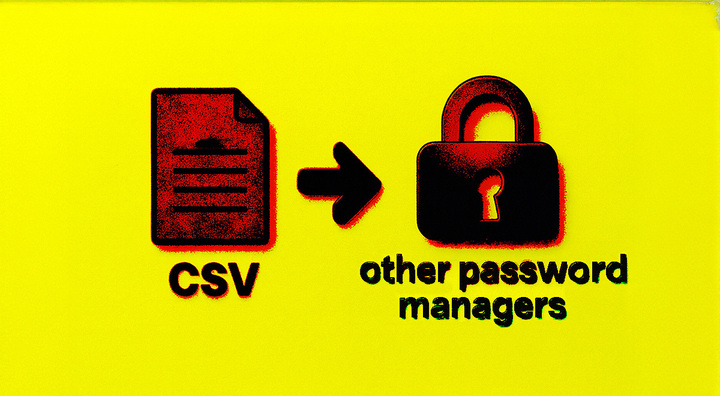
The Authenticator app features an export tool in its settings menu, which creates a CSV file containing your stored passwords. From there, you can upload it to another service. But an unencrypted CSV file of all your passwords is not something you should keep hanging around on your desktop. Be sure to delete it once it has been transferred to a new password manager.
Some users may also have stored payment card details or addresses in Authenticator. Address information will carry over to Edge, but payment card data will not. Microsoft has made it clear that credit and debit card info will be permanently deleted at the end of July. That data is not transferred to Edge, even if you've synced your Microsoft account.
It is also important not to delete the Authenticator app after migrating your passwords to a different location. You can still use Authenticator for two-factor authentication codes, as a passkey manager, or for biometric login on your Microsoft account. Removing the app could prevent access to services that depend on that passkey.
Thinking about moving away from Microsoft Authenticator?
Authenticator remains a solid tool for 2FA and passkeys, and there is no shortage of password manager alternatives, such as NordPass. If you need more features, 1Password is a popular choice, and RoboForm is a more affordable alternative.
Choosing what will work best for you could be as simple as your current smartphone and browser of choice. If you use an Android phone or Chrome browser, Google's password manager is a better fit for your needs. Apple users have the option to use iCloud Keychain, which syncs passwords and credentials across all their Apple devices.
There is an increasing argument that passwords and password safes are outdated, with passkeys emerging as a new standard. But that is a discussion for another day. Right now, the clock is ticking, and what matters most is moving your passwords before the deadline.

Microsoft is saying goodbye to passwords
Big tech has no problem killing apps that have outstayed their welcome. A quick look around the Google Graveyard reveals that it has killed 51.5% of its products. But in Microsoft’s case, Authenticator is not just about removing a feature. It is about changing the way we sign in, and Microsoft, like many major players, wants passwords gone.
Passkeys are driving this shift. Even the UK government is moving NHS services, HMRC portals, and other GOV.UK websites away from passwords and toward passkey technology. The NHS alone is already handling over a million secure logins a month this way.
A bold and much-needed move by @NCSC as the UK shifts away from outdated SMS-based authentication. Passkeys aren’t just more secure—they’re a step toward true digital resilience. The rest of the world should be paying attention.https://t.co/qsPJvxskBt
undefined AlphaJuliet 💻 (@alpha_juliet) May 11, 2025
Passwords are risky. They are reused, forgotten, guessed, stolen, and phished. Passkeys don't suffer from the flaws. They live on your device and rely on something you are, like a fingerprint or face scan, instead of something you're trying to remember.
Microsoft has confirmed that new accounts will default to passwordless login. That includes passkey access through the Authenticator app, syncing via Edge, and optional use of hardware security keys. The UK's National Cyber Security Centre has supported this as a necessary move to improve digital security at scale.



The transition won't happen overnight; devices and services may not yet support passkeys, and users will need to prepare for recovery if a device is lost. But support infrastructure is improving. And in many cases, this setup is already safer than traditional passwords.
Typing a password could soon feel as outdated as inserting a floppy disk. That shift is already in motion. The only question is whether you're ready for it.