Bitdefender vs McAfee: which antivirus is better?
Backed by leading cybersecurity experts and investigative journalists, we deliver independent, real-world antivirus testing and analysis, guaranteeing objective evaluations without undue influence or bias from outside parties.
Our transparent and consistent methodologies ensure objective, up-to-date reviews, empowering readers to make well-informed decisions.
Learn more

Comparing Bitdefender and McAfee can help you decide which one is the better fit for your needs. Bitdefender is our best antivirus overall, but McAfee also has some strong sides that make it a serious competitor. Both providers consistently rank among the top antivirus solutions and offer robust protection backed by independent testing labs.
So, which one should you choose? To answer that, we tested and compared Bitdefender vs McAfee side by side, evaluating everything from malware detection rates to usability and extra features.
Read on to find out which one is the winner and choose the antivirus that best fits your needs and budget.
Bitdefender vs McAfee: overview
Our in-depth testing showed it was quite a close call, but Bitdefender delivered better results overall. Both Bitdefender and McAfee performed well in different areas in our in-house tests, offering solid protection and dependable performance. However, Bitdefender blocked more threats in real time (80 out of 150, while McAfee didn’t catch any) and showed stronger phishing and ransomware protection. McAfee, meanwhile, had the edge in full-scan speed and slightly better full-scan detection.
| Bitdefender Antivirus | McAfee Antivirus | |
| ⭐ Rating: | ||
| 🥇 Overall rank: | #1 out of #30 | #10 out of #30 |
| 🔥 Coupons: | Bitdefender coupon 78% OFF | McAfee Antivirus coupon 67% OFF |
| 💵 Price: | From $12.99/year | From $49.99/year |
| ✂️ Free version: | Yes | Yes (Android, iOS) |
| 🖥️ Platforms: | Windows, macOS, Android, iOS | Windows, Mac, Android, iOS |





Our team of researchers thoroughly tests antivirus software following a well-established testing process. In unison, our experts combine in-house and independent testing lab findings with first-hand experience to help you make informed decisions about each product. Learn how we test antivirus software.
Pricing: what plans do they offer?
Bitdefender and McAfee offer various subscription plans to fit everyone's budget, but Bitdefender is overall a cheaper antivirus tool. However, both include additional security features, like a VPN and protection against online threats, that make the investment worthwhile.
| Plan | Bitdefender | McAfee |
| Antivirus Plus/Essential | $12.99/year, 1 device | $49.99/year, 5 devices |
| Total Security/Advanced Individual | $19.99/year, 3 devices | $89.99/year, unlimited devices |
| Premium Security/Advanced Family | $64.99/year, 5 devices | $119.99/year, 6 members, unlimited devices |
| Pricing | Get our discount | Get our discount |
Bitdefender and McAfee take different approaches to pricing. Bitdefender’s $12.99/year plan looks affordable but covers only one device, while McAfee’s $49.99/year plan covers up to five devices. McAfee offers individual, family, and total protection plans, whereas Bitdefender offers a variety of individual, family, and business plans. Compared to other top antivirus brands like Norton 360 or TotalAV, Bitdefender is cheaper overall, while McAfee may seem pricey at first, but it covers more devices.
Independent lab test scores
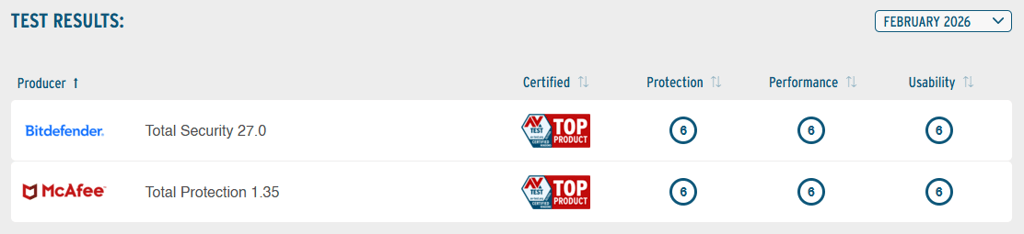
Experts at AV-TEST awarded both Bitdefender and McAfee the Top Product title for their strong performance in the most recent February 2026 evaluations. Both Bitdefender and McAfee have consistently earned this award over the past years.
In the latest AV-Comparatives' malware protection tests performed in March 2026, Bitdefender received the highest rating of Advanced+, whereas McAfee dropped to the lower Advanced rating, mainly due to more false positives.
Bitdefender registered 4 false positives, while McAfee had 14. Both Bitdefender and McAfee achieved excellent protection rates, at 99.94% and 99.97% respectively. Additionally, McAfee’s online detection rate was slightly higher at 99.2%, while Bitdefender's was 97.6%. However, McAfee’s offline detection rate wasn’t great – it reached only 86.1%, compared to Bitdefender’s 97.6%.
Hands-on test scores
To compare Bitdefender and McAfee outside lab results, we ran our own in-house testing on a Windows 10 system, focusing on real-time malware blocking, full-scan performance, ransomware detection, phishing protection, and system impact. The full link to our testing spreadsheet can be found here.
Bitdefender blocked 80 out of 150 malware samples in real time, while McAfee blocked none of the 150 samples in that test, giving Bitdefender the clear edge in live threat detection. Bitdefender also achieved an 89.33% full-scan detection rate versus McAfee’s 92.67%, so McAfee did slightly better in that specific scan type.
On speed, McAfee completed the full scan faster at 58m 51s, compared with Bitdefender’s 1h 38m 13s, while Bitdefender’s quick scan took 4m 49s. Both products showed no noticeable impact on boot time, app launches, browsing, or overall system responsiveness.
Beyond malware detection, Bitdefender blocked 80% of ransomware samples and 80% of phishing URLs, while McAfee reached 90% on ransomware samples and 80% on phishing URLs. Both have a firewall and show similar resource patterns during testing, with CPU usage rising during scans and real-time protection. I didn’t encounter any visible day-to-day slowdowns during my hands-on checks with either of the tools.
Real-time malware protection
To see how each performs in real-world conditions, we conducted real-time malware detection tests. Bitdefender detected 80% of our planted malware samples, while McAfee failed to detect any, scoring 0%. During real-time protection scans, Bitdefender’s CPU usage ranged from 29% to 100%, while McAfee’s CPU load was between 26% and 100%.
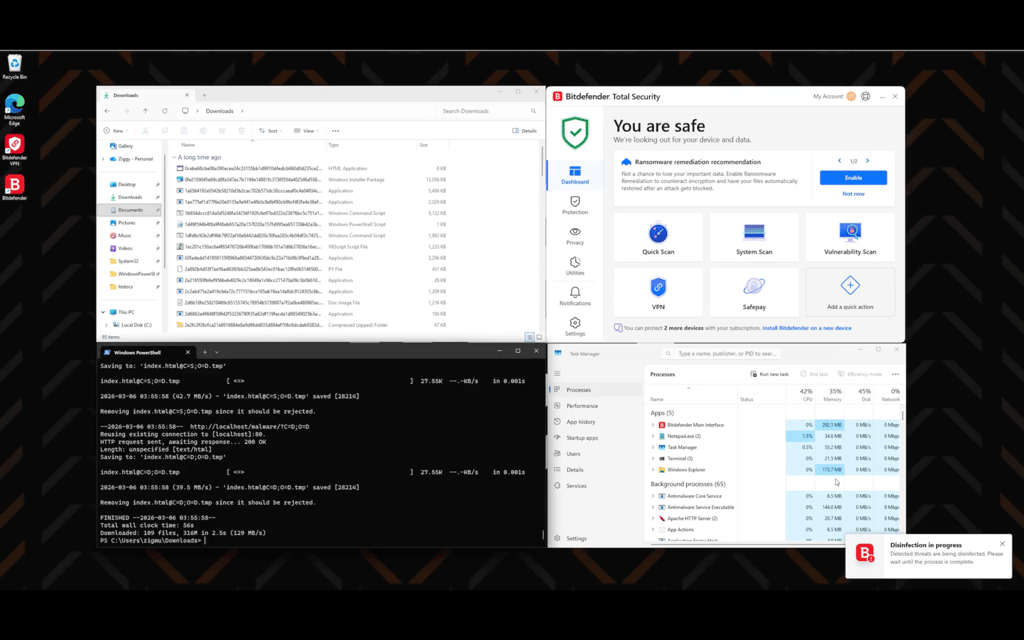
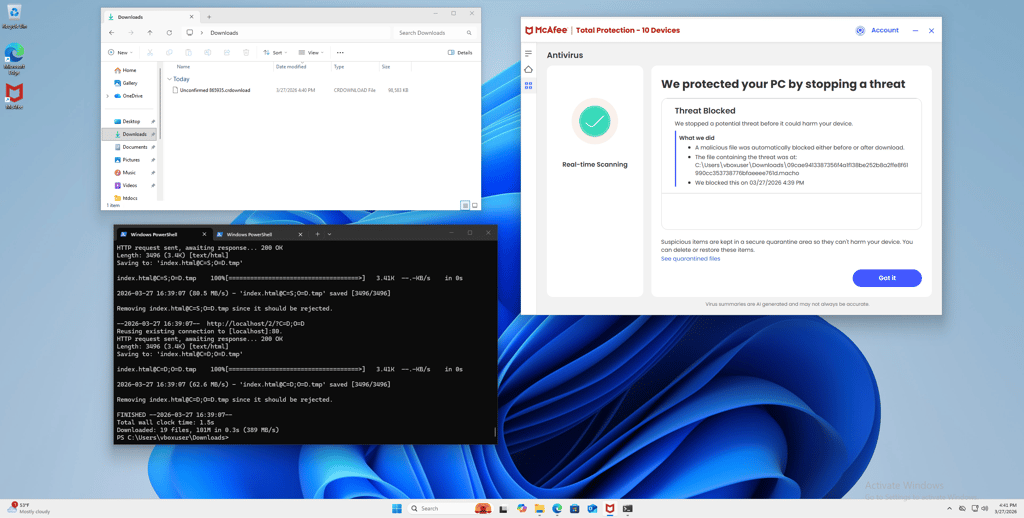
Overall, Bitdefender provided solid real-time protection, while McAfee's real-time performance proved unreliable in our tests.
Firewall protection
Another essential protection attribute is the firewall, which prevents malicious hackers from connecting to your device. Like all reputable antivirus suites, Bitdefender and McAfee both have strong firewall features.
With McAfee, you’ll find the firewall directly accessible on its dashboard. You can manually enable or disable it by clicking on the switch button. That said, I don’t recommend turning it off. The firewall creates a barrier between secure and insecure network connections, so cybercriminals can’t gain access to your computer.

McAfee’s firewall leans more technical, with granular networking controls that are locked behind admin authentication. You can assign network connection profiles to home, work, or public trust levels, manage settings for specific network adapters, and adjust TCP, UDP, and ICMP connection timeouts. It also includes firewall logging rules, so you can turn system activity logging on or off depending on how much visibility you want.
Bitdefender also has a firewall, which you can access by subscribing to the Premium Security or Total Security plans. You can adjust the network adapter, security settings, and app access.

Bitdefender’s firewall offers useful customization options for users who want more control over their network security. You can set application rules to allow or block internet access for specific apps and background processes, with rule settings that can be fine-tuned by network direction, ports, and protocols. It also includes network profiles that automatically adjust protection based on whether you’re on a home/office, public, or dynamic network, plus port scan and stealth protection to help block vulnerability scans and hide your device from other computers on the same local network.
Following hands-on testing of the Bitdefender and McAfee Firewall features on Windows, I encountered pop-up boxes prompting me to allow or block applications. I was able to adjust and oversee permissions for both known and unknown programs. Moreover, I found both Bitdefender and McAfee to be user-friendly with clear and intuitive interfaces.
Scanning
Both Bitdefender and McAfee come with several scan types, so you can pick whatever fits your situation. If you’re short on time, the Quick scan can be your best option – it’s fast but only skims the surface, so it’s best for occasional security checks.
For more thorough protection, both providers offer a full scan that I recommend running right after installing the antivirus. It checks all your files and apps to catch anything suspicious. It takes longer, but you’ll get a full report of any threats it finds.
In our tests, Bitdefender’s full scan caught 89.33% of malware but took 1 hour and 38 minutes to finish, with CPU usage jumping between 29% and 100%. McAfee did slightly better here – it detected 92.67% of threats in a bit less than an hour, and used between 32% and 100% of CPU power.
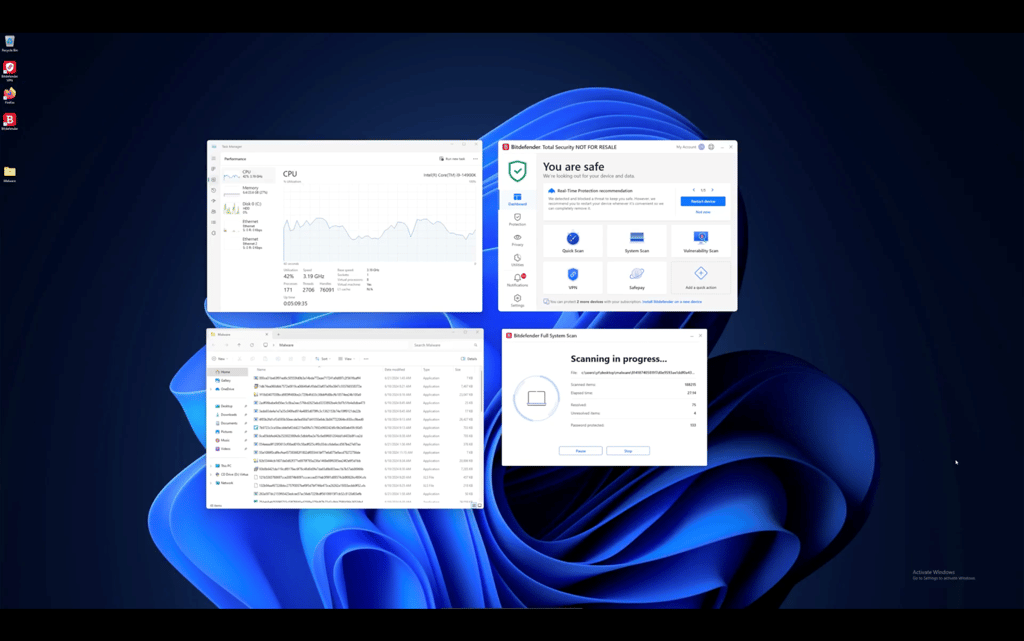
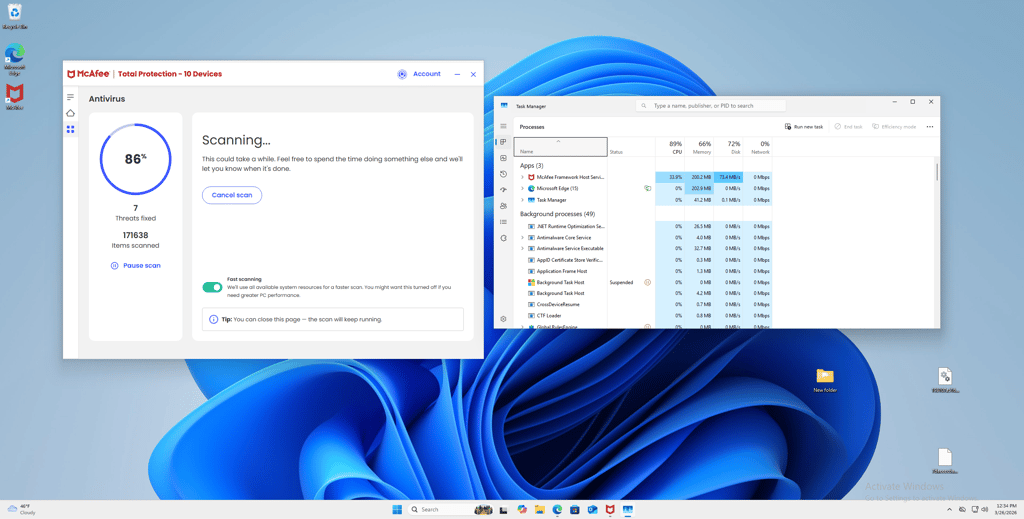
Both antiviruses also include vulnerability scans. This option checks for weak spots in your system, such as outdated apps or risky settings, that malicious hackers might try to exploit. It's a simple way to tighten up your defenses.
Bitdefender vs McAfee: feature comparison
Bitdefender and McAfee are both among the best antivirus programs. They offer protection against all types of malware and online threats, including ransomware, viruses, trojans, scams, and phishing attacks. Both providers include a VPN to secure your connection while browsing online.
| Bitdefender | McAfee | |
| VPN | ✅ Yes | ✅ Yes |
| Password manager | ✅ Yes | ✅ Yes |
| Dark Web monitoring | ✅ Yes (available with Identity Theft Protection service) | ✅ Yes |
| Credit monitoring | ✅ Yes (available with Identity Theft Protection service) | ✅ Yes |
| Secure browser | ✅ Yes | ❌ No |
| Webcam protection | ✅ Yes | ❌ No |
| Review | Bitdefender review | McAfee review |
Although McAfee Antivirus may be expensive, it‘s packed with value with its features like a secure VPN, password manager, identity protection, and WebAdvisor. On the other hand, Bitdefender not only covers essential security needs but also offers additional perks like microphone and webcam protection, web protection, SafePay, VPN, and continuous monitoring of your online presence to alert you of any leaks.
Bitdefender features
Bitdefender is focused on delivering well-rounded protection against malware and potentially unwanted programs. It has advanced anti-phishing, anti-fraud, and anti-spam features to help you avoid suspicious websites that aim to steal personal information or cause financial losses.
Bitdefender includes a dedicated SafePay browser for secure online banking and shopping, which you can access directly from the application. On top of that, Bitdefender offers protection for social networks, which are currently widely used to spread malware via infected links.

With the premium subscription, you also get a password manager, a file shredder, and a VPN with an unlimited traffic cap. It’s equally important to mention that this antivirus suite includes webcam and microphone protection so that threat actors wouldn’t be able to access and monitor your device remotely.
There’s also the Rescue Environment feature, which is designed to automatically reboot your computer to remove dangerous rootkits whenever they’re detected. Such malicious programs exploit system vulnerabilities to give unauthorized access to the device and are amongst the most damaging types of malware.
McAfee features
With a McAfee subscription, you can get protection from malware, including online threats. It has a useful WebAdvisor feature, which blocks scam and phishing sites, scans your downloads for malicious components, and even informs about typing mistakes when you enter a website address in the URL bar.
This way, you can be sure you won’t be tricked into manually installing malware disguised as a generic file on the web, or that you won’t end up on a dangerous website due to typing mistakes.

Additionally, McAfee provides identity theft monitoring for up to 10 email addresses, which checks whether your private details have been exposed. Both McAfee and Bitdefender offer a password manager, a file shredder, and a VPN. These features are great for improving your overall security online.
McAfee has a unique Protection Score system designed to help you integrate all of the offered security features to reach maximum protection of your device. The more McAfee features you enable and use, the higher the protection score becomes. So, you can always keep track of how secure your device is. If you’re looking for all-around protection for your devices, both providers are valid options.
Impact on PC performance
To examine the impact these antivirus suites have on PC performance, we ran a full system scan using Bitdefender and McAfee on a Virtualbox VM running Windows 11, installed on a Lenovo ThinkStation AMD Ryzen Threadripper PRO 3945WX 12-core processor, 3.99 GHz, 64GB RAM, and 3TB SSD.
Quick scan
| Bitdefender | McAfee | |
| Quick scan | 4m 49s | 2m 1s |
| CPU load | 50% | 35% |
As you can see, McAfee is much faster when running a simple quick scan. During our tests, the CPU load was pretty light, especially with McAfee.
Full scan
| Bitdefender | McAfee | |
| Full scan | 1h 38m 13s | 58m 51s |
| CPU load | 29–100% | 32–100% |
On the other hand, the difference in duration of the full scan between these two antivirus programs is quite significant. Bitdefender took almost two hours to complete, while McAfee took less than an hour.
We also looked at the percentage of CPU resources used during the scanning time. Both Bitdefender and McAfee utilized similar amounts of CPU – 29–100% and 32–100%, respectively.
Looking at the performance test results, we can say that both providers have a similar impact on CPU resources, with McAfee taking slightly more CPU at the start. That said, Bitdefender took significantly longer to complete the scan, while McAfee finished in nearly half the time.

Apps and interface: which is more user-friendly?
Both Bitdefender and McAfee have dedicated desktop and mobile apps for Windows, macOS, Android, and iOS. The installation and setup processes are relatively easy to complete, and the overall experience using the applications is just slightly different.
Bitdefender has a very user-friendly interface that isn’t cluttered and is quite easy to navigate. In McAfee's case, the software interface is nice and easy to use, but it feels a bit outdated, and having some features only available through the web can be a bit messy. However, the app's options are straightforward and well-explained, so you won't get lost while using it.
Desktop app
You can get Bitdefender on Windows and macOS. The software interface is user-friendly and intuitive, with all features conveniently organized. While it may require some learning to navigate all the features, it should be easy for casual users. After installation, you're prompted to launch a full device scan, but you can opt out.
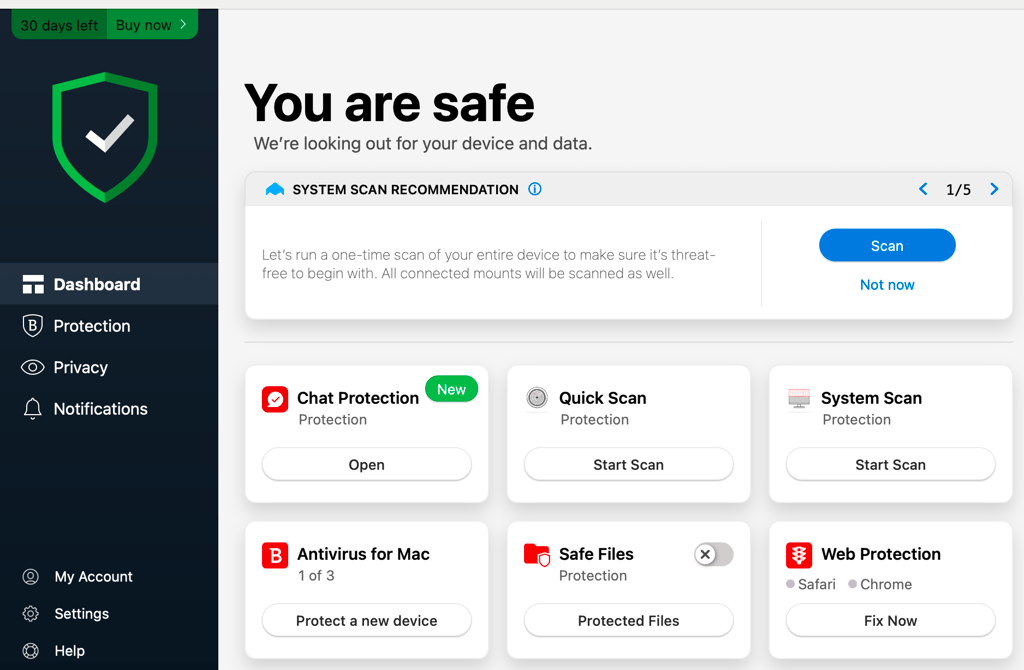
Bitdefender’s desktop app feels straightforward and easy to navigate in hands-on use. A quick actions widget on the main dashboard makes it easy to launch your most-used features with one click, while clear status updates and safety recommendations keep the interface intuitive and helpful. The left-side menu, neatly organized task boxes, and tucked-away advanced settings also help keep the main screen uncluttered.
McAfee has improved since our last evaluation. Previously, advanced features were buried deep in the settings, making them hard to find. Now, McAfee has added a dedicated menu that makes accessing all features much easier.
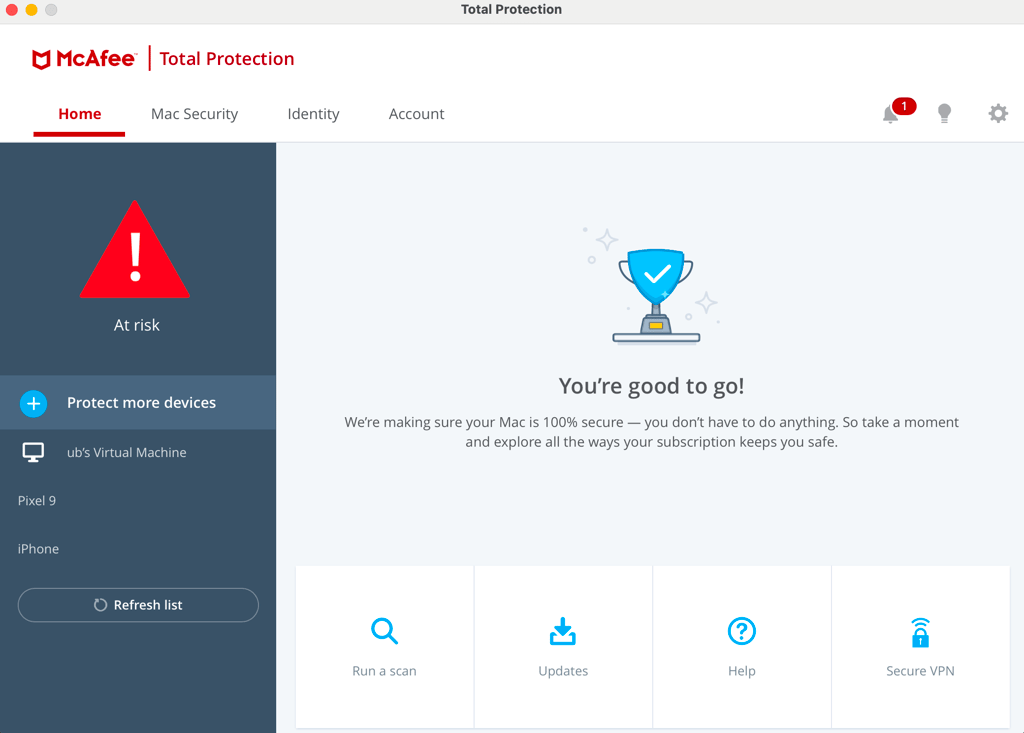
Still, McAfee’s desktop app feels a bit more dated in hands-on use, but it’s still easy enough to find your way around. The interface uses a top menu bar and a changing left-side menu for navigation, while small shortcut cards at the bottom make it simple to start a scan or check your subscription status. That said, the layout leans heavily on repeated security warnings and offers less flexibility for viewing details or customizing the experience, and some advanced tools still push you out of the desktop app and onto the website.
Mobile app
Bitdefender has dedicated mobile apps for Android and iOS, which you can easily install on your device. They are easy to use and don’t include any unnecessary visuals that would otherwise clutter the interface. Even though the applications might seem visually similar, there are quite a few differences in terms of their functionality.
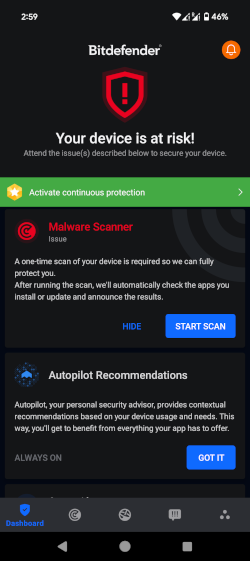
The Android version has everything Bitdefender has to offer, including the Malware scanner, Web protection, a VPN, an App Lock, and an Anti-theft feature. Its iOS version, on the other hand, protects against fraudulent websites and scams, checks for personal data leaks, and provides VPN services.
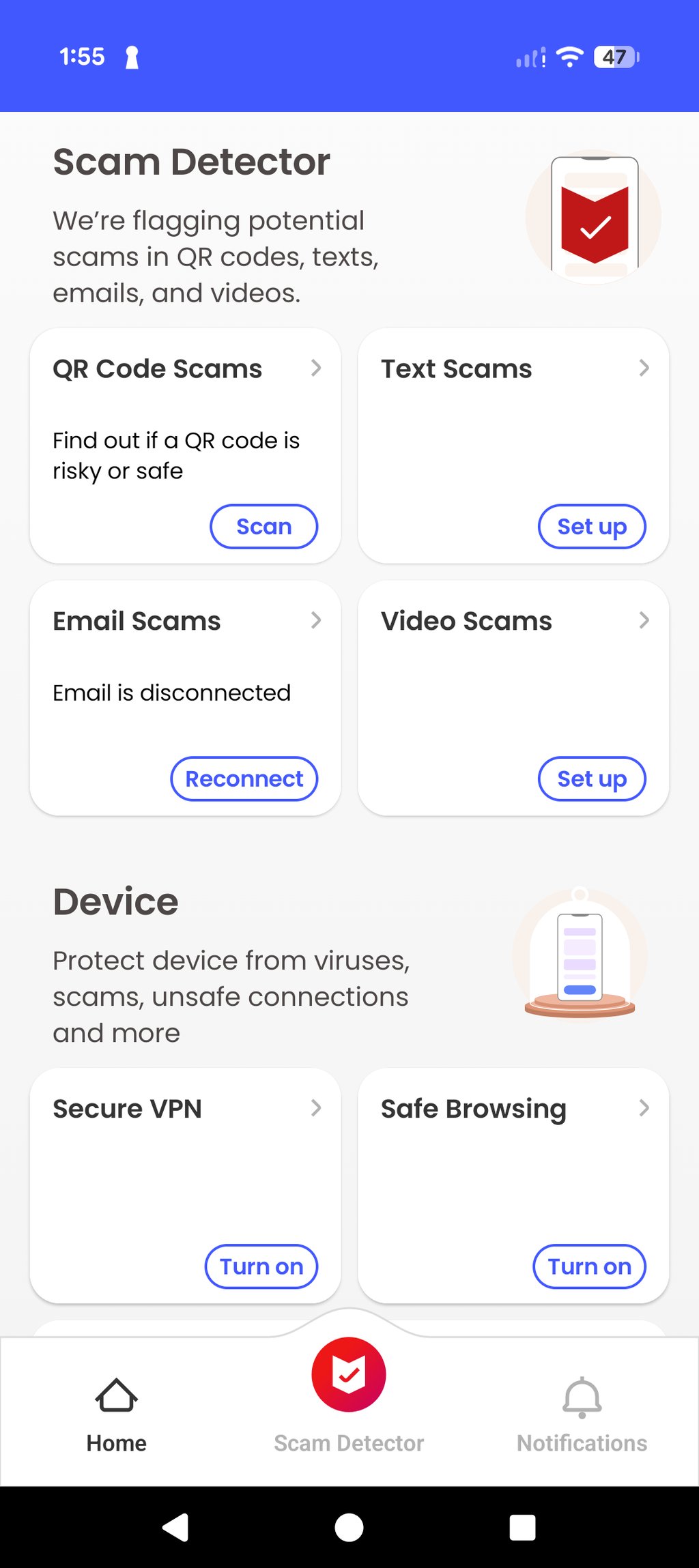
McAfee is also compatible with Android and iOS devices. Its interface on both apps is clean and relatively easy to navigate through. However, what I found slightly annoying is the numerous pop-ups explaining what each feature does whenever you try to enable it. Although it might be useful for inexperienced users, it becomes frustrating after some time.
Customer support
Both Bitdefender and McAfee offer a wide range of customer support options, making it easy to find help. The only major difference is that Bitdefender also includes email support, while McAfee doesn’t. For most basic issues, both providers offer plenty of resources to help you troubleshoot without contacting an agent.
Here is the full list of customer support options offered by Bitdefender and McAfee:
| Bitdefender | McAfee | |
| 24/7 live chat | ✅ Yes | ✅ Yes |
| Email support | ✅ Yes | ❌ No |
| FAQ | ✅ Yes | ✅ Yes |
| How-to guides | ✅ Yes | ✅ Yes |
| Phone support | ✅ Yes | ✅ Yes |
| Community forum | ✅ Yes | ✅ Yes |
In my experience, Bitdefender’s support is a real plus because it’s available even on the free plan, not just for paying users. I was able to reach help quickly through live chat, and there are also phone, email, and support articles available if you prefer to troubleshoot on your own.
McAfee’s live chat has seen notable improvements since our last review. Previously, it required a lot of personal details before you could speak with an agent. Now, it only asks for an email address to help locate your account. Although speaking with the Digital Assistant is still quite underwhelming, once you get through to a human agent, you get the responses quickly. Still, I found contacting Bitdefender’s customer support a little easier.
Final verdict
After testing both antivirus suites, Bitdefender comes out ahead overall, mainly because it delivered stronger real-time protection and a more polished user experience. McAfee still has its strengths, including faster full scans and solid customization in its firewall settings, but Bitdefender felt more consistent across the areas that matter most. If you want a better all-around antivirus, Bitdefender is the stronger pick.
| Category | Bitdefender | McAfee |
| Features | ✅ | ✅ |
| Protection | ✅ | ❌ |
| PC performance | ❌ | ✅ |
| Pricing | ✅ | ❌ |
| User interface | ✅ | ❌ |
| Support | ✅ | ❌ |
More antivirus guides from Cybernews:
Bitdefender vs Avast: which one is worth your money?
Bitdefender vs TotalAV: which one offers better protection?
Bitdefender vs Norton 360: the ultimate battle
McAfee vs Avast: find the better one
FAQ
Is Bitdefender or McAfee better?
Bitdefender is the better option, thanks to its near-perfect malware detection, low system impact, and simple pricing. McAfee, on the other hand, is a stronger fit for larger households that need unlimited device coverage but isn’t as reliable at real-time malware detection.
Should I buy Bitdefender?
Yes, you should buy Bitdefender if you want high-quality malware protection services. On top of that, it also offers a password manager, a file shredder, and a VPN to give all-around security for your device and your online activity.