Zoho Vault review in 2026: is it safe and reliable?
Being behind major reports like The Mother of All Breaches and WhatsApp Data Leak, our in-house cybersecurity experts conduct independent, unbiased testing and thorough analysis of password managers, helping users confidently manage their credentials and sensitive information.
We prioritize transparency by openly sharing detailed descriptions of our in-house testing procedures and methodologies.
Learn more
Zoho Vault is a budget-friendly yet secure password manager designed for businesses and teams. While it lacks some advanced features found in other top password managers, it still stands out for its affordable pricing, strong encryption, and a generous free plan.
For this Zoho Vault review, I thoroughly tested the product across key categories, including security, usability, pricing, customer support, and overall functionality. I explored both its free and premium plans, evaluated features such as password sharing, autofill, and passwordless login, and compared its performance with other leading password managers.
Read this review to learn whether this password manager is truly safe, how well it performs for business and personal use, and whether its low price makes it a worthwhile alternative to more advanced competitors.

Zoho Vault review at a glance
Zoho Vault is a business-focused password manager that prioritizes affordability and simplicity over premium functionality. While it offers solid security features, useful password-sharing tools, and a generous free plan, it rarely appears among the best password managers on the market. That’s mainly because it lacks advanced features and feels more tailored to organizations than to individual users.
| NordPass | Zoho Vault | |
| ⭐ Rating: | ||
| 🥇 Overall rank: | #1 out of #20 | #18 out of #20 |
| 🔥 Coupons: | NordPass coupon 53% OFF | Cybernews Password Manager Coupons |
| 💵 Price: | From $1.38/month | from $0.90/month |
| ✂️ Free version: | Yes, plus it includes a 30-day money-back guarantee | Yes |
| 🔒 Encryption: | XChaCha20 | AES 256-bit |
| 🖥️ Platforms: | Windows, macOS, Linux, Android, iOS | Web app, Android, iOS |
| 🌐 Browser extensions: | Chrome, Edge, Firefox, Opera, Safari, Brave, Vivaldi | Chrome, Edge, Firefox, Brave, Vivaldi, Safari, Opera, Ulaa |


Zoho Vault pros and cons
Zoho Vault covers the basics of password managers for business – affordability, security, and business-oriented tools. So, it’s great for teams and smaller organizations. However, it still lacks advanced features and additional tools in more premium password managers.
If you want a feature-rich alternative with stronger overall usability and security tools, check out our NordPass vs 1Password comparison to see which provider is the better fit for your needs.
Who should use Zoho Vault
After testing and using Zoho Vault for a week, I recommend it for small to medium-sized businesses and individuals with basic needs.
Zoho Vault provides its users with features like password sharing, reporting, and audits. This password manager is also considered one of the best business password managers on the market because of its relatively cheap price. That's why it would be an acceptable option for small to medium-sized businesses.
However, it's also a good choice for individuals looking for a cheap way to secure their passwords. Zoho Vault's free version will keep everyone's passwords safe and organized.




Our in-house research team thoroughly analyzes password managers, and our team of experts uses the gathered insights and hands-on experience to evaluate each provider accordingly. Find out how we assess password managers.
Recent Updates
Zoho Vault pricing and plans
Zoho Vault has four pricing plans: Free, Standard, Professional, and Enterprise. Also, you can try out any of them with a free 15-day trial, where you don’t need to add your credit card details.
To decide which plan best suits your needs, see the table below.
| Features | Free Forever plan | Standard plan | Professional plan | Enterprise plan |
| Price | $0.00 | From $0.90/month | From $4.50/month | From $7.20/month |
| Store unlimited passwords | ✅ Yes | ✅ Yes | ✅ Yes | ✅ Yes |
| Passwordless login | ✅ Yes | ✅ Yes | ✅ Yes | ✅ Yes |
| Offline access | ✅ Yes | ✅ Yes | ✅ Yes | ✅ Yes |
| Password sharing | ❌ No | ✅ Yes | ✅ Yes | ✅ Yes |
| IP address restriction | ❌ No | ✅ Yes | ✅ Yes | ✅ Yes |
| Access and activity reports | ❌ No | ✅ Yes | ✅ Yes | ✅ Yes |
| Folder sharing | ❌ No | ❌ No | ✅ Yes | ✅ Yes |
| Geolocation restriction | ❌ No | ❌ No | ✅ Yes | ✅ Yes |
| Instant alerts on password events | ❌ No | ❌ No | ❌ No | ✅ Yes |
| Desktop applications (Windows/macOS) | ✅ Yes | ✅ Yes | ✅ Yes | ✅ Yes |
| Passkey management | ❌ No | ✅ Yes | ✅ Yes | ✅ Yes |
| Built-in 2FA authenticator | ✅ Yes | ✅ Yes | ✅ Yes | ✅ Yes |
| Audit trails | ✅ Yes | ✅ Yes | ✅ Yes | ✅ Yes |
Zoho's free plan includes core features such as unlimited passwords and automatic login. Meanwhile, premium plans offer more business-oriented features. Zoho Vault also offers annual billing, which can reduce pricing by around 10% compared to monthly plans.
Zoho Vault Free edition
Zoho Vault has a powerful free plan that includes most essential password management features. You can store unlimited passwords and passkeys, use autofill and autosave, generate passwords, access desktop and mobile apps, and enable MFA for extra protection.
Zoho Vault Standard edition
The Standard plan includes all free features but also upgrades your experience.
It adds additional features such as secure password sharing, adding vault users, cloud backup, integration with Google Workspaces and Office 365, and priority support.
Also, with it, you can do more advanced things, like applying IP address restrictions.
Zoho Vault Professional edition
If you need a password manager for your business or are just looking for a family-oriented plan, Zoho’s Professional plan will cover your needs. This plan is great for teams and requires a minimum of five users.
Zoho Vault Enterprise edition
If you are running a large company and looking for a password manager to protect your data, you should consider the Enterprise plan.
It’s more expensive than the Professional plan. However, it allows you to log in to multiple applications and websites with one set of credentials. It also gives you advanced role-based access control, custom alerts, and integrations with Okta, OneLogin, help desk platforms, and SIEM tools.
While Zoho Vault offers a range of plans, some competitors have better value, particularly for businesses.
Is Zoho Vault safe?
Zoho Vault is a relatively safe password manager. It has been audited by an independent third-party firm, received SOC 2 compliance attestations, and supports HIPAA-ready security practices. It also uses powerful AES 256-bit encryption, which is considered the global standard for password manager security.
Additionally, Zoho Vault guarantees a zero-knowledge architecture. Thus, cybercriminals cannot steal what Zoho itself has no knowledge of.
However, Zoho itself has faced security incidents, such as breaches in 2020 and 2021. While the Zoho Vault password manager was not affected, this is still a sign of oversights.
Encryption
Zoho Vault implements advanced AES 256-bit encryption, which has been the industry standard for over a decade. It's considered one of the most secure encryption methods available and is used to protect sensitive data like financial information, personal data, and classified government information.
This kind of cipher is also used by VPNs (virtual private networks) and firewalls, as well as by governmental institutions and corporations.
However, some competitors, such as NordPass, use newer encryption algorithms, such as XChaCha20, which are considered highly modern and efficient alternatives to AES-256.
Zero-knowledge architecture
During my research, I discovered that Zoho Vault uses a zero-knowledge approach. It means that your passwords are encrypted on your side, and no unciphered passwords ever reach Zoho's servers.
Because of that, nobody else, even the company itself, can see your passwords – you are the only owner. Unless, of course, you decide to share them with your colleagues.
This is great because many other free password managers don't follow that policy, which sometimes leads to your information being sold or leaked somewhere on the web.
Multi-factor authentication
Multi-factor authentication (MFA) ensures that even if someone managed to get your master password, they still couldn’t get in.
It protects your account by requiring you to link it to another device. This way, when someone tries to log in to your account with your master password, you will get a prompt on your phone asking you to approve the login.
This adds another security layer and helps prevent cybercriminals from accessing your database even if they have your master password.
Zoho Vault features
Zoho Vault still lacks some convenience and premium features found in competitors, but its feature set has improved over time, especially for businesses. The platform primarily targets organizations, and most of its premium features are developed for team management and administrative control. However, Zoho Vault’s free version remains a solid option for casual users, as it includes the essential tools for basic password management. I listed all of Zoho's paid plan main features in the table below:
| Feature | What does it do? |
| Password generator | It helps you build strong passwords with symbols, letters, and numbers |
| Passwordless vault unlocking | Instead of requiring a master password every time, you can log in with the preferred authenticator option |
| Allowed IP address | It lets you create an allow-list of IP addresses that can access your database |
| Password sharing | Allows you to share and receive passwords with your colleagues or family members (not included in the free version) |
| Autofill | Autofills credentials and forms; does not fill in the information on sketchy websites without your consent |
| Offline Access | Your password database can be downloaded for offline use |
| Geo-fencing | Restricts or allows access to your database from selected countries |
| Account audit | It lets you observe all the actions performed by your accounts |
| Account security and activity dashboard | Gives you an overview of your organization's password management and security status (not included in the free version) |
| Scheduled data backups | Periodically back up your data to restore it whenever it’s necessary |
I tested all Zoho Vault features to get a better feel for this password manager. Here’s a deeper review and a few insights from my experience.
Password generator, autofill, and offline access
Zoho Vault’s password generator is an excellent tool for quickly creating new, solid passwords. I was satisfied with its simplicity – with just one click, it generated a solid 14-character password that included a mix of numbers, letters, symbols, and uppercase and lowercase letters.
Furthermore, it lets me pick the parameters of my password. For example, if I wanted a 14-character-long password that starts alphabetically, I could do that in a few clicks.
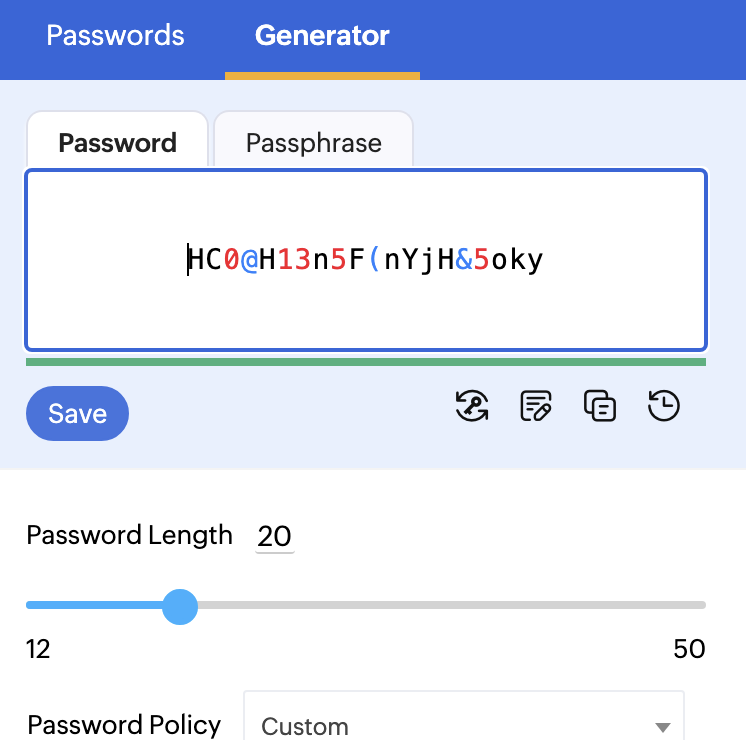
Another feature I found helpful was the autofill. It automatically fills in your passwords and other credentials to the login slots. Because of that, you don’t have to worry about opening the Zoho Vault every time to check your login credentials – Zoho fills them in automatically.
Every Zoho Vault account also includes offline access. This feature allows you to securely access your passwords even when you don’t have an internet connection. It works by letting you download your passwords as an HTML file.
I was worried that this feature would compromise the security of my database. However, the offline copy appears as secure as the online version – it can only be accessed with your master password.
Passwordless vault unlocking
What I often find annoying about password managers is the need for a master password. You have to fill it in every time you enter your database.
However, Zoho Vault fixes this issue with a passwordless vault unlocking feature. Instead of typing in the master password, you can log in using the Zoho OneAuth mobile app or any other authentication method, including Windows Hello, TouchID, Passkey, and YubiKey.
This allows you to access your Zoho Vault without the hassle of manually entering the master password every time.
Allowed IP addresses and geo-fencing
I appreciate that Zoho Vault includes some extra protection tools. The Allowed IP addresses feature lets you create a custom allow-list of IP addresses that can access your organization's vault.
For example, you can set your Zoho Vault account to only let in users connected to your office Wi-Fi network. Thus, if a cybercriminal has access to your master password but is not connected to your office network, they won't be able to get in.
Another helpful feature is geo-fencing. This lets you restrict or allow access to your account based on location.
After I set up geo-fencing, Zoho Vault gathered all IP addresses associated with the locations I provided. After that, when a user tried to log in to my account, Zoho compared their IP address against the list and either let them in or didn't.
For instance, I can set up geo-fencing to allow people from the same office as me. So, if I lose my device somewhere other than the office, my Zoho Vault account will remain safe, even if my master password gets compromised.
Password sharing
Zoho Vault has an advanced password-sharing system. This feature lets me securely share passwords among my team or family members, ensuring that members can easily access everything I share with them.
Other users can send me password requests, or, for easier sharing, I can put my passwords into folders, which I can share with others.
Also, I can set an expiration date for a shared password or folder. I find that incredibly convenient when a company hires a new employee and wants to give them access for a limited time.
At Cybernews, we heavily rely on password sharing, but we use NordPass instead. It provides a more intuitive password-sharing experience than Zoho Vault. You can easily share passwords or folders with specific permissions in just a few clicks. In contrast, Zoho Vault's sharing features can be complex. This simplicity in NordPass enhances efficiency and reduces the risk of errors, making it a better choice for team collaboration.
Zoho Vault compatibility and ease of use
To test Zoho Vault, I used MacBook Air (macOS Sonoma), Xiaomi (Android 11), and Lenovo ThinkPad (Windows 11) devices. I found it very easy to set up and use across all my devices.
Overall, my experience with Zoho Vault was good. Its interface was simple and beginner-friendly, and the user experience was pleasant.
Zoho Vault setup
Setting up Zoho Vault on my devices was especially easy. It works as a web application on desktop computers, so you don’t have to install any apps. Here’s a quick walkthrough of how I set it up and some features I found particularly useful.
First, I chose the plan I would like to use. Zoho Vault has paid plans, but I chose the free version for this guide. Then, I signed up for an account on zoho.com and created a solid yet memorable master password.
With that in place, I could immediately start adding passwords by pressing the plus icon at the top-right corner. Instead, I chose to import my passwords from another password manager. To do that, I clicked on a cogwheel on the left of my screen and then clicked on the Import passwords button.
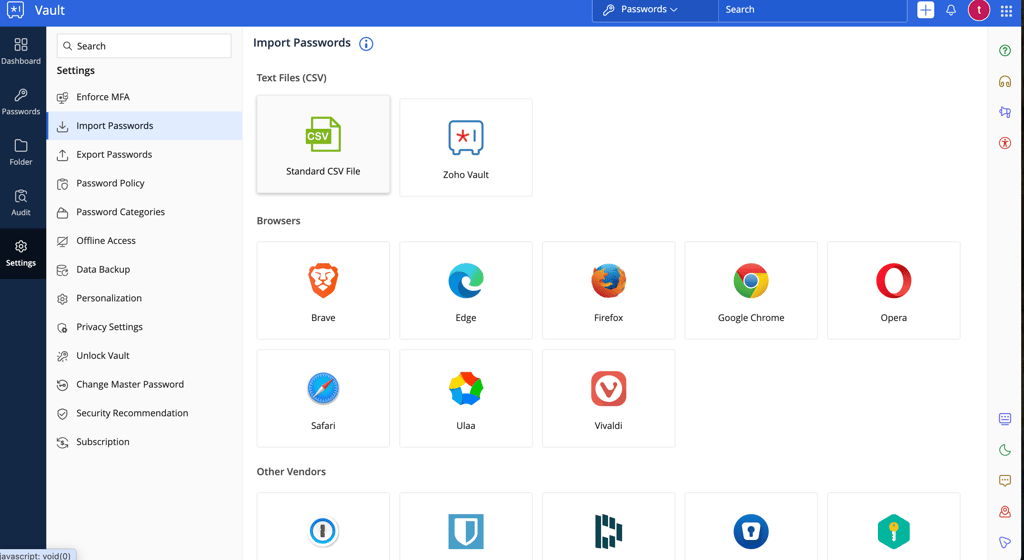
Also, I decided to protect my vault with multi-factor authentication to make it more secure. To do that, I just had to download the Zoho OneAuth mobile app and link it to my account.
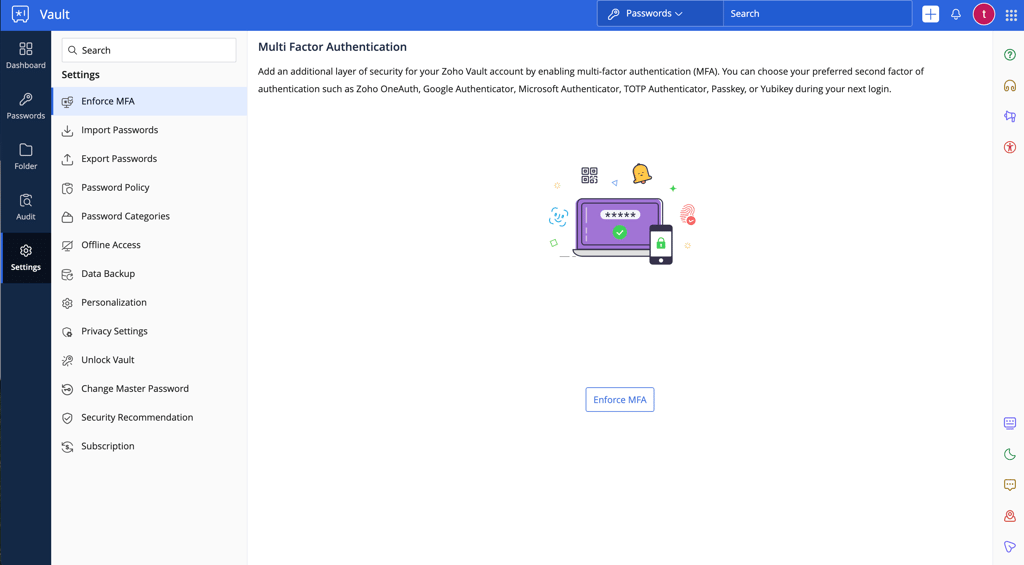
Once I was done, my setup process was complete. Now, I could explore other Zoho Vault features, like organizing my passwords into folders, running an audit, and seeing more security insights in the Dashboard.
Zoho Vault mobile app
The Zoho Vault mobile app is very similar on Android and iOS, both in terms of design and user experience. I found it easy to set up Zoho Vault on both platforms.
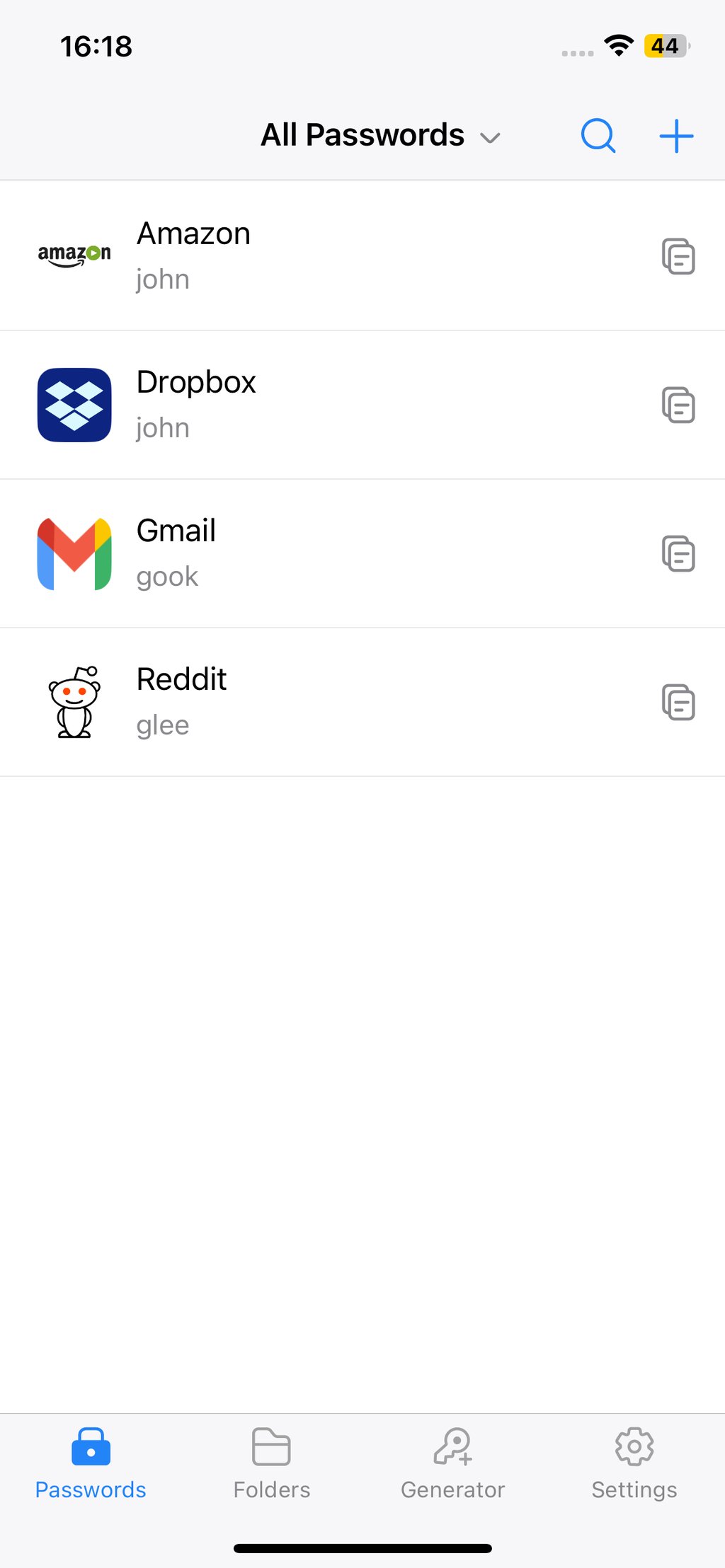
The app is simplified. I could manage my passwords and folders and tweak settings. However, the Dashboard and Audit from the web application are gone.
I noticed that the mobile app still offers most of the features you would expect from a password manager. I could enable autofill, choose when to lock the Vault, and use the password generator.
Zoho Vault extension for browsers
Zoho Vault offers browser extensions for most major browsers, including Chrome, Edge, Firefox, Safari, Opera, Brave, Vivaldi, and Ulaa. It also provides dedicated desktop apps for Windows and macOS users. To install the extension, I logged in to the web application, clicked on My Profile in the top-right corner, and clicked the appropriate icon.
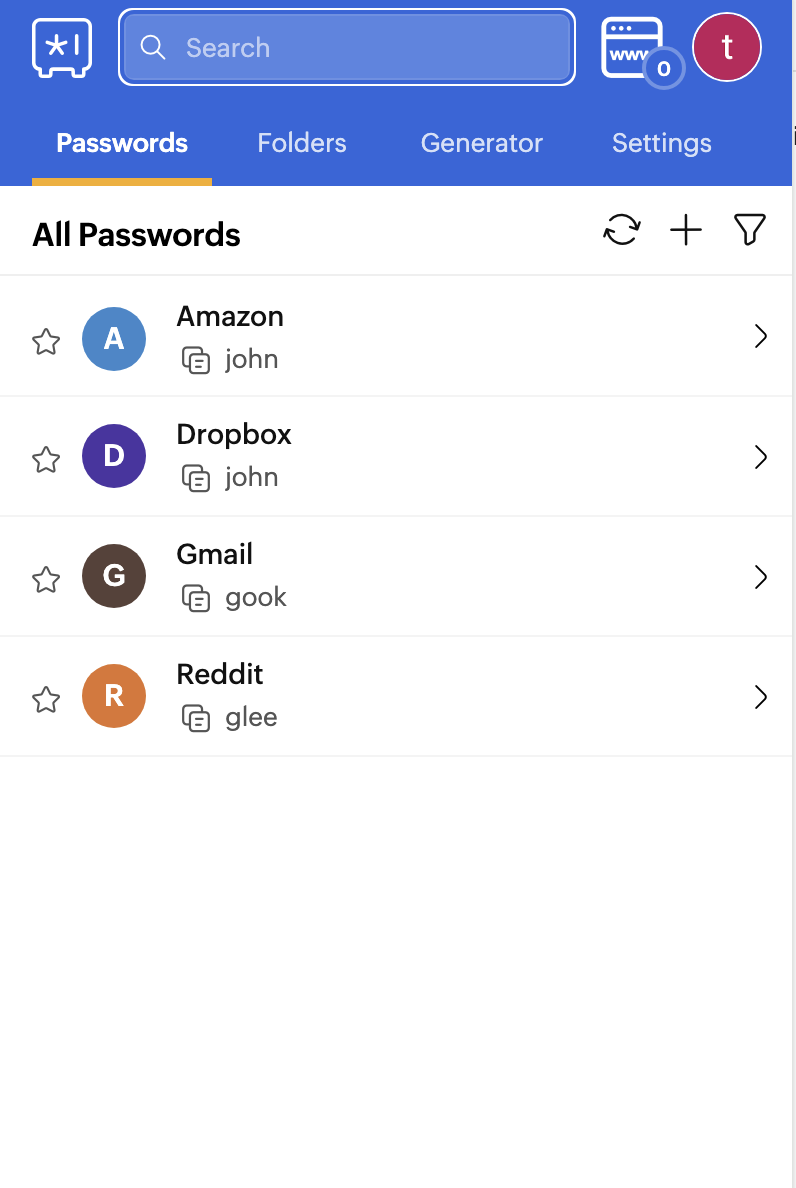
After I installed the extension, it automatically filled in my login details whenever needed and integrated smoothly into my everyday browsing.
Zoho Vault customer support
Zoho Vault has an extensive user guide and a forum, which I successfully used to find information about a few common questions.
However, in some complex situations, when users can't find answers in guides, they may need more help. In that case, you can contact Zoho Vault's support by submitting a ticket, writing an email, or even calling their phone support team.
| Option | Availability |
|---|---|
| 24/7 live chat | ❌ No |
| Email support | ✅ Yes |
| Knowledge base | ✅ Yes |
| How-to guides | ✅ Yes |
| Phone support | ✅ Yes |
To check Zoho’s support, I tried submitting a ticket on their website. There, I asked a few simple questions about creating a new account and using the password manager.
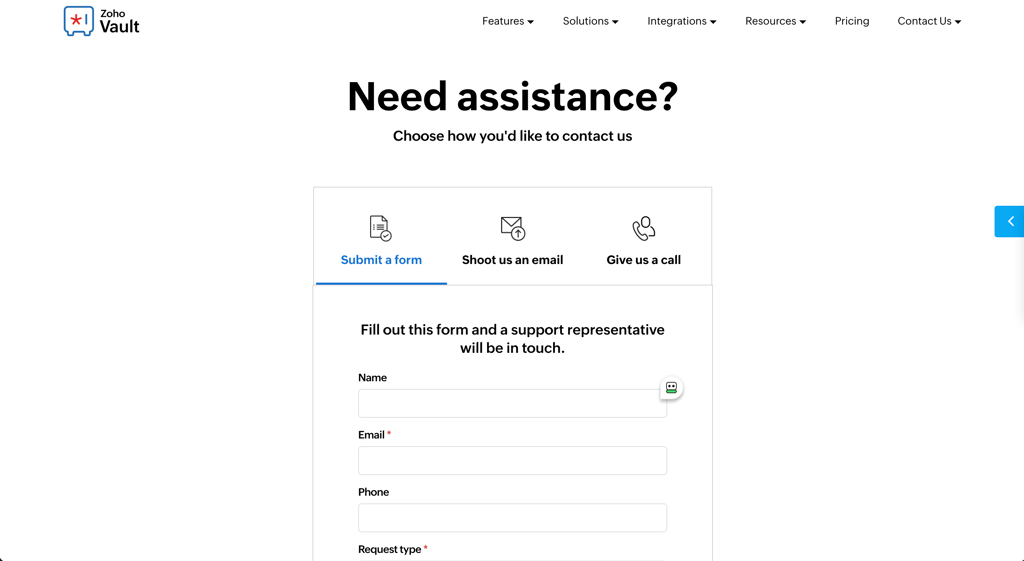
In about 15 minutes, I received a response, and it was professional and polite. My questions were fully answered, and I received step-by-step instructions on how to do everything I asked.
Overall, the service was very fast compared to some other free password managers I’ve tested, some of which took a few hours or even days to get an answer by email.
On the downside, Zoho Vault does not have a live chat option. However, being able to call them nearly any time compensates for this.
Zoho Vault alternatives
| Rating | Free version | Advanced encryption | Multi-factor authentication | Unlimited password storage | Customer support | |
| NordPass | ✅ Yes | ✅ Yes | ✅ Yes | ✅ Yes | ✅ Yes | |
| RoboForm | ✅ Yes | ✅ Yes | ✅ Yes | ✅ Yes | ❌ No | |
| Dashlane | ✅ Yes | ✅ Yes | ✅ Yes | ❌ No | ✅ Yes | |
| Sticky Password | ✅ Yes | ✅ Yes | ✅ Yes | ✅ Yes | ✅ Yes | |
| Enpass | ✅ Yes | ✅ Yes | ❌ No | ❌ No | ✅ Yes | |
| Passwarden | ✅ Yes | ✅ Yes | ✅ Yes | ✅ Yes | ✅ Yes |

After using Zoho Vault for one week, I still decided that NordPass is a much better alternative, which I will continue using. That's because NordPass offers more features than Zoho, including the option to pay using Amazon or cryptocurrencies when most providers only accept credit cards.
How I tested Zoho Vault
I tested Zoho Vault with the help of our research team from start to finish to clearly understand how it works. So, all the information is based on my hands-on experience and thorough research.
I researched the free version using our standard password manager testing procedures. I tried every main feature Zoho Vault offers, including one-click website login and passwordless authentication. After that, I moved to the premium plan to test Zoho’s advanced features that would be more useful to business users.
Final thoughts
Zoho Vault is worth considering if you’re looking for an affordable and secure password manager for a small business or team. It offers strong AES-256 encryption, a zero-knowledge architecture, password-sharing tools, and a generous free plan. In short, it’s a solid option for organizations that need basic to moderate password management features without spending too much.
However, Zoho Vault might feel limited if you want a more polished and feature-rich experience. The interface can feel clunky at times, and the platform still lacks some premium features offered by competitors. Some higher-tier plans also don’t add enough value to justify the price increase.
If you want a more complete password manager with better usability, modern security features, and advanced features, NordPass is the better overall choice. Still, if affordability and straightforward business password management are your main priorities, Zoho Vault remains a reliable option worth trying.
FAQ
How secure is Zoho Vault?
Zoho Vault is a secure password manager. It uses a zero-knowledge approach. This means your passwords are encrypted on your side, and only the ciphered data is stored on Zoho's servers.
What is Zoho Vault used for?
Zoho Vault is mainly used for password management and security. Small to medium-sized organizations use this password manager because it offers features like password sharing, reporting, and audits.
What is the alternative to Zoho password manager?
NordPass is the best alternative to Zoho's password manager. It offers more advanced encryption, many additional features, and easier-to-use interfaces. NordPass is also considered the best password manager on the market.
Is Zoho password manager good?
Zoho Vault is a good password manager. Organizations use it because it offers many useful security tools for keeping company data safe. These include user auditing and monitoring, cloud backup, and emergency access.