Best AI website builders in 2026
Our team of experts and researchers rigorously test and evaluate website builders through transparent, in-depth testing procedures and methods using both in-house and industry-approved tools.
Drawing on cybersecurity insights, we provide unbiased, empirical rankings and analysis to help users make informed digital platform choices.
Learn more

Website builders have changed shockingly fast since AI became widely available. From clunky landing pages, AI website builders are now able to turn your prompt into full business websites that are easy to find, attract visitors, and work on any device.
In 2026, choosing how much control you want is the biggest challenge with AI website builders. Some will turn a short description into a complete, ready-to-use website for speed and simplicity, while others integrate AI with an editor to help you write, tweak layouts, and improve reachability.

So, to help you find the right AI website builder for your needs, I teamed up with the Cybernews research team. Below, I share our hands-on testing of AI quality, features, ease of use, and pricing to show what actually works.
Top AI website builders 2026 – comparison
Here’s a quick comparison of top AI website builders based on hands-on testing:
| Provider | Best for | Starting price | Ease of use | Overall rating |
| Hostinger Website Builder | Small businesses, freelancers, and first-time website owners | $2.69/month | Very easy | |
| Wix AI Website Builder | Zero-code startups, freelancers, and small businesses | $17.00/month | Very easy | |
| Lovable | Founders, entrepreneurs, and designers building functional websites | $25.00/month | Advanced | |
| Framer AI | Freelancers, startups, and small business owners | $10.00/month | Moderate | |
| DeepSite | Developers, tech-savvy creators, and advanced users | $14.90/month | Moderate to advanced | |
| Durable | Solo founders, freelancers, and local service pros | $22.00/month | Easy | |
| 10Web | Freelancers, agencies, and growing businesses using WordPress | $13.00/month | Moderate | |
| Relume | Designers, agencies, and developers who need structured layouts | $18.00/month | Moderate to advanced | |
| v0 by Vercel | Developers, product teams, and SaaS builders | $20.00/month | Advanced | |
| Dora | Designers, agencies, startups, and creators | $14.00/month | Moderate to advanced |





Our in-house research team and expert writers work hand in hand to regularly test website builders and provide accurate and fact-checked information. Discover the ins and outs of how we test and evaluate website builders.
Best AI web builders – detailed reviews
Not all AI builders solve the same problem. Some focus on speed. Others focus on design control, SEO structure, or app-level functionality.
For each provider, we evaluated AI quality, customization depth, pricing, and real-world usability.
Hostinger Website Builder

| Rating: | |
| Pricing: | From $2.69/month |
| Money-back guarantee: | ✅ Yes, days |
| Ease of use: | Beginner |
| eCommerce: | ✅ Yes |
| Best deal: | Get Hostinger Website Builder, 81% OFF + free months |
Hostinger Website Builder actually delivers full automation with minimal editing needed at a ridiculously low cost. It generates complete layouts, copies, images, and branding in minutes.
Who is Hostinger Website Builder best for?
Small businesses, freelancers, and first-time website owners who want a professional site without technical setup. It works well for service pages, portfolios, and small online stores.
Who should avoid Hostinger Website Builder?
Hostinger is not ideal for large companies requiring complex custom systems, advanced backend setups, or full server control.
How does Hostinger Website Builder work?
During my Hostinger Website Builder testing, I started by describing the website I wanted to build, though you can also choose from ready-made templates for blogs, business sites, portfolios, or online stores. Hostinger AI built the complete site on the spot from my prompt and instantly showed me a visual preview I could click through and edit.
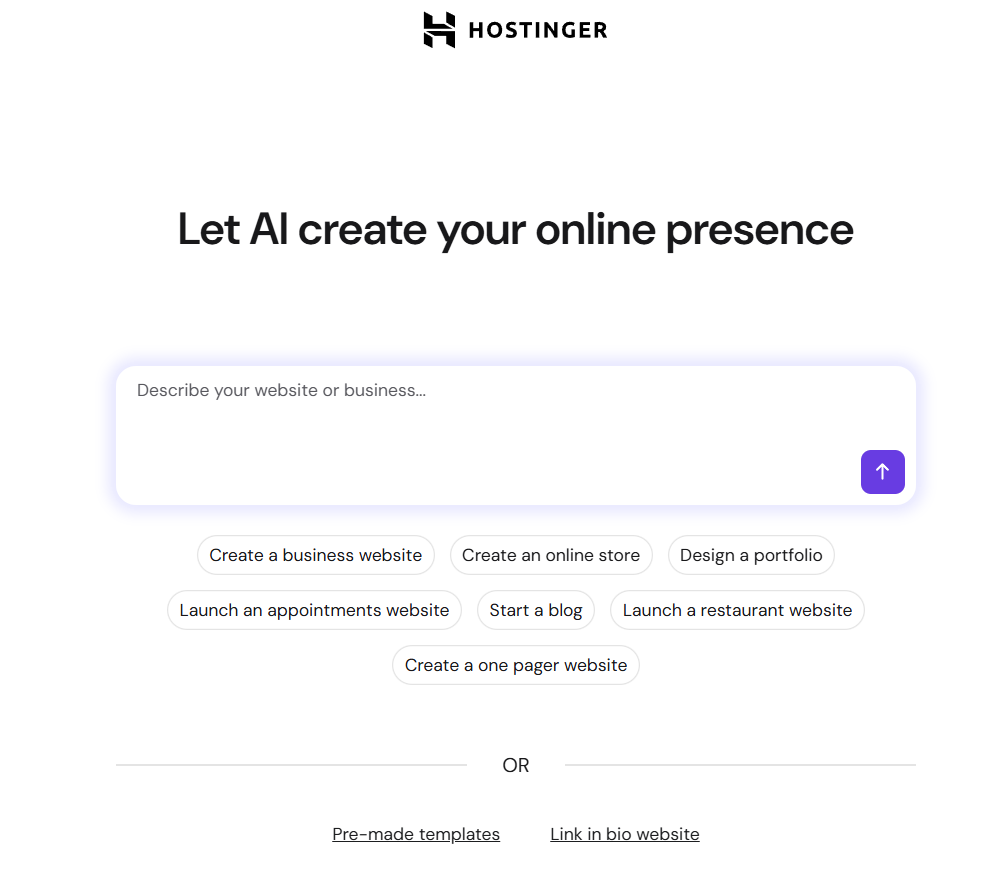
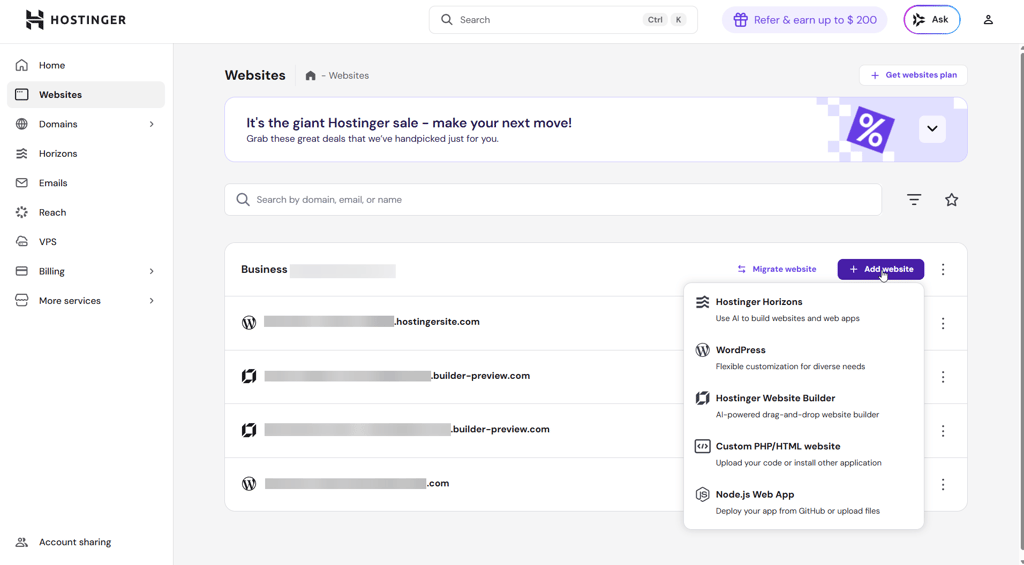
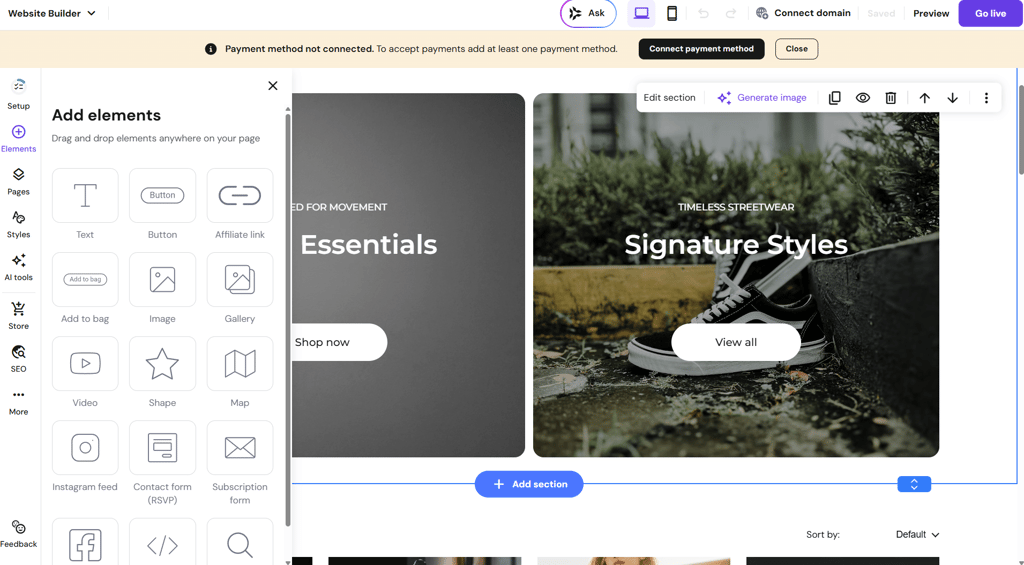
From there, I could choose a color palette and adjust the layout inside the editor. It gives the option to either keep refining the site with AI tools or manually edit sections myself.
I also tested tools like the AI Writer, Blog Generator, SEO Helper, and image generator. They genuinely reduced the amount of manual work needed. After finishing the edits, I published the site. The full process took me less than 20 minutes from start to finish.
Also, it’s worth noting that, unlike most website builders, Hostinger actually has 0% tax on sales, which, in my eyes, makes it not only one of the best AI website builders, but one of the best website builders for eCommerce too.
Wix AI website builder

| Rating: | |
| Pricing: | From $17.00/month |
| Money-back guarantee: | ✅ Yes, 14 days |
| Ease of use: | Easy |
| eCommerce: | ✅ Yes |
| Best deal: | Get Wix with 50% OFF |
Wix AI website builder uses simple prompts to generate pages, layouts, and content, while letting you refine everything with drag-and-drop editing. From personal testing, it really surprised me how fast and accurately it generated the website from a single prompt.
Who is Wix AI website builder best for?
Wix is best for no-code bloggers, freelancers, small businesses, and simple online stores.
Who should avoid Wix AI website builder?
Anyone needing custom backend scripts, large-scale marketplaces, or enterprise-grade infrastructure.
How does Wix AI website builder work?
Wix AI website builder runs on Harmony, Wix’s AI platform, which powers both the standard website creation and the vibe coding beta. Harmony uses the Aria AI agent to understand your prompts and generate a full website, while letting you refine everything manually with drag-and-drop editing.
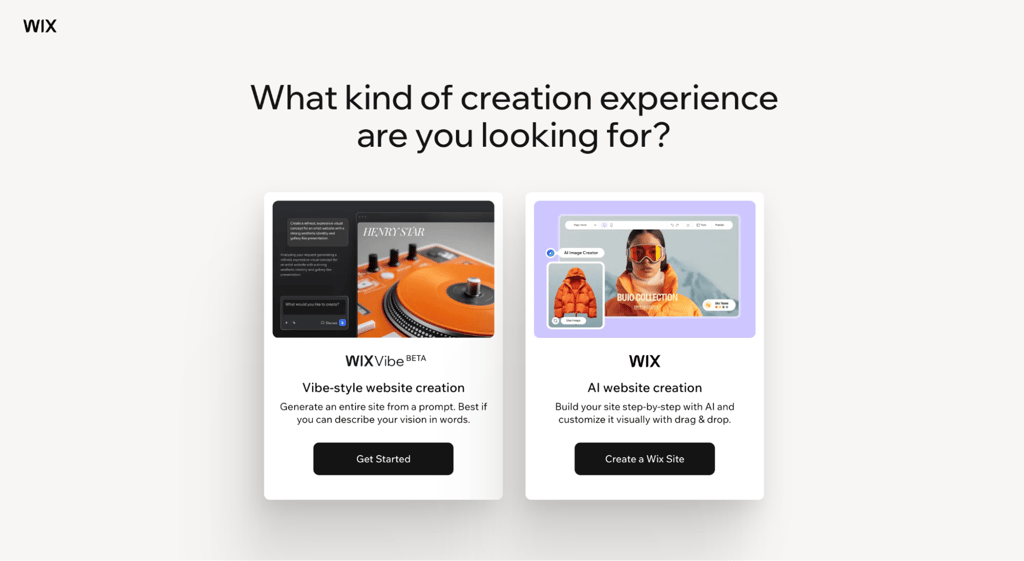
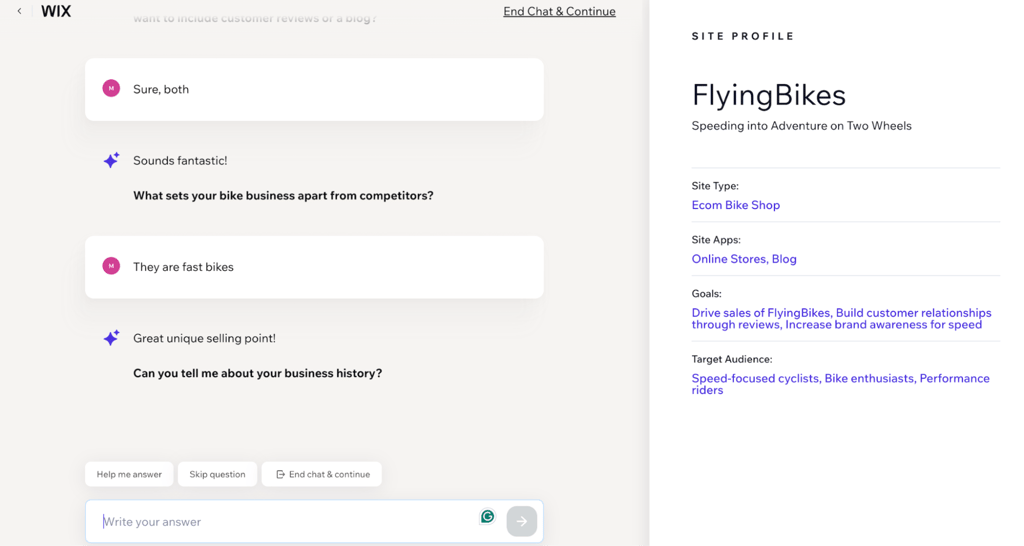
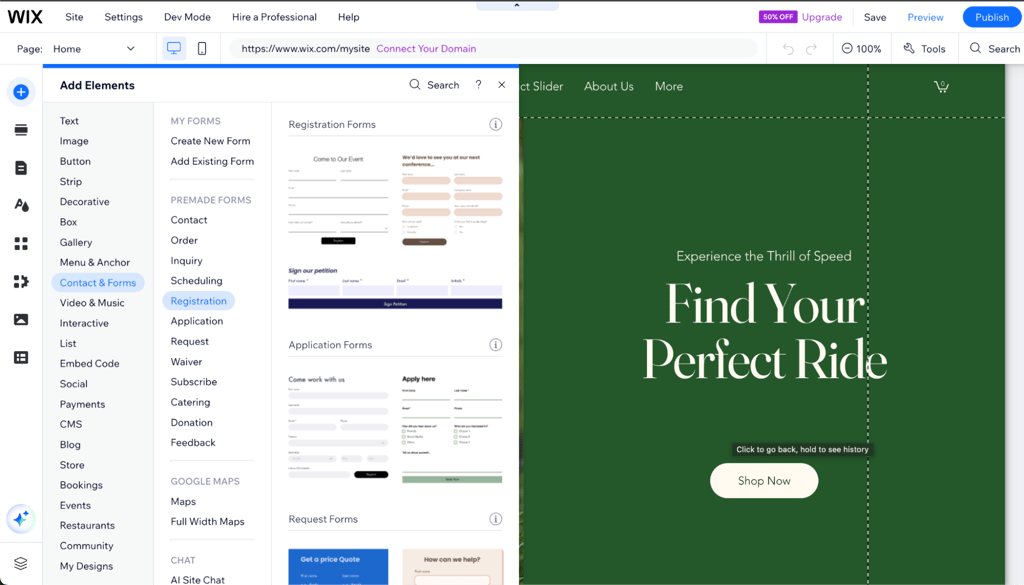
When I started, I chose the standard website creation, which still utilizes AI heavily, leading me straight into a chat with Wix AI. It asked a few simple questions about my site, like its purpose, name, and the type of content I planned to share.
From there, it generates a layout instantly. You can keep it, tweak sections, or ask it to regenerate parts completely.
Once your site is set up, you move into the editor where you can manually adjust anything pixel by pixel. The AI stays available the whole time, ready to help with content, layouts, or features, allowing you to end up with a fully functional, professional-looking site with simple prompts.
Lovable

| Rating: | |
| Pricing: | From $25.00/month |
| Money-back guarantee: | ❌ No |
| Ease of use: | Advanced |
| eCommerce: | ❌ No |
| Best deal: | Get Lovable now with 20% OFF |
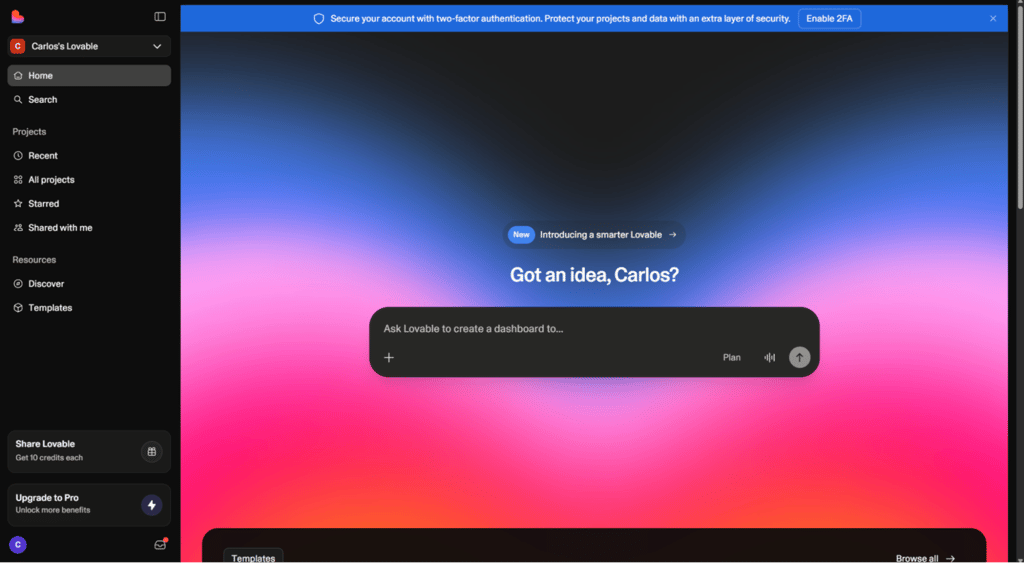
Lovable is an AI tool that helps you build full websites solely by chatting with it. Instead of dragging blocks onto a page, you describe what you want in a ChatGPT-esque interface, and the AI writes the code, creates the data structure, and connects everything behind the scenes.
Who is Lovable best for?
Lovable is best for founders, entrepreneurs, and designers who want to quickly build functional websites and web apps without coding.
Who should avoid Lovable?
Complete beginners who only need a simple website or who are not comfortable thinking through logic, like user roles or data flows, should avoid Lovable.
How does Lovable work?
Lovable runs on a chat-based interface. You start a new project and describe what you want in simple sentences, like “Make a site with user login and a dashboard.” The AI then creates the pages, buttons, data storage, and navigation for you.
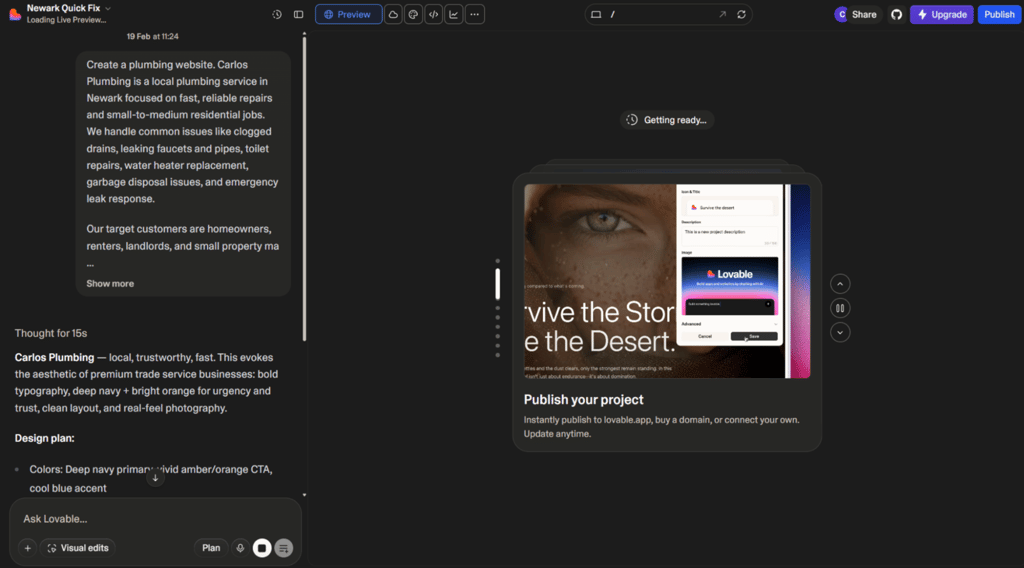
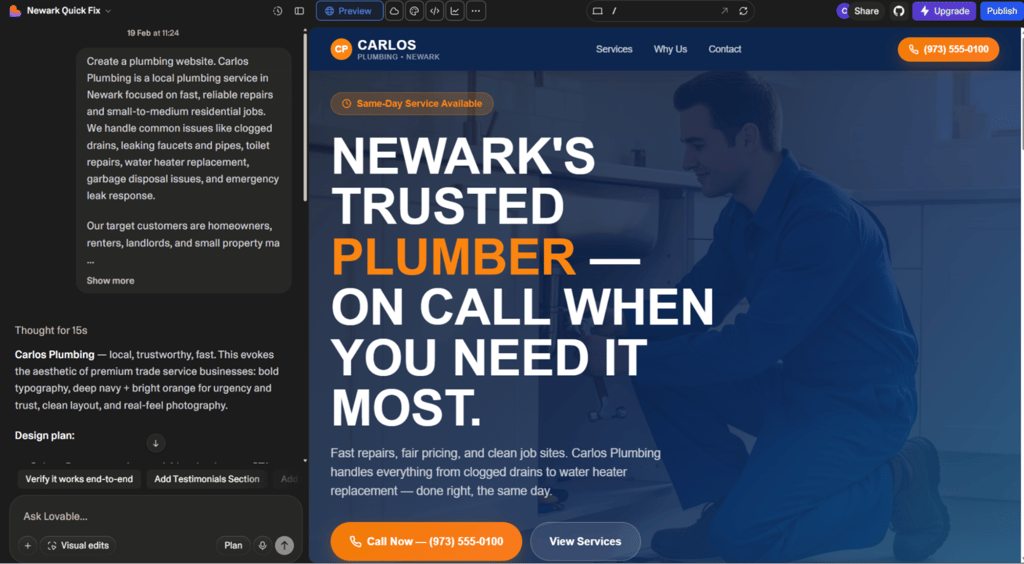
Once the first version is ready, you can refine it in the typical vibe coding fashion. Simply send a message to Lovable to “add search to the dashboard” or “show user profiles,” and it updates the app instantly.
For features that need data, like saving user info or managing products, Lovable links to services like Supabase, so your site behaves exactly the way you want.
In my testing, I built a working task-management site in about 20 minutes just by chatting. Still, you’re fully responsible for reviewing how access, payments, and data rules are set up.
Framer AI
| Rating: | |
| Pricing: | From $10.00/month |
| Money-back guarantee: | ❌ No |
| Ease of use: | Moderate |
| eCommerce: | ✅ Yes, basic |
| Best deal: | Save up to 33% with annual billing |
Framer AI is one more website builder that lets you design and launch professional sites without touching code. It gives you real creative control over layouts, typography, and animations while AI handles the tedious stuff in the background.
Who is Framer AI best for?
Framer AI is ideal for freelancers, small business owners, and startups who want a polished solution that can also handle more advanced projects with dynamic pages, CMS content, or small eCommerce stores.
Who should avoid Framer AI?
If you just need a super simple site or prefer ready-made templates without thinking about layouts, Framer AI might feel more complicated than you need.
How does Framer AI work?
Similar to Lovable, Framer AI starts by entering prompts, which turn your ideas into a fully functioning website. Start by typing a simple prompt, for example, a landing page for your portfolio with a section for services, testimonials, and pricing, and the AI generates a structured layout with sections, headings, and placeholder text.

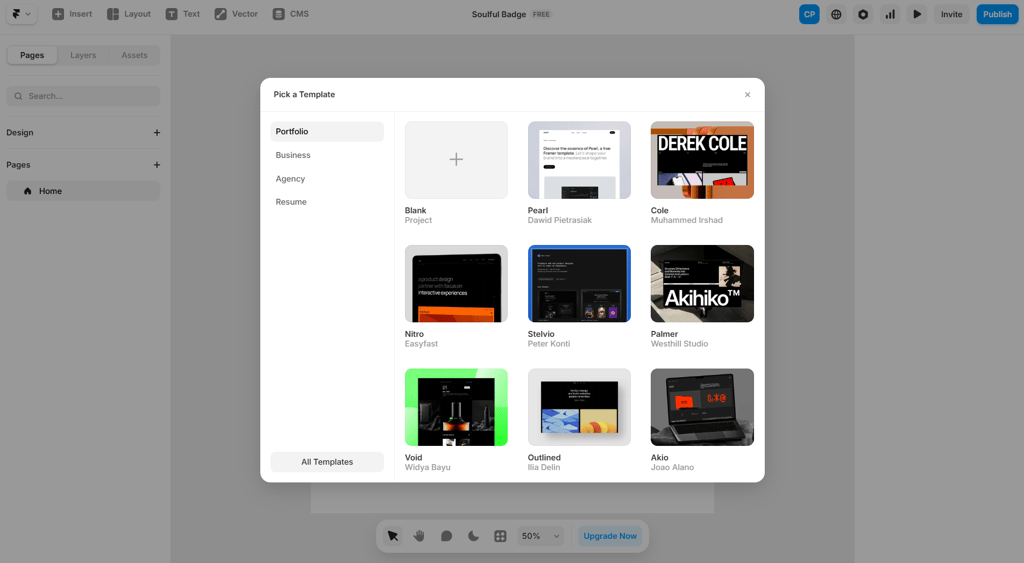
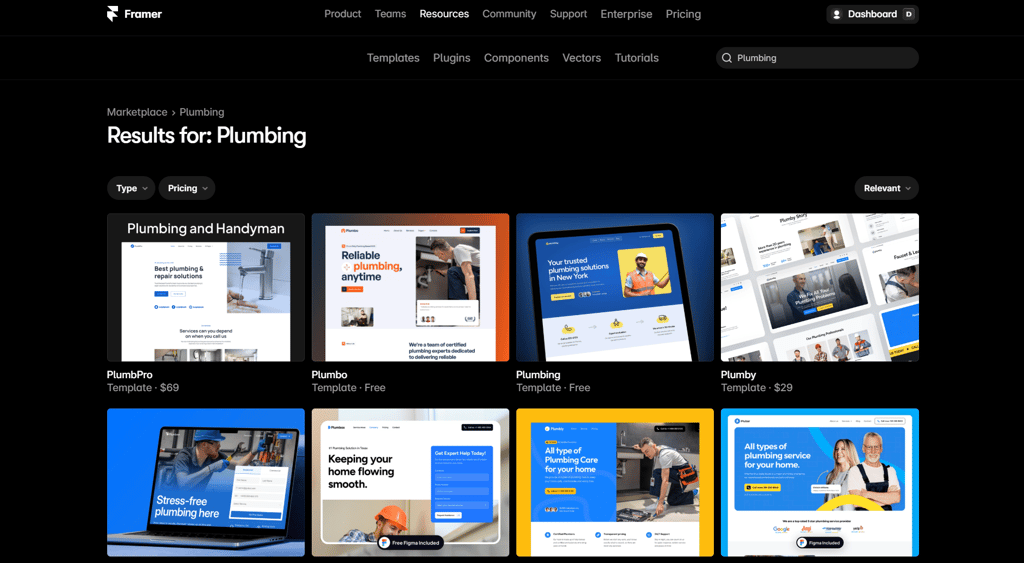
From there, it gives an easy-to-navigate and edit visual canvas. There, you can click on text to rewrite it, drag sections around, adjust spacing, tweak colors, and see everything update in real time on both desktop and mobile.
You can create reusable components, manage blog posts or other content through the built-in CMS, and even add subtle animations to make the site more interactive.
When the design is ready, you can publish it in one click using Framer’s hosting and connect a custom domain. Overall, it’s a flexible way to build a professional site without writing code.
DeepSite

| Rating: | |
| Pricing: | $14.90/month |
| Money-back guarantee: | ❌ No |
| Ease of use: | Moderate to advanced |
| eCommerce: | ❌ No native support |
| Best deal: | Free open-source trial access |
DeepSite is an open-source AI website builder. Unlike traditional drag-and-drop web builders, it actually generates fully editable code with AI assistance.
Who is DeepSite best for?
DeepSite suits developers, tech-savvy creators, and advanced users who want AI-generated site structures but prefer full control over code.
Who should avoid DeepSite?
Beginners and non-technical users should avoid DeepSite. It does not offer guided onboarding, visual editing comfort, or built-in eCommerce tools.
How does DeepSite work?
DeepSite builds websites from your prompts, just like the other tools on this list. You describe what you want, and it generates layouts, components, and the code behind them. In my testing, most of it worked well, though images didn’t match the prompt exactly. Aside from that, the structure and design came out clean.
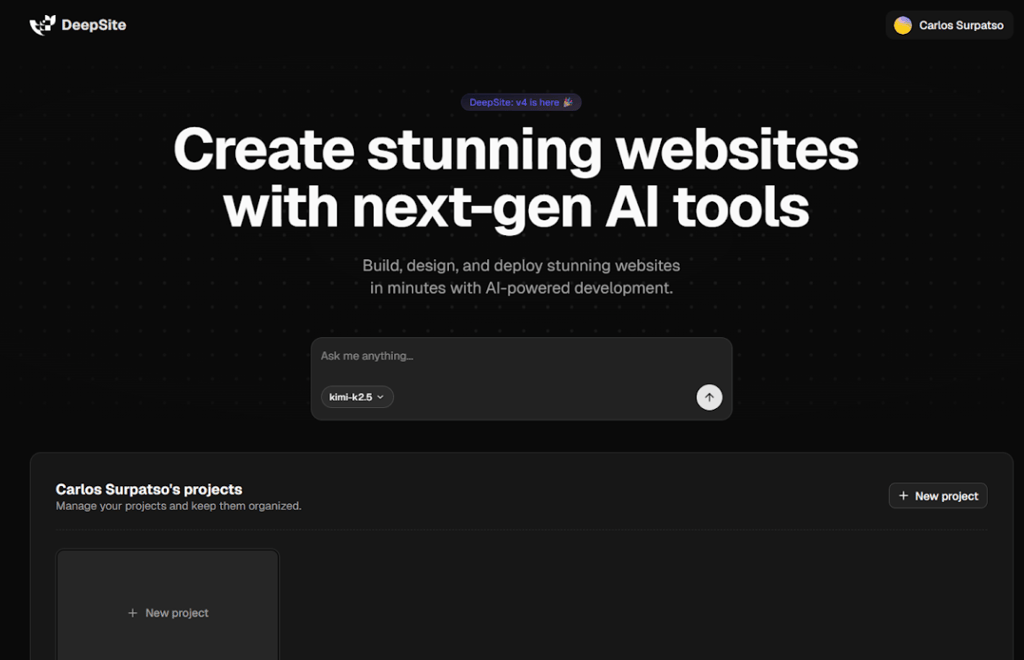
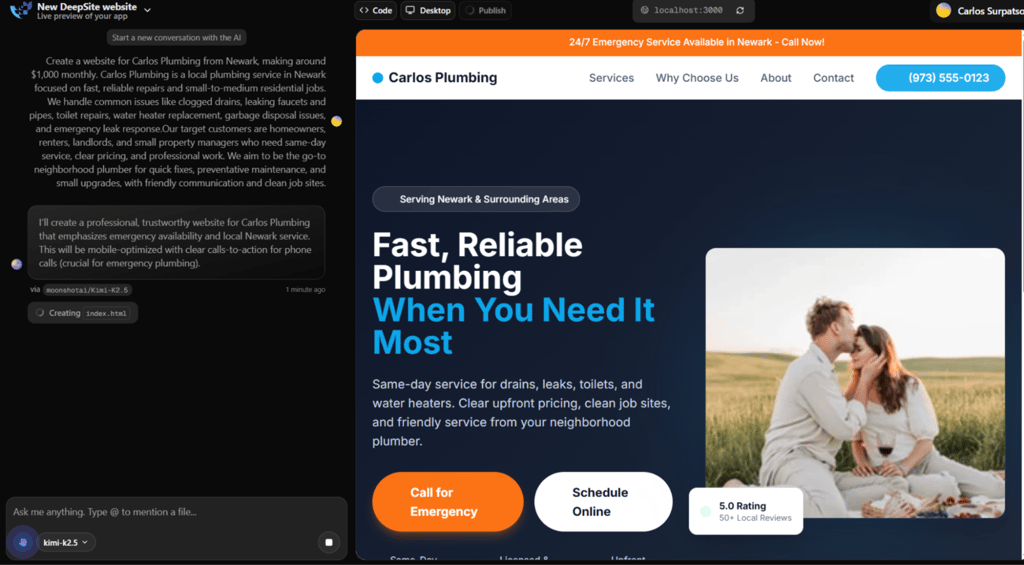
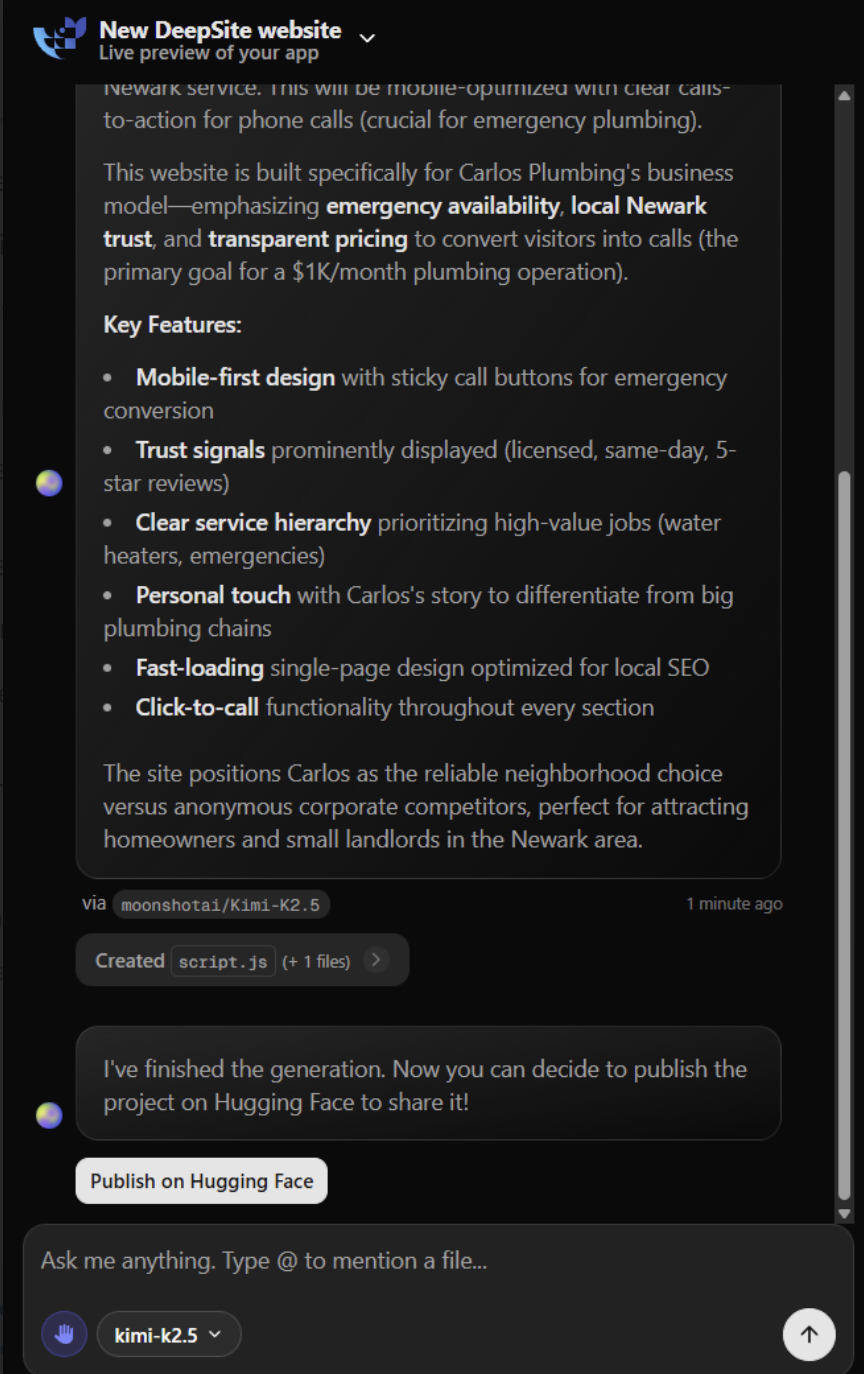
Editing is mostly done by giving more prompts. You can ask it to tweak layouts, adjust spacing, or change functionality and see the code update in real time.
DeepSite is more of a tool for people comfortable working with prompts rather than someone looking for drag-and-drop simplicity, because getting everything perfectly aligned and responsive can take quite a few iterations.
Overall, it was much more technical compared to the providers above. However, it offers significantly more flexibility for users who understand hosting, deployment, and code editing.
Durable

| Rating: | |
| Pricing: | From $22.00/month |
| Money-back guarantee: | ✅ Yes, days |
| Ease of use: | Beginner |
| eCommerce: | ✅ Yes |
| Best deal: | 15% off annual plans |
Durable AI website builder is best for launching a business website in under a minute. It uses AI to generate a full site, including images, service descriptions, contact forms, and basic branding.
Who is Durable best for?
Durable is perfect for solo founders, freelancers, local service pros, and small shops who need a clean, working website and basic business tools up fast.
Who should avoid Durable?
Skip Durable if you need fine visual control, big eCommerce stores, or custom backend workflows that grow over time.
How does Durable work?
Unlike Wix, which gives more templates, apps, and deeper SEO tools, Durable trades that depth for an almost instant path to a working business site. During Durable testing, I watched the site come together in under a minute from just a few inputs. I had to type the business type, location, and name, hit generate, and Durable wrote headlines, picked images (decent ones for a first shot), and laid out service blocks and a contact form.
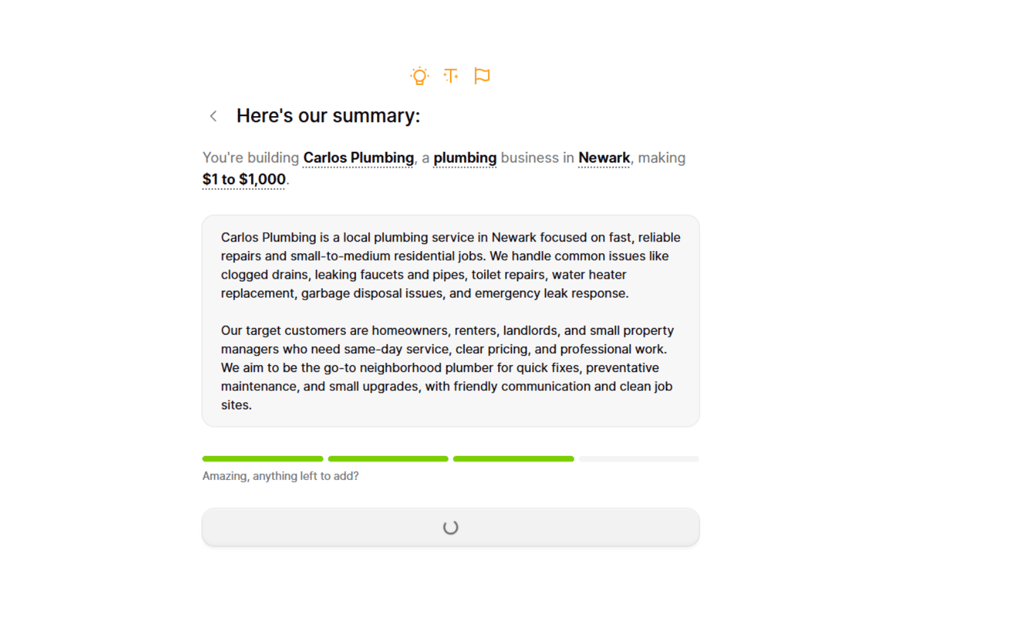
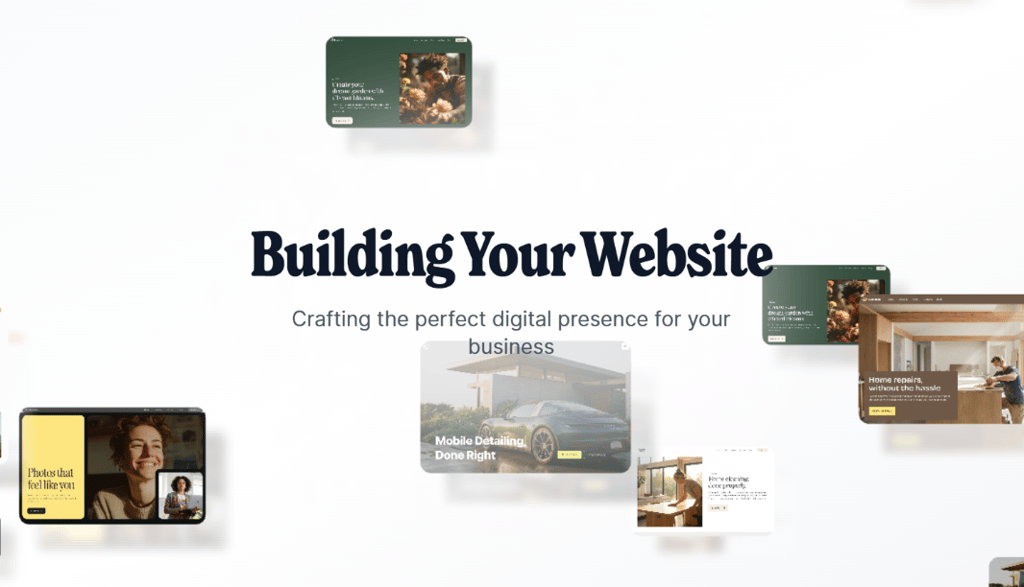
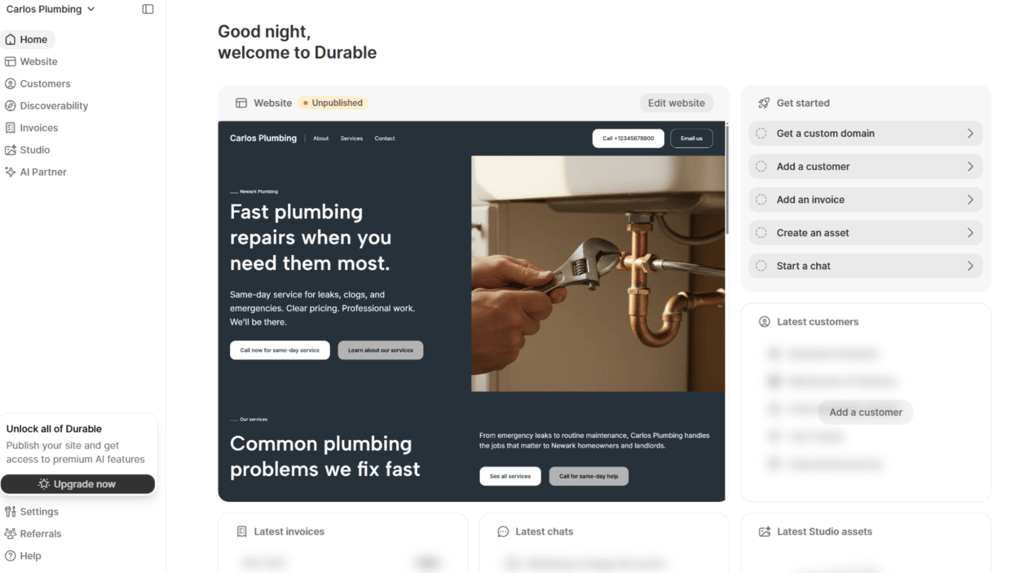
The editor is block-based and very simple: click a section to edit text, swap images, or press regenerate for a fresh take. You can tweak colors and copy, but you can’t really move elements pixel-by-pixel, which does come with a trade-off of speed in the long run over design controls.
Durable AI website builder also bundles CRM, invoicing, basic analytics, and marketing helpers so you can manage leads and payments without leaving the dashboard. It even includes built-in CRM, invoicing, and simple marketing tools.
10Web

| Rating: | |
| Pricing: | From $13.00/month |
| Money-back guarantee: | ❌ No |
| Ease of use: | Moderate |
| eCommerce: | ✅ Yes |
| Best deal: | Up to 50% off annual plans |
10Web is an AI-powered website builder built on WordPress. Instead of replacing WordPress, it automates the setup, hosting, and first draft creation, so you skip the technical installation process and start with a working site.
Who is 10Web best for?
10Web is excellent for freelancers, agencies, and growing businesses that want WordPress flexibility, including plugins, blogging, and WooCommerce, without manually configuring everything from scratch.
Who should avoid 10Web?
Complete beginners who just want a simple web builder and have no interest in learning basic WordPress concepts should look elsewhere.
How does 10Web work?
You answer a few questions about your business, and it generates a WordPress site with sections, text, and stock images already in place. What you get is a usable draft, but it’s not a finished website.
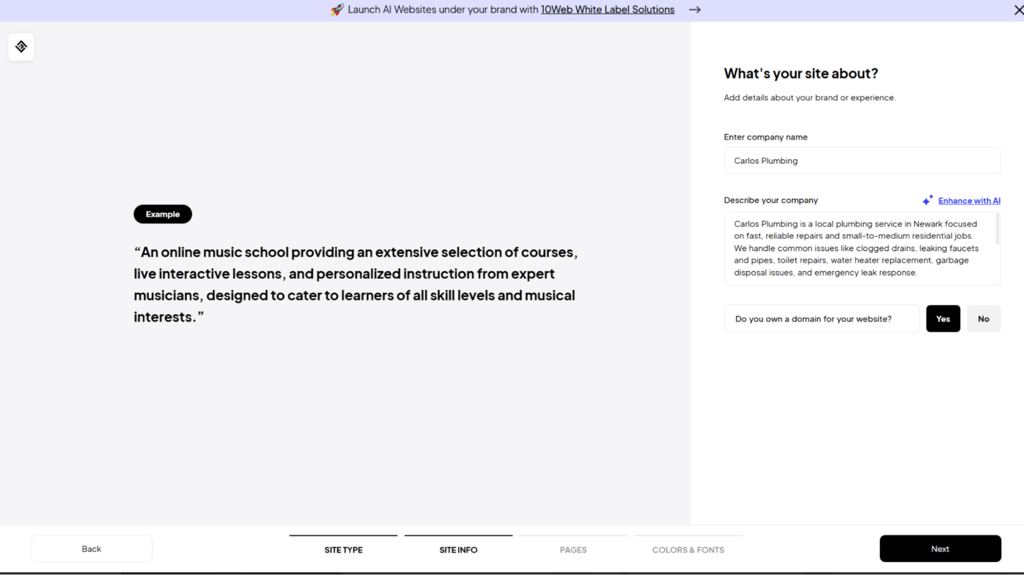
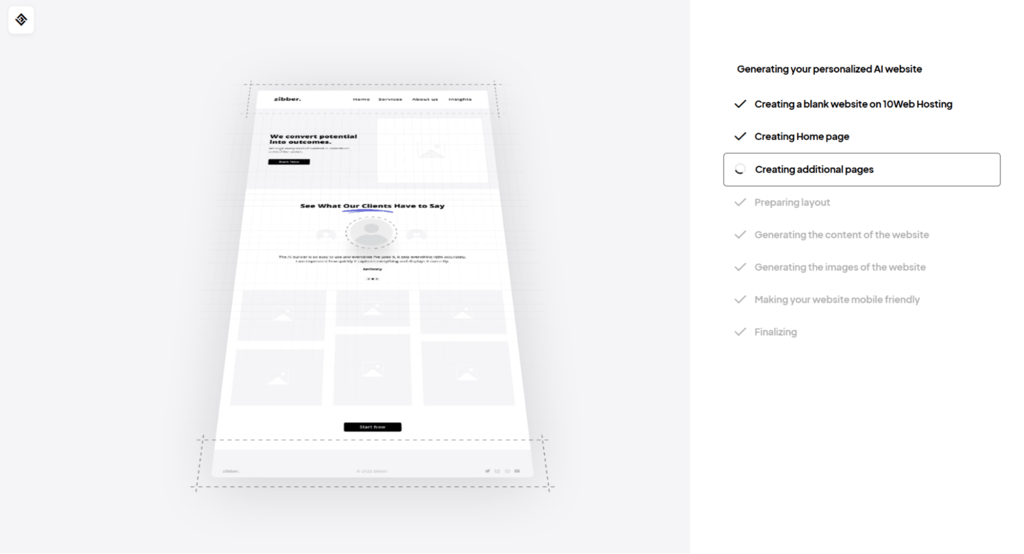
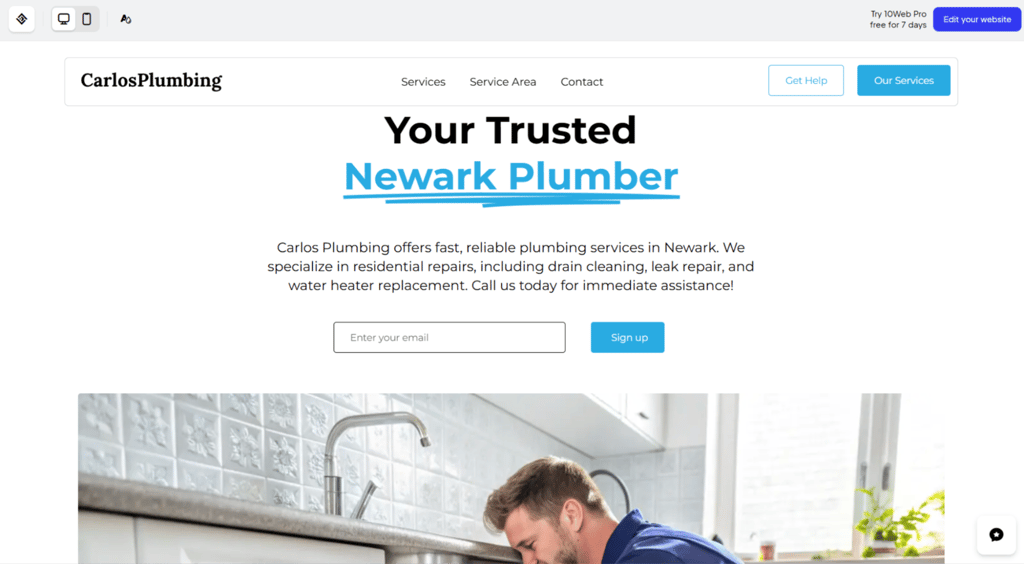
From there, you edit everything inside a visual builder based on Elementor. You can adjust layout blocks, change styling, and install plugins like you would on a normal WordPress site.
You still have access to the full WordPress backend, which gives more flexibility but also more manual work. I found the AI Website Recreator also interesting. You paste in a URL of a site you like, and it rebuilds a similar structure inside WordPress. It gets surprisingly close, but it still needs a lot of cleaning up.
Relume

| Rating: | |
| Pricing: | From $18.00/month |
| Money-back guarantee: | ✅ Yes, 10 days |
| Ease of use: | Moderate to advanced |
| eCommerce: | ❌ No |
| Best deal: | 7-day free trial available |
Relume uses AI to help you organize a website before you actually build it. Instead of creating a finished site, it generates a clear structure and layouts you can export to Figma or Webflow to turn into a real website.
Who is Relume best for?
Relume is great for designers, agencies, SEO, and developers who want AI to help map out pages and sections first, so they can build websites that make sense for users.
Who should avoid Relume?
People looking for an all-in-one tool that publishes websites immediately should avoid it, since Relume only handles structure and wireframes.
How does Relume work?
You start by telling the AI what kind of website you want. It then generates a full page plan showing all the sections you need, like headers, product areas, contact forms, and other sections that it may deem necessary.
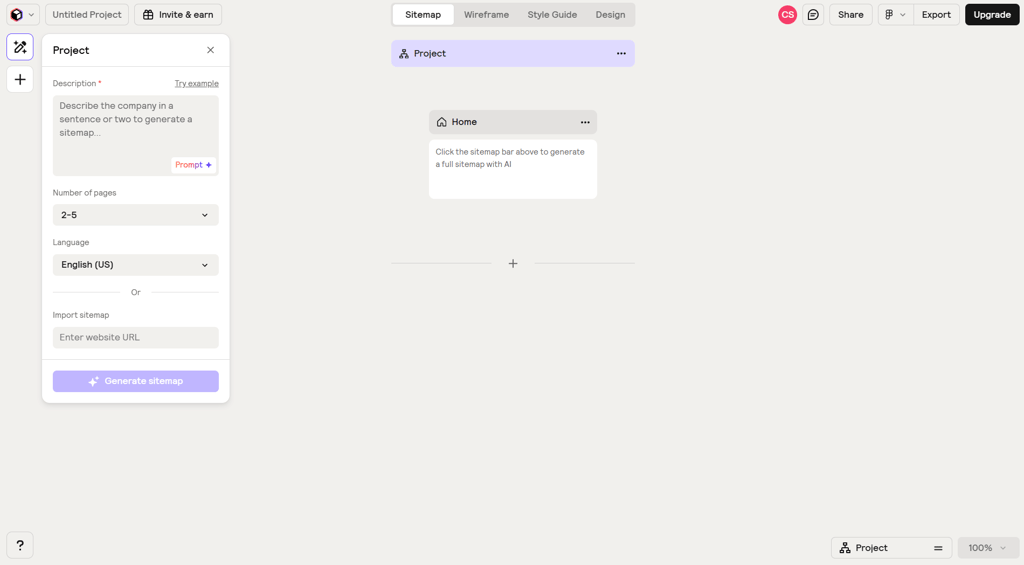
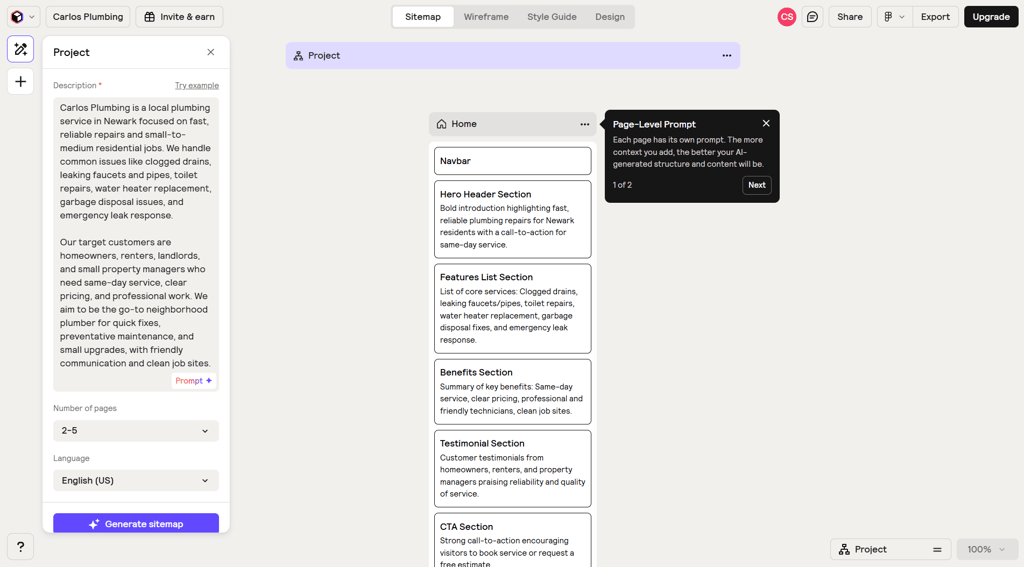
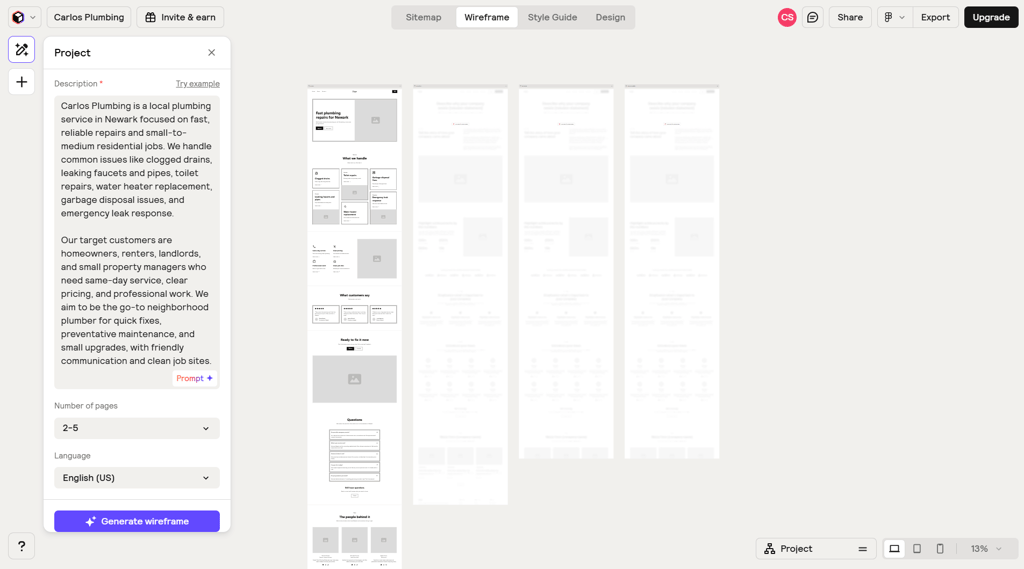
Unlike typical web builders like Hostinger, which let you design and publish a site in one place, Relume’s main focus is on structure. You can rearrange pages, add or remove sections, and adjust layouts before exporting everything to Figma or Webflow.
It’s useful if you already understand site architecture. If not, it can feel abstract, since the real design and publishing happen elsewhere.
v0 by Vercel

| Rating: | |
| Pricing: | From $20.00/month |
| Money-back guarantee: | ❌ No |
| Ease of use: | Advanced |
| eCommerce: | ❌ No built-in system |
| Best deal: | Free tier available for limited projects |
v0 is an AI code generator that, unlike a typical website builder, turns text prompts into React and Next.js code. It produces components, pages, styles, and even backend stubs that you can preview, edit, and deploy.
Who is v0 best for?
v0 is best for developers, startup teams, and product designers building SaaS dashboards, web apps, or internal tools who need full control over code.
Who should avoid v0?
Non-technical users who want a drag-and-drop editor or a fully guided no-code experience should avoid v0.
How does v0 work?
You type a prompt describing the UI, page, or app you want, and v0 generates React and Next.js files in real time. During testing, the AI produced components, pages, styles, and backend stubs, with a live preview alongside the code so I could see everything.
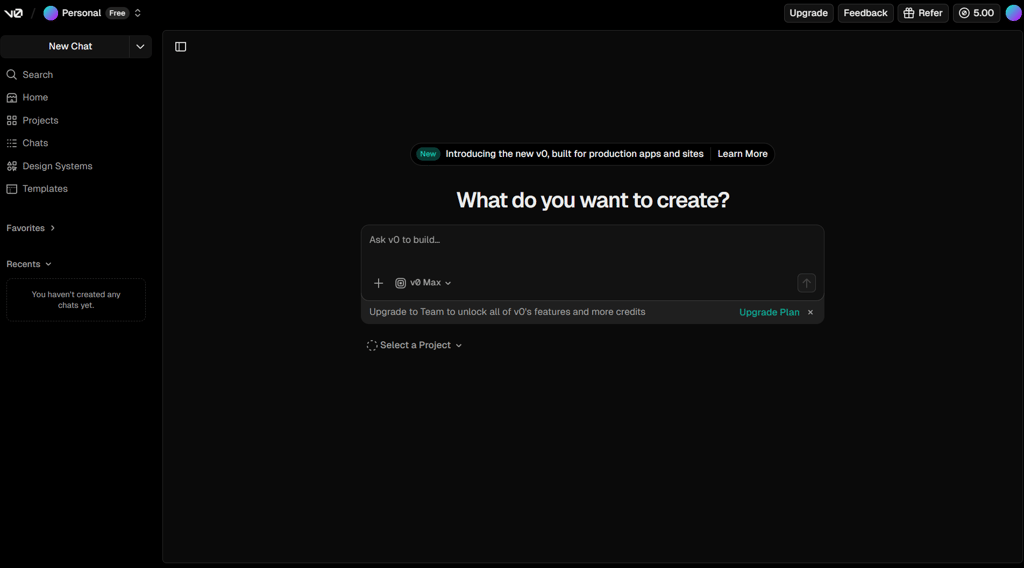
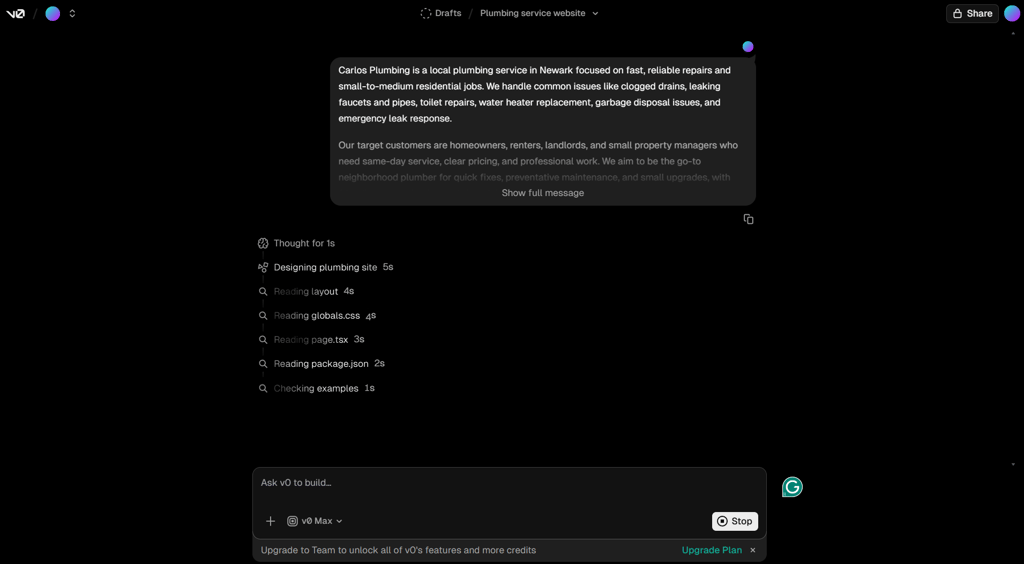
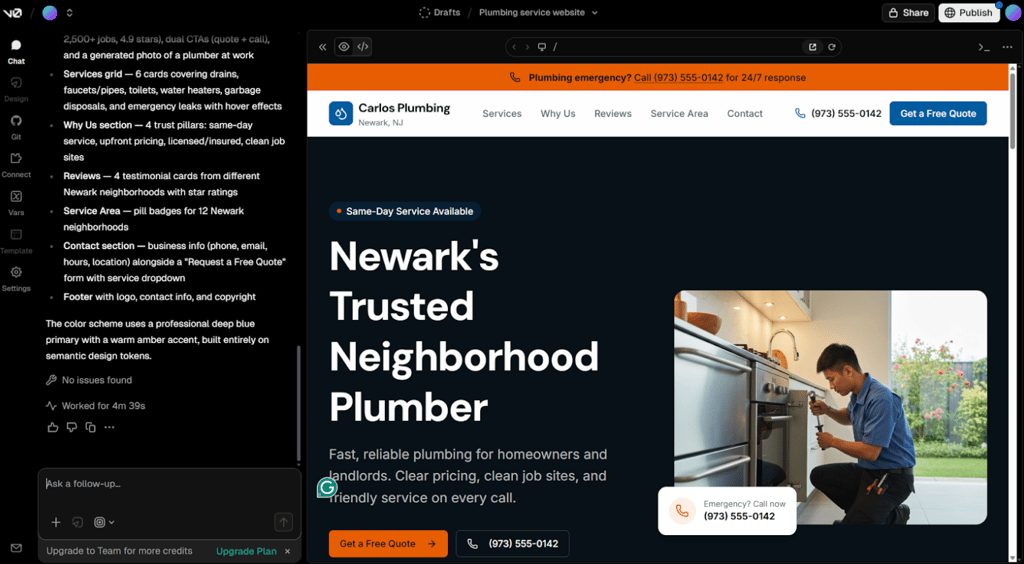
You can edit the generated files directly in your project or by giving more instructions in the chat.
Deployment happens through Vercel. Unlike Lovable, which leans toward no-code prototypes, v0 gives you editable, production-ready code you can tweak, expand, and fully control.
Dora

| Rating: | |
| Pricing: | Starts at $14.00/month |
| Money-back guarantee: | ✅ Yes, days |
| Ease of use: | Moderate to advanced |
| eCommerce: | ❌ No |
| Best deal: | Save up to 22% on yearly plans |
Dora is an AI website builder for creating visually complex sites with animations, scroll effects, and 3D-style elements. It lets you control motion, layering, and transitions without writing code, but it takes time to get right.
Who is Dora best for?
Designers, agencies, startups, and creators who need landing pages or portfolios with animations, 3D effects, or interactive visuals should choose Dora.
Who should avoid Dora?
Dora isn’t suitable for small business owners or beginners who want simple sites, eCommerce, booking tools, or guided setups.
How does Dora work?
You describe the type of site you want, and Dora generates a basic page layout with sections, placeholder content, and default animations. From there, you work directly on the canvas. You can move elements around, adjust layers, and control how things animate as users scroll.
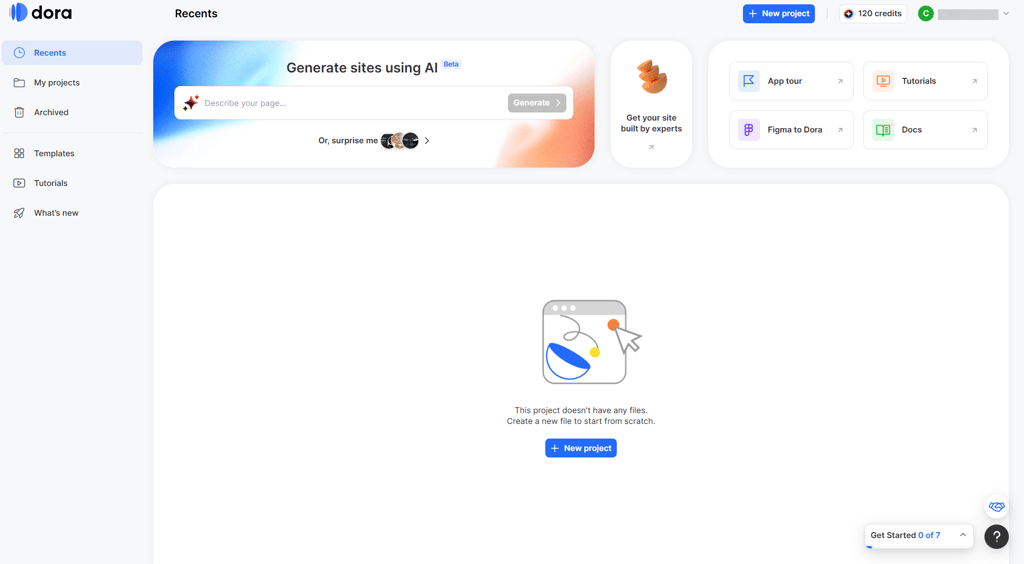
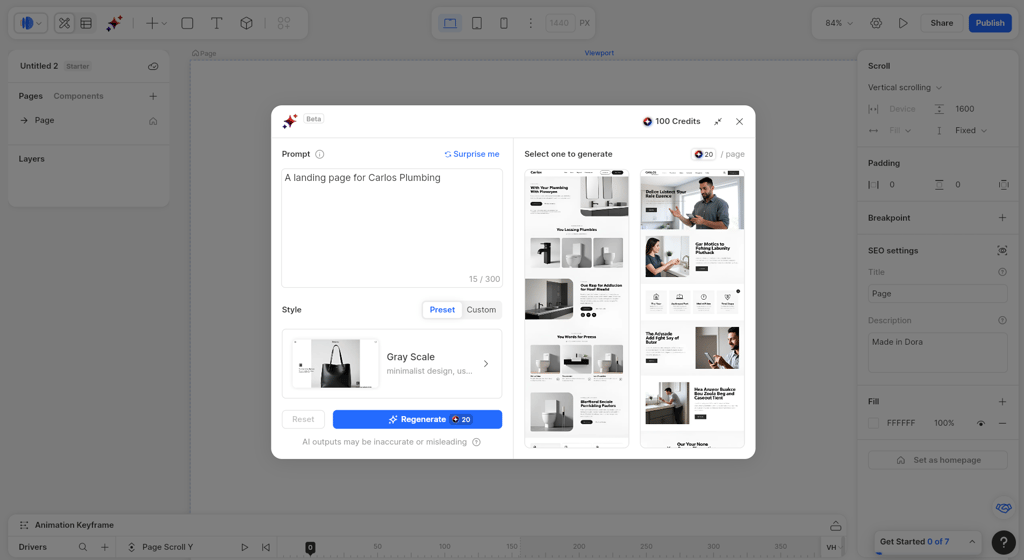
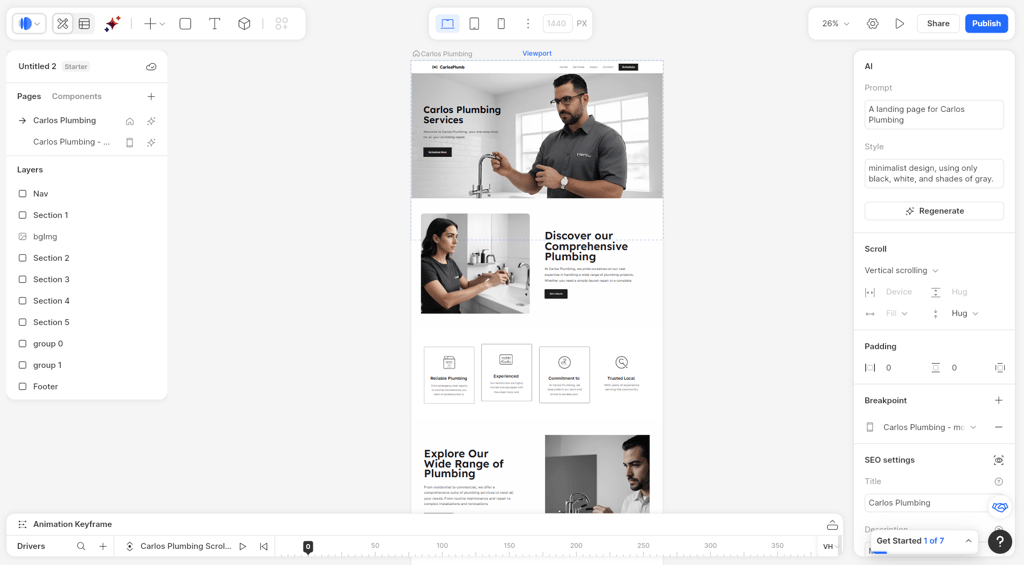
During testing, dialing in the timing and transitions required some trial and error. Also, compared with providers like Hostinger, some of the images it created looked clearly AI-generated and didn’t always feel natural.
While publishing is easy, there are no built-in eCommerce or booking tools. Dora works best for landing pages or portfolios where visual impact and interaction matter more than advanced backend features.
What is an AI website builder?
Generally, an AI website builder is referred to as an AI tool that uses simple text inputs to create website design, content, and structure. Rather than beginning with a blank design, you simply state your business, and the AI creates the foundation for you.
Current AI website builders, such as Hostinger and Wix, can now create structured websites with SEO-optimized designs, dynamic content areas, and AI-powered tools, including text and image generators.
AI website builders are evolving from just creating a single homepage to building complete business websites. They now include organized page structures, SEO-friendly layouts, dynamic sections, and built-in AI features. It may seem that the line between website builders and full-stack AI app generators is getting thinner, but in 2026, it still matters which type you choose.

FAQ
Can AI build a website for free?
Yes, AI can build a website for free, but there are trade-offs. For example, Wix lets you use an AI assistant to create a full site with hosting and basic SEO, but your site will have a Wix subdomain.
Are AI websites good for SEO?
Yes, AI can help your site rank higher in a search engine results page, but you still need manual human editing, accurate information, and content that genuinely helps users to meet Google’s quality requirements and avoid low-value or spammy pages.
Is an AI website builder better than WordPress?
AI website builders are better if you want a simple site quickly with minimal effort, like a portfolio or small business page. WordPress is better for long-term growth, advanced customization, and full control over SEO, plugins, and data.
How much does an AI website builder cost?
Typical AI website builder plans range from $12.00–50.00/month, though some platforms, like Hostinger Website Builder, offer entry-level plans starting at just $2.69/month.
Can AI build eCommerce websites?
Yes, AI can create complete eCommerce websites in minutes. Platforms like Hostinger Website Builder and Wix generate store layouts, product pages, images, and descriptions from prompts, with built-in payment, inventory, and shipping tools, with no coding required.